
ESR Cyber Series FlickLock Magnetic Case
ESR Cyber Series FlickLock Magnetic Case for AirPods Pro 3 (2025)
User Instruction Manual
Introduction
This manual provides detailed instructions for the ESR Cyber Series FlickLock Magnetic Case, designed exclusively for the AirPods Pro 3 (2025) with USB-C. This case offers enhanced protection, secure locking, and convenient charging features to safeguard your earbuds.
Note: Earbuds and charging case are not included with this product.
Compatibility
The ESR Cyber Series FlickLock Magnetic Case is specifically designed for the AirPods Pro 3 (2025) with USB-C Cable. It is not compatible with AirPods Pro 2nd/1st Generation (2023/2022/2019) or AirPods 4/3/2/1.
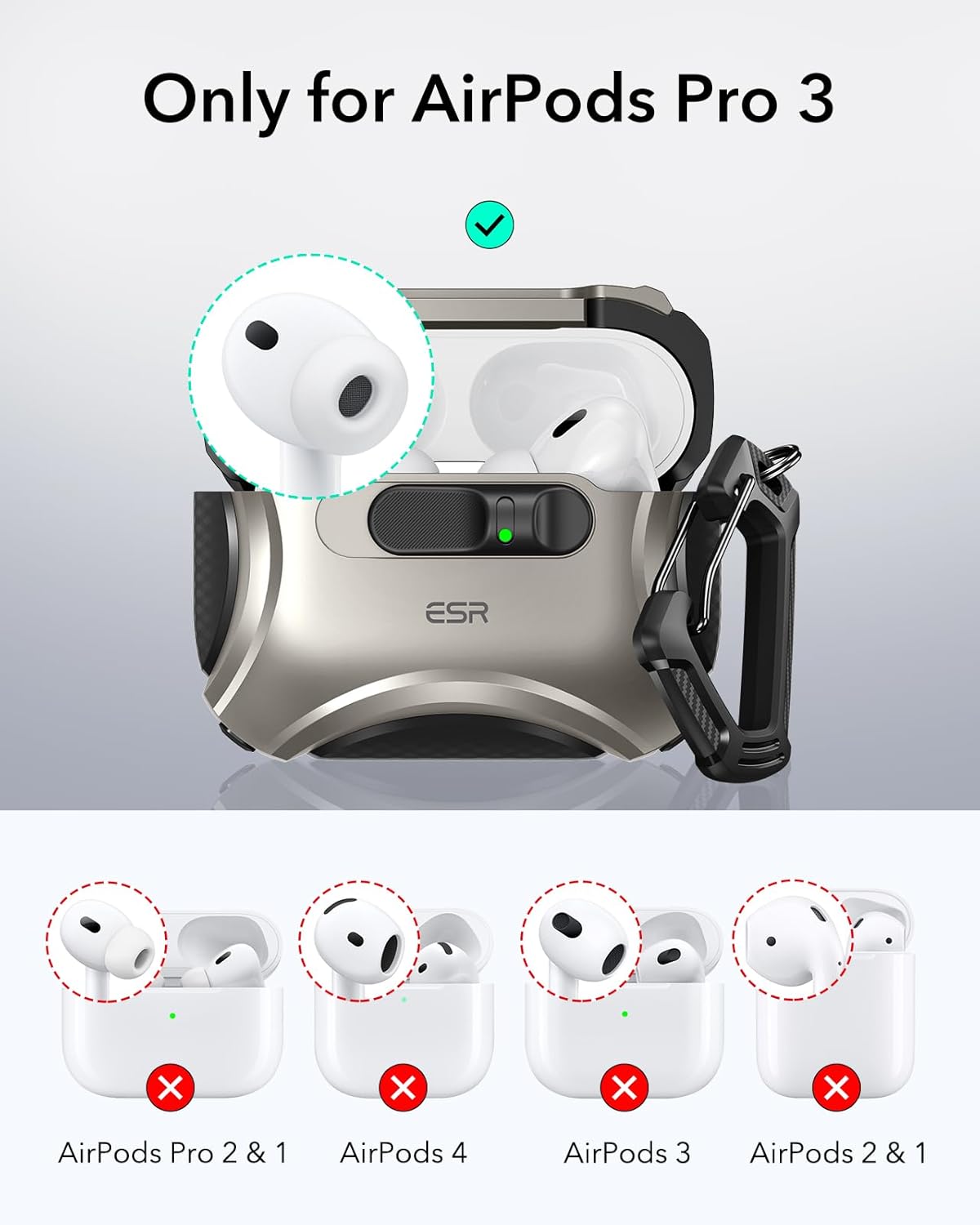
Image: Visual guide illustrating the exclusive compatibility of the ESR Cyber Series case with AirPods Pro 3 (2025), explicitly showing incompatibility with older AirPods Pro generations and other AirPods models.
Setup
- Prepare the AirPods Pro 3 Charging Case: Ensure your AirPods Pro 3 charging case is clean and free of dust or debris.
- Insert the Bottom Half: Carefully slide the bottom half of your AirPods Pro 3 charging case into the bottom section of the ESR Cyber Series case. Ensure it fits snugly.
- Apply the Top Half: Remove the protective film from the adhesive strip on the inside of the top half of the ESR case. Align the top half of the ESR case with the lid of your AirPods Pro 3 charging case and press firmly to secure it.
- Attach the Carabiner: Thread the small metal ring of the carabiner through the designated loop on the side of the ESR case. Secure the carabiner.

Image: A hand demonstrating the "Slide to Open" mechanism of the ESR case, revealing the AirPods Pro 3 inside. This illustrates the ease of access after setup.

Image: An illustration of the items included in the product packaging, such as the Cyber FlickLock case, carabiner, cleaning brush, easy-removal tool, and adhesive strip for the lid.
Operating Instructions
Secure FlickLock Mechanism
The case features a Secure FlickLock mechanism with strong magnets (750g holding force) and an internal latch. To open, slide the latch on the front of the case. This shifts the magnets and springs the lid open, providing instant, one-handed access to your earbuds. When closed, the latch ensures your AirPods remain securely inside, preventing accidental opening if dropped.
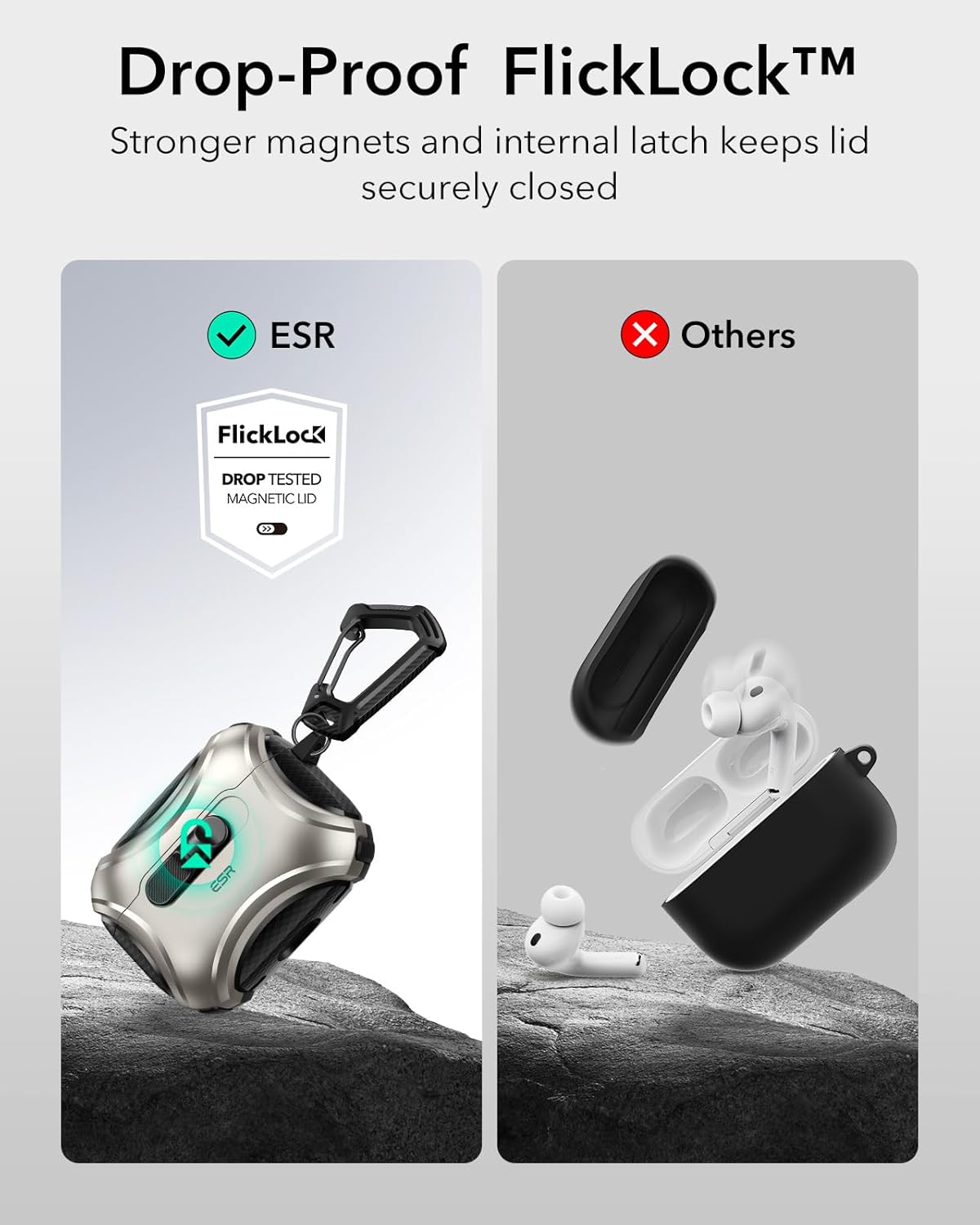
Image: A visual comparison highlighting the secure FlickLock mechanism of the ESR case, showing it remains closed even when dropped, unlike a generic case where earbuds might fall out.
MagSafe Wireless Charging
The ESR Cyber Series case is MagSafe ready. Strong magnets (260g holding force) are built into the back of the case, ensuring a secure connection to MagSafe chargers. Simply place the case onto a compatible MagSafe charger for tap-and-go wireless charging.
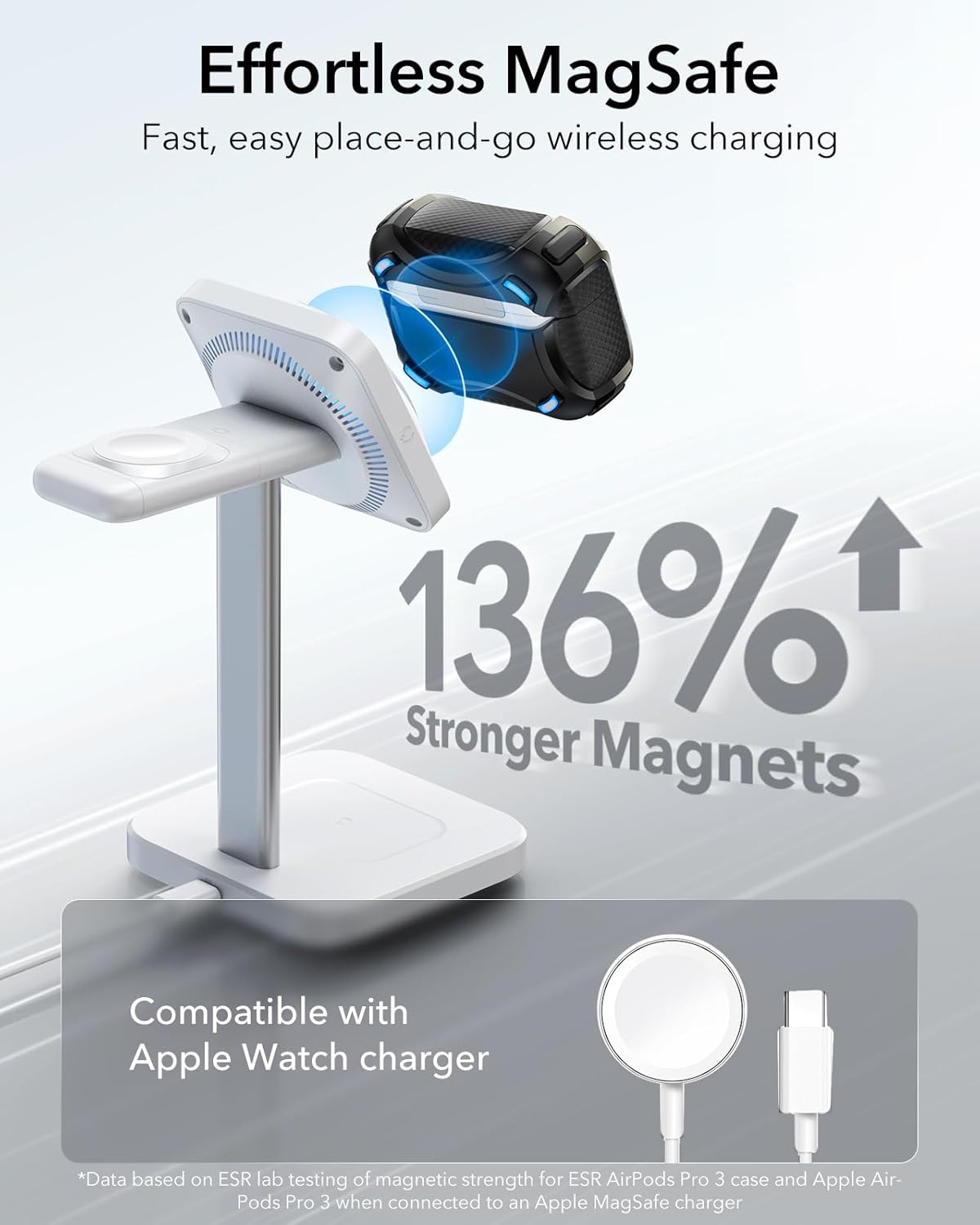
Image: The ESR Cyber Series case positioned on a MagSafe charger, demonstrating its wireless charging capability and the strength of its integrated magnets.
Carabiner for Portability
Utilize the included carabiner to easily attach your AirPods Pro 3 case to a backpack, belt loop, or keys, ensuring your earbuds are always accessible and secure while on the go.

Image: A person with the ESR case clipped to their backpack, showcasing the convenience of the carabiner for carrying the AirPods Pro 3 securely during outdoor activities.
Visible Status Light and Speaker Cutouts
The case features a visible cutout for the AirPods Pro 3 status light, allowing you to easily monitor charging status. Precision speaker cutouts ensure that 'Find My' alerts are loud and clear, and the USB-C charging port remains accessible.
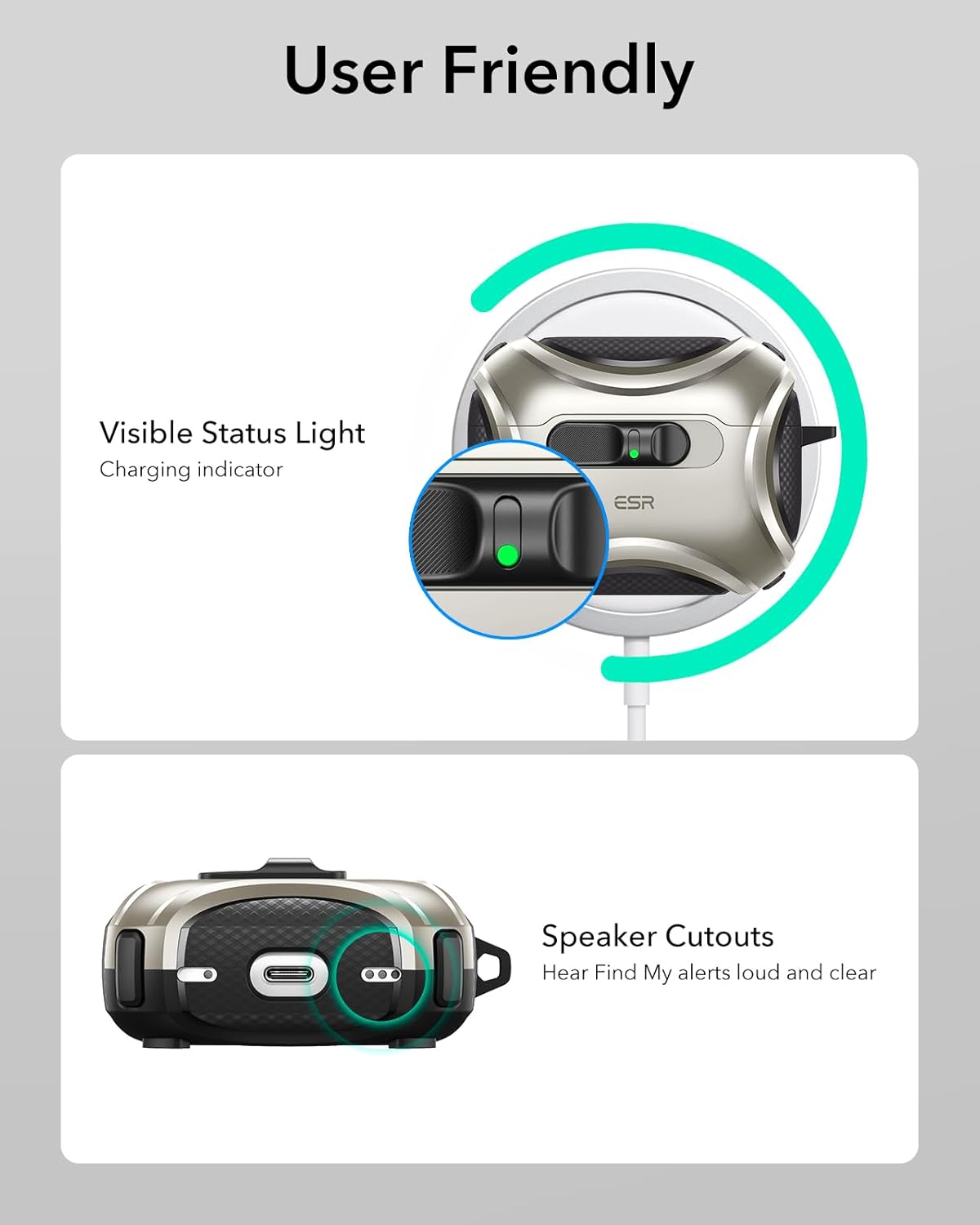
Image: A detailed view of the ESR case, emphasizing the clear visibility of the AirPods Pro 3's status light and the precise cutouts for the speakers and USB-C port.
Product Overview Video
Video: An official product video from Minghutech-US (ESR seller) demonstrating the key features of the ESR Cyber Series FlickLock Magnetic Case, including its secure lock, MagSafe compatibility, and overall design.
Maintenance
Cleaning the Case
Use the provided cleaning brush to gently remove any dust or debris from the crevices and ports of the ESR Cyber Series case. For general cleaning, wipe the case with a soft, damp cloth. Avoid using harsh chemicals or abrasive materials.
Removing the AirPods Pro 3 Case
If you need to remove your AirPods Pro 3 from the ESR case, use the easy-removal tool provided. Insert the tool into the designated slot and gently push to separate the AirPods charging case from the protective outer case.
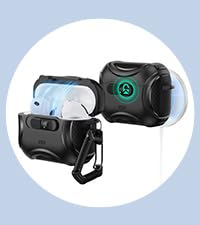
Image: A visual guide demonstrating the use of the cleaning brush for maintenance and the easy-removal tool for safely detaching the AirPods Pro 3 charging case from the ESR protective case.
Troubleshooting
Difficulty with AirPods Pairing Button
If you experience difficulty accessing or pressing the AirPods Pro 3 pairing button through the ESR case, ensure the case is correctly aligned. If the issue persists, temporarily remove the AirPods Pro 3 charging case from the ESR protective case to perform pairing, then reinsert it.
Specifications
- Product Dimensions: 2.6 x 2.12 x 1.32 inches
- Item Weight: 1.19 ounces
- Material: Shock-absorbing polymer and Air Guard corners
- MagSafe Holding Force: 260g (for charging)
- FlickLock Holding Force: 750g (for lid security)
- Color: Titanium (for this specific model)
- Manufacturer: ESR
- Compatible Devices: AirPods Pro 3 (2025) (USB-C Cable)
Warranty and Support
ESR provides comprehensive customer support for this product, including:
- Detailed setup videos and FAQs (accessible via QR code in packaging or ESR website).
- A comprehensive 12-month protection plan.
- Unlimited support and personalized help.
For further assistance, please refer to the contact information provided in your product packaging or visit the official ESR website.
Related documentsCyber Series FlickLock Magnetic Case


Ask a question about this manual
Ask about setup, troubleshooting, compatibility, parts, safety, or missing instructions. Manuals+ will review the question and use this page’s manual context to help answer it.