
1. Introduction
Thank you for choosing Crayola Kids Wireless Over-Ear Headphones. These headphones are designed to provide a comfortable and engaging audio experience for children, featuring Bluetooth 5.0 connectivity, a built-in microphone, and FM radio functionality. This manual provides essential information for the safe and effective use of your headphones.
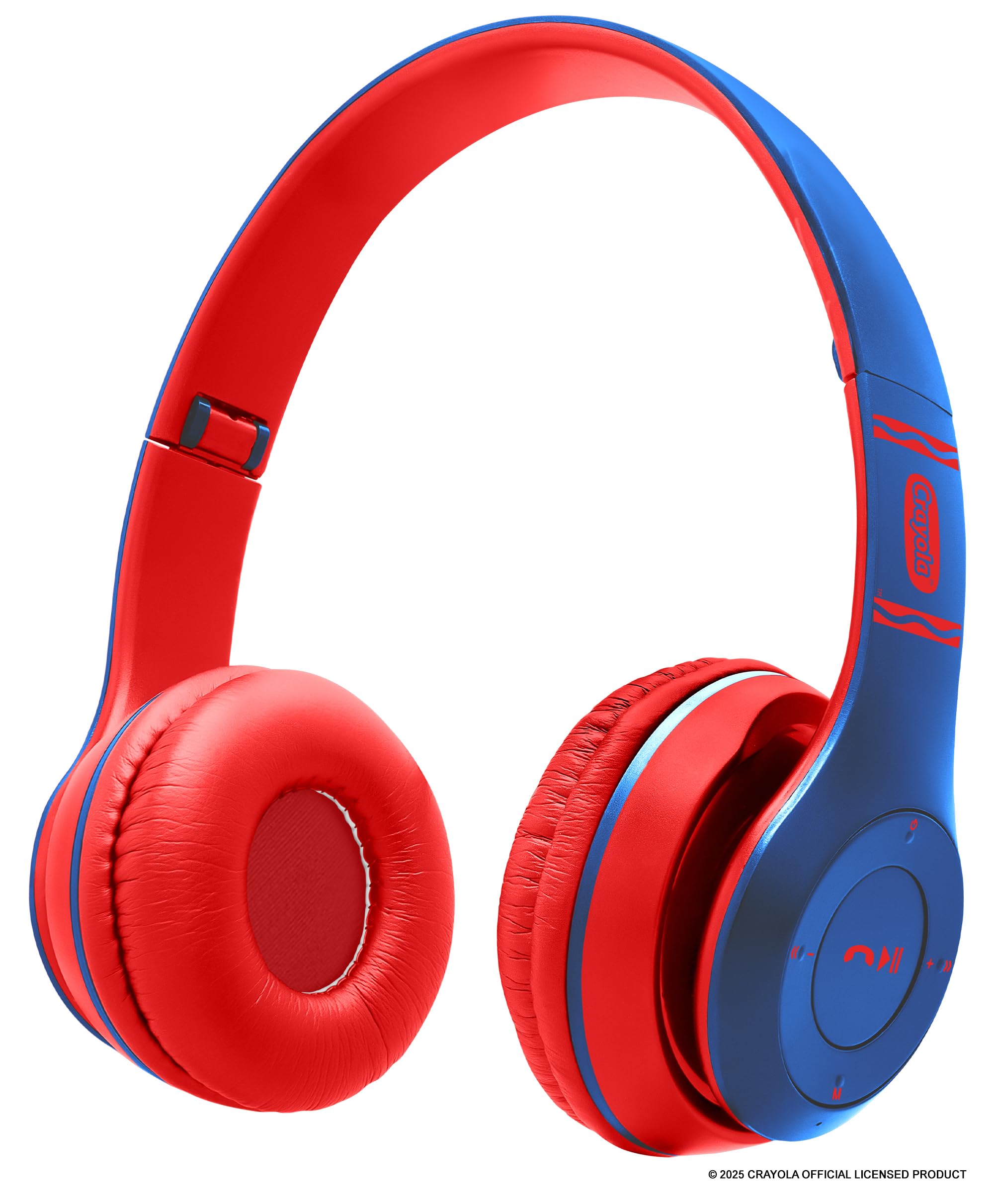
Image: Blue Crayola Kids Wireless Over-Ear Headphones.
2. Package Contents
Please check the package for the following items:
- Crayola Kids Wireless Over-Ear Headphones
- USB-C Charging Cable
- User Manual (this document)
- Warranty Card
3. Product Overview
The Crayola Kids Wireless Over-Ear Headphones offer a range of features for versatile use. They are equipped with 40mm drivers for clear sound, a hands-free microphone for calls and online learning, and an adjustable, lightweight design for comfort.

Image: Overview of headphone features including FM Radio, long-lasting battery, hands-free microphone, on-board buttons, and Bluetooth connectivity.
Key features include:
- Bluetooth 5.0: Provides stable wireless connection up to 32.8 feet.
- Built-in Microphone: For hands-free calls and online communication.
- FM Radio: Integrated radio function for listening to broadcasts.
- Long Battery Life: Up to 5 hours of playback on a single charge.
- AUX Wired Option: Allows connection to non-Bluetooth devices using a 3.5mm audio cable (not included).
- Comfortable Design: Soft over-ear cushions and an adjustable headband for extended wear.

Image: Headphones demonstrating compatibility with various devices such as phones, MP3 players, iPads, and TVs.
4. Setup
4.1 Charging the Headphones
- Locate the USB-C charging port on the headphones.
- Connect the provided USB-C charging cable to the headphones and the other end to a USB power source (e.g., computer USB port, wall adapter).
- The LED indicator will illuminate during charging and change color or turn off when fully charged. A full charge takes approximately 2 hours.
A fully charged battery provides approximately 4-5 hours of playback time.
4.2 Powering On/Off
- To Power On: Press and hold the Power button until the LED indicator lights up and you hear an audible prompt.
- To Power Off: Press and hold the Power button until the LED indicator turns off and you hear an audible prompt.
4.3 Bluetooth Pairing
- Ensure the headphones are powered off.
- Press and hold the Power button for approximately 5-7 seconds until the LED indicator flashes blue and red alternately, indicating pairing mode.
- On your device (smartphone, tablet, laptop), enable Bluetooth and search for available devices.
- Select "Crayola Headphones" from the list of found devices.
- Once paired, the LED indicator will flash blue slowly, and you will hear a confirmation tone.
4.4 Wired Connection (AUX Mode)
To use the headphones with a non-Bluetooth device or when the battery is depleted:
- Connect a 3.5mm audio cable (not included) to the AUX port on the headphones.
- Connect the other end of the audio cable to the audio output jack of your device.
- The headphones will automatically switch to wired mode. Note that the on-board controls and microphone may not function in wired mode, and control will be from your connected device.

Image: Blue headphones with a 3.5mm AUX cable plugged into the audio jack.
5. Operating Instructions
5.1 Basic Controls
The headphones feature intuitive buttons for easy control:
- Power Button: Press and hold to power on/off. Short press to play/pause music.
- Volume Up (+): Short press to increase volume. Long press to skip to the next track.
- Volume Down (-): Short press to decrease volume. Long press to go to the previous track.
- Multi-function Button (Phone Icon): Press to answer/end calls. Press and hold to reject calls. Double-press to redial the last number.
- Mode Button (M): Short press to switch between Bluetooth mode and FM Radio mode.
5.2 Hands-Free Calling
When connected via Bluetooth to a smartphone, you can manage calls directly from the headphones:
- Answer/End Call: Short press the Multi-function button.
- Reject Call: Press and hold the Multi-function button for 2 seconds.
- Redial Last Number: Double-press the Multi-function button.
5.3 FM Radio Function
To use the FM radio:
- Press the Mode (M) button to switch to FM Radio mode.
- In FM mode, short press the Power button to automatically scan and save available FM stations.
- Use the Volume Up (+) and Volume Down (-) buttons (short press) to navigate through the saved stations.
6. Maintenance
Proper care will extend the life of your headphones:
- Cleaning: Wipe the headphones with a soft, dry cloth. Do not use harsh chemicals or abrasive cleaners.
- Storage: Store the headphones in a cool, dry place away from direct sunlight and extreme temperatures.
- Water Exposure: These headphones are not water-resistant. Avoid exposure to water or excessive moisture.
Image: Blue headphones placed on a white desk alongside crayons, pencils, and a notebook, suggesting use in a learning environment.
7. Troubleshooting
If you encounter issues with your headphones, refer to the following common solutions:
| Problem | Possible Solution |
|---|---|
| Headphones do not power on. | Ensure the headphones are fully charged. Connect to a power source using the USB-C cable. |
| Cannot pair with a Bluetooth device. | Make sure the headphones are in pairing mode (flashing blue and red LED). Ensure Bluetooth is enabled on your device and it is within range (32.8 ft). Try restarting both devices. |
| No sound or low volume. | Check the volume levels on both the headphones and your connected device. Ensure the headphones are properly paired or the AUX cable is fully inserted. |
| Microphone not working. | Ensure the headphones are connected via Bluetooth. The microphone may not function in wired (AUX) mode. Check your device's audio input settings. |
| FM Radio not receiving stations. | Ensure you are in FM mode. Perform an auto-scan for stations. Try moving to a location with better signal reception. |
8. Specifications
- Brand: Crayola
- Model Number: CHPBT348
- Connectivity: Bluetooth 5.0, 3.5mm AUX
- Ear Placement: Over Ear
- Audio Driver: 40mm Dynamic Driver
- Frequency Response: 20 Hz - 20,000 Hz
- Sensitivity: 85 dB
- Impedance: 32 Ohms
- Battery Life: Up to 5 hours (playback)
- Charging Time: Approximately 2 hours (via USB-C)
- Weight: 0.26 Pounds (approx. 118g)
- Material: Plastic
- Additional Features: Built-in Microphone, FM Radio, Volume Control
9. Warranty & Support
These Crayola Kids Wireless Over-Ear Headphones come with a 1 Year Limited Warranty. Please refer to the included Warranty Card for detailed terms and conditions.
For technical support or warranty claims, please contact the manufacturer, Migear Intl, LLC, or refer to the contact information provided on your Warranty Card.

Image: A young girl sitting at a desk with the blue Crayola headphones next to her notebook, ready for learning or entertainment.
