
1. Introduction
Thank you for choosing the BLACK+DECKER GL350L 350W Corded String Trimmer. This manual provides essential information for the safe and efficient operation, assembly, maintenance, and troubleshooting of your new string trimmer. Please read these instructions carefully before use and retain them for future reference.
The GL350L is designed for light trimming and maintenance of weeds and grass in small gardens. It features a powerful 350W motor, a 23 cm (9") cutting width, and a no-load speed of 12000 RPM, ensuring efficient performance.
2. Safety Instructions
Always follow basic safety precautions to reduce the risk of fire, electric shock, and personal injury when using power tools. Familiarize yourself with all controls and proper usage.
2.1 General Safety
- Read all instructions: Before operating the tool, read and understand all safety warnings and instructions.
- Keep work area clear: Ensure the area is free from debris, children, and bystanders.
- Dress appropriately: Wear long trousers, sturdy footwear, and eye protection. Avoid loose clothing or jewelry that could get caught in moving parts.
- Avoid dangerous environments: Do not use the trimmer in wet or damp conditions.
- Inspect the tool: Before each use, check for damaged parts, loose fasteners, or any other condition that may affect its safe operation.
2.2 Electrical Safety
- Power source: Ensure the power source matches the voltage specified on the tool's rating plate (220-240V).
- Extension cords: Use only outdoor-rated extension cords that are in good condition and suitable for the tool's power rating.
- Avoid damage to cord: Do not carry the tool by the cord or yank it to disconnect from the outlet. Keep the cord away from heat, oil, sharp edges, or moving parts.
- Ground Fault Circuit Interrupter (GFCI): Always use a GFCI when operating the trimmer outdoors.
3. Product Overview and Parts Identification
Familiarize yourself with the components of your BLACK+DECKER GL350L string trimmer before operation.

Image: Overview of the GL350L String Trimmer with key components labeled.
- Main Handle: Designed for comfortable grip during extended use.
- Trigger Switch: Activates and deactivates the trimmer.
- Cord Retainer: Secures the power cord in place to prevent accidental disconnection.
- Pivoting Button: Allows adjustment of the trimmer head angle for various cutting tasks.
- Auxiliary Handle: Provides additional control and comfort, especially during two-handed operation.
- Upper Shaft: The upper section of the trimmer's main body.
- Lower Shaft: The lower section of the trimmer's main body, connecting to the trimmer head.
- Safety Guard: Protects the user from flying debris during operation.
- Cutting Line: The nylon line used for cutting grass and weeds.
- Cut-Off Blade: Automatically trims the cutting line to the correct length.
- Spool Cap: Protects the trimmer line spool.
- Spool Cover Lock Button: Prevents the line from becoming tangled.
- Bump Head: Mechanism to advance the cutting line.
- Spool: Holds the cutting line for smooth and continuous trimming.
4. Setup
Although the GL350L requires minimal assembly, ensure all components are correctly attached before first use.
4.1 Attaching the Safety Guard
- Align the safety guard with the slots on the trimmer head.
- Push the guard firmly until it clicks into place. Ensure it is securely fastened and does not wobble.

Image: Components of the GL350L String Trimmer before assembly, showing the safety guard.
4.2 Attaching the Auxiliary Handle
- Slide the auxiliary handle onto the upper shaft.
- Adjust the handle to a comfortable position for your height and working posture.
- Tighten the handle securely using the pivoting button or locking mechanism provided.

Image: Detail of the auxiliary handle attachment point.
4.3 Connecting to Power
- Insert the power cord into the cord retainer on the main handle. This prevents accidental unplugging.
- Connect the trimmer's power cord to a suitable outdoor-rated extension cord.
- Plug the extension cord into a grounded 220-240V outlet protected by a GFCI.
5. Operating Instructions
Follow these guidelines for effective and safe trimming.
5.1 Starting and Stopping
- To Start: Hold the trimmer firmly with both hands. Press the trigger switch on the main handle.
- To Stop: Release the trigger switch.
5.2 Trimming Techniques
For optimal results and to prevent damage to your lawn and the trimmer, use the following techniques:
- Multiple Passes: It is ideal to cut grass in multiple passes, especially for longer grass. This prevents discoloration of the lawn (brown grass) and reduces the load on the 350W motor, preventing overheating and damage.
- 1/3rd Rule: In each pass, cut no more than 1/3rd of the total grass length.
- Cutting Height: For grass less than 5 cm, a single pass is sufficient. For grass between 5 cm and 10 cm, trim in one pass. For grass between 10 cm and 15 cm, trim in one pass. Refer to the manual for specific height adjustment instructions if applicable.

Image: Visual guide for effective grass trimming, emphasizing multiple passes and cutting height.
5.3 Advancing the Cutting Line (Bump Feed)
The GL350L features a bump feed system to advance the cutting line.
- While the trimmer is running, gently tap the bump head on a firm, flat surface (e.g., the ground).
- The cutting line will automatically extend. The cut-off blade on the safety guard will trim the line to the correct length.
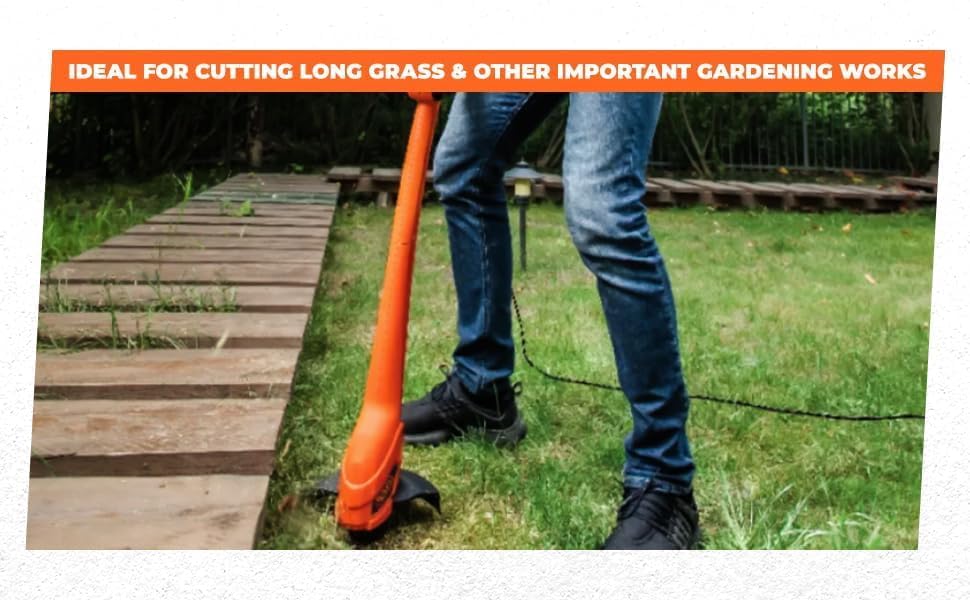
Image: A user demonstrating the use of the string trimmer for garden maintenance.
6. Maintenance
Regular maintenance ensures the longevity and optimal performance of your trimmer.
6.1 Cleaning
- Disconnect Power: Always unplug the trimmer from the power source before cleaning.
- Clean Housing: Wipe the exterior of the trimmer with a damp cloth. Do not use harsh chemicals or abrasive cleaners.
- Clear Debris: Remove any grass clippings or debris from the safety guard, trimmer head, and ventilation openings. Use a small brush or compressed air if necessary.
6.2 Replacing the Cutting Line
When the cutting line runs out or becomes too short, it needs to be replaced.
- Disconnect Power: Ensure the trimmer is unplugged.
- Remove Spool Cap: Press the spool cover lock button and remove the spool cap.
- Remove Old Spool: Take out the empty or damaged spool.
- Install New Spool: Place a new BLACK+DECKER replacement spool (or correctly wound line of the specified diameter) into the trimmer head. Ensure the line is threaded through the eyelets.
- Reattach Spool Cap: Securely reattach the spool cap.

Image: Detailed view of the trimmer head components, including the spool and cap.
6.3 Storage
- Store the trimmer in a dry, secure place, out of reach of children.
- Protect the power cord from damage during storage.
7. Troubleshooting
Before attempting any repairs, always disconnect the trimmer from the power supply.
| Problem | Possible Cause | Solution |
|---|---|---|
| Trimmer does not start | No power supply Faulty switch | Check power connection and outlet Contact customer support for switch replacement |
| Cutting line does not advance | Line tangled or stuck Spool empty Bump head mechanism faulty | Disconnect power, clear tangles, or re-spool line Replace spool with new line Contact customer support |
| Motor runs but line does not spin | Spool not correctly installed Drive shaft issue | Disconnect power, re-install spool correctly Contact customer support |
| Excessive vibration | Damaged cutting line or spool Loose components | Replace cutting line/spool Check all fasteners and tighten if necessary |
8. Specifications
Technical details for the BLACK+DECKER GL350L Corded String Trimmer.

Image: Visual summary of the GL350L's main technical specifications.
| Feature | Specification |
|---|---|
| Model Number | GL350L |
| Power Source | Corded Electric |
| Motor Power | 350 W |
| Input Voltage | 220-240 V |
| No-Load Speed | 12000 RPM |
| Cutting Width | 23 cm (9") |
| Cable Length | 2.87 m |
| Item Weight | 1.6 kg (1.62 Kilograms) |
| Product Dimensions (L x W) | 80L x 20W Centimeters |
| Assembly Required | No (minimal assembly of guard/handle) |
| Recommended Uses | Brush Cutting, Edging, Trimming |
9. Warranty and Support
BLACK+DECKER is committed to providing quality products and support.
9.1 Warranty Information
This product comes with a standard manufacturer's warranty. An optional 1-year extended warranty by Onsitego may also be available. For detailed warranty terms and conditions, please refer to the warranty card included with your product or contact customer support.
9.2 Customer Support
For sales, after-sales support, original parts, or any information regarding your BLACK+DECKER GL350L string trimmer, please contact us through the following channels:

Image: BLACK+DECKER Total Care contact details for support.
- Phone: 1800-203-0644 (Monday - Saturday, 09:00 AM - 06:00 PM IST, except government holidays)
- Email: SBD-CUSTOMERCOMMUNICATIONS@SBDINC.COM
- WhatsApp: +91 96060 55835 (Scan the QR code in the image or click the link to contact us)
- Authorized Service Centers: Over 500+ service centers available.
Manufacturer Contact Information: Stanley Black & Decker India Pvt Limited, GAT NO. 135, 137 & 157, PO Mahalunge Talukha - Khed Pune 410501, India.


