
Introduction
This manual provides detailed instructions for the assembly, operation, maintenance, and troubleshooting of your SEDETA L Shaped Electric Standing Desk with File Cabinet. Please read this manual thoroughly before assembly and use to ensure proper function and safety. Keep this manual for future reference.
Important Safety Information
- Ensure all components are present and undamaged before assembly. Do not proceed with assembly if any parts are missing or damaged.
- Assembly should ideally be performed by two adults due to the size and weight of the desk components.
- Place the desk on a flat, stable surface during assembly and use.
- Keep children and pets away from the desk during operation to prevent injury.
- Do not overload the desk. The maximum load capacity is 400 lbs.
- Ensure all cables are properly managed to avoid tripping hazards and damage to the electrical components.
- Avoid placing liquids directly on the desk surface, especially near electrical outlets.
- Disconnect power before cleaning or performing any maintenance.
- Avoid using the motor-operated height adjustment feature in quiet environments to prevent startling noise.
- Be cautious of sharp edges and heavy equipment when using and assembling the product.
- Arrange the L-shape desk carefully to avoid tripping hazards.
- Use the LED lights responsibly to prevent distractions, especially during work or study hours.
Setup Guide
Unpacking and Inventory
Carefully unpack all contents from the packaging. Lay out all parts and compare them with the provided parts list in your separate assembly guide to ensure everything is accounted for. If any parts are missing or damaged, please contact SEDETA customer support.
Assembly Instructions
For detailed step-by-step assembly, please refer to the separate assembly manual included with your product. It is recommended to have at least two people for assembly. Ensure you have ample space to work. The desk features a detachable design, allowing for flexible configuration. The industrial-grade steel frame provides robust support.

Operating Instructions
Height Adjustment
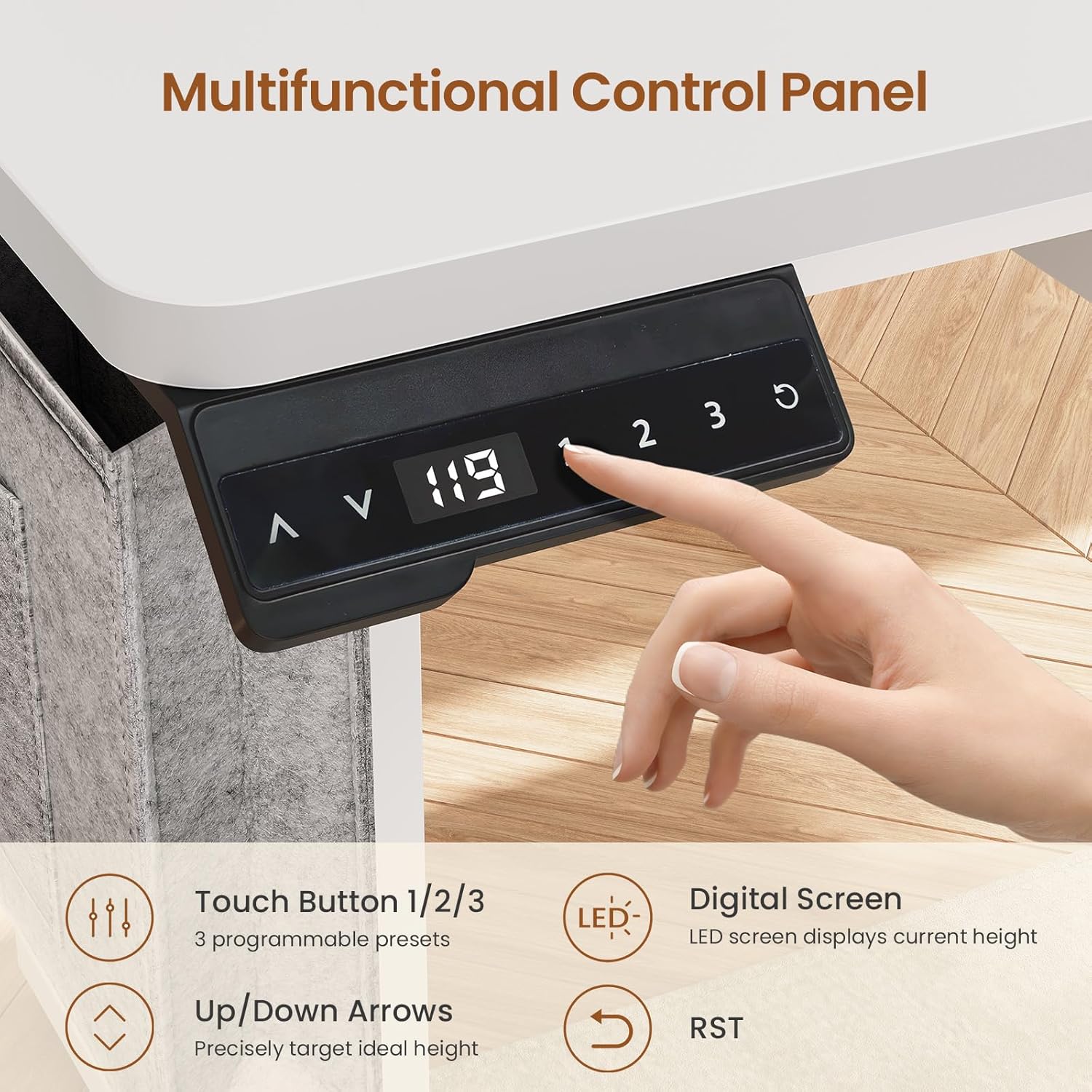
The desk features an electric height adjustment system controlled by a sleek LED display and keypad. Use the up (▲) and down (▼) arrows to precisely adjust the desk height. You can also save up to three preferred height settings using the '1', '2', and '3' buttons for quick access. The adjustable height range is from 30 inches to 47 inches.
Power Outlet and USB Ports
The desk includes a built-in power strip with 4 AC outlets and 2 USB ports for convenient charging of your devices. An on-off switch is provided for safe electricity use, allowing you to power off all connected devices with one button.

LED Lights Operation
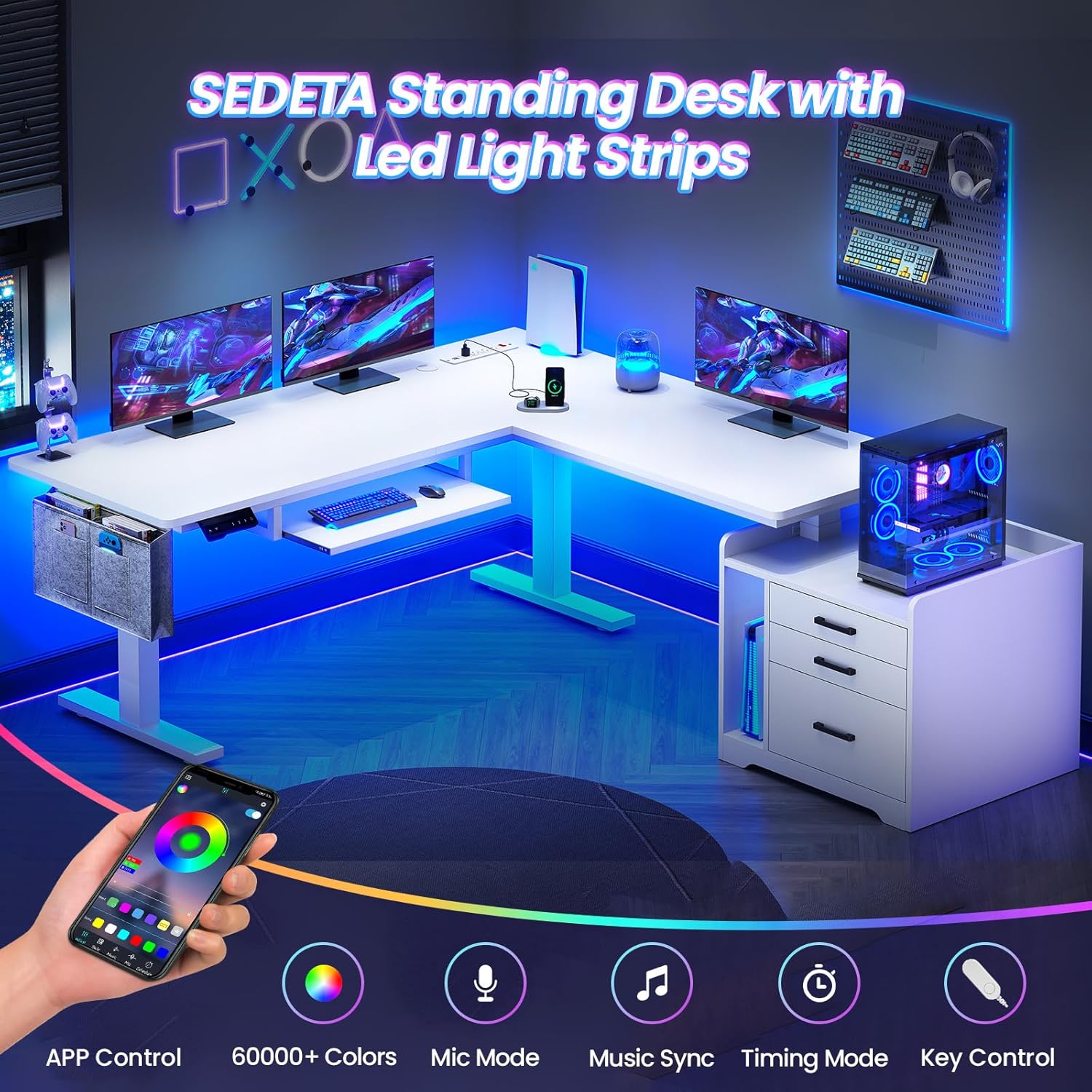
The SEDETA desk is equipped with RGB LED light strips. These lights can be controlled via a mobile application, offering over 60,000 colors and 29 flashing modes. A music sync function allows the lights to change rhythmically with sound, thanks to a built-in sensitivity-adjustable microphone. A timer function is also available for smart control.
File Cabinet and Drawers
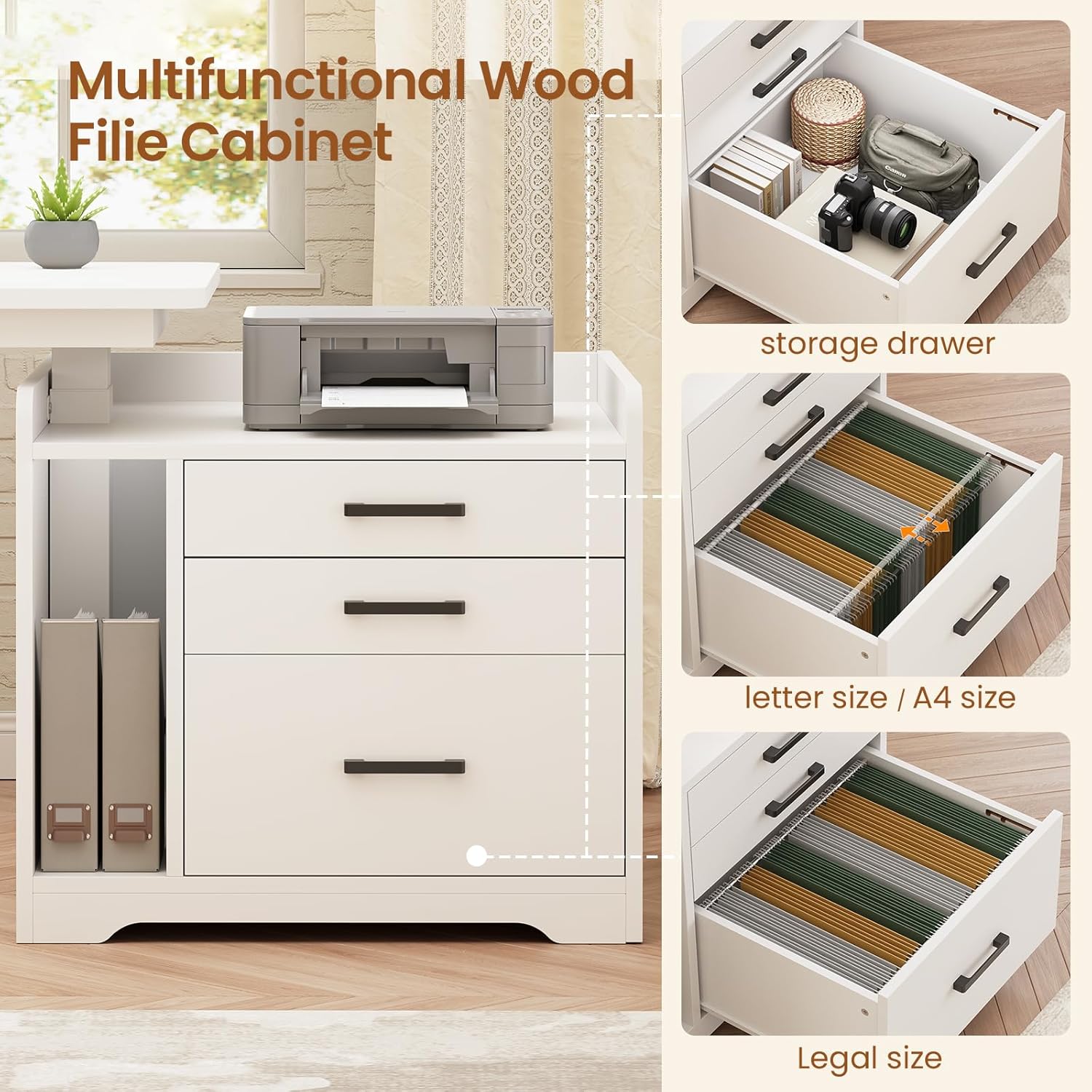
The desk includes a multifunctional file cabinet with three storage drawers. The file drawer is designed to accommodate letter, A4, and legal-sized files. The additional drawers provide ample space for office supplies, printers, scanners, and other equipment, helping to keep your workspace organized.
Keyboard Tray and Storage Bag
A convenient keyboard tray is integrated into the desk design, providing an ergonomic space for your keyboard and mouse. Additionally, a side storage bag is included for easy access to documents, tablets, or other small items.
Maintenance
Cleaning
Wipe the desk surfaces with a soft, damp cloth. Avoid using harsh chemicals or abrasive cleaners, as these can damage the finish. For the metal frame, a mild detergent solution can be used if necessary, followed by drying thoroughly.
Checking Connections
Periodically check all screws and bolts to ensure they are tight. Re-tighten if necessary. Inspect electrical cables for any signs of wear or damage. If any damage is found, discontinue use and contact customer support.
Motor Care
The desk's motor is designed for durability and quiet operation. No specific user maintenance is required for the motor. If you experience unusual noises or performance issues, refer to the troubleshooting section or contact customer support.
Troubleshooting
- Desk Not Adjusting Height: Check if the power cord is securely plugged into both the desk and a working wall outlet. Ensure the on-off switch on the power strip is in the 'on' position. If the issue persists, try resetting the control panel (refer to your assembly guide for specific reset instructions, often involving holding the 'RST' button).
- Unusual Noise During Adjustment: A slight hum is normal during operation. If you hear grinding or loud clicking, stop operation immediately and inspect the legs for any obstructions or loose connections.
- LED Lights Not Working: Verify that the LED light strip is properly connected to its power source. Check the app or remote control for battery levels or connectivity issues.
- Drawers Sticking: Ensure the drawers are not overloaded. Check the drawer slides for any obstructions or debris.
- Missing or Damaged Parts: If your item arrives damaged, scratched, or with missing parts, please contact SEDETA customer service for free replacement or a partial refund.
Product Specifications
| Feature | Specification |
|---|---|
| Brand | SEDETA |
| Product Dimensions | 53"D x 63"W x 30"H |
| Color | White |
| Style | Modern |
| Base Material | Metal |
| Finish Type | Powder Coated |
| Special Features | Height Adjustable, File Cabinet, Power Outlet, LED Lights, Keyboard Tray |
| Top Material Type | Engineered Wood (P2 Particle Board) |
| Number of Drawers | 5 (including file drawer) |
| Maximum Height | 47 Inches |
| Minimum Height | 30 Inches |
| Weight Capacity | Up to 400 lbs |
| Power Outlets | 4 AC Outlets (120V/12A) |
| USB Ports | 2 USB Ports (5V/2A) |
| LED Lights | RGB, APP Control, 60000+ Colors, 29 Modes, Music Sync, Timer |
Warranty and Support
Warranty Information
SEDETA products are manufactured with quality and durability in mind. For specific warranty details regarding your L Shaped Electric Standing Desk, please refer to the warranty card included with your product or visit the official SEDETA website. Typically, the industrial-grade steel frame and motor are covered against manufacturing defects.
Customer Support
If you have any questions, require assistance with assembly, or encounter any issues not covered in this manual, please contact SEDETA customer support. You can usually find contact information on the product packaging, the official SEDETA website, or through your point of purchase. Please have your model number (B0FGP3RYNL) and purchase date ready when contacting support.
For additional resources and product information, you may visit the SEDETA Store on Amazon.