
BOYA BOYA Magic-05
BOYA Magic Wireless Mini Microphone User Manual
Model: BOYA Magic-05
1. Introduction
The BOYA Magic Wireless Mini Microphone system is a versatile audio solution designed for high-quality sound capture with various devices, including iPhones, Android smartphones, cameras, PCs, laptops, and tablets. Its compact and lightweight design, combined with advanced AI noise reduction and app control, makes it suitable for a wide range of recording applications.
2. Product Features
- Four-in-One Design: Functions as a lavalier, handheld, desktop, and on-camera microphone.
- Ultra-Compact and Lightweight: Weighs only 7 grams, designed for comfortable, all-day wear.
- AI Noise Cancellation: Utilizes deep neural networks to intelligently separate voice from background noise, offering up to -40 dB suppression in strong mode and -15 dB in light mode.
- Studio-Grade Audio: Records at 48kHz/24-bit with an 80 dB signal-to-noise ratio, 144 dB dynamic range, and 20Hz to 20kHz frequency response.
- Dual Audio Protection: Features a smart limiter to prevent distortion and a -12 dB safety track for backup recording.
- BOYA Central App Control: Allows adjustment of AI noise cancellation, gain control, and camera presets via a mobile application.
- Extended Battery Life: Each transmitter provides up to 6 hours of operation, with the charging case extending total battery life to 30 hours.
- 328ft (100m) Range: Offers consistent 2.4GHz signal transmission without dropouts.
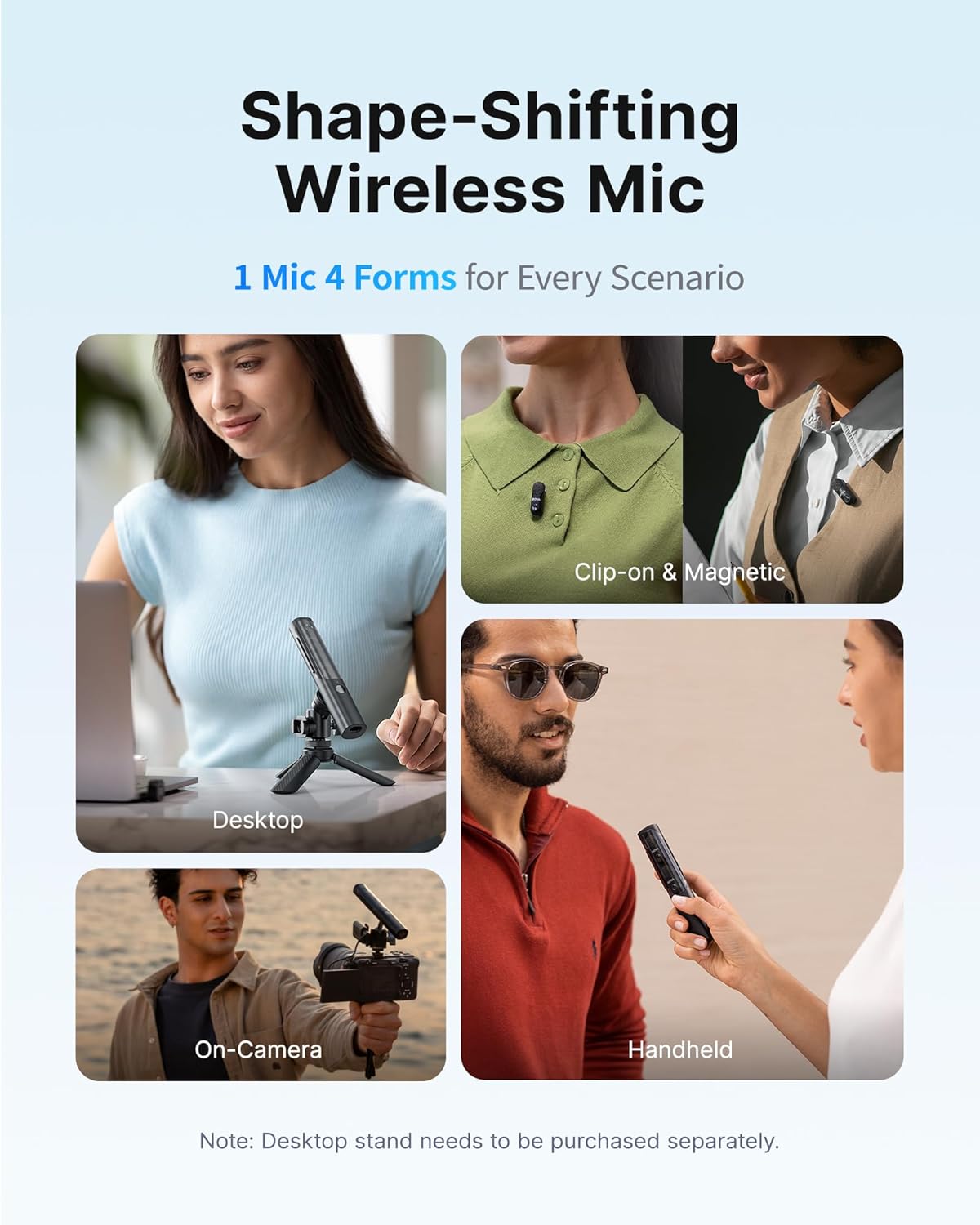
Image: The BOYA Magic microphone demonstrating its versatility in four different configurations: clip-on, handheld, desktop (with optional stand), and mounted on a camera.
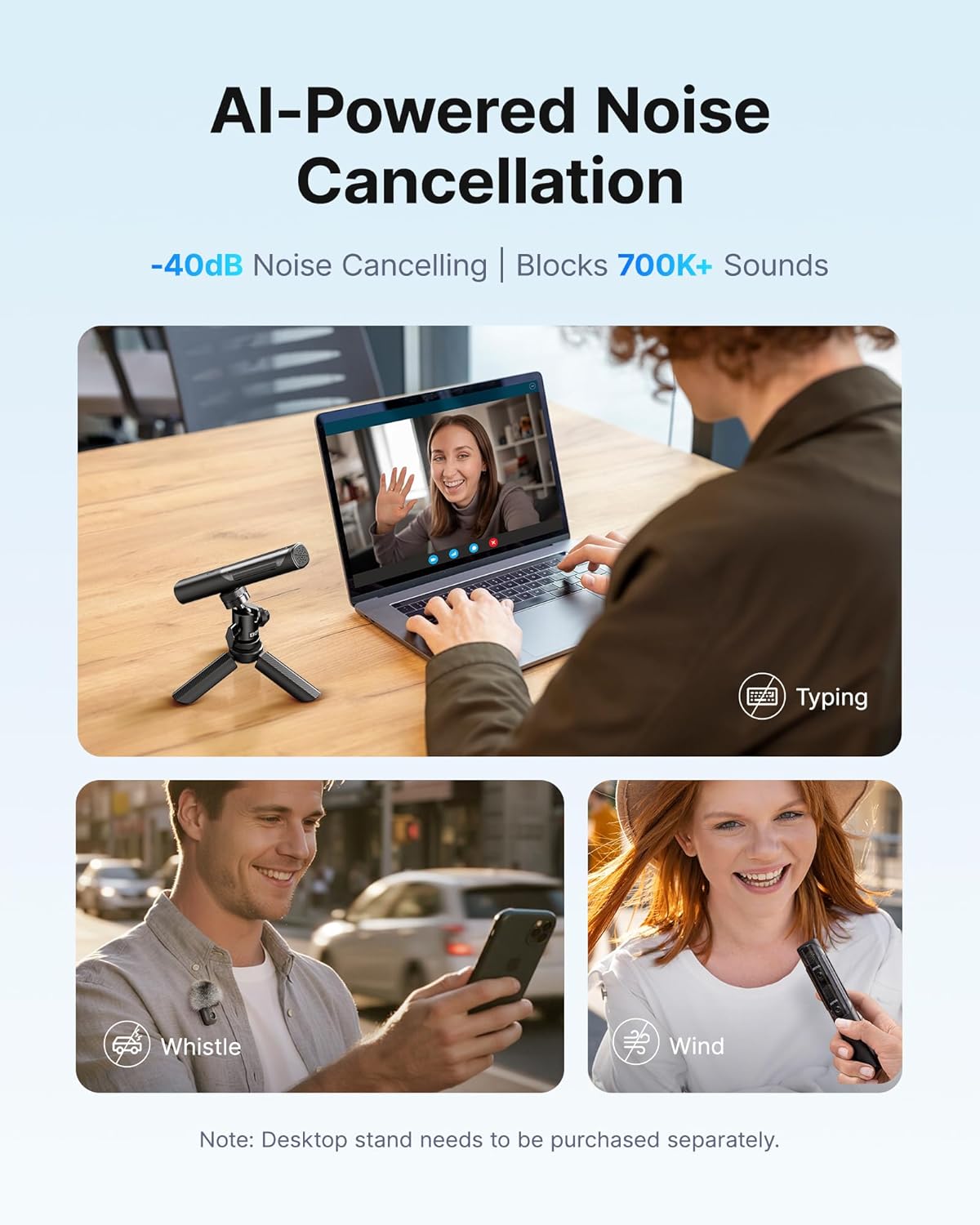
Image: Visual representation of the AI noise cancellation feature, showing the microphone effectively reducing typing sounds, whistles, and wind noise in different environments.
3. What's in the Box
The BOYA Magic-05 package includes the following components:
- Transmitter x2
- USB-C Receiver x1
- Charging Case x1
- Magnet x2
- Fur Windshield for transmitter x2
- Fur Windshield for Charging Case x1
- Foam Windscreen for Charging Case x1
- USB-C to USB-A Data Cable x1
- Storage Bag x1

Image: An organized display of all items included in the BOYA Magic-05 package, including transmitters, receiver, charging case, magnets, windshields, cables, and storage bag.
4. Setup Guide
4.1 Initial Charging
Before first use, fully charge the transmitters and the charging case. Connect the USB-C to USB-A data cable to the charging case and a power source. The indicator lights on the case and transmitters will show charging status.
4.2 Connecting to Your Device
- Insert the USB-C Receiver into the USB-C port of your smartphone, tablet, laptop, or camera.
- Power on the transmitters by pressing the power button. The indicator light will turn blue when connected.
- Ensure the microphone is recognized by your device's audio input settings. For smartphones, this usually happens automatically. For cameras or computers, you may need to select it manually in audio settings.

Image: The main components of the BOYA Magic system, showing the transmitter, the USB-C receiver, and the charging case, illustrating how they fit together.

Image: A smartphone with the BOYA Magic USB-C receiver plugged in, demonstrating the compact and direct connection for mobile recording.
5. Operating Instructions
5.1 Wearing the Transmitter
The transmitter can be clipped onto clothing using its integrated clip or attached magnetically using the provided magnets. For best audio quality, position the microphone approximately 6-8 inches from the sound source.
5.2 AI Noise Cancellation
The BOYA Magic features AI noise cancellation. This can be controlled via the BOYA Central app. There are typically two modes:
- Strong Mode: For environments with significant background noise (e.g., busy streets, loud machinery).
- Light Mode: For reducing white noise while preserving natural ambient sounds.
5.3 Gain Control and Safety Track
Adjust the microphone gain using the BOYA Central app to achieve optimal recording levels. The built-in smart limiter prevents audio clipping, and a -12 dB safety track is automatically recorded as a backup, ensuring clear audio even during unexpected volume spikes.
5.4 Using the BOYA Central App
Download the "BOYA Central" app from your device's app store. The app provides comprehensive control over the microphone's settings, including:
- Volume Control
- Noise Reduction Level
- Custom EQ Settings
- Firmware Updates
- Camera Presets

Image: Multiple screenshots showcasing the user interface of the BOYA Central app, highlighting options for volume control, noise reduction, custom EQ, and firmware updates.

Image: An illustration demonstrating the three levels of gain control (6dB for indoor, 12dB for outdoor, 18dB for noisy environments) and their application in different recording scenarios.
6. Maintenance
- Cleaning: Use a soft, dry cloth to clean the microphone and charging case. Avoid using liquids or abrasive cleaners.
- Storage: Store the device in its provided storage bag when not in use to protect it from dust and physical damage.
- Battery Care: For optimal battery longevity, avoid fully discharging the batteries frequently. Charge the device regularly, even if not in constant use.
- Windshields: Regularly clean or replace the fur windshields to maintain effective wind noise reduction.
7. Troubleshooting
| Problem | Possible Cause | Solution |
|---|---|---|
| No audio recording/output. |
|
|
| Poor audio quality/distortion. |
|
|
| Intermittent connection/signal dropouts. |
|
|
8. Specifications
| Feature | Detail |
|---|---|
| Model Number | BOYA Magic-05 |
| Microphone Form Factor | Clip-On, Handheld, Desktop, Mini On-Cam |
| Connectivity Technology | Wireless (2.4GHz) |
| Connector Type | USB Type-C |
| Polar Pattern | Omnidirectional |
| Frequency Range | 20Hz-20KHz |
| Signal-to-Noise Ratio | 80 dB |
| Audio Sensitivity | 33.5 dB |
| Noise Level | 33.5 dB |
| Dynamic Range | 144 dB (from feature bullets) |
| Recording Quality | 48kHz/24-bit |
| Transmitter Battery Life | Up to 6 hours |
| Total Battery Life (with case) | Up to 30 hours |
| Operating Range | 328ft (100m) |
| Item Weight (Transmitter) | 7 grams (from feature bullets) |
| Product Dimensions | 1.04 x 0.83 x 5.56 inches |
| Compatible Devices | Camera, PC, Laptop, Tablet, Smartphone (iPhone 15/16, Android with Type-C) |
| Material | Acrylonitrile Butadiene Styrene |
9. Warranty and Support
For warranty information and technical support, please refer to the official BOYA website or contact BOYA customer service directly. Keep your purchase receipt as proof of purchase for warranty claims.
BOYA Official Website: www.boya-mic.com
For further assistance, you may also visit the BOYA Store on Amazon: BOYA Amazon Store
Related documentsBOYA Magic-05


Ask a question about this manual
Ask about setup, troubleshooting, compatibility, parts, safety, or missing instructions. Manuals+ will review the question and use this page’s manual context to help answer it.