
1. Product Overview
The OpenNote AI Recorder is an innovative open-ear earbud system designed to enhance productivity through advanced audio recording, transcription, and translation capabilities. Featuring FlashRecord dual-mode recording, it captures both ambient audio for meetings and private phone calls via vibration conduction. Equipped with real-time AI transcription and translation in over 100 languages, it can generate summaries and mind maps. The earbuds are lightweight, offer extended battery life, substantial storage, and military-grade encryption for data security. They are suitable for students, professionals, and journalists requiring efficient audio capture and processing while maintaining situational awareness.
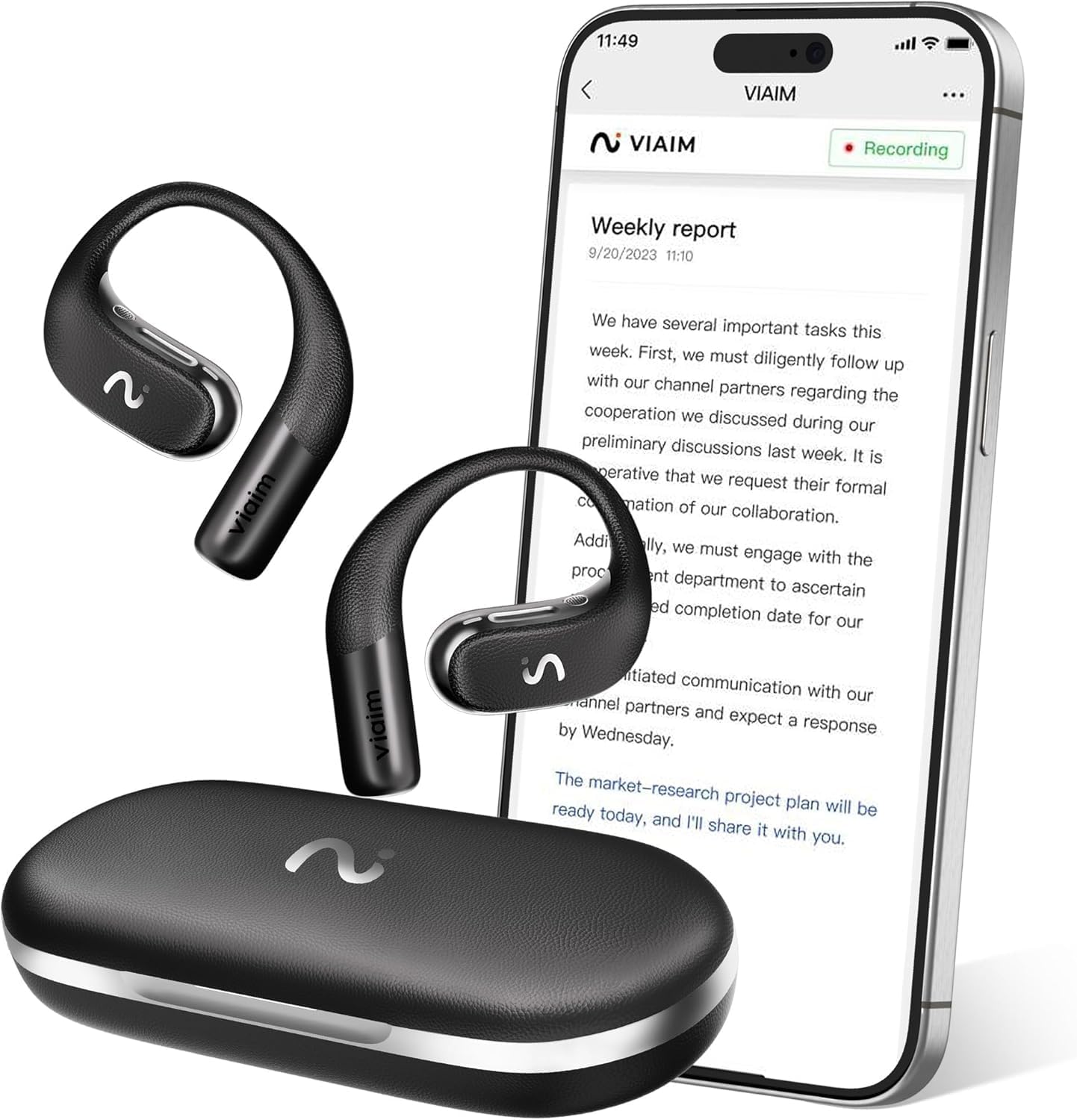
Figure 1.1: OpenNote AI Recorder Earbuds and Companion Application
2. Setup
2.1 Charging the Earbuds
Before first use, fully charge the OpenNote AI Recorder earbuds and their charging case. Connect the charging case to a power source using the provided USB cable. The indicator lights on the case will show the charging status. A full charge provides up to 53 hours of total battery life, with 3 hours of playback from a 10-minute charge.

Figure 2.1: Charging the OpenNote AI Recorder
2.2 Initial Pairing
- Ensure the earbuds are charged and placed in the charging case.
- Open the charging case lid. The earbuds will automatically enter pairing mode.
- On your device (smartphone, tablet, or computer), navigate to the Bluetooth settings.
- Select "OpenNote AI Recorder" from the list of available devices.
- Once connected, a confirmation sound will play through the earbuds.
The OpenNote AI Recorder supports dual-device auto-connect, allowing seamless switching between two paired devices.
3. Operating Instructions
3.1 FlashRecord: One-Press Recording
The FlashRecord feature allows for quick and easy recording of various audio sources. This includes phone calls, in-person conversations, and virtual meetings (e.g., Zoom, Google Meet, Webex, Skype, Teams).
- To start a recording: Press the designated button on the earbud once.
- To stop a recording: Press the button again.
All recordings are saved securely with end-to-end encryption (AES-256/TLS) and can be accessed via the companion application.

Figure 3.1: One-Press Recording Functionality
3.2 Real-Time Transcription and Translation
The OpenNote AI Recorder provides real-time transcription and translation for recorded audio. This feature supports over 100 languages for transcription and 16 languages for translation, facilitating global communication and review.
- Access transcribed and translated content through the OpenNote companion application.
- The application allows you to review, edit, and export transcripts.
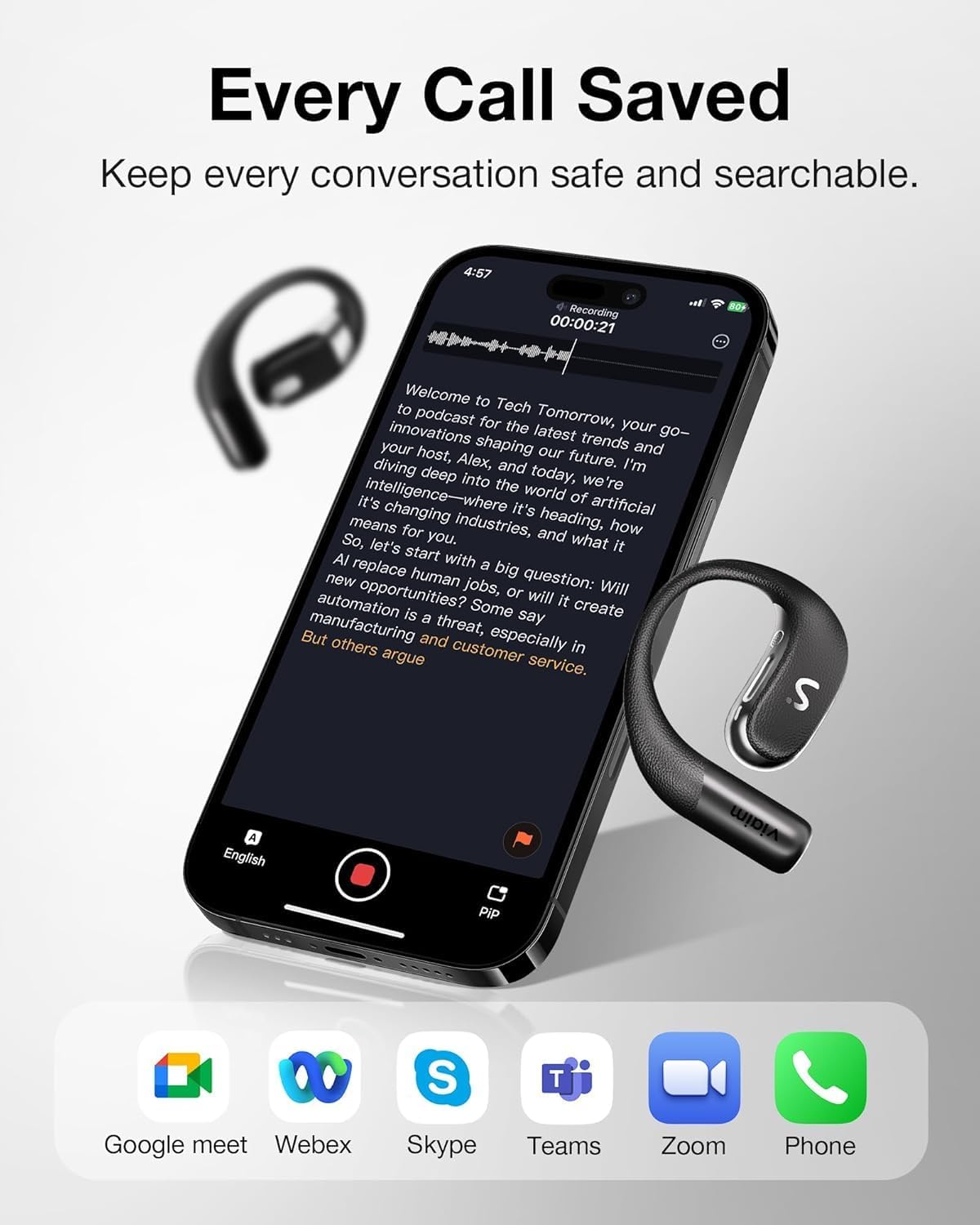
Figure 3.2: Call Transcription and Compatibility
3.3 AI-Powered Summaries and Task Generation
Leveraging AI, the OpenNote system can automatically generate concise summaries and actionable to-do lists from your recorded conversations and meetings. This streamlines post-meeting workflows and ensures key takeaways are captured.
- After a recording is processed, navigate to the summary or task list section within the app.
- Review the generated content and make any necessary adjustments.

Figure 3.3: AI-Generated Summaries and To-Do Lists
3.4 Audio Quality and Comfort
The OpenNote AI Recorder features 18x11mm racetrack speakers and LHDC codec for Hi-Res audio quality, offering studio-level sound with custom EQ modes. The open-ear design, combined with a flexible memory titanium wire and breathable ear hooks, ensures comfort even during extended use and when wearing glasses.

Figure 3.4: Flex-Fit Frame for Enhanced Comfort

Figure 3.5: Smart Sound Leak-Proof System
4. Maintenance
4.1 Cleaning
To maintain optimal performance and hygiene, regularly clean your OpenNote AI Recorder earbuds. Use a soft, dry, lint-free cloth to wipe the surfaces. Avoid using abrasive materials, solvents, or harsh chemicals.
4.2 Storage
When not in use, store the earbuds in their charging case to protect them from dust and physical damage. Store in a cool, dry place away from direct sunlight and extreme temperatures.
4.3 Water and Dust Resistance
The OpenNote AI Recorder earbuds are rated IP55 for weather-proof wear, meaning they are protected against limited dust ingress and low-pressure water jets from any direction. This makes them suitable for use during workouts or in light rain. However, they are not designed for submersion in water.

Figure 4.1: IP55 Weather-Proof Rating
5. Troubleshooting
5.1 Connectivity Issues
- Earbuds not pairing: Ensure earbuds are charged. Place them back in the case, close the lid, wait a few seconds, then open the lid to re-enter pairing mode. Check your device's Bluetooth settings.
- Intermittent connection: Ensure no strong interference sources (e.g., Wi-Fi routers, other Bluetooth devices) are nearby. Keep the earbuds within the recommended Bluetooth range of your device.
5.2 Audio Problems
- No sound: Check the volume levels on both the earbuds and your connected device. Ensure the earbuds are properly connected.
- Poor sound quality: Ensure the earbuds are clean. Check for any obstructions in the speaker grilles.
5.3 Recording Issues
- Recording not starting: Ensure the earbuds are connected to the companion application and have sufficient battery.
- Transcription errors: Ensure clear audio input. Minimize background noise during recording.
5.4 Charging Problems
- Earbuds not charging: Ensure the charging cable is securely connected to both the case and the power source. Check if the charging case itself has power.
6. Specifications
| Feature | Specification |
|---|---|
| Model Number | XFVI-E97 |
| Brand | VIAIM |
| Product Dimensions | 5 x 3.5 x 5 cm |
| Item Weight | 100 Grams |
| Battery Life (Earbuds) | 30 Hours (single charge) |
| Total Battery Life (with case) | Up to 53 Hours |
| Digital Recording Time | 500+ hours (64GB storage) |
| Memory Storage Capacity | 64 GB |
| Hardware Interface | Bluetooth |
| Microphone Form Factor | Built-In |
| Audio Format Support | WAV, WMA |
| Headphone Jack | No headphones jack |
| Water Resistance Rating | IP55 |
7. Warranty and Support
For information regarding product warranty, please refer to the warranty card included with your purchase or visit the official VIAIM website. For technical support, troubleshooting assistance beyond this manual, or service inquiries, please contact VIAIM customer support directly.
Manufacturer: Viaim


