
Yaheetech YTchyw0001001
Yaheetech Gaming Chair User Manual
Model: YTchyw0001001
Product Overview
The Yaheetech Gaming Chair is designed to provide optimal comfort and support for extended periods of sitting, whether for gaming, working, or relaxation. This ergonomic chair features a robust construction and multiple adjustable components to suit individual preferences.

Image: The Yaheetech Gaming Chair in its full black design, showcasing its ergonomic shape and integrated lumbar support.
- Massage Lumbar Pillow and Folding Footrest: Equipped with a USB-activated massage lumbar pillow to alleviate fatigue and a retractable footrest for enhanced comfort.
- Breathable Comfort: Features high-resilience foam padding and ventilation holes in the faux leather for improved airflow and a cool seating experience.
- Secure and Reliable: Constructed with a sturdy steel and engineered wood frame, a 28.3-inch diameter electroplated metal star base, supporting up to 300 lbs. Includes an SGS-certified gas lift for safe height adjustments.
- Ergonomic Design: Adjustable backrest, armrests, headrest, and footrest conform to your body's natural curves for personalized support.
- Smooth Movement and Adjustable Height: Five multi-directional PU casters ensure effortless mobility, and an adjustable lever allows for a 4-inch height range to adapt to various desk heights.
Assembly Instructions
Please follow these steps carefully for proper assembly. It is recommended to have a second person assist with some steps for easier installation. Ensure all parts are present before beginning.
Package Contents:
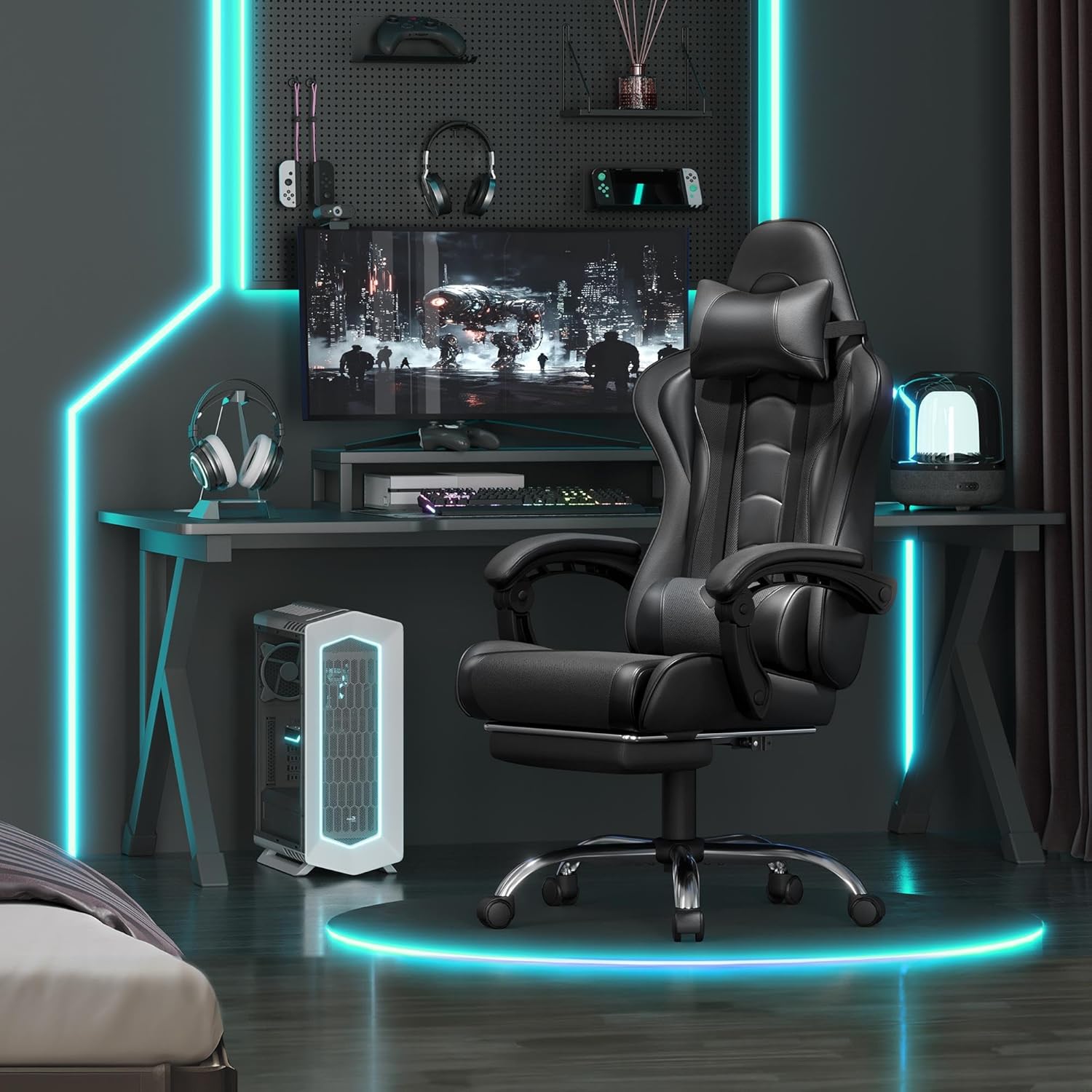
Image: All components of the Yaheetech Gaming Chair laid out, including the backrest, seat, armrests, base, wheels, and hardware.
Step-by-Step Assembly:
- Attach Armrests: Securely fasten the armrests to the seat base using the provided screws. Ensure they are aligned correctly.
- Connect Backrest: Attach the backrest to the seat assembly. Make sure all bolts are tightened to ensure stability.
- Install Base and Casters: Insert the casters into the star base. Then, place the gas lift cylinder into the center of the base.
- Assemble Seat onto Base: Carefully place the assembled seat and backrest onto the gas lift cylinder, ensuring it is firmly seated.
- Attach Lumbar Pillow and Headrest: Position the massage lumbar pillow and headrest pillow as desired. The lumbar pillow connects via USB for its massage function.
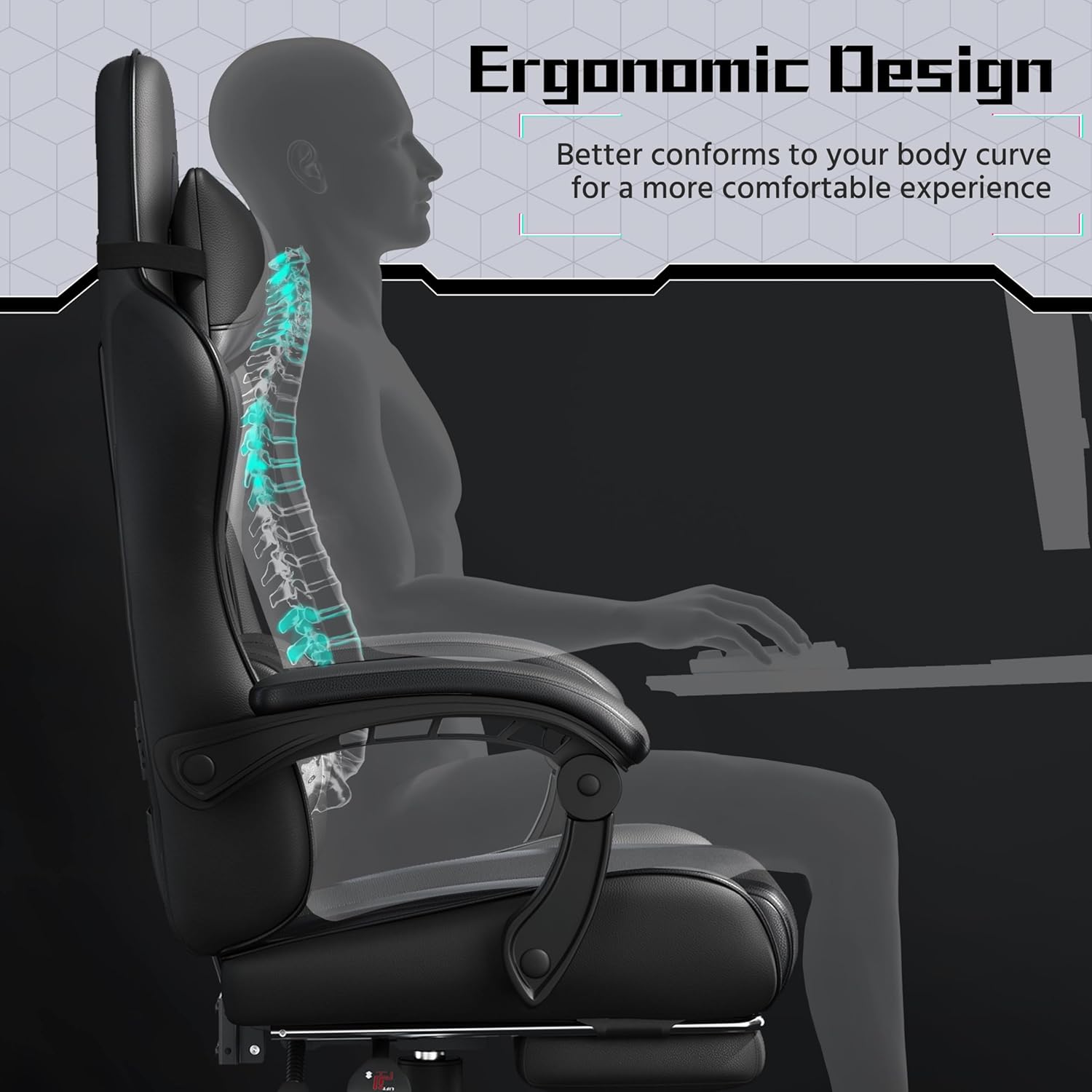
Image: A visual guide illustrating the initial steps of attaching the armrests to the chair's seat base.
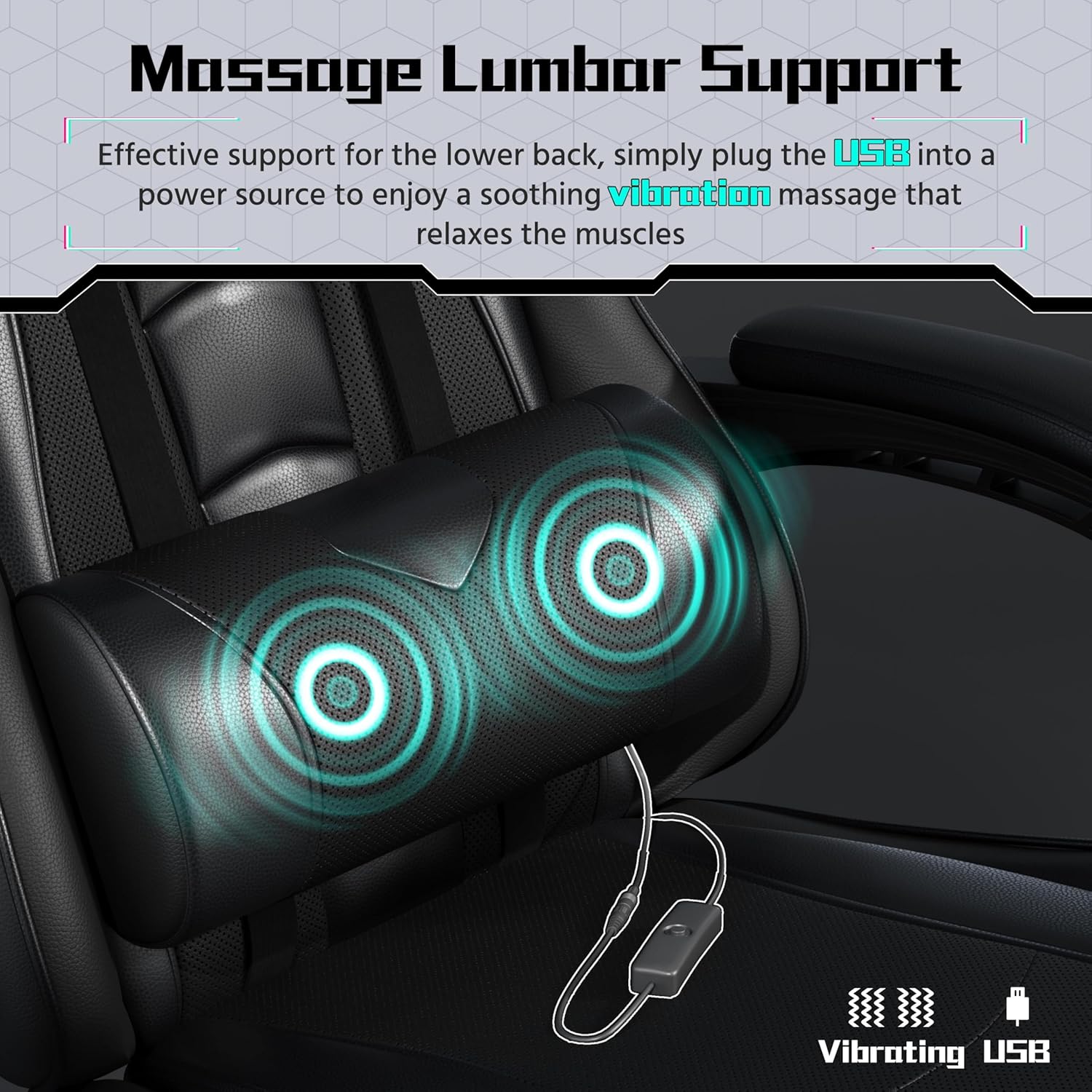
Image: A diagram detailing the process of securely connecting the backrest to the assembled seat and armrests.
Operating Instructions
Your Yaheetech Gaming Chair offers various adjustments for personalized comfort.
- Height Adjustment: Use the lever located under the seat on the right side to raise or lower the chair. Pull the lever up to adjust height while standing, or sit down and pull the lever up to lower. Release the lever to lock the height.
- Backrest Recline: The backrest can recline up to 135 degrees. Use the recline lever on the side of the chair to adjust the angle. Lean back to the desired position and release the lever to lock.
- Footrest Operation: Pull out the footrest from underneath the seat when desired. Push it back in when not in use.
- Massage Lumbar Pillow: Connect the USB cable from the lumbar pillow to a USB power source (e.g., computer, power bank, USB wall adapter). Use the integrated switch on the cable to turn the vibration massage function on/off.
- 360° Swivel: The chair features a smooth 360-degree swivel for easy movement and access to your surroundings.
- Linkage Armrests: The armrests are designed to automatically adjust their angle with the chair's recline, providing continuous support for your elbows and arms.

Image: An illustrative diagram highlighting the chair's versatile features such as 135° reclining angle, adjustable seat height, foldable footrest, lockable backrest, and smooth 360° swivel.

Image: A detailed view of the massage lumbar support, showing its two vibrating points and the USB cable with an on/off switch for power.

Image: An illustration demonstrating how the linkage armrests automatically adjust their position in conjunction with the chair's recline angle, providing consistent arm support.
Maintenance
Regular maintenance will help prolong the life and appearance of your gaming chair.
- Cleaning: For general cleaning, wipe the faux leather surfaces with a soft, damp cloth. For tougher spots, use a mild soap solution and wipe dry immediately. Avoid harsh chemicals or abrasive cleaners.
- Hardware Check: Periodically check all screws and bolts to ensure they are tight. Re-tighten if necessary to maintain stability and safety.
- Caster Care: Keep the casters free of hair and debris to ensure smooth movement. You can use a small brush or vacuum cleaner to clean them.
- Lumbar Pillow Care: Ensure the USB cable for the massage pillow is not pinched or damaged. Store the cable neatly in the back pocket when not in use.
Troubleshooting
If you encounter any issues with your Yaheetech Gaming Chair, refer to the common problems and solutions below.
| Problem | Possible Cause | Solution |
|---|---|---|
| Chair does not adjust height. | Gas lift not engaged or damaged. | Ensure the height adjustment lever is fully pulled up. If the issue persists, contact customer support. |
| Massage lumbar pillow not vibrating. | USB cable disconnected or switch off. | Check if the USB cable is securely plugged into a power source and the on/off switch is in the "on" position. |
| Chair feels wobbly or unstable. | Loose screws or improper assembly. | Re-check all assembly points and tighten any loose screws. Ensure the base is fully engaged with the gas lift. |
| Casters not rolling smoothly. | Debris caught in casters. | Clean any hair or debris from the caster wheels. |
Specifications
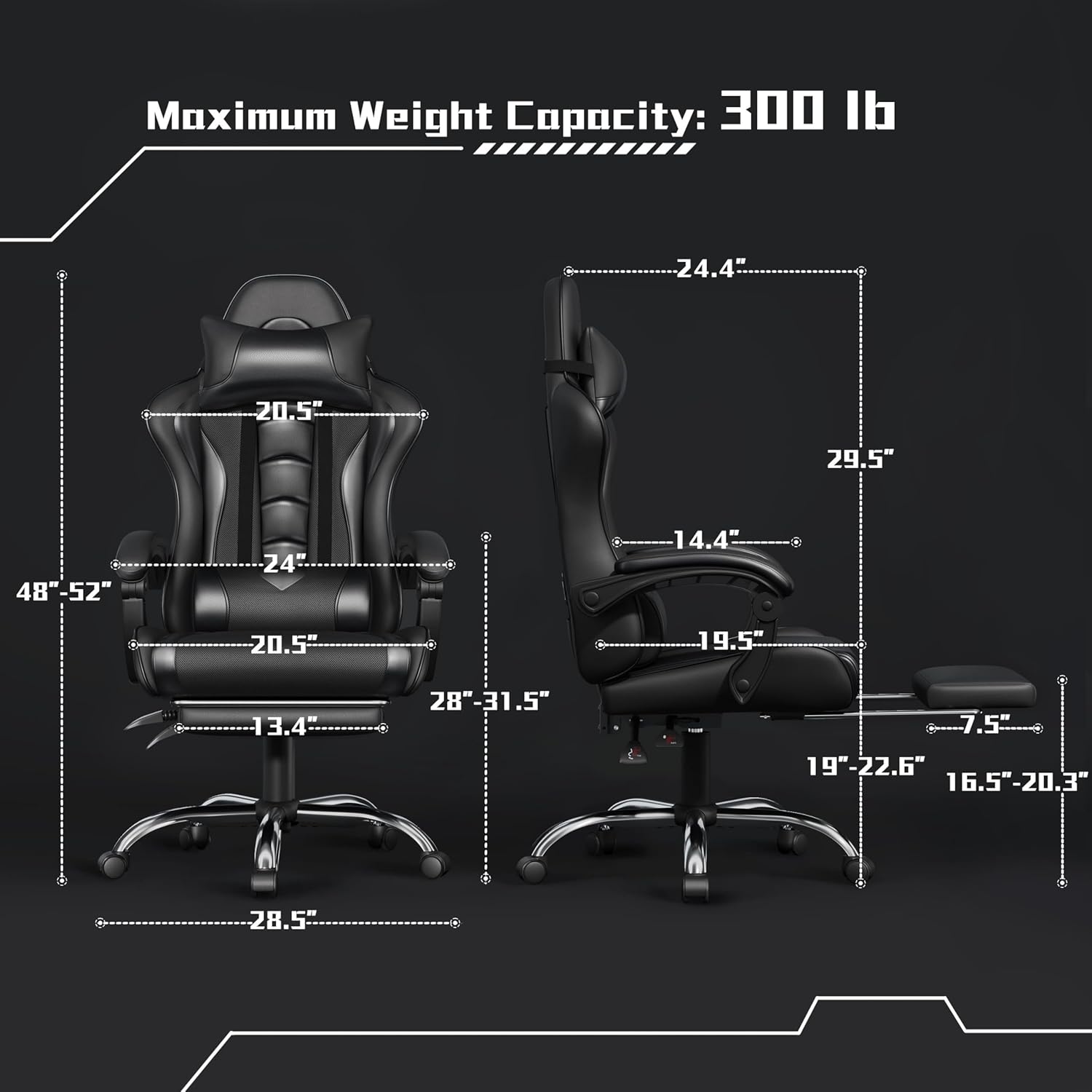
Image: A detailed diagram illustrating the various dimensions of the Yaheetech Gaming Chair, including height, width, depth, and footrest extension.
| Feature | Detail |
|---|---|
| Brand | Yaheetech |
| Model Name | Video Gaming Chair |
| Model Number | YTchyw0001001 |
| Color | Full Black |
| Product Dimensions | 28.5"D x 28.5"W x 28.5"H |
| Maximum Weight Recommendation | 300 Pounds |
| Fill Material | Foam |
| Special Features | Massage Lumbar Pillow, Removable Head Pillow, Folding Footrest, Linkage Armrests |
| Reclining Position Count | 2 (up to 135 degrees) |
| Item Weight | 40.2 pounds |
| ASIN | B0FG6W8HH5 |
Warranty and Support
For any product inquiries, technical support, or warranty claims, please contact Yaheetech customer service. Refer to your purchase documentation for specific warranty terms and contact information.
Protection Plans: Extended protection plans are available for purchase to cover your product beyond the standard warranty. Please refer to the retailer's website for details on 2-Year, 3-Year, and Complete Protect plans.
⚠ WARNING: This product can expose you to chemical Di(2-ethylhexyl)phthalate (DEHP) and Lead which are known to the State of California to cause cancer and birth defects or other reproductive harm. For more information go to www.P65Warnings.ca.gov/furniture.
Related documentsYTchyw0001001


Ask a question about this manual
Ask about setup, troubleshooting, compatibility, parts, safety, or missing instructions. Manuals+ will review the question and use this page’s manual context to help answer it.