Product Overview
The OLIGHT Marauder 2 and IMINI 2 bundle provides powerful and versatile lighting solutions for various needs. The Marauder 2 is a high-performance handheld flashlight designed for extensive illumination, while the IMINI 2 is a compact, convenient keychain light for everyday carry.
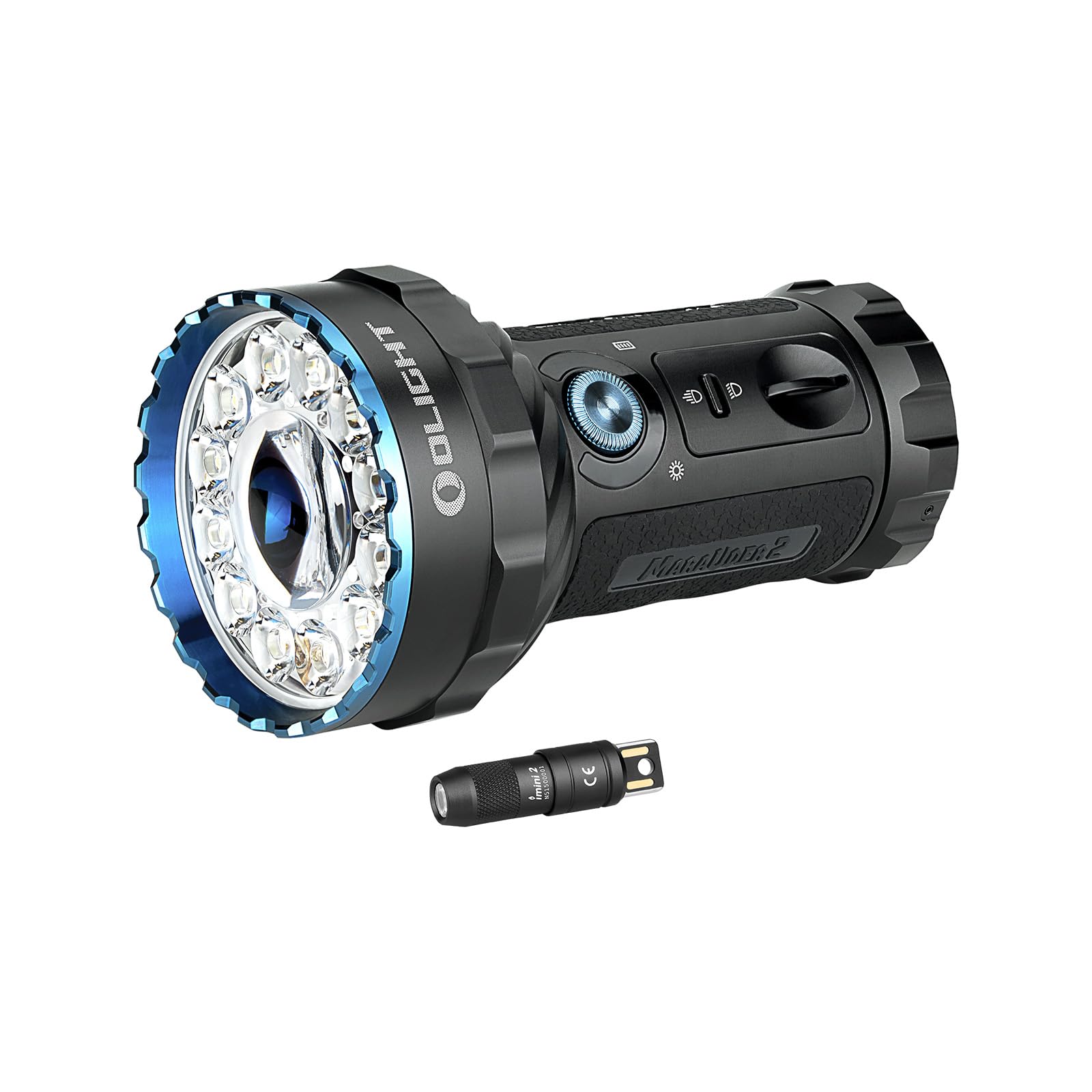
Image: The OLIGHT Marauder 2 and IMINI 2 Flashlight Bundle, showcasing both flashlights.
Package Contents
Your OLIGHT Marauder 2 and IMINI 2 bundle includes the following items:
- OLIGHT Marauder 2 Rechargeable Handheld Flashlight
- OLIGHT IMINI 2 EDC Rechargeable Keychain Flashlight
- USB Magnetic Charging Cable (for Marauder 2)
- Carrying Case (for Marauder 2)
- User Manual
OLIGHT Marauder 2 Flashlight
Features
- Powerful Illumination: Features an 800-meter spotlight beam from the central LED and a 14000-lumen floodlight beam from 12 surrounding LEDs.
- Extended Runtime: Built-in 54Wh rechargeable battery pack provides up to 59 hours of runtime.
- Dual Control Interface: A simple toggle switch selects between spotlight or floodlight. An intuitive rotary knob switch turns the light on and cycles through 7 output levels.
- Integrated Safety: Includes a thermal sensor, a proximity sensor, and cooling fins to protect against overheating and obstruction.
- Durable Construction: Made from metal with a matte black finish.
- Water Resistance: Designed with water-resistant features for outdoor use.
Setup and Charging
- Initial Use: Before first use, remove any protective films or insulating discs from the battery compartment.
- Charging: Connect the magnetic USB charging cable to the flashlight's magnetic base. The indicator light on the cable will show charging status.

Image: Close-up of the Marauder 2 showing the rotary knob, toggle switch, and magnetic charging port.
Operating Instructions
- Power On/Off: Rotate the rotary knob switch quickly over 90 degrees to unlock and turn on the light. After approximately 10 seconds, the light will lock again.
- Adjust Brightness: Once on, rotate the knob to cycle through the 7 available output levels.
- Switch Beam Type: Use the toggle switch to select either spotlight or floodlight mode.
- Special Light Modes (RGB): Push and hold the main button to cycle through red, green, and blue light modes.
- Strobe Mode: Triple-click the main button to activate the emergency strobe.

Image: Visual comparison of the Marauder 2's spotlight and floodlight beams.
OLIGHT IMINI 2 Keychain Flashlight
Features
- Compact Design: Small and lightweight, ideal for everyday carry on a keychain.
- Instant Activation: Turns on automatically by detaching the body from its magnetic cap.
- Single Output: Produces a wide and balanced output of 50 lumens.
- Integrated USB Charging: Features a built-in USB plug for convenient on-the-go charging.
Operating and Charging
- Instant On/Off: Simply pull the flashlight body away from the magnetic cap to turn it on. Reattach the body to the cap to turn it off.
- Charging: Plug the integrated USB connector directly into any standard USB port for charging.

Image: The IMINI 2 demonstrating its instant on/off feature by detaching from the magnetic cap.
Specifications
OLIGHT Marauder 2
| Feature | Detail |
|---|---|
| Max White Brightness | 14000 Lumens |
| Max Throw | 800 meters (Spotlight) |
| Power Source | Built-in 54Wh Lithium Ion Battery Pack |
| Max Runtime | Up to 59 hours |
| Material | Metal |
| Special Features | Rechargeable, Adjustable Light Modes, Water-Resistant Design, Thermal & Proximity Sensors |
OLIGHT IMINI 2
| Feature | Detail |
|---|---|
| Output | 50 Lumens |
| Power Source | Lithium-Ion Battery |
| Special Features | Instant Activation, Integrated USB Plug |
Maintenance
- Cleaning: Regularly clean the lens and body of both flashlights with a soft, damp cloth. Avoid abrasive materials.
- Battery Care: For optimal performance, ensure batteries are fully charged before extended storage. Store in a cool, dry place.
- O-rings: Periodically check and lubricate the O-rings on the Marauder 2 to maintain its water resistance.
Troubleshooting
- Flashlight Not Turning On:
- For Marauder 2: Ensure the rotary knob is rotated past 90 degrees to unlock. Check battery charge.
- For IMINI 2: Ensure the body is fully detached from the magnetic cap. Check battery charge.
- Dim Light Output: Recharge the battery. Ensure the lens is clean.
- Overheating (Marauder 2): The Marauder 2 has built-in thermal protection. If it becomes too hot, the output will automatically reduce. Allow it to cool down.
Warranty and Support
OLIGHT products are known for their high quality and durability. This bundle comes with a Lifetime Warranty, ensuring long-term reliability and customer satisfaction. For any support needs or warranty claims, please refer to the official OLIGHT website or contact their customer service directly.


