
1. Introduction
Thank you for choosing KSIPZE Permanent Outdoor Lights. These 50ft Smart RGB+IC Eaves LED Lights are designed to provide versatile and durable outdoor lighting for various applications, including rooflines, gardens, and event decorations. Featuring app and button control, these lights offer a wide range of dynamic scene modes and customizable lighting options. This manual provides essential information for proper installation, operation, and maintenance to ensure optimal performance and longevity of your lighting system.
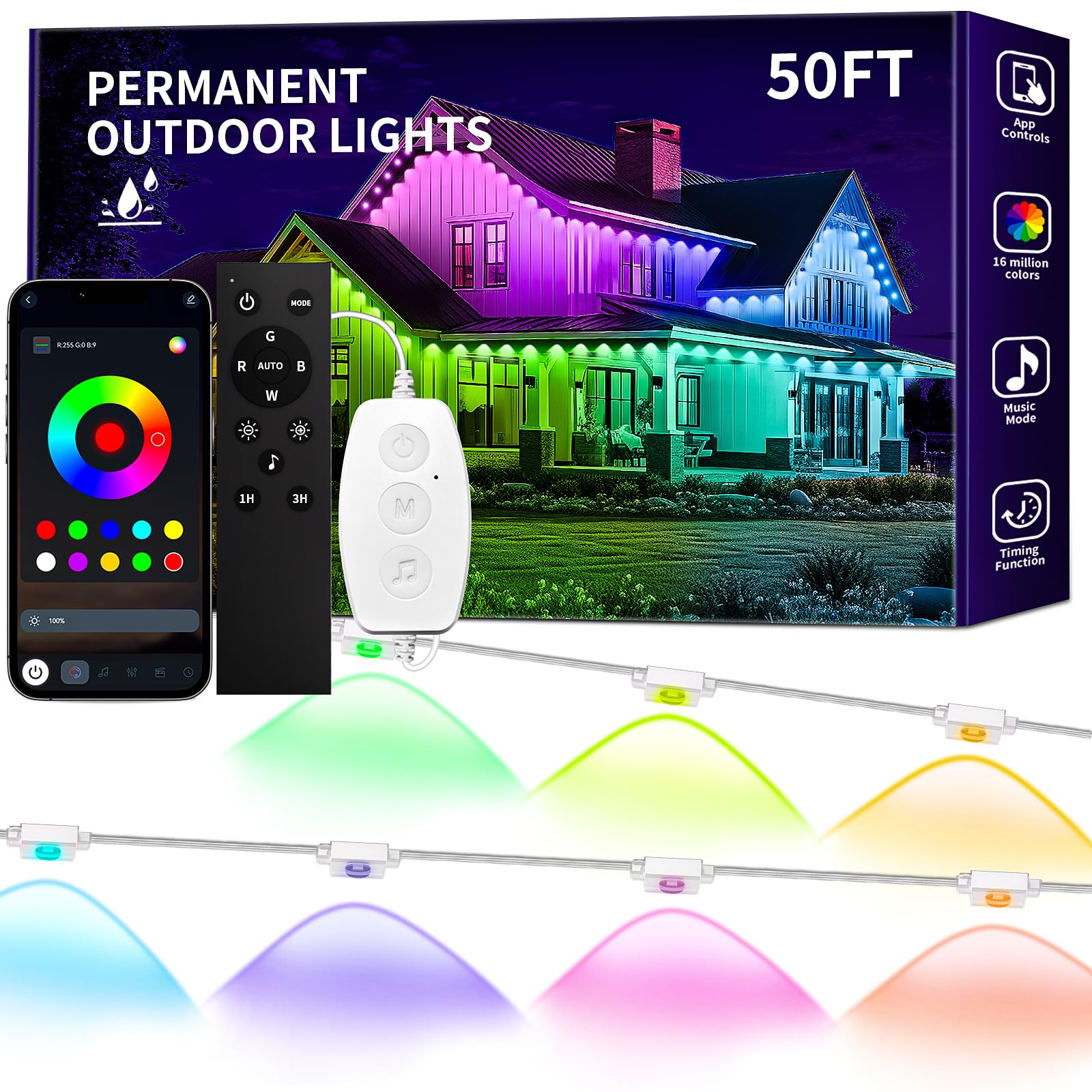
Image 1: KSIPZE Permanent Outdoor Lights installed on a house, displaying multiple colors.
2. What's in the Box
Verify that all components are present in the package:
- Permanent Outdoor Lights (50ft strand)
- Button Controller
- Power Adapter
- Remote Control
- User Manual
3. Setup and Installation
Follow these steps for safe and effective installation:
- Preparation: Ensure the installation surface (e.g., eaves) is clean and dry.
- Placement: Plan the layout of your lights. For optimal performance and the signature triangular wall-washing effect, maintain a 2-4 inch (5-10 cm) installation gap between the lights and the wall surface.
- Attachment: The outdoor light strings come with pre-applied adhesive tape and screws.
- Peel the backing from the adhesive tape on each light.
- Stick each light firmly to the desired position along the eaves.
- For enhanced stability and long-term security, use the provided screws to further secure each light.
- Connect Power: Connect the light string to the button controller, and then connect the button controller to the power adapter. Plug the power adapter into a suitable outdoor power outlet.
- Initial Test: Before finalizing all attachments, briefly plug in the lights to ensure they function correctly.
Safety Note: Ensure all connections are secure and protected from moisture. The lights are IP67 waterproof, and the control box is IP65, but proper installation is crucial for durability.
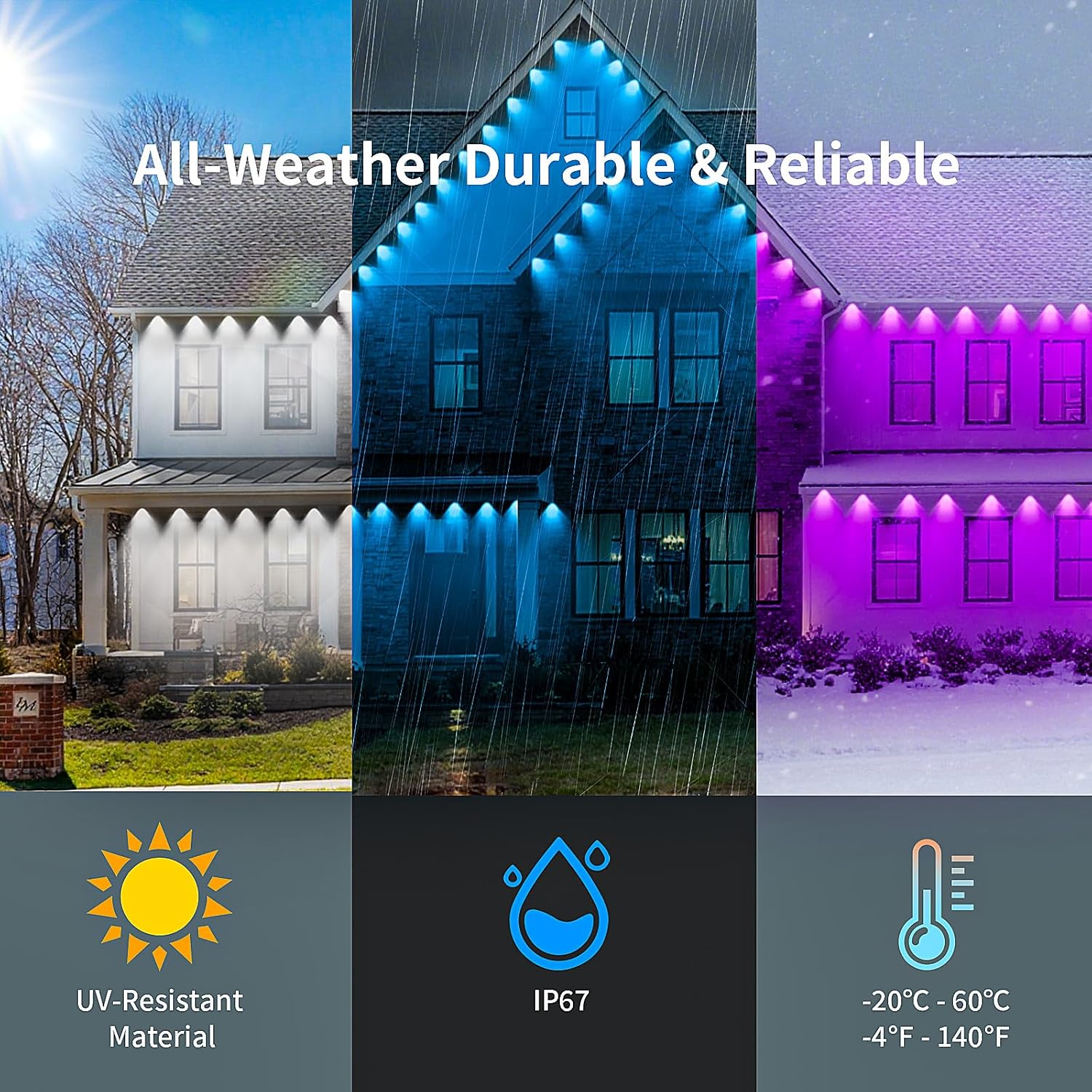
Image 2: Durability features of KSIPZE Permanent Outdoor Lights, showcasing resistance to sun, rain, and snow.
4. Operating Instructions
Your KSIPZE Permanent Outdoor Lights can be controlled via a smart app, the included button controller, or the remote control.
4.1. Smart App Control
Download the dedicated smart app (refer to the user manual for specific app name and QR code). The app allows for comprehensive control:
- Color Selection: Choose from 16 million colors for precise customization.
- Scene Modes: Access over 200 preset dynamic scene modes for various occasions.
- Customization: Create and save your own lighting effects and patterns.
- Music & Mic Mode: Sync lights to music or sound detected by the built-in microphone for dynamic light changes.
- Timer Setting: Schedule automatic ON/OFF times for convenience.

Image 3: Multiple control options for the lights, including remote, app, and button controller.

Image 4: The smart app's music and microphone mode, allowing lights to sync with audio.

Image 5: The smart app's timer setting feature for scheduling light operation.

Image 6: Overview of the smart app's diverse control functionalities.
4.2. Button Control
The inline button controller allows for basic functions:
- Power Button: Turn lights ON/OFF.
- Mode Button: Cycle through various pre-programmed color modes and effects.
4.3. Remote Control
The included remote control provides convenient access to key functions:
- Power: Turn lights ON/OFF.
- Color Selection: Direct buttons for Red, Green, Blue, and White.
- Brightness Adjustment: Increase or decrease light intensity.
- Mode: Cycle through various dynamic lighting modes.
- Timer: Set 1-hour or 3-hour timers.
4.4. Product Video Overview
Watch this video for a visual guide on the KSIPZE Permanent Outdoor Lights:
Video 1: An overview of the KSIPZE Permanent Outdoor Lights, demonstrating their features and installation.
5. Maintenance
To ensure the longevity and optimal performance of your KSIPZE Permanent Outdoor Lights, consider the following maintenance tips:
- Regular Cleaning: Periodically wipe the light surfaces with a soft, damp cloth to remove dust, dirt, or debris. Avoid abrasive cleaners.
- Inspect Connections: Annually check all electrical connections and wiring for any signs of wear, damage, or loose fittings. Ensure the power adapter and control box remain protected from extreme weather conditions.
- Adhesive and Screw Check: Over time, adhesive may lose its strength. Periodically check that each light is securely attached. Re-tighten screws if necessary or re-apply adhesive if a light becomes loose.
- Environmental Considerations: While the lights are designed for all-weather use, extreme conditions (e.g., severe storms, prolonged freezing temperatures) may warrant a visual inspection afterward.
6. Troubleshooting
If you encounter issues with your KSIPZE Permanent Outdoor Lights, refer to the following common problems and solutions:
| Problem | Possible Cause | Solution |
|---|---|---|
| Lights do not turn on. | No power, loose connection, faulty adapter. | Check power outlet, ensure all connections are secure, try a different outlet. Verify adapter is functioning. |
| Lights flicker or display incorrect colors. | Loose connection, power fluctuation, app/remote interference. | Check connections. Restart the lights by unplugging and re-plugging. Reset the app or remote. |
| App cannot connect to lights. | Bluetooth not enabled, lights out of range, app malfunction. | Ensure Bluetooth is on. Move closer to the lights. Restart the app or reinstall it. Check if lights are powered on. |
| Remote control not working. | Dead battery, obstruction, out of range. | Replace remote battery. Ensure no obstructions between remote and control box. Move closer to the control box. |
| Lights are not waterproof as expected. | Improper installation, damaged seal. | Ensure all connections are tightly sealed. Inspect lights for any visible damage. Contact customer support if damage is present. |
7. Specifications
Detailed technical specifications for the KSIPZE Permanent Outdoor Lights:
- Model Number: ST582415
- Color: RGB (Red, Green, Blue) / Multicolor
- Indoor/Outdoor Usage: Indoor, Outdoor
- Light Source Type: LED
- Power Source: Corded Electric
- Theme: Rainbow
- Style: Modern
- Material: Brass, Plastic
- Voltage: 24 Volts
- Control Method: App, Push Button, Remote
- Smart Home Compatibility: Smart Home Compatible
- Item Weight: 2.14 pounds
- Package Dimensions: 11.46 x 7.2 x 3.5 inches
8. Warranty and Support
For warranty information, technical support, or any inquiries not covered in this manual, please refer to the product packaging or contact KSIPZE customer service directly. Keep your purchase receipt for warranty claims.