
Jackery JHP-3000C
Jackery HomePower 3000 Portable Power Station User Manual
Model: JHP-3000C
Introduction
This user manual provides essential information for the safe and efficient operation of your Jackery HomePower 3000 Portable Power Station. Please read this manual thoroughly before using the product and retain it for future reference.
The Jackery HomePower 3000 is a high-capacity portable power station designed to provide reliable backup power for home essentials, outdoor activities, and emergencies. It features a robust 3600W output (7200W surge) and a 3072Wh LiFePO4 battery, offering extended power duration and superior reliability.
What's in the Box
- Jackery HomePower 3000 Portable Power Station
- AC Charging Cable
- User Manual
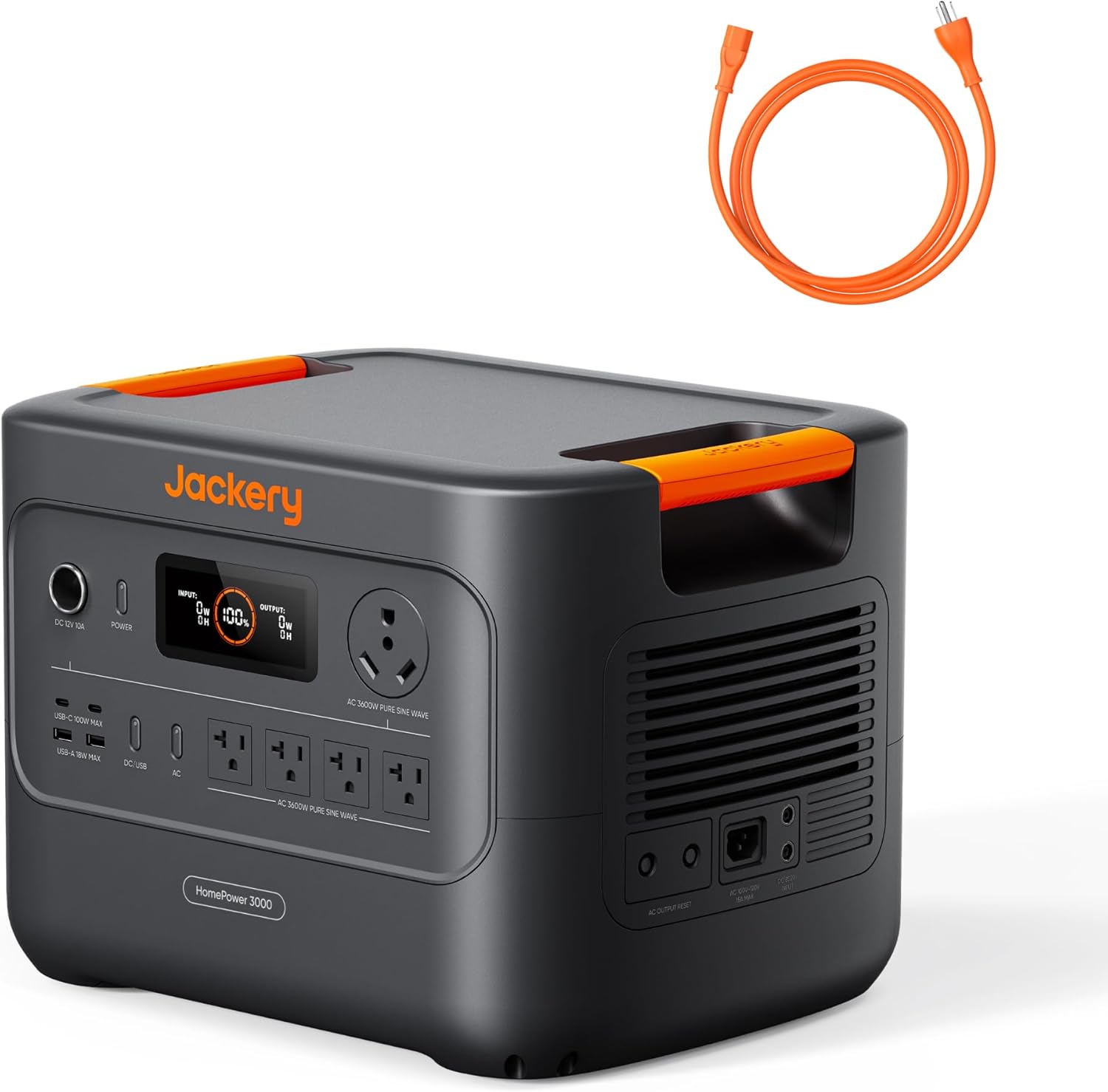
Image: The Jackery HomePower 3000 unit shown with its included orange AC charging cable.
Product Features and Components
The Jackery HomePower 3000 is equipped with various ports and features for versatile power delivery and charging.

Image: Close-up of the Jackery HomePower 3000's front panel, highlighting the display, DC 12V 10A port, Power button, USB-C and USB-A ports, AC outlets, and the TT-30 RV port.
- Power Button: Activates and deactivates the unit.
- Display Screen: Shows input/output wattage, battery percentage, and remaining charge/discharge time.
- DC 12V 10A Port: For connecting 12V DC devices.
- USB-C Ports (2x): Up to 100W Max each, for fast charging compatible devices.
- USB-A Ports (2x): Up to 18W Max each, for standard USB charging.
- AC Outlets (4x): 120V, 20A, providing 3600W pure sine wave output.
- TT-30 RV Port: 120V, 30A, designed for RV power needs.
- Integrated Handles: For easy portability.
Setup
Initial Charging
Before first use, fully charge the Jackery HomePower 3000. This ensures optimal battery performance and longevity.
- Connect the provided AC Charging Cable to the AC input port on the back of the unit.
- Plug the other end of the AC Charging Cable into a standard wall outlet (120V AC).
- The display will show "INPUT" wattage and the battery percentage increasing.
- Charging from 0% to 80% takes approximately 1.6 hours via AC. A full charge takes about 2.2 hours.

Image: The Jackery HomePower 3000 connected to a wall outlet for fast AC charging.
Optional Solar Charging
For renewable energy charging, connect compatible Jackery SolarSaga panels (sold separately).
- Unfold and position your Jackery SolarSaga panels in direct sunlight.
- Connect the solar panels to the DC input port on the back of the HomePower 3000.
- The display will show "INPUT" wattage from solar and the battery percentage increasing.
- With 2x SolarSaga 200W panels, the unit can charge to 80% in approximately 9 hours.
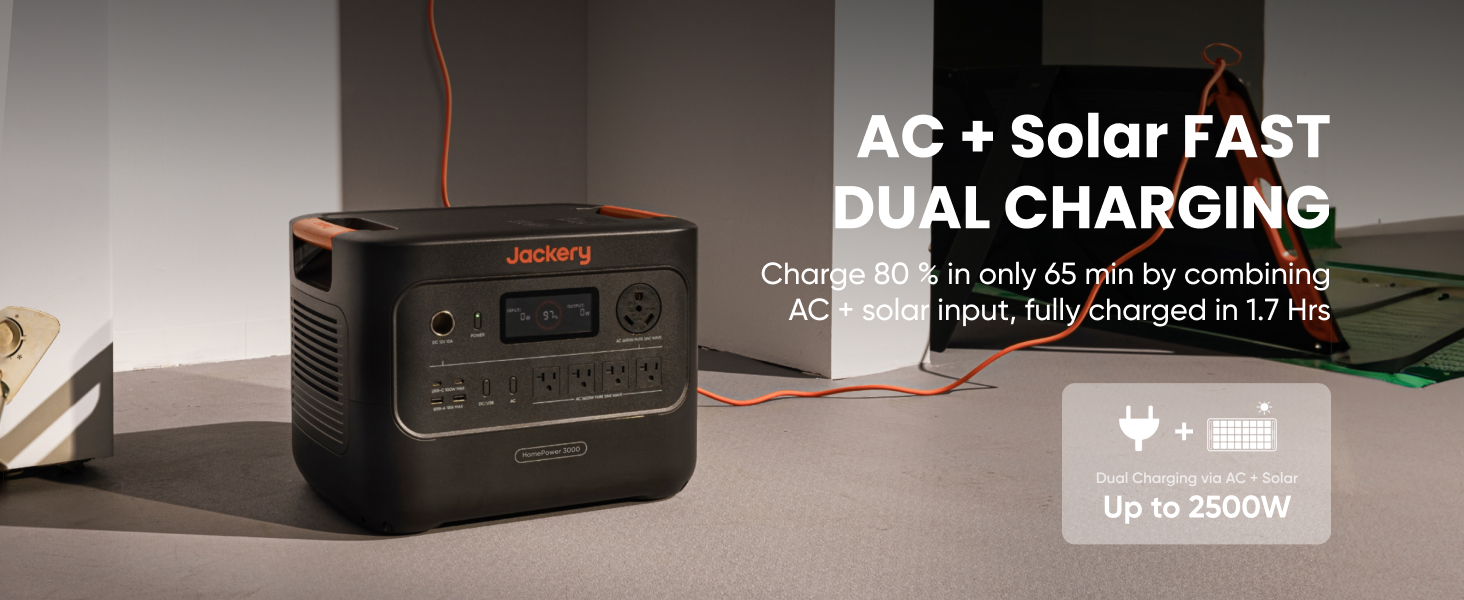
Image: The Jackery HomePower 3000 positioned outdoors, connected to two Jackery SolarSaga panels for solar charging.
Mobile App Connection
Download the Jackery App for convenient remote control and monitoring via Bluetooth or Wi-Fi.
- Search for "Jackery" in your device's app store and install the application.
- Follow the in-app instructions to pair your HomePower 3000.
- Once connected, you can monitor input/output, battery status, and set charging schedules.
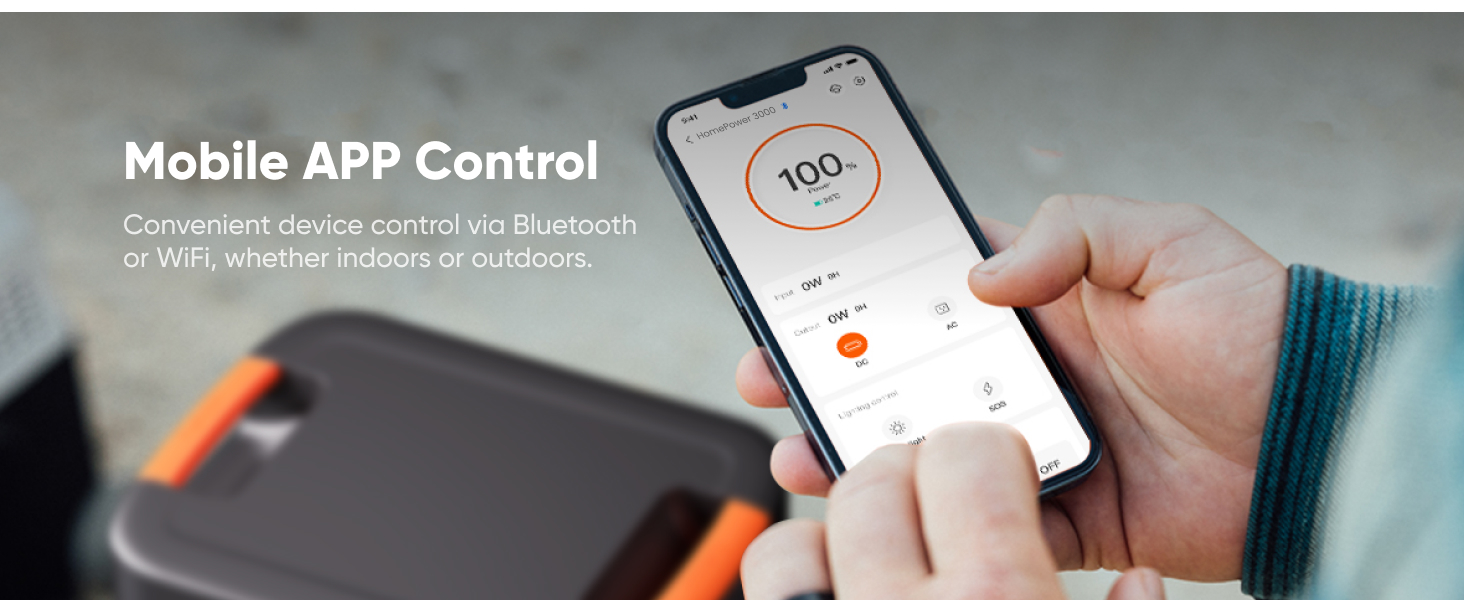
Image: A hand holding a smartphone showing the Jackery mobile application interface, used for controlling and monitoring the power station.
Operating Instructions
Turning On/Off
- To turn on the unit, press and hold the Power button until the display illuminates.
- To turn off the unit, press and hold the Power button until the display turns off.
Using AC Output
The HomePower 3000 provides 3600W (7200W surge) of pure sine wave AC power.
- Ensure the unit is powered on.
- Plug your appliance into one of the four AC outlets or the TT-30 RV port.
- The display will show the "OUTPUT" wattage being drawn by your devices.
- For home backup, the unit features a UL-certified UPS that switches seamlessly within ≤20ms during power outages.

Image: The Jackery HomePower 3000 connected to a refrigerator and other household items, demonstrating its use as an essential home backup power source.

Image: The Jackery HomePower 3000 providing power to a desktop computer and monitor, illustrating its seamless UPS function during unexpected blackouts.
Using USB Output
The unit provides two USB-C ports (100W Max) and two USB-A ports (18W Max) for charging smaller electronic devices.
- Ensure the unit is powered on.
- Connect your device's USB cable to the appropriate USB-C or USB-A port.
- The display will indicate power output.
Using DC 12V Output
The DC 12V 10A port is suitable for devices requiring 12V DC power, such as car refrigerators or portable air pumps.
- Ensure the unit is powered on.
- Plug your 12V DC device into the DC 12V 10A port.
Maintenance
Storage
- Store the HomePower 3000 in a cool, dry place, away from direct sunlight and extreme temperatures.
- To preserve charge, ensure the unit is turned off during storage.
- The unit features ZeroDrain technology, retaining 95% power after 365 days of storage when turned off.
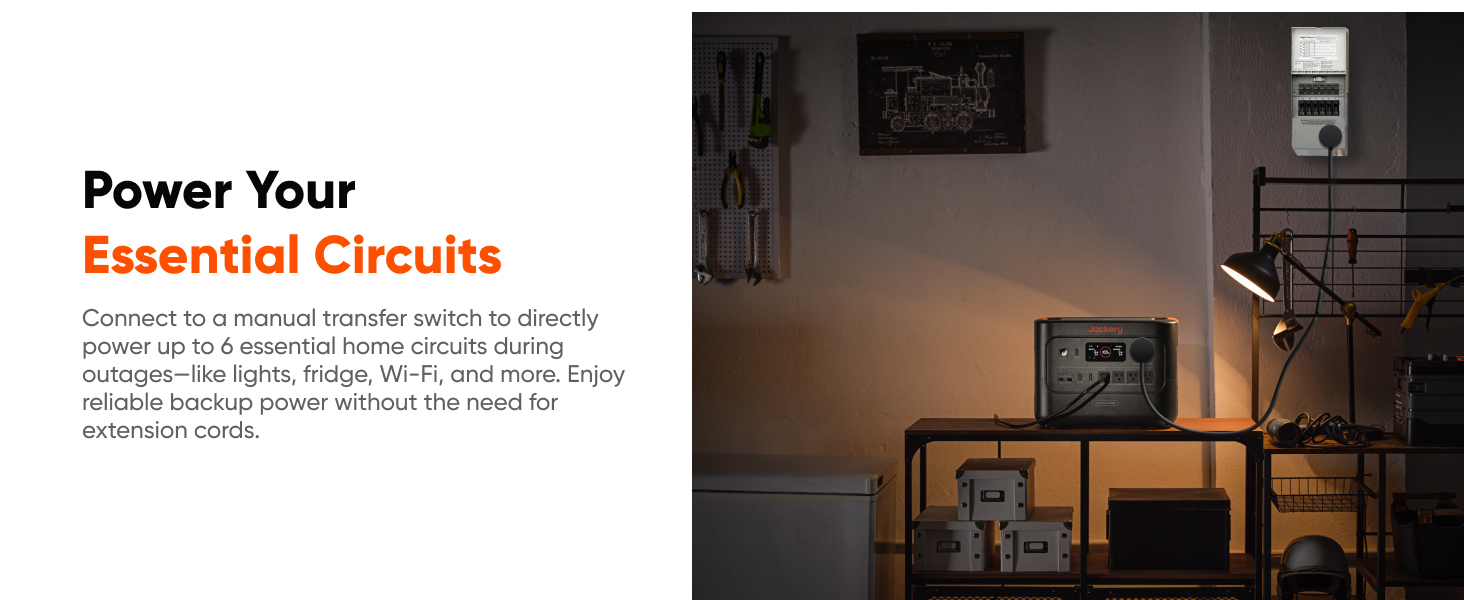
Image: The Jackery HomePower 3000 stored on a shelf, demonstrating its compact size for storage and readiness for emergencies.
Battery Care
- The LiFePO4 battery offers 4,000 cycles while retaining 70% capacity, ensuring long-lasting performance.
- Avoid fully discharging the battery frequently to prolong its lifespan.
- Charge the unit at least once every 3-6 months if not in regular use.

Image: The Jackery HomePower 3000 with a graphic indicating its 10-year lifespan and 4000 full charge cycles, highlighting its durable LiFePO4 battery technology.
Troubleshooting
| Problem | Possible Cause | Solution |
|---|---|---|
| Unit does not turn on. | Battery is completely discharged. | Connect to AC power and charge for at least 30 minutes. |
| No AC output. | AC output not enabled or overloaded. | Press the AC button to enable output. Reduce load if overloaded (check display). |
| Slow charging. | Using a low-power charging source (e.g., car charger only) or solar panels not in direct sunlight. | Use AC charging for fastest results. Ensure solar panels are in full, direct sunlight and clean. |
| Display not working. | Unit is off or display is in standby mode. | Press the Power button briefly to wake the display. Ensure unit is powered on. |
Specifications
| Feature | Detail |
|---|---|
| Model Name | JHP-3000C |
| Capacity | 3072Wh |
| AC Output | 3600W (7200W Surge) Pure Sine Wave |
| Battery Type | LiFePO4 (Lithium Iron Phosphate) |
| Cycle Life | 4000 cycles to 70%+ capacity |
| UPS Function | ≤20ms seamless switch |
| Charging Time (AC) | 2.2 hours (0-100%) |
| Charging Time (Solar) | 9 hours (0-80% with 2x SolarSaga 200W) |
| Dimensions (L x W x H) | 16.4"L x 12.8"W x 12"H |
| Weight | 59.5 Pounds |
| Connectivity | Wi-Fi, Bluetooth |
Warranty and Support
The Jackery HomePower 3000 comes with a standard warranty. For specific warranty terms and conditions, please refer to the official Jackery website or the warranty card included with your product.
For technical support, troubleshooting assistance, or warranty claims, please contact Jackery Customer Service:
- Online Support: Visit the official Jackery website for FAQs, user guides, and contact forms.
- Email Support: Refer to your product documentation for the customer service email address.
Additional resources:
Important Safety Information
Always follow basic safety precautions when using this product to reduce the risk of fire, electric shock, or injury.
- Do not disassemble, repair, or modify the unit.
- Keep the unit away from heat sources, direct sunlight, and flammable materials.
- Ensure proper ventilation during use and charging.
- Do not expose the unit to water or excessive humidity.
- Keep out of reach of children.
Related documentsJHP-3000C


Ask a question about this manual
Ask about setup, troubleshooting, compatibility, parts, safety, or missing instructions. Manuals+ will review the question and use this page’s manual context to help answer it.