
1. Introduction
Thank you for choosing Brizled Essential Permanent Outdoor Lights. This manual provides detailed instructions for the safe and efficient installation, operation, and maintenance of your new smart lighting system. These lights are designed for year-round outdoor use, offering customizable RGB lighting with smart control features.
2. Safety Instructions
- Ensure the power supply is disconnected before installation or maintenance.
- This product is rated IP65 waterproof for the lights and IP67 for the control box, suitable for outdoor use in various weather conditions.
- Operating temperature range: -4°F to 113°F (-20°C to 45°C).
- Do not connect the light strands end-to-end. Each strand must be powered separately. Use group control for unified lighting effects.
- Use only the control box and power adapter provided with these instructions.
- Keep children away from electrical components during installation.
3. Package Contents
Verify that all components are present in your package:
- 100ft (60 LED) RGB Smart Light Strand (divided into four detachable sections)
- Power Adapter
- Control Box
- Mounting Clips (with adhesive pads and screws)
- User Manual

Image: Overview of the Brizled Permanent Outdoor Lights, showing the light strands, power adapter, control box, and mounting accessories.
4. Setup & Installation
4.1 Planning Installation
- Measure the length of your installation area to determine the required number of light sections. The 100ft strand is modular and can be adjusted by removing sections.
- Ensure the installation surface is clean, dry, and smooth for optimal adhesive performance.
- Plan the placement of the power adapter and control box, ensuring they are protected from direct exposure to extreme weather if possible, despite their IP rating.
4.2 Physical Installation
- Connect the light strands: Align the connectors and twist them securely to ensure a waterproof seal.
- Connect the power adapter to the control box, then connect the control box to the first light strand.
- Mount the lights: You have two options for mounting:
- Adhesive Pads: Peel off the protective film from the adhesive pads on the back of each light module and firmly press them onto the desired surface. Hold for a few seconds to ensure adhesion.
- Screws: For a more permanent installation, use the provided screws. Each light module has pre-drilled holes. Secure the modules to the surface using a drill.
- Ensure the lights are installed 2-6 inches from the wall for optimal lighting effect.
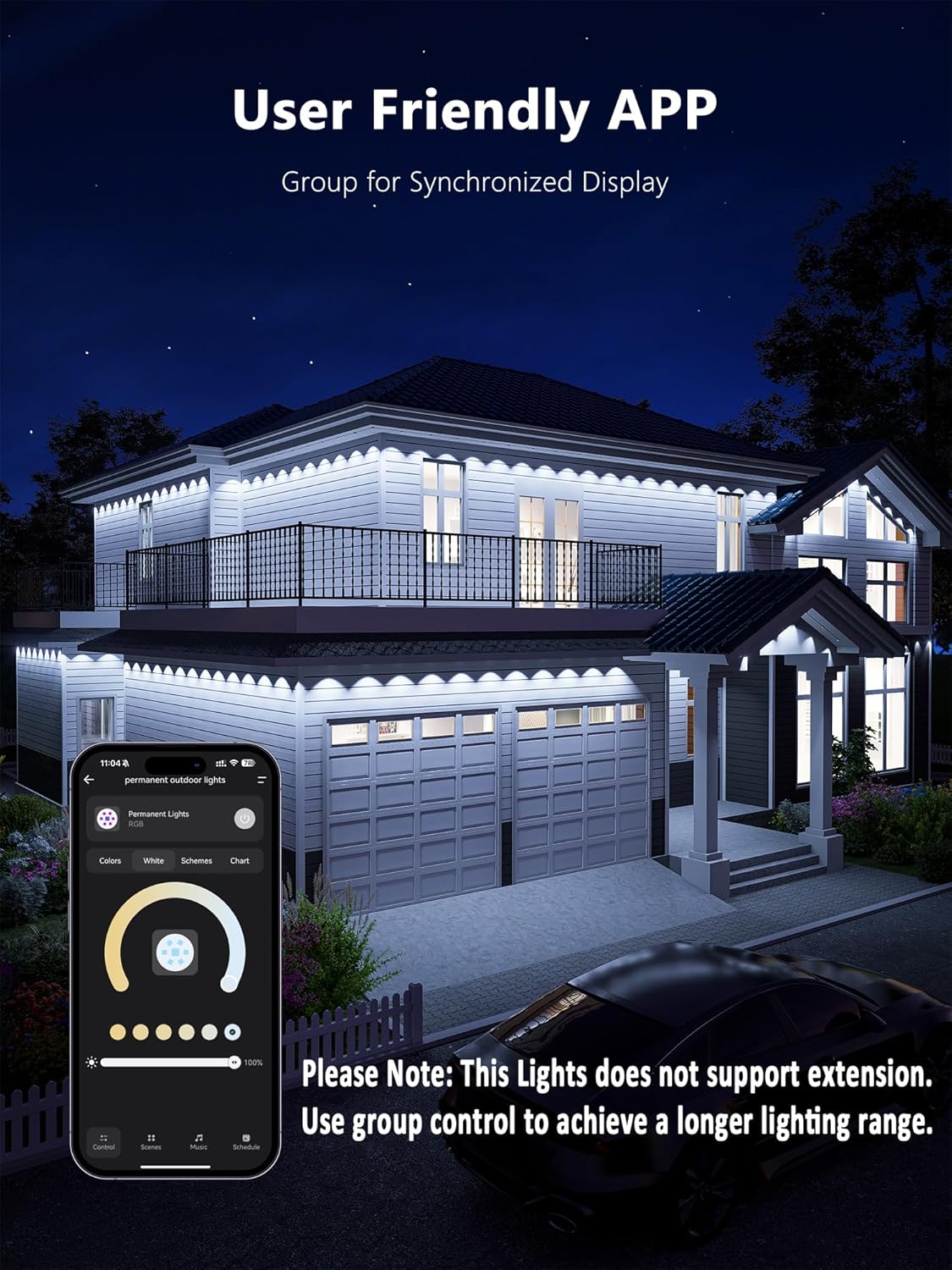
Image: A person installing the light modules along the eave of a house, demonstrating the adhesive or screw-in method.
Video: A user demonstrates the installation process of the Brizled Permanent Outdoor Lights, showing how to attach the light strips to the house's eaves using adhesive and screws.
5. Operating Instructions
5.1 App Control (BrizLabs App)
Download the BrizLabs app from your smartphone's app store. Ensure your Wi-Fi network is 2.4GHz for pairing (5GHz Wi-Fi is not compatible).
- Pairing: Long press the button on the control box for 3-5 seconds, or toggle the switch 3 times consecutively. The lights will turn solid orange, indicating pairing mode.
- Add Device: Open the BrizLabs app, allow location and Bluetooth permissions. The app will automatically detect the lights. Follow the in-app instructions to connect to your 2.4GHz Wi-Fi network.
- Color & Scene Selection: Explore 16 million colors and various preset scenes (e.g., Christmas, Halloween, Rainbow). You can also create custom color combinations.
- Individual LED Control: Use the app to change the color or turn on/off each individual light bulb for unique displays.
- Music Sync: The built-in microphone allows the lights to sync with the rhythm and beat of your music.
- Schedule Timer & Countdown: Set daily or weekly schedules for automatic on/off times, or use the countdown timer for special events.
- Group Control: Create smart groups to control multiple light strands simultaneously for a unified lighting effect.

Image: A house illuminated with multi-colored Brizled lights, demonstrating voice control compatibility with Alexa and Google Assistant.
Video: Instructions on how to connect the Brizled Permanent Outdoor Lights to the BrizLabs app and create group control for multiple light sets.
5.2 Voice Control
The lights are compatible with Alexa and Google Assistant. Once paired with the BrizLabs app, link your BrizLabs account to your preferred voice assistant app to enable hands-free control.
6. Maintenance
- Cleaning: Gently wipe the light modules with a soft, damp cloth. Do not use harsh chemicals or abrasive cleaners.
- Inspection: Periodically inspect the light strands, connections, and mounting points for any signs of wear, damage, or loose connections.
- Durability: The lights are crafted with anti-UV materials and rated IP65 waterproof, ensuring reliable performance in rain, snow, and extreme temperatures (-4°F to 113°F).
- Lifespan: The LEDs have a lifespan of up to 20,000 hours.
7. Troubleshooting
- Lights not turning on: Check all power connections, ensure the power adapter is plugged into a working outlet, and verify the control box is properly connected to the light strands.
- App connectivity issues: Ensure your smartphone is within Bluetooth range during initial pairing. Confirm your Wi-Fi network is 2.4GHz. Restart the app and the lights if necessary.
- Lights not responding to commands: Check app connectivity and ensure your voice assistant is properly linked to the BrizLabs account.
- Inconsistent lighting: Ensure all light strand connections are secure. Remember that strands cannot be connected end-to-end; each requires a separate power source.
8. Specifications
| Feature | Detail |
|---|---|
| Brand | Brizled |
| Model | 100ft 60 LED RGB - White Wire |
| Light Source Type | LED |
| Light Color | Multicolor (RGB) |
| Number of Light Sources | 60 |
| Item Length | 100 Feet |
| Indoor/Outdoor Usage | Outdoor |
| Ingress Protection Code Rating | IP65 (Lights), IP67 (Control Box) |
| Power Source | Corded Electric |
| Material | Plastic |
| Connectivity | 2.4GHz Wi-Fi, Bluetooth, Alexa, Google Home |
| Operating Temperature | -4°F to 113°F (-20°C to 45°C) |
9. Warranty and Support
For warranty information, technical support, or further assistance, please refer to the contact details provided on the product packaging or visit the official Brizled website. Keep your purchase receipt for warranty claims.