
Introduction
Thank you for choosing the ODK L-Shaped Gaming Desk. This manual provides essential information for the safe assembly, operation, and maintenance of your new desk. Please read these instructions carefully before beginning assembly and retain them for future reference.

Figure 1: ODK L-Shaped Gaming Desk in a typical gaming environment.
Safety Information
- Ensure all parts are present and undamaged before assembly. Do not use if any parts are missing or damaged.
- Assemble the desk on a soft, clean surface to prevent scratches.
- Do not overtighten screws during assembly to avoid damaging the material.
- Keep small parts away from children to prevent choking hazards.
- Do not stand or sit on the desk.
- Distribute weight evenly across the desk surface.
Package Contents
Before assembly, verify that all components listed below are included in your package. If any parts are missing or damaged, please contact customer support.
| Component | Quantity |
|---|---|
| Desk Panels (L-shaped sections) | 2 |
| Metal Frame Legs (X-support) | Various |
| Adjustable Feet | 4-6 |
| Monitor Stand | 1 |
| Assembly Hardware (screws, bolts, Allen wrench) | 1 set |
| Instruction Manual | 1 |
Setup and Assembly
The ODK L-Shaped Gaming Desk is designed for easy assembly. All necessary tools and clear instructions are provided. Follow these steps carefully:
- Unpack and Identify Parts: Carefully remove all components from the packaging. Lay them out on a clean, soft surface. Refer to the parts list to ensure everything is present.
- Assemble the Frame: Attach the metal frame legs to the main support beams using the provided screws and Allen wrench. Ensure all connections are secure but do not fully tighten yet.
- Attach Desk Panels: Place the L-shaped desk panels onto the assembled frame. Align the pre-drilled holes with the frame. Secure the panels to the frame using the remaining screws.
- Install Adjustable Feet: Screw the adjustable feet into the bottom of the desk legs. These feet help stabilize the desk on uneven surfaces.
- Install Monitor Stand: Attach the monitor stand to the desired location on the desk surface, following the specific instructions for the stand.
- Final Tightening: Once all components are in place, carefully tighten all screws to ensure maximum stability.

Figure 2: Product dimensions for planning your space.

Figure 3: Detail of the robust X-shaped metal support and adjustable feet for stability.
Operating and Usage
The ODK L-Shaped Gaming Desk is designed to provide a spacious and organized workspace for gaming, home office, or study. Its L-shape optimizes corner space, offering ample room for multiple monitors, computers, and accessories.
- Space Optimization: Position the L-shaped desk in a corner to maximize your room's layout and create a generous work or gaming area.
- Spacious Surface: Utilize the large surface area for your computer, monitors, keyboard, mouse, and other peripherals. The carbon fiber texture provides a sleek and durable finish.
- Monitor Support: The included monitor stand helps elevate your screen to an ergonomic viewing height, reducing neck strain.
- Cable Management: Consider using cable ties or clips (not included) to organize cables and maintain a tidy workspace.

Figure 4: Desk configured for telework or study, showcasing its versatility.
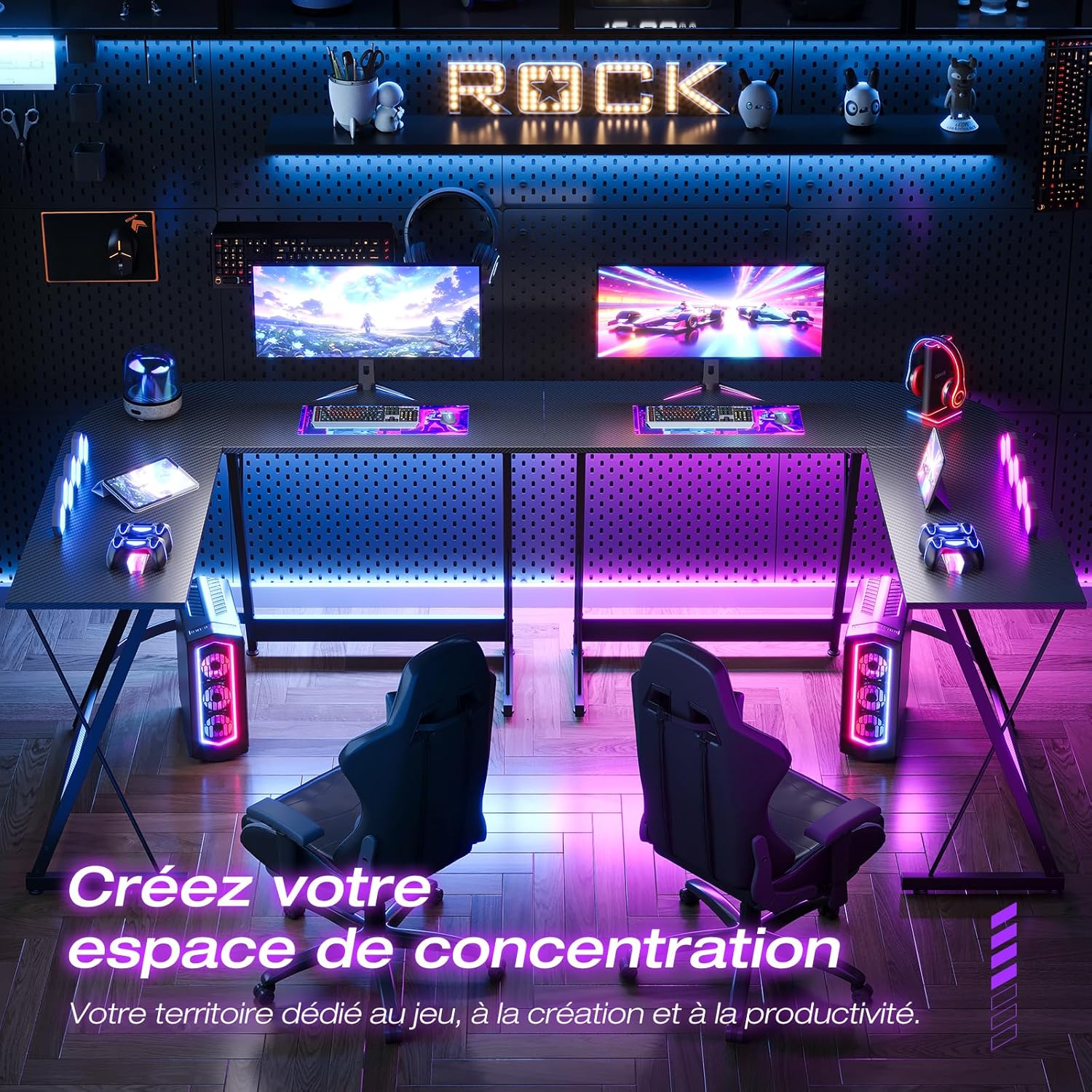
Figure 5: Example of creating a focused gaming or productivity space.
Maintenance
Proper maintenance will ensure the longevity and appearance of your ODK L-Shaped Gaming Desk.
- Cleaning: Wipe the desk surface with a soft, damp cloth. Avoid abrasive cleaners or harsh chemicals that could damage the carbon fiber finish.
- Spills: Clean up spills immediately to prevent staining or damage to the surface.
- Tighten Fasteners: Periodically check and retighten all screws and bolts to maintain desk stability.
- Avoid Excessive Heat: Do not place hot items directly on the desk surface without protective padding.
Troubleshooting
If you encounter any issues with your ODK L-Shaped Gaming Desk, refer to the following common problems and solutions:
- Desk is Wobbly:
- Ensure all screws and bolts are securely tightened.
- Adjust the leveling feet at the bottom of the legs to compensate for uneven floors.
- Parts Missing or Damaged:
- Double-check the package contents against the parts list.
- Contact ODK customer support for replacement parts.
- Difficulty Assembling:
- Review the assembly instructions carefully, paying attention to diagrams.
- Ensure you are using the correct hardware for each step.
- Do not force parts together; if they don't fit, re-check the orientation.
Specifications
| Feature | Detail |
|---|---|
| Model Number | ZJZ-JJYJZ48 |
| Dimensions (L x W x H) | 120 x 120 x 77.5 cm (47.2 x 47.2 x 30.5 inches) |
| Weight | 13 Kilograms (28.6 lbs) |
| Material (Frame) | Metal |
| Material (Top) | Carbon Fiber Finish |
| Color | Carbon Fiber Black |
| Special Features | Monitor Stand, L-Shape Design, Adjustable Feet |
| Assembly Required | Yes |
Warranty and Support
ODK provides a satisfaction guarantee for this product. If you have any questions, concerns, or require assistance with assembly or parts, please do not hesitate to contact our friendly customer service team.
For support, please visit the ODK official website or contact the seller directly through your purchase platform.


