
1. Introduction
1.1 Product Overview
The Furitek AeroSpin 30K Aluminum Fan Kit is an ultra-high-speed cooling solution specifically engineered for the SlideTech Electronic Speed Controller (ESC). Operating at 30,000 RPM, this fan is designed to maintain optimal ESC temperatures, especially during demanding conditions such as extended Turbo or Boost modes in remote control car applications. Its compact design and CNC-machined aluminum mount ensure efficient and focused airflow directly to the ESC, enhancing stability and performance.
1.2 What's Included
The Furitek AeroSpin 30K Aluminum Fan Kit includes the following components:
- 1x 30x30mm high-speed aluminum cooling fan (30,000RPM)
- 1x CNC aluminum fan mount for SlideTech ESC
- 1x Signal adapter plug (connects directly to the SlideTech ESC's LED port)
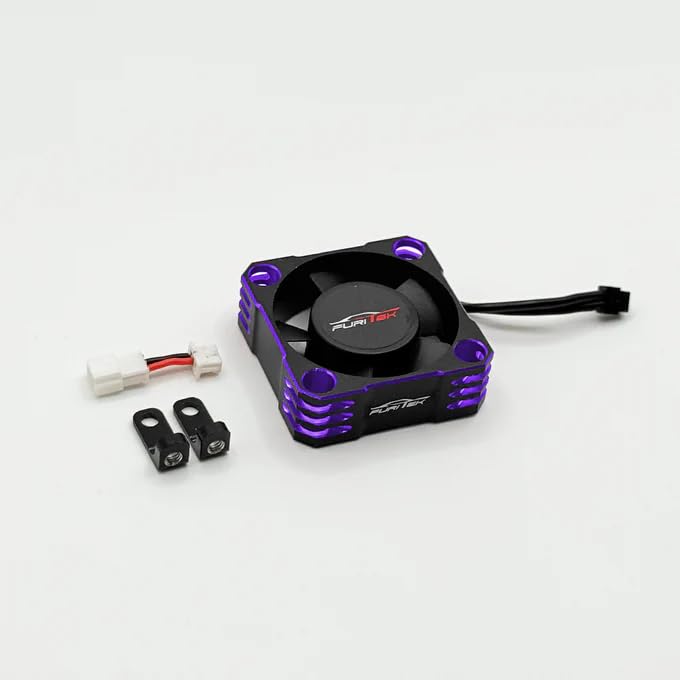
Image: The Furitek AeroSpin 30K Aluminum Fan Kit components, including the fan, CNC aluminum mount, and signal adapter plug.
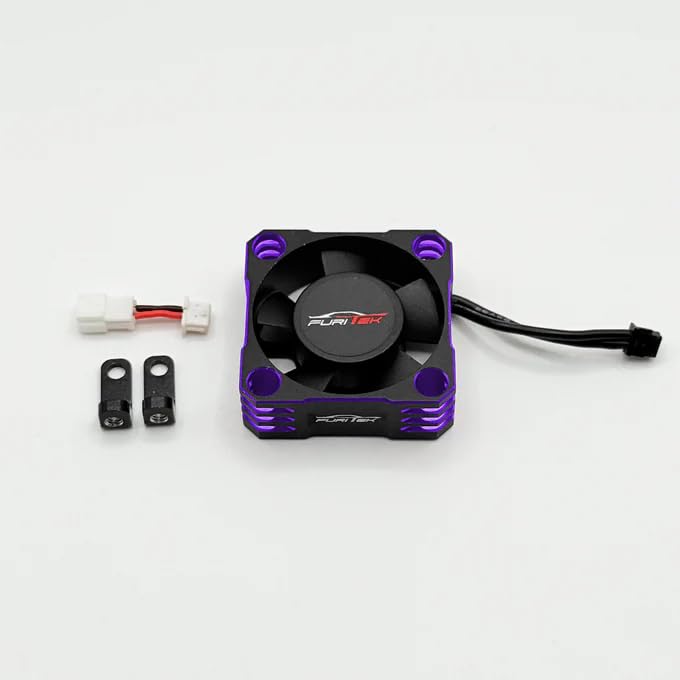
Image: Another perspective of the Furitek AeroSpin 30K Aluminum Fan Kit components, showing the fan, mount, and adapter.
2. Safety Information
Please read and understand all safety precautions before installing and operating the Furitek AeroSpin 30K fan kit. Failure to follow these instructions may result in damage to the product, other components, or personal injury.
- Power Disconnection: Always disconnect power from the ESC and battery before performing any installation, maintenance, or inspection.
- Small Parts: This kit contains small parts. Keep them out of reach of children to prevent choking hazards.
- Moving Parts: The fan contains rapidly moving blades. Keep fingers, loose clothing, and other objects clear of the fan when power is applied to prevent injury.
- Heat: Electronic components can become hot during operation. Allow components to cool before handling.
- Proper Installation: Ensure all connections are secure and correctly oriented to prevent short circuits or damage.
3. Setup and Installation
Follow these steps to properly install the Furitek AeroSpin 30K Aluminum Fan Kit onto your SlideTech ESC.
- Prepare the ESC: Ensure your SlideTech ESC is powered off and disconnected from the battery.
- Attach Fan to Mount: Secure the 30x30mm cooling fan to the CNC aluminum fan mount using the provided screws. Ensure the fan blades are oriented to blow air towards the ESC.
- Mount Assembly to ESC: Position the assembled fan and mount onto the SlideTech ESC. The mount is designed to fit precisely onto the ESC's housing. Secure it using the appropriate screws.
- Connect Signal Adapter: Connect the signal adapter plug to the fan's power cable.
- Connect to ESC: Plug the signal adapter into the designated LED port on your SlideTech ESC. This port provides power and signal for the fan's operation.
- Verify Installation: Double-check all connections to ensure they are secure and correctly installed.
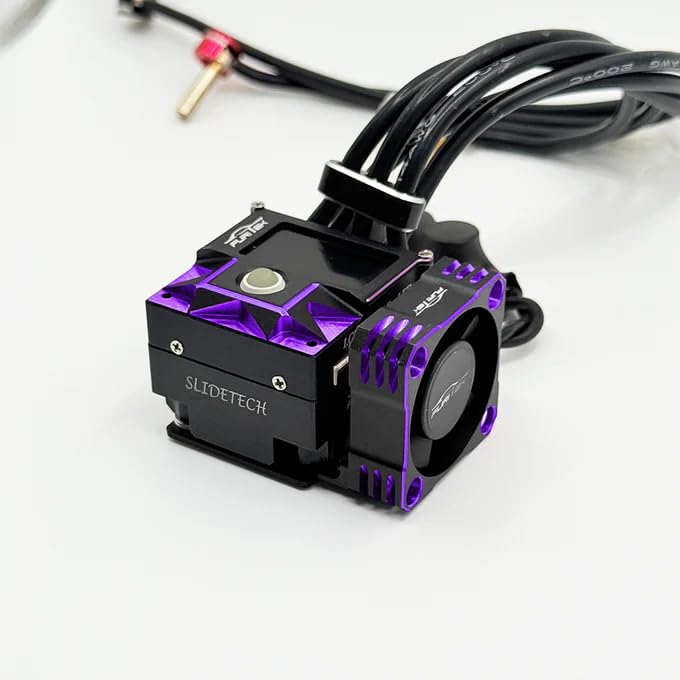
Image: The Furitek AeroSpin 30K fan kit fully installed on a SlideTech ESC, showing the side profile and connection points.
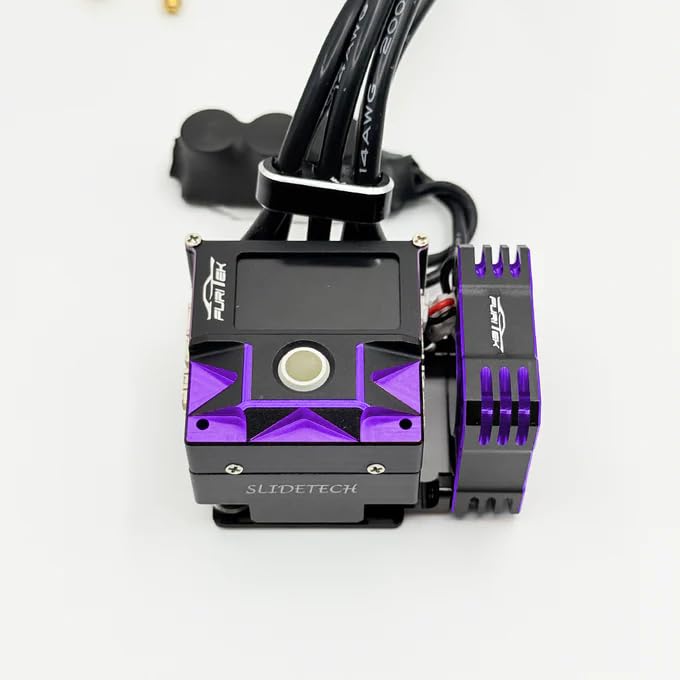
Image: A top-down view of the Furitek AeroSpin 30K fan kit installed on a SlideTech ESC, highlighting the compact fit.
4. Operating Instructions
Once installed, the Furitek AeroSpin 30K fan operates automatically in conjunction with your SlideTech ESC. The fan is designed to provide continuous cooling to the ESC, helping to dissipate heat generated during operation.
- The fan will typically activate when the ESC is powered on.
- Its primary function is to maintain lower operating temperatures for the ESC, especially beneficial during high-load situations, such as prolonged use of Turbo or Boost modes.
- No additional configuration is required for the fan's basic operation once correctly connected to the ESC's LED port.
5. Maintenance
Regular maintenance ensures the longevity and optimal performance of your AeroSpin 30K fan kit.
- Cleaning: Periodically inspect the fan blades and housing for dust, dirt, or debris accumulation. Use a soft brush or compressed air to gently clean the fan. Avoid using liquids or harsh chemicals.
- Inspection: Check the fan blades for any signs of damage (cracks, bends) or obstruction. Ensure the fan spins freely without resistance. Inspect the wiring for fraying or loose connections.
- Mount Security: Verify that the fan mount remains securely attached to the ESC. Tighten any loose screws if necessary.
6. Troubleshooting
If you encounter issues with your Furitek AeroSpin 30K fan, refer to the following troubleshooting guide:
| Problem | Possible Cause | Solution |
|---|---|---|
| Fan not spinning | No power to ESC; Loose or incorrect connection; Damaged fan or wiring | Ensure ESC is powered on; Check signal adapter connection to ESC's LED port; Inspect fan wiring for damage; Replace fan if damaged. |
| Unusual noise from fan | Debris obstructing blades; Damaged fan bearing; Loose mounting screws | Clean fan blades of any debris; Inspect fan for physical damage; Ensure mounting screws are tight. |
| Fan spins slowly or intermittently | Insufficient power; Partial obstruction; Faulty connection | Verify ESC power output; Clean fan blades; Re-seat all connections. |
7. Specifications
- Product Name: AeroSpin 30K Aluminum Fan Kit
- Brand: Furitek
- Compatibility: Furitek SlideTech ESC
- Fan Speed: 30,000 RPM (Revolutions Per Minute)
- Fan Size: 30x30mm
- Mount Material: CNC Aluminum
- Connection: Signal adapter plug to SlideTech ESC LED port
- Package Dimensions: Approximately 3 x 3 x 3 inches
- Weight: Approximately 1.92 ounces
8. Warranty and Support
8.1 Warranty Information
For specific warranty terms and conditions regarding your Furitek AeroSpin 30K Aluminum Fan Kit, please refer to the official Furitek website or contact Furitek customer support directly. Warranty coverage typically addresses manufacturing defects.
8.2 Customer Support
If you require further assistance, have questions about installation, or need to report an issue, please contact Furitek customer support. You can often find contact information and additional resources by visiting the official Furitek Store on Amazon or their official website.