
1. Introduction
Thank you for purchasing the GOVO GOSURROUND 600 2.1 Channel Soundbar. This manual provides essential information for the safe and efficient use of your new audio system. Please read it thoroughly before operation and retain it for future reference.
Package Contents
Ensure all items listed below are present in your package:
- 1 x GOVO GOSURROUND 600 Soundbar
- 1 x Subwoofer
- 1 x Remote Control
- 1 x Aux Cable
- 1 x User Manual
- 1 x Warranty Card
2. Safety Information
To ensure safe operation and prevent damage, please observe the following safety precautions:
- Do not expose the device to rain, moisture, or extreme temperatures.
- Do not open the casing. Refer all servicing to qualified personnel.
- Keep the device away from direct sunlight, heat sources, and strong magnetic fields.
- Ensure proper ventilation around the soundbar and subwoofer.
- Use only the power adapter supplied with the unit.
- Disconnect the power plug during lightning storms or when unused for long periods.
3. Product Overview
The GOVO GOSURROUND 600 system consists of a soundbar and a wired subwoofer, designed to enhance your audio experience with 2.1 channel sound and deep bass.

Figure 3.1: The GOVO GOSURROUND 600 Soundbar and its accompanying wired subwoofer.
Soundbar Controls and Indicators
The soundbar features integrated controls and indicators for easy access. Specific button functions are detailed in the Operating Instructions section.
Remote Control
The included remote control provides full functionality for managing your soundbar settings, including power, volume, input selection, and equalizer modes.

Figure 3.2: The remote control for the GOVO GOSURROUND 600 Soundbar, showing various function buttons.
4. Setup
Follow these steps to set up your GOVO GOSURROUND 600 Soundbar system.
4.1 Placement
- Place the soundbar centrally below your television or display.
- Position the subwoofer on the floor near the soundbar, ensuring it has adequate space for sound dispersion.

Figure 4.1: Recommended placement of the soundbar in front of a television and the subwoofer beside it.
4.2 Connecting the Subwoofer
The subwoofer connects to the soundbar via a wired connection. Locate the dedicated subwoofer output port on the soundbar and the input port on the subwoofer. Connect them securely using the provided cable.
4.3 Power Connection
Connect the power adapter to the DC input port on the soundbar, then plug the adapter into a wall outlet. Ensure the power outlet is easily accessible.
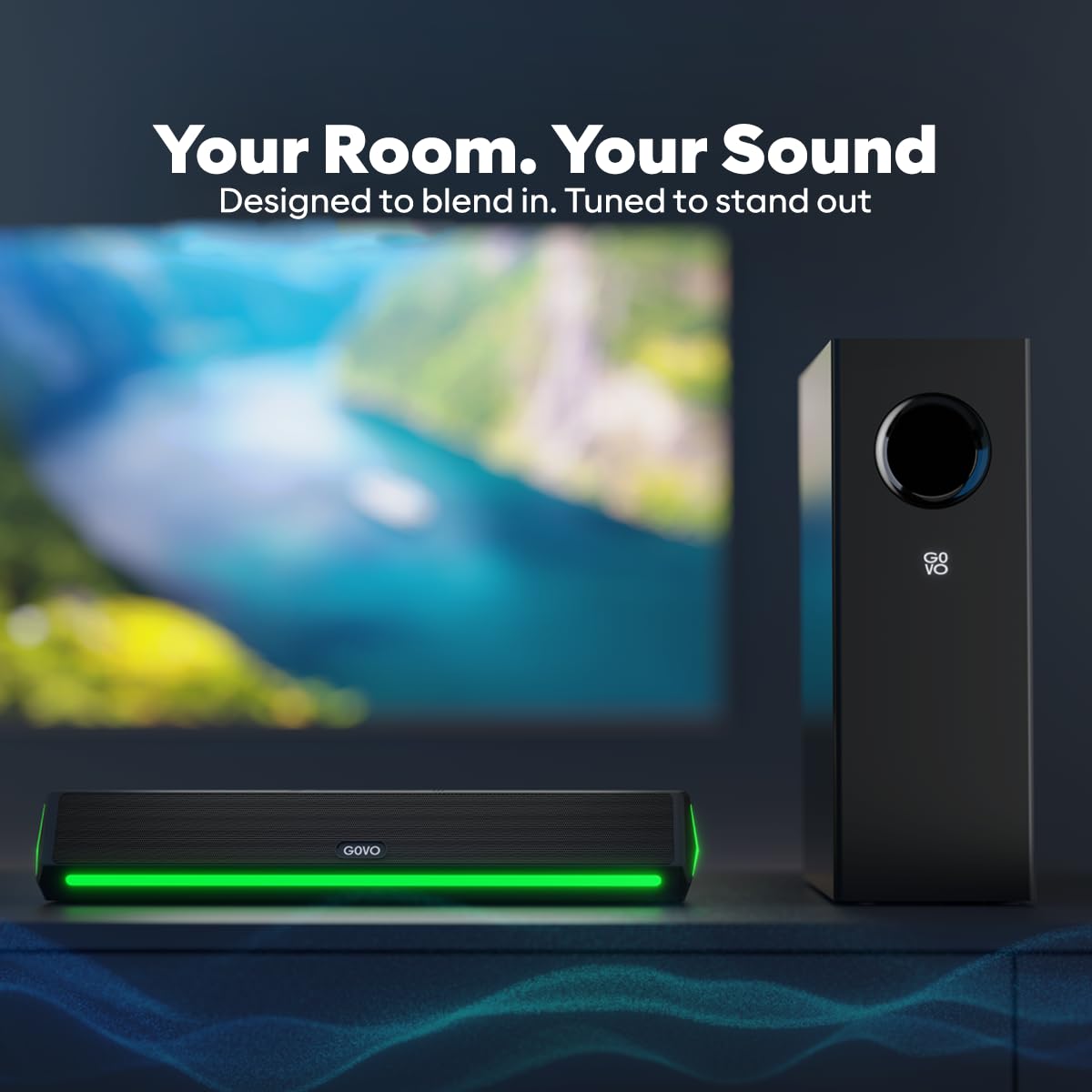
Figure 4.2: Rear panel of the soundbar showing the HDMI, AUX, USB, SUB (subwoofer output), and DC power input ports.
5. Operating Instructions
This section details how to operate your GOVO GOSURROUND 600 Soundbar.
5.1 Power On/Off
- To power on, press the Power button on the remote control or the soundbar.
- To power off, press the Power button again. The soundbar will enter standby mode.
5.2 Volume Control
- Press VOL+ on the remote to increase volume.
- Press VOL- on the remote to decrease volume.
- Press the Mute button to mute or unmute the sound.
5.3 Input Source Selection
Press the INPUT button on the remote control or the soundbar to cycle through available input sources: Bluetooth, HDMI (ARC), AUX, and USB.
5.4 Equalizer (EQ) Modes
The soundbar features 5 preset equalizer modes to optimize audio for different content types. Press the EQ button on the remote to switch between:
- Pop
- Rock
- Jazz
- Classic
- Country
5.5 Bass and Treble Adjustment
Use the BASS+ / BASS- and TRE+ / TRE- buttons on the remote control to fine-tune the bass and treble levels according to your preference.
6. Connectivity
The GOVO GOSURROUND 600 offers multiple connectivity options for various devices.
6.1 Bluetooth Pairing (BT v5.3)
- Power on the soundbar and select the Bluetooth input mode using the INPUT button. The indicator light will flash, indicating pairing mode.
- On your mobile device, enable Bluetooth and search for "GOVO GOSURROUND 600" in the list of available devices.
- Select the soundbar to pair. Once connected, the indicator light will stop flashing and remain solid.
6.2 HDMI (ARC) Connection
For optimal audio quality and control, connect your TV to the soundbar using an HDMI cable (not included) via the HDMI (ARC) port.
- Connect one end of an HDMI cable to the HDMI (ARC) port on your TV.
- Connect the other end to the HDMI (ARC) port on the soundbar.
- Select HDMI input on the soundbar using the INPUT button.
- Ensure your TV's HDMI ARC function is enabled in its audio settings.
6.3 AUX Connection
Use the provided 3.5mm AUX cable to connect devices with an analog audio output.
- Connect one end of the AUX cable to the AUX port on the soundbar.
- Connect the other end to the headphone jack or audio output port of your device.
- Select AUX input on the soundbar using the INPUT button.
6.4 USB Playback
The soundbar supports audio playback from USB storage devices.
- Insert a USB drive containing audio files into the USB port on the soundbar.
- Select USB input on the soundbar using the INPUT button.
- Playback will begin automatically. Use the remote control to navigate tracks.
7. Maintenance
Proper care ensures the longevity and performance of your soundbar system.
- Cleaning: Use a soft, dry cloth to clean the surfaces of the soundbar and subwoofer. Do not use liquid cleaners or abrasive materials.
- Storage: If storing the unit for an extended period, disconnect it from power and store it in a cool, dry place.
- Ventilation: Ensure that the speaker grilles and vents are not obstructed to prevent overheating.
8. Troubleshooting
Refer to this section for solutions to common issues you might encounter.
| Problem | Possible Cause | Solution |
|---|---|---|
| No power | Power cable not connected; Power outlet not active | Check power cable connection; Try a different power outlet |
| No sound | Incorrect input source; Volume too low; Mute activated; Cables not connected properly | Select correct input source; Increase volume; Deactivate mute; Reconnect audio cables securely |
| Bluetooth pairing failed | Soundbar not in pairing mode; Device too far; Interference | Ensure soundbar is in BT mode and flashing; Move device closer; Turn off other Bluetooth devices |
| Remote control not working | Batteries depleted; Obstruction between remote and soundbar | Replace remote batteries; Remove any obstructions; Ensure remote is pointed at the soundbar's sensor |
| Subwoofer not producing bass | Subwoofer cable loose; Bass level set too low | Check and secure the subwoofer connection cable; Increase bass level using the remote control |
9. Specifications
Technical specifications for the GOVO GOSURROUND 600 Soundbar system.
| Model Name | GoSurround 600 |
| Speaker Type | Soundbar with Subwoofer |
| Surround Sound Channel Configuration | 2.1 |
| Speaker Maximum Output Power | 90 Watts |
| Subwoofer Diameter | 4 Inches |
| Speaker Size (Soundbar) | 2 Inches (2 x 2" speakers) |
| Wireless Communication Technology | Bluetooth v5.3 |
| Connectivity Technology | Auxiliary, Bluetooth, HDMI (ARC), USB |
| EQ Modes | Pop, Rock, Jazz, Classic, Country |
| Control Method | Remote |
| Product Dimensions | 20D x 12W x 33.5H Centimeters (Note: These dimensions likely refer to the subwoofer or packaging, as the soundbar is typically longer.) |
| Item Weight | 2.8 kg |
| Material | Plastic |
| Power Source | Corded Electric |
10. Warranty and Support
The GOVO GOSURROUND 600 Soundbar comes with a Limited Warranty. Please refer to the included Warranty Card for detailed terms and conditions, including the warranty period and coverage.
For technical assistance, troubleshooting beyond this manual, or warranty claims, please contact GOVO customer support. Contact information can typically be found on the warranty card or the official GOVO website.
Please retain your purchase receipt as proof of purchase for warranty services.


