
1. Introduction
The ALLPOWERS SP001 21W Portable Solar Panel Charger is a high-efficiency, foldable solar solution designed to provide reliable power for your devices in various outdoor and emergency situations. With its advanced monocrystalline silicon cells and durable construction, it offers a convenient and eco-friendly way to keep your essential electronics charged.

Figure 1: ALLPOWERS SP001 21W Portable Solar Panel Charger in use, charging two smartphones.
2. Product Features
- High-Efficiency Charging: Features a 21W peak power and industry-leading 25% conversion efficiency for faster, more reliable solar power.
- Ultra-Portable & Foldable: Weighs just 610g and folds to a compact size (220×208×20mm), making it easy to pack and carry.
- Durable & Weather-Resistant: Protected by a waterproof ETFE surface and built to perform in extreme temperatures from -20°C to 60°C, with an IP65 rating for water and dust resistance.
- Smart & Safe Output: Equipped with iSolar technology and dual USB ports (USB-C and USB-A) supporting up to 12V/1.5A, it automatically matches device power needs and provides over-charge, short-circuit, and over-temperature protection.
- Versatile Power Source: Offers flexible energy for phones, tablets, power banks, and other USB devices, suitable for camping, RV travel, or emergency home backup.
3. Package Contents
Upon opening your ALLPOWERS SP001 21W Portable Solar Panel Charger package, you should find the following items:
- ALLPOWERS SP001 21W Portable Solar Panel Charger
- Hanging Buckles (x2)
- User Manual

Figure 2: Package contents of the ALLPOWERS SP001 21W Portable Solar Panel Charger.
4. Setup Instructions
- Unfold the Solar Panel: Carefully unfold the ALLPOWERS SP001 solar panel completely.
- Position for Sunlight: Place the solar panel in direct sunlight. For optimal charging efficiency, angle the panel to face the sun directly. The integrated kickstands can be used to prop up the panel at an optimal angle.
- Connect Your Device: Locate the dual USB output ports (USB-A and USB-C) on the control box. Connect your device's charging cable to the appropriate USB port.
- Begin Charging: The iSolar technology will automatically detect your device and deliver the optimal charging current.
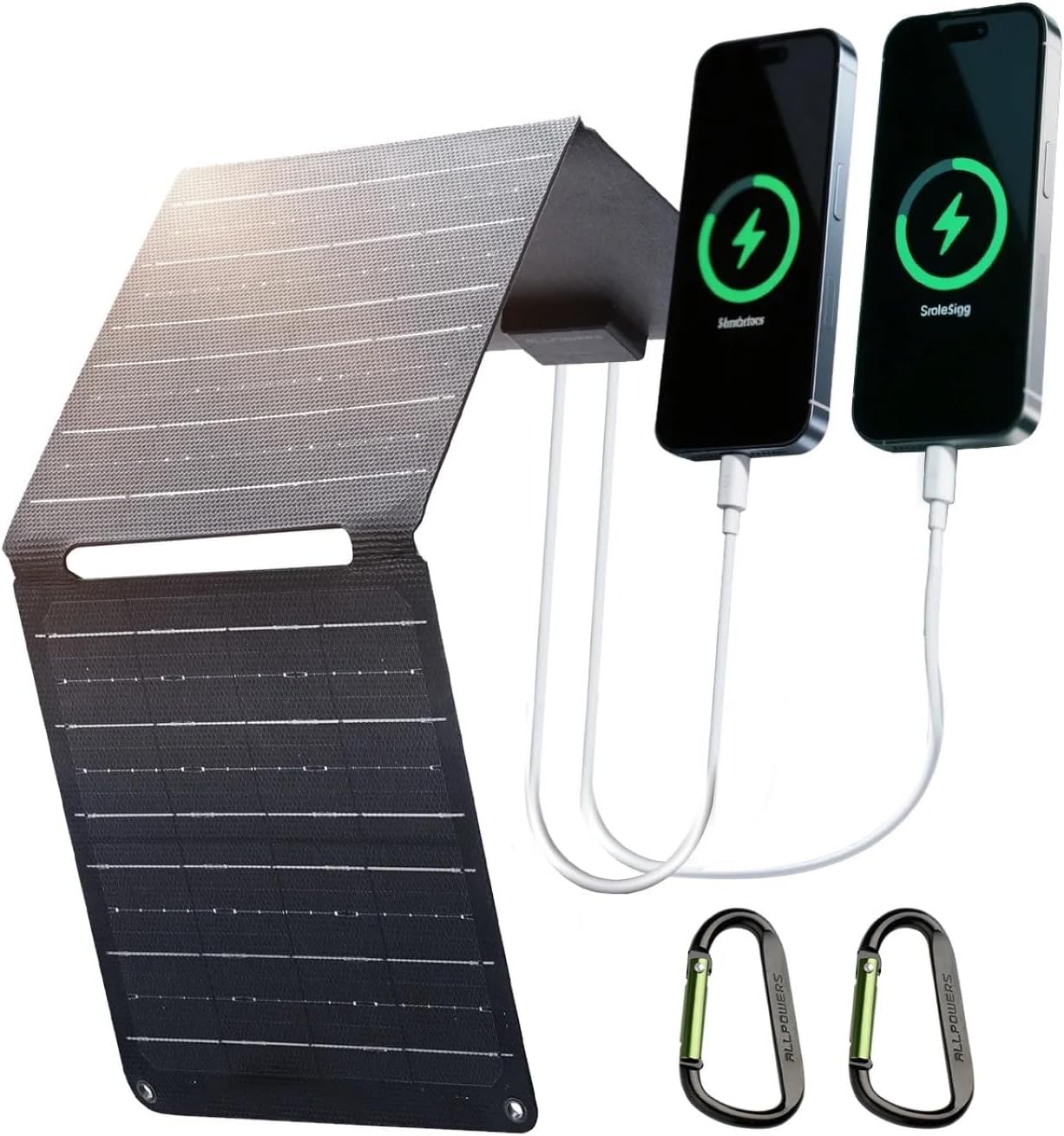
Figure 3: The solar panel unfolded and charging two smartphones via its dual USB ports.
5. Operating Instructions
- Optimal Sunlight: Ensure the solar panel is exposed to maximum direct sunlight for the best charging performance. Avoid shaded areas.
- iSolar Technology: The built-in iSolar technology automatically adjusts the current and voltage to achieve maximum power, delivering the fastest possible charge for your device.
- Dual USB Output: Utilize both the USB-A and USB-C ports simultaneously to charge multiple devices. The USB-C port supports up to 12V/1.5A for faster charging of compatible devices.
- Folding and Storage: When not in use, fold the solar panel into its compact form and secure it with the integrated buckles for easy storage and transport.

Figure 4: Detail of the dual USB-A and USB-C output ports on the solar panel.
6. Maintenance
- Cleaning: Regularly wipe the solar panel surface with a soft, damp cloth to remove dust, dirt, or debris that may reduce efficiency. Do not use harsh chemicals or abrasive materials.
- Storage: Store the folded solar panel in a cool, dry place away from direct sunlight when not in use for extended periods.
- Inspection: Periodically check the cables and connectors for any signs of wear or damage. Replace any damaged components immediately.
- Avoid Extreme Conditions: While durable, prolonged exposure to extreme weather conditions (e.g., heavy rain, snow, hail) should be minimized to ensure longevity.

Figure 5: The solar panel's waterproof ETFE surface allows for use in various weather conditions.
7. Troubleshooting
- Device Not Charging:
- Ensure the solar panel is in direct sunlight and not shaded.
- Check if the charging cable is securely connected to both the solar panel and your device.
- Verify that your device is compatible with USB charging and that its power requirements do not exceed the panel's output (12V/1.5A max).
- Slow Charging:
- Adjust the panel's angle to optimize exposure to direct sunlight.
- Clean the solar panel surface to remove any dirt or dust.
- Charging speed can be affected by cloud cover, time of day, and geographical location.
- Panel Overheating:
- The panel has built-in over-temperature protection. If it overheats, it may temporarily reduce output. Ensure adequate airflow around the panel.
8. Specifications
| Attribute | Detail |
|---|---|
| Brand | ALLPOWERS |
| Model Number | SP001 |
| Maximum Power | 21 Watts |
| Efficiency | High Efficiency (22-25% conversion) |
| Material | Monocrystalline Silicon, Aluminum, ETFE |
| Product Dimensions (Folded) | 8.66"L x 8.18"W x 0.78"H (220x208x20mm) |
| Weight | 610g |
| Special Features | Portable, Foldable, Waterproof (IP65) |
| Output Ports | Dual USB (USB-C and USB-A), up to 12V/1.5A |

Figure 6: Dimensions of the ALLPOWERS SP001 21W Portable Solar Panel Charger in both folded and unfolded states.

Figure 7: Cross-section diagram showing the high-efficiency monocrystalline silicon cells and ETFE coating.
9. Warranty and Support
ALLPOWERS products typically come with a manufacturer's warranty. To claim your warranty or for product support, please visit the official ALLPOWERS website or contact their customer service. Details for warranty registration and support can usually be found in the included user manual or on the ALLPOWERS website.
Warranty Activation: Activate your warranty at www.allpowers.com/pages/warranty-register.
Customer Support: For assistance, you can contact ALLPOWERSDirect via their Amazon store or visit their official website for support options.


