
Smart Tech 24HN01V1C
Smart Tech 24HN01V1C HD LED TV 24-inch (60cm) User Manual
Model: 24HN01V1C
Introduction
The Smart Tech 24HN01V1C HD LED TV offers a clear and practical viewing experience in a compact 24-inch (60cm) size. Ideal for small spaces, this television provides crisp HD resolution, versatile connectivity, and 12V power compatibility, making it suitable for various environments including vehicles, campers, or boats. This manual provides essential information for setup, operation, maintenance, and troubleshooting.
Setup
Unpacking and Components
Carefully remove all components from the packaging. Ensure the following items are present:
- Smart Tech 24HN01V1C HD LED TV
- Remote Control
- TV Stand (feet)
- 12 Volt Charger
- User Manual (this document)
Stand Installation
To install the TV stand:
- Place the TV screen-down on a soft, flat surface to prevent scratches.
- Align the stand feet with the corresponding slots on the bottom of the TV.
- Secure the feet using the provided screws.
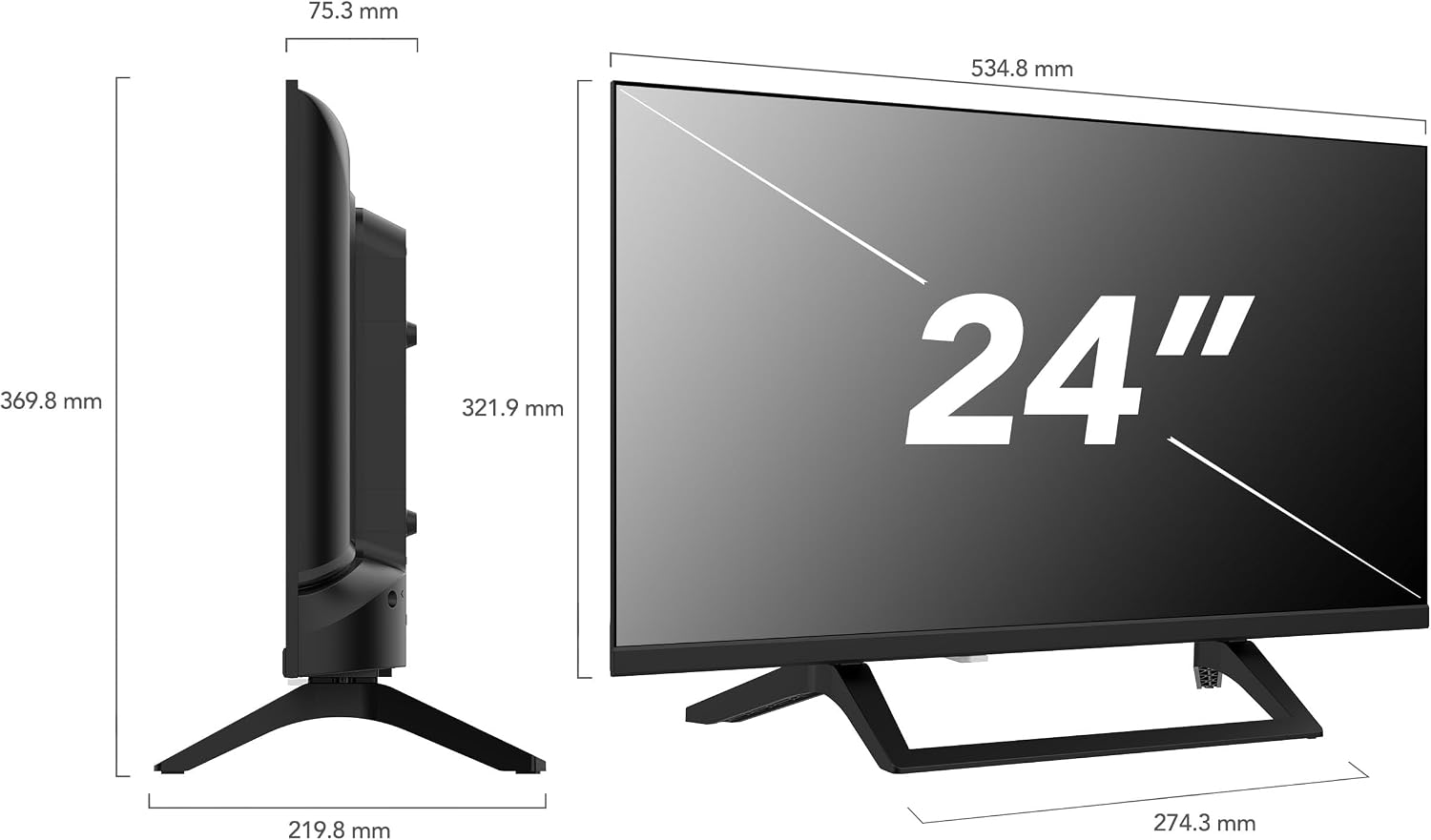
Image: Smart Tech 24HN01V1C TV dimensions, showing the TV with its stand and measurements.
Wall Mounting
The TV is compatible with VESA 100x100 wall mounts. Ensure you use a compatible wall mount and follow the manufacturer's instructions for safe installation. The mounting holes are located on the back of the TV.

Image: Rear view of the Smart Tech 24HN01V1C TV, highlighting the VESA mounting points for wall installation.
Connecting Power
Connect the provided 12V charger to the TV's power input and then to a compatible 12V power source (e.g., car, camper, boat) or a standard AC outlet using an appropriate adapter (not always included). The TV is designed for versatile power options.

Image: A 12V car charger adapter, illustrating the power option for the Smart Tech TV in mobile environments.
Connecting External Devices
The TV features multiple ports for connecting external devices:
- HDMI Ports (x3): Connect Blu-ray players, gaming consoles, set-top boxes, or other HDMI-enabled devices.
- USB Ports (x2): Connect USB drives for media playback.
- Antenna Input: Connect a terrestrial or cable antenna for receiving broadcast channels.
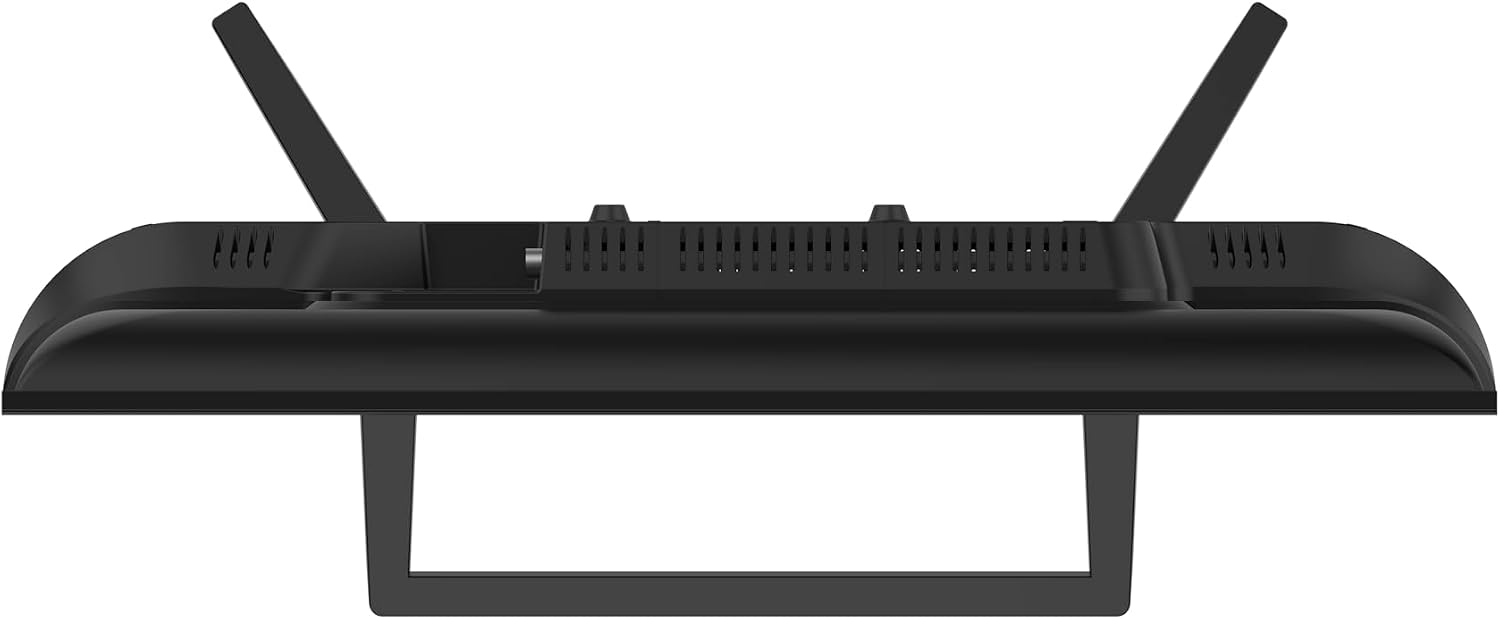
Image: Side view of the Smart Tech 24HN01V1C TV, displaying the accessible HDMI and USB ports for external device connections.
Operating Your TV
Remote Control
The remote control allows you to navigate menus, change channels, adjust volume, and select input sources. It is designed for ease of use.
Initial Setup and Channel Scan
Upon first power-on, the TV will guide you through an initial setup process. This typically includes language selection, country, and an automatic channel scan to find available digital and analog channels via the triple tuner (DVB-T2 compatible).
Input Source Selection
Press the 'Input' button on your remote control to cycle through available input sources (HDMI 1, HDMI 2, HDMI 3, USB, AV, TV Tuner). Select the desired source for your connected device.
Media Playback via USB
Insert a USB drive into one of the TV's USB ports. The TV should automatically detect the drive and prompt you to access its media content. You can browse and play supported video, audio, and image files.
Audio Settings
The TV features Dolby Audio for an optimized sound experience. You can adjust sound modes and settings through the TV's audio menu to suit your preferences.
Hotel Mode
The Hotel Mode feature allows for customization of settings and restriction of certain functionalities, making it suitable for professional environments like hotels. Consult the on-screen menu for Hotel Mode activation and configuration.
Video: General TV operation and troubleshooting guide, demonstrating basic functions and setup for a television.
Technical Specifications
| Feature | Specification |
|---|---|
| Brand | Smart Tech |
| Model Number | 24HN01V1C |
| Screen Size | 24 Inches (60 cm) |
| Display Technology | LED |
| Resolution | 1366 x 768 Pixels (HD) |
| Refresh Rate | 60 Hz |
| Aspect Ratio | 16:9 |
| Sound Output | 2*3 Watts, Dolby Audio |
| Connectivity | 3x HDMI, 2x USB |
| Tuner | Triple Tuner (DVB-T2 compatible) |
| Power Supply | 12V compatible |
| VESA Compatibility | 100x100 mm |
| Dimensions (L x W x H) | 5.5 x 51 x 29 cm |
| Weight | 3 kg |

Image: Energy efficiency label for the Smart Tech 24HN01V1C TV, indicating an 'E' rating.
Maintenance and Care
To ensure the longevity and optimal performance of your Smart Tech TV, follow these care instructions:
- Cleaning the Screen: Use a soft, lint-free cloth specifically designed for electronics. Dampen the cloth slightly with water or a screen cleaner (avoid harsh chemicals). Wipe gently to remove dust and smudges.
- Cleaning the Casing: Use a soft, dry cloth to wipe the TV casing. Do not use abrasive cleaners or solvents.
- Ventilation: Ensure the TV's ventilation openings are not blocked to prevent overheating.
- Power Off: Always turn off and unplug the TV before cleaning or if it will not be used for an extended period.
Troubleshooting
If you encounter issues with your TV, refer to the following common problems and solutions:
- No Power: Check if the power cable is securely connected to both the TV and the power outlet. Ensure the 12V charger is functioning correctly.
- No Picture/Sound: Verify that the correct input source is selected. Check all cable connections (HDMI, antenna, AV) for looseness or damage.
- Poor Picture Quality: Adjust picture settings (brightness, contrast, sharpness) in the TV menu. If using an antenna, ensure it is properly positioned and connected.
- Remote Control Not Working: Check the batteries in the remote control and replace them if necessary. Ensure there are no obstructions between the remote and the TV's IR sensor.
- No Channels Found: Perform an automatic channel scan through the TV's setup menu. Ensure your antenna is connected and receiving a signal.
For further assistance, please refer to the general TV operation and troubleshooting video provided in the Operating section or contact customer support.
Warranty and Support
The Smart Tech 24HN01V1C HD LED TV comes with a 2-year manufacturer's warranty. Please retain your proof of purchase for warranty claims. For technical support, service, or further inquiries, refer to the contact information provided in your product packaging or visit the official Smart Tech website.
Related documents24HN01V1C


Ask a question about this manual
Ask about setup, troubleshooting, compatibility, parts, safety, or missing instructions. Manuals+ will review the question and use this page’s manual context to help answer it.