
1. Introduction
Thank you for choosing the OBEST Mini 4K WiFi Action Camera. This manual provides essential information for the safe and effective use of your camera. Please read it thoroughly before operation and retain it for future reference. This camera is designed to capture high-quality video and photos in various environments, including sports, outdoor activities, and underwater adventures.
2. Product Overview
Key Features
- 4K HD Video Recording: Capture high-resolution videos at 3840 x 2160.
- 120° Wide-Angle Lens: Provides a broad field of view for comprehensive scene capture.
- POV Hands-Free Mode: Record from a first-person perspective.
- IP68 Waterproof (with case): Submersible up to 30 meters (98 feet) with the included waterproof housing.
- Magnetic Design: Allows for flexible mounting options.
- Wi-Fi Connectivity: Control the camera and view live footage via a smartphone app.
- Compact and Portable: Ultra-compact form factor for easy carrying.
- Long Battery Life: Up to 150 minutes of recording time.
Camera Components
The camera features a lens, power/mode button, recording button, status indicators, and a MicroSD card slot. Refer to the image below for a visual guide.

Dimensions and Packing List
The camera is designed to be ultra-compact. The package includes various accessories for different mounting scenarios.

3. Setup
3.1 Charging the Camera
Before first use, fully charge the camera. Connect the camera to a power source (laptop, power bank, or PC) using the provided USB cable. The charging time is approximately 120 minutes for a full charge, providing up to 150 minutes of battery life.
3.2 Inserting a MicroSD Card
The camera supports MicroSDHC flash memory cards. Insert a Class 10, UHS Speed Class 3, or Video Speed Class V60 MicroSD card (up to 256GB, not included) into the designated slot. Ensure the card is inserted correctly to avoid damage.
3.3 Using the Waterproof Case
For underwater activities or protection against harsh environments, place the camera inside the waterproof case. The case provides protection up to 30 meters (98 feet) depth.

3.4 Mounting Options
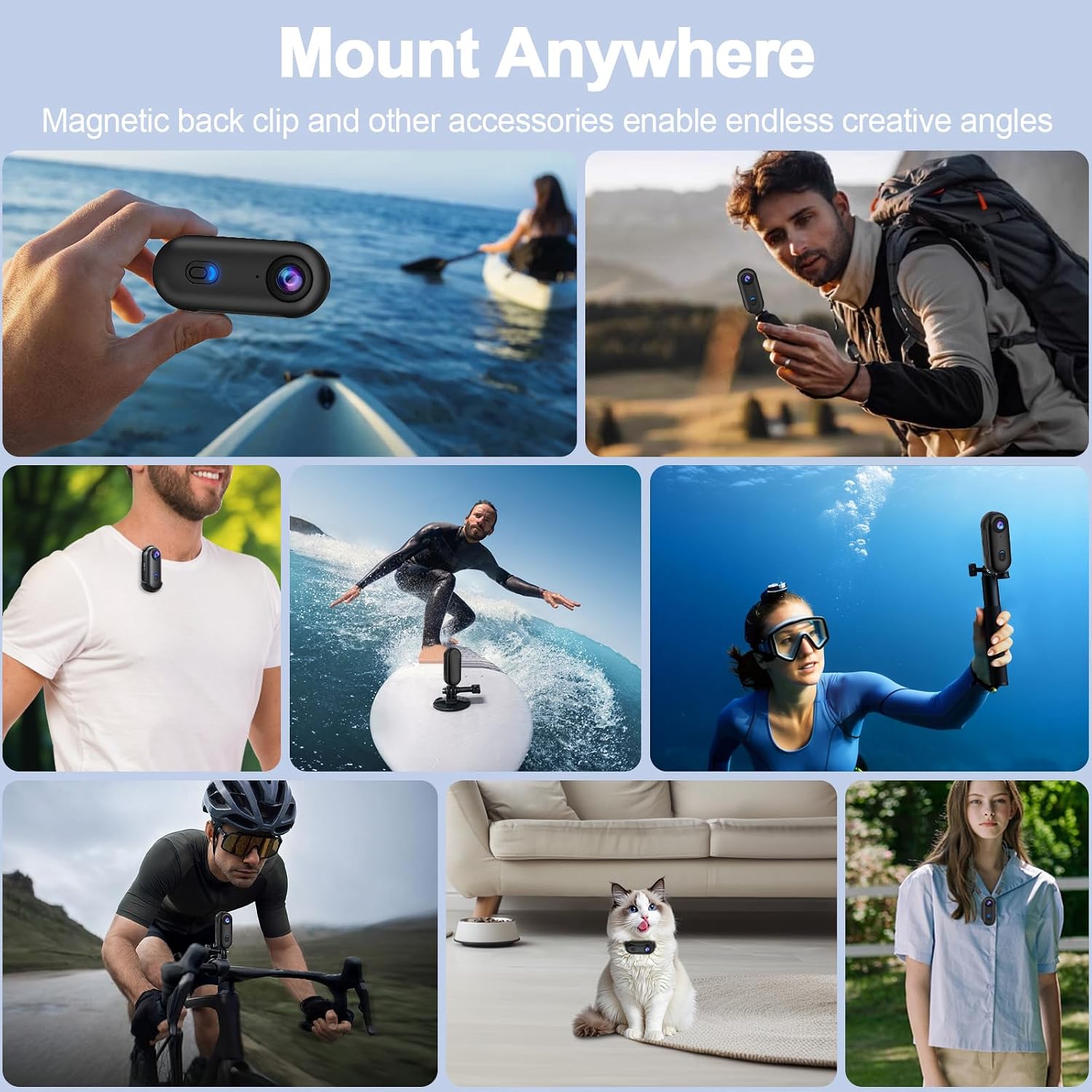
The camera offers multiple installation methods, including a magnetic back clip, spring-loaded clip, and various kits for bikes and helmets. This allows for versatile placement to capture different perspectives.


4. Operating Instructions
4.1 Power On/Off
To power on the camera, press and hold the power button until the indicator light illuminates. To power off, press and hold the power button again until the indicator light turns off.
4.2 Recording Video
Once powered on, press the recording button to start video recording. The indicator light will change to indicate recording is in progress. Press the recording button again to stop recording. Videos are saved in MP4 format.
4.3 Capturing Photos
Switch to photo mode (if available, refer to specific button functions) and press the recording button to capture a photo. Photos are saved in JPEG format.
4.4 Wi-Fi APP Control
Download the dedicated smartphone application to control your camera remotely. Connect your smartphone to the camera's Wi-Fi network. The app allows for live preview, playback, and downloading of content.

4.5 POV Hands-Free Recording
Utilize the various mounting accessories to achieve a hands-free, first-person perspective (POV) recording. This is ideal for capturing dynamic activities like cycling, skiing, or vlogging.

5. Maintenance
5.1 Cleaning
- Wipe the camera body with a soft, dry cloth.
- For the lens, use a specialized lens cleaning cloth and solution to avoid scratches.
- After using the waterproof case in saltwater, rinse it with fresh water and let it air dry.
5.2 Storage
Store the camera in a cool, dry place away from direct sunlight and extreme temperatures. Ensure the battery is partially charged (around 50%) if storing for extended periods.
6. Troubleshooting
Camera Not Turning On
- Ensure the battery is charged. Connect to a power source and check if the charging indicator lights up.
- Try resetting the camera by pressing and holding the power button for 10 seconds.
Recording Issues
- Check if a MicroSD card is inserted and if it has sufficient free space.
- Ensure the MicroSD card meets the recommended specifications (Class 10, UHS Speed Class 3, V60).
- Format the MicroSD card (this will erase all data, back up important files first).
Wi-Fi Connection Problems
- Ensure Wi-Fi is enabled on the camera and your smartphone.
- Restart both the camera and your smartphone.
- Make sure you are within the camera's Wi-Fi range.
7. Specifications
| Feature | Specification |
|---|---|
| Brand | OBEST |
| Model Number | be993f6a-5a5f-47ad-8fd7-5e01108783b0 |
| Video Recording Resolution | 4K (3840 x 2160) |
| Optical Sensor Technology | CMOS |
| Lens Type | Wide Angle (120°) |
| Connectivity Technology | Wi-Fi |
| Water Resistance Level | Waterproof (with case, up to 30M) |
| Flash Memory Type | MicroSDHC (Max 256GB, C10, U3, V60 recommended) |
| Video Capture Format | MP4 |
| Image Format Supported | JPEG |
| Audio Format Supported | AAC |
| Average Battery Life | 150 minutes |
| Color | Black |
| Compatible Devices | Smartphone, Tablet, Computer |
| Image Stabilization | Digital (No optical stabilization) |
| Focus Type | Fixed Focus |
| Aspect Ratio | 16:9 |
| Shooting Modes | Underwater, Night, Sport |
8. Warranty and Support
For warranty information and technical support, please refer to the documentation included with your purchase or contact OBEST customer service directly. Keep your proof of purchase for warranty claims.