
Introduction
Thank you for choosing the OPPO Enco Buds3 Wireless Earbuds. This manual provides essential information for the safe and efficient use of your device. Please read it thoroughly before use and retain it for future reference.
What's in the Box
- OPPO Enco Buds3 Wireless Earbuds (Left and Right)
- Charging Case
- USB Type-C Charging Cable
- User Manual

Image: OPPO Enco Buds3 earbuds and charging case, illustrating the contents of the package.
Product Overview
The OPPO Enco Buds3 are designed for comfort and high-quality audio. Familiarize yourself with the components:
- Earbuds: Left and Right earbuds with touch control areas.
- Charging Case: Houses and charges the earbuds, with a Type-C charging port and an LED indicator.

Image: Front view of the OPPO Enco Buds3 earbuds placed inside their open charging case, showing the 'oppo' branding on the case.

Image: Side view of two individual OPPO Enco Buds3 earbuds, highlighting their ergonomic design.
Setup
1. Charging the Earbuds and Case
Before first use, fully charge the earbuds and the charging case.
- Place the earbuds into the charging case.
- Connect the USB Type-C charging cable to the charging port on the case and to a power source.
- The LED indicator on the case will show charging status. A full charge takes approximately 2 hours.
2. Pairing with Your Device
The OPPO Enco Buds3 utilize Bluetooth 5.4 for a stable connection.
- Open the charging case. The earbuds will automatically enter pairing mode (LED indicator will flash).
- On your smartphone or Bluetooth device, go to Bluetooth settings and enable Bluetooth.
- Select "OPPO Enco Buds3" from the list of available devices.
- For Android devices, Google Quick Connect allows for one-tap pairing when the case is opened near your phone.
- Once paired, the LED indicator on the case will turn solid, and you will hear a confirmation tone.
Operating Instructions
Touch Controls
The earbuds feature intuitive touch controls. The default functions are:
| Action | Function |
|---|---|
| Double-tap (Left/Right Earbud) | Play/Pause, Answer/End Call, Take Photo (customizable via app) |
| Triple-tap (Left/Right Earbud) | Next Track, Activate Google Assistant (customizable via app) |
| Touch and Hold (Left/Right Earbud) | Volume Up/Down (customizable via app) |
Note: Specific touch control functions can be customized through the OPPO HeyMelody app.
Sound Modes
The Enco Buds3 offer customizable sound profiles:
- Default: Standard balanced audio.
- Clear Vocals: Enhances vocal clarity for podcasts and calls.
- Bass Boost: Amplifies low frequencies for a richer bass experience.
- Original Sound: Provides an authentic, uncolored audio reproduction.
These modes, along with 6 other sound settings, can be accessed and adjusted via the OPPO HeyMelody app.
Google Assistant
You can activate Google Assistant by triple-tapping one of the earbuds (if configured). This allows for voice commands and quick access to information.
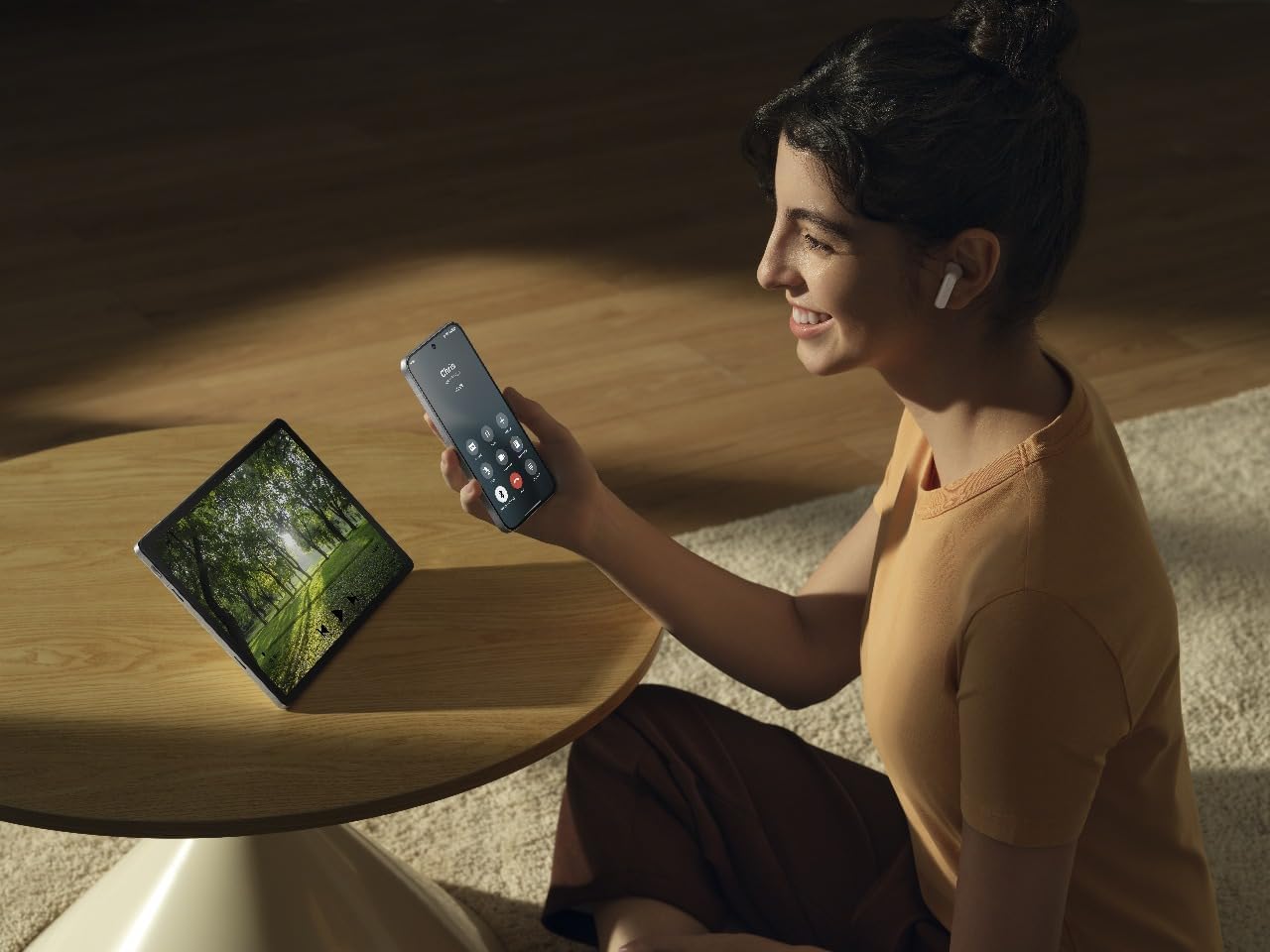
Image: A person wearing OPPO Enco Buds3 earbuds, smiling while holding a smartphone, demonstrating active use and connectivity.
Maintenance
Cleaning
Regular cleaning helps maintain sound quality and hygiene.
- Gently wipe the earbuds and charging case with a soft, dry, lint-free cloth.
- Do not use abrasive cleaners, alcohol, or chemical solvents.
- Ensure charging contacts are clean and dry.
Storage
When not in use, store the earbuds in their charging case to protect them and ensure they remain charged.
- Avoid extreme temperatures and high humidity.
- Keep out of reach of children and pets.
Troubleshooting
No Sound / Disconnection
- Ensure earbuds are charged.
- Check if Bluetooth is enabled on your device and the earbuds are paired.
- Try re-pairing the earbuds: Place them in the case, close the lid, then open it again to enter pairing mode.
- Move closer to your device to avoid interference.
Earbuds Not Charging
- Ensure the charging cable is securely connected to both the case and the power source.
- Check if the charging contacts on the earbuds and inside the case are clean.
- Try a different charging cable or power adapter.
Touch Controls Not Responding
- Ensure your fingers are clean and dry when using touch controls.
- Restart the earbuds by placing them in the case and closing the lid for a few seconds.
- Check the OPPO HeyMelody app for any firmware updates.
Specifications
| Feature | Detail |
|---|---|
| Brand | OPPO |
| Model Name | Enco Buds3 (ETEG1) |
| Color | Black |
| Ear Placement | In-Ear |
| Connectivity Technology | Bluetooth 5.4 |
| Driver Size | 12mm |
| Frequency Response | 1 kHz (Note: This value seems unusually low for a full frequency response range. It might refer to a specific test point or be an error in the source data.) |
| Sensitivity | 123 dB |
| Battery Life (Earbuds + Case) | Up to 48 hours |
| Charging Time | Approx. 2 hours (for full charge) |
| Material | Plastic |
| Water Resistance | IP55 Certified (from product title) |
Safety Information
- Do not expose the earbuds or case to extreme temperatures, direct sunlight, or fire.
- Avoid listening at high volume levels for extended periods to prevent hearing damage.
- Do not attempt to disassemble or repair the device yourself. Contact authorized service personnel.
- Keep the device away from water and liquids, unless specified by its IP rating.
- Dispose of the device and its battery responsibly according to local regulations.
Warranty and Support
For warranty information and technical support, please refer to the warranty card included in your product packaging or visit the official OPPO website. You can also contact OPPO customer service for assistance.
Note: The included user manual in the box contains specific warranty details for your region.


