
roborock Qrevo S5V
roborock Qrevo S5V Robot Vacuum Cleaner User Manual
Model: Qrevo S5V
1. Introduction
Thank you for choosing the roborock Qrevo S5V Robot Vacuum Cleaner. This advanced robotic cleaner is designed to provide efficient and hands-free cleaning for your home, combining powerful vacuuming with intelligent mopping capabilities. This bundle also includes 3 packs of disposable dust bags for extended convenience.
This manual provides essential information on setting up, operating, maintaining, and troubleshooting your device to ensure optimal performance and longevity.

Image: The roborock Qrevo S5V robot vacuum, its all-in-one smart dock, and three packs of disposable dust bags.
2. Important Safety Instructions
Please read these safety instructions carefully before using your roborock Qrevo S5V. Failure to follow these instructions may result in electric shock, fire, or serious injury.
- Do not allow children to play with the robot. Supervise children and pets when the robot is operating.
- Use only the original power adapter and charging dock provided by the manufacturer.
- Ensure the voltage of the power supply matches the voltage specified on the charging dock.
- Do not use the robot in environments with open flames or fragile objects.
- Keep hair, loose clothing, fingers, and all parts of the body away from openings and moving parts.
- Do not pick up anything that is burning or smoking, such as cigarettes, matches, or hot ashes.
- Do not use the robot to pick up large debris, hard or sharp objects, or liquids.
- Always turn off the robot and unplug the charging dock before performing any maintenance or cleaning.
3. Package Contents
Verify that all items are present and in good condition upon unpacking.
- roborock Qrevo S5V Robot Vacuum and Mop
- All-in-One Smart Dock
- Power Cable
- 3 Packs Disposable Dust Bags
- User Manual (this document)
4. Setup
4.1 Dock Placement
Place the All-in-One Smart Dock on a hard, level surface against a wall. Ensure there is at least 0.5 meters (1.6 feet) of clear space on both sides and 1.5 meters (4.9 feet) in front of the dock for optimal robot navigation and return.

Image: Visual representation of the All-in-One Smart Dock highlighting its various functions such as mop self-washing, warm air drying, auto tank refilling, detachable base, auto dust emptying, and 30% faster charging capability.
4.2 Initial Charging
Connect the power cable to the dock and plug it into a wall outlet. Place the robot onto the dock. The robot will automatically power on and begin charging. For first-time use, ensure the robot is fully charged before operation.
4.3 App Installation and Connection
- Download the roborock app from the App Store (iOS) or Google Play Store (Android).
- Open the app and create an account.
- Tap '+' to add your device and follow the in-app instructions to connect your robot to your Wi-Fi network.
4.4 Dust Bag Installation
The All-in-One Smart Dock uses disposable dust bags. Ensure a dust bag is properly installed in the dock's dustbin compartment before use. Refer to the Maintenance section for detailed instructions on replacing dust bags.

Image: An illustration demonstrating the 2.7L capacity of the dust bag, allowing for up to 7 weeks of hands-free cleaning before needing replacement.
5. Operating Instructions
5.1 Starting/Stopping Cleaning
- Start Cleaning: Press the power button on the robot or tap 'Clean' in the roborock app. The robot will automatically map your home and begin cleaning.
- Pause Cleaning: Press any button on the robot or tap 'Pause' in the app.
- Return to Dock: Press the Home button on the robot or tap 'Recharge' in the app.
5.2 Vacuuming Performance
The roborock Qrevo S5V features 12,000Pa HyperForce Suction, capable of lifting embedded dirt, pet hair, and debris from various floor types, including carpets and hard floors.

Image: The robot vacuum actively cleaning a rug, illustrating its powerful 12,000Pa HyperForce suction effectively removing hair, pet food, and general debris and dust.
5.3 Mopping Function
The robot is equipped with a mopping system. Ensure the water tank in the dock is filled for automatic refilling. The FlexiArm Design mop automatically extends to reach hidden corners and edges, providing comprehensive cleaning.

Image: The robot vacuum demonstrating its FlexiArm Design mop, which extends to clean close to walls and effectively reach into furniture corners, ensuring thorough edge coverage.
5.4 App Features
The roborock app allows you to:
- Set cleaning schedules.
- Define No-Go Zones and Invisible Walls.
- Adjust suction power and water flow levels.
- View cleaning history and maps.
- Monitor battery level and maintenance alerts.
6. Maintenance
Regular maintenance ensures your roborock Qrevo S5V operates at peak performance.
6.1 Robot Vacuum Maintenance
- Main Brush: The SGS-Certified Zero-Tangle System minimizes hair wrap. Periodically remove the main brush and clean any entangled hair or debris.
- Side Brush: Check the side brush for debris and ensure it rotates freely.
- Sensors: Wipe all sensors (cliff sensors, wall sensor) with a soft, dry cloth to ensure accurate navigation.
- Mop Pads: Remove and wash mop pads after each mopping session. The dock also features auto mop washing.
6.2 Smart Dock Maintenance
- Dust Bag Replacement: The 2.7L disposable dust bag should be replaced every 1-2 months, or when the app indicates it is full. The push-pull handle design makes replacement easy and mess-free.
- Water Tanks: Periodically clean the clean water and dirty water tanks in the dock. The dock features auto-refilling for the clean water tank.
- Dock Base: Wipe down the charging contacts and the mop washing area of the dock base.

Image: A person demonstrating the process of replacing a full disposable dust bag within the smart dock of the robot vacuum.

Image: A detailed view of the disposable dust bag, emphasizing its user-friendly replacement mechanism, effective sealing, and durable fabric material.
6.3 Filtration System
The disposable dust bags feature a multi-layer filtration system to effectively prevent secondary pollution and capture fine dust particles.

Image: A diagram depicting the multi-layer filtration system of the dust bag, illustrating how air is purified as it passes through successive filter layers.
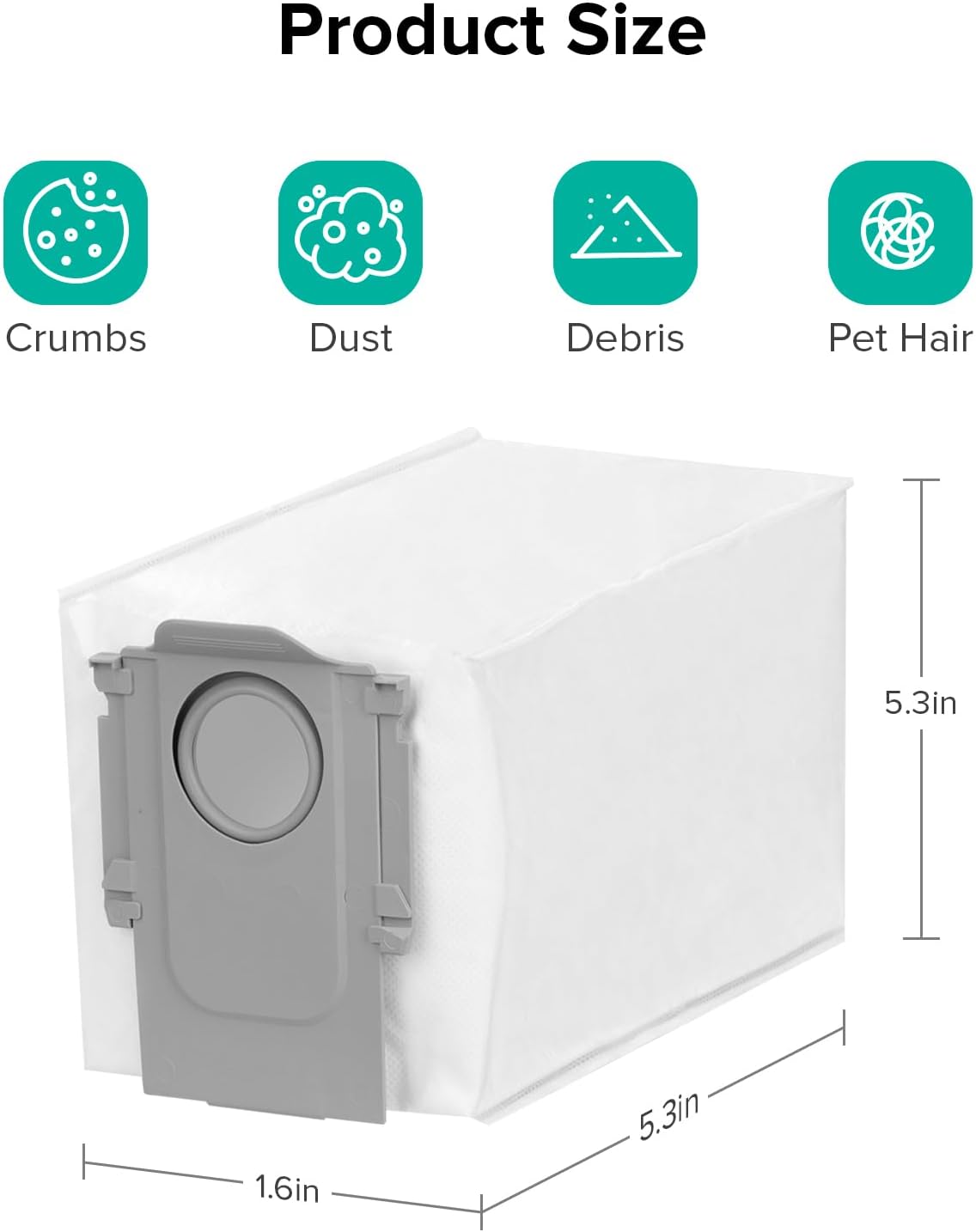
Image: A visual representation of the disposable dust bag with its dimensions clearly marked: 1.6 inches in width, 5.3 inches in depth, and 5.3 inches in height.
7. Troubleshooting
If you encounter issues with your roborock Qrevo S5V, refer to the following common problems and solutions.
| Problem | Possible Cause | Solution |
|---|---|---|
| Robot does not power on. | Low battery; not properly docked. | Place robot on dock and ensure charging contacts are aligned. Allow to charge for several hours. |
| Robot cannot return to dock. | Dock is obstructed; robot is too far from dock. | Ensure clear space around the dock. Manually place robot closer to the dock. |
| Poor cleaning performance. | Full dust bag; clogged brush; dirty filter. | Replace dust bag. Clean main brush and side brush. Clean or replace filter. |
| Robot gets stuck frequently. | Obstacles; dirty sensors. | Clear obstacles from cleaning path. Wipe sensors clean. |
| App connection issues. | Incorrect Wi-Fi password; weak signal. | Verify Wi-Fi password. Move robot closer to router. Restart robot and router. |
7.1 Resetting the Device
If the robot is unresponsive or experiencing persistent issues, a factory reset may resolve the problem. Refer to the roborock app or the official roborock website for specific instructions on how to perform a factory reset for your model.
8. Specifications
| Feature | Detail |
|---|---|
| Model | Qrevo S5V |
| Suction Power | 12,000Pa HyperForce |
| Dust Bag Capacity | 2.7L (up to 7 weeks hands-free) |
| Mopping Coverage | Up to 3,552 sqft |
| Mopping System | FlexiArm Edge Mopping, Auto Mop Washing & Drying |
| Brush System | SGS-Certified Zero-Tangle System (rubberized floating main brush) |
| Navigation | Smart Obstacle Avoidance |
| Charging | 30% Faster Charging |
9. Warranty and Support
For warranty information, technical support, or service inquiries, please visit the official roborock website or contact roborock customer service. Keep your purchase receipt as proof of purchase for warranty claims.
Official roborock Store: https://www.amazon.com/stores/Roborock/page/69ADA24D-41D1-454D-9AAC-68D2B6252352
Related documentsQrevo S5V


Ask a question about this manual
Ask about setup, troubleshooting, compatibility, parts, safety, or missing instructions. Manuals+ will review the question and use this page’s manual context to help answer it.