
Introduction
This manual provides detailed instructions for the LIGE Military Smart Watch EF13-A. Please read this manual thoroughly before using the device to ensure proper operation and to maximize its features. Keep this manual for future reference.
What's in the Box
Upon opening the package, verify that all the following items are included:
- LIGE Smartwatch EF13-A
- Black Orange Silicone Strap
- Black Silicone Strap
- Product Manual
- Customer Card
- Magnetic Charging Cable
- Strap Adjuster
Product Overview
The LIGE EF13-A Smart Watch features a robust design with a 1.85-inch HD AMOLED touchscreen display. It includes mechanical side buttons for navigation and interaction.

Image: The LIGE EF13-A Smart Watch showcasing its 1.85-inch Ultra HD display with 360x360 pixel resolution and full touch screen capabilities. The image also compares its screen size to a 1.43-inch screen.
The watch is designed for durability, having undergone military tests for extreme temperatures, low pressure, and drilling, offering scratch and shock resistance. The sandblasted metal design contributes to its robust build.
Setup and Pairing
To begin using your LIGE EF13-A Smart Watch, follow these steps to connect it with your smartphone:
- Download the App: Search for "GloryFit Pro APP" on the App Store (iOS) or Google Play Store (Android) and install it on your smartphone.
- Enable Bluetooth: On your phone, go to settings and ensure Bluetooth is turned on.
- Add Device: Open the GloryFit Pro APP. Tap "Add New Device" and search for "EF13".
- Pair Device: Select "EF13" from the list. Confirm the pairing request on both your phone and the smartwatch.
- Grant Permissions: Follow the on-screen prompts in the app to grant necessary permissions for notifications, such as SMS, Facebook, WhatsApp, and Instagram.
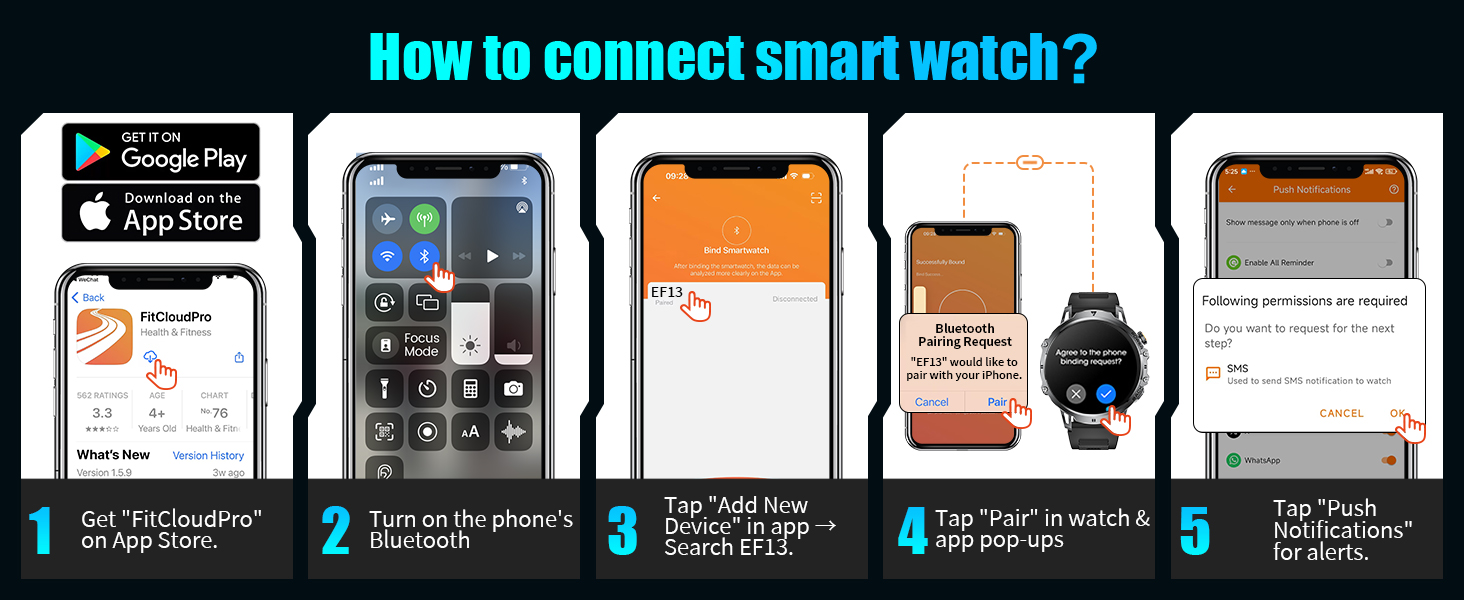
Image: A visual guide demonstrating the five steps to connect the LIGE Smart Watch to a smartphone, including downloading the app, enabling Bluetooth, adding the device, pairing, and granting notification permissions.
Operating Instructions
Basic Navigation
The watch features a full touch screen for navigation. Swipe across the screen to access different functions and menus. Use the mechanical side buttons for additional controls, such as power or back functions.
Bluetooth Calling & Message Notifications
Once connected via Bluetooth, the watch allows you to manage calls and receive notifications directly:
- Answering/Making Calls: Use the built-in microphone and speaker to answer, make, or reject calls directly from the watch. Access call logs and a numeric keypad for dialing.
- Contact List: Sync your important contacts to the watch for quick dialing.
- Message Alerts: Receive notifications for SMS, Facebook, WhatsApp, Instagram, and other phone messages.
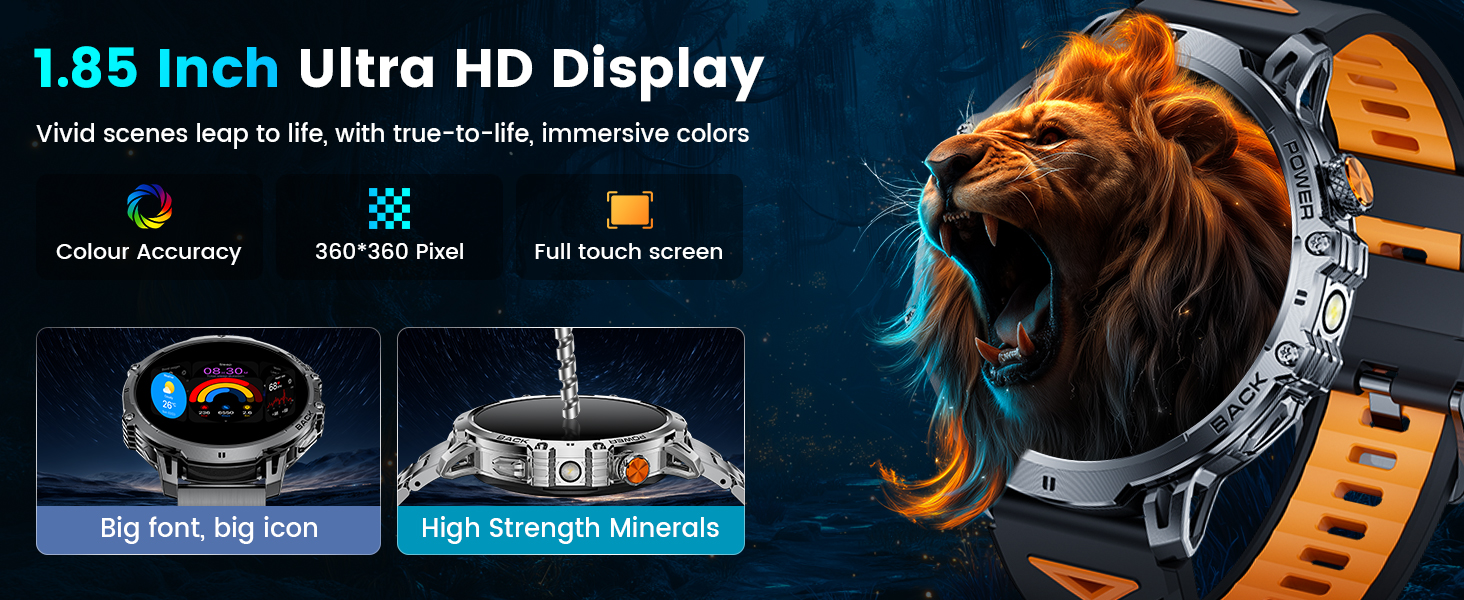
Image: The LIGE Smart Watch displaying its AI Voice Assistant, message alerts from various social media platforms, and options for answering, making, or rejecting calls, along with a dial pad and contact list.
LED Flashlight
The watch includes a high-brightness LED flashlight with an illumination range of up to 20 meters. Activate it from the watch's menu for use in low-light conditions or emergencies.

Image: The LIGE Smart Watch illustrating its powerful LED flashlight activated, depicting its utility in various scenarios such as outdoor adventures, power outages, night walks, and finding items in the dark.
Other Features
The EF13-A offers a range of additional functions:
- Password Lock: For privacy protection.
- Weather Forecasts: Get current weather information.
- Voice Assistant: Interact with your watch using voice commands.
- Alarm, Stopwatch, Timer: Essential timekeeping tools.
- Music Control: Control music playback on your connected phone.
- Camera Control: Remotely trigger your phone's camera.
- Sedentary & Hydration Reminders: Prompts to stay active and hydrated.
- Multi-language Switching: Supports various languages.
- Phone Finder: Locate your misplaced phone.
- Brightness Adjustment: Customize screen brightness.
- Do Not Disturb Mode: Silence notifications when needed.
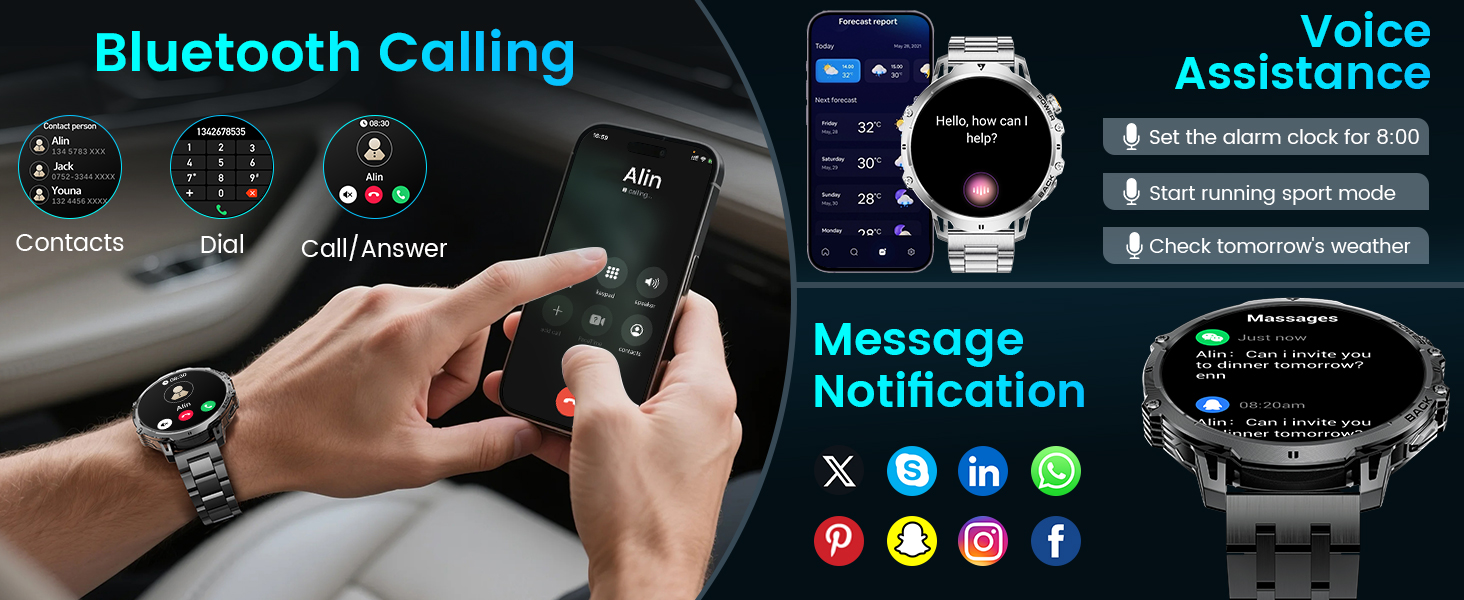
Image: The LIGE Smart Watch displaying various practical features including camera control, stopwatch, find phone, weather, music control, calculator, flashlight, and alarm clock.
Health Monitoring
The LIGE EF13-A Smart Watch is equipped with built-in sensors for continuous health tracking:
- Heart Rate Monitoring: Provides all-day real-time heart rate data. View metrics directly on the smartwatch or through the GloryFit Pro APP.
- Sleep Tracking: Monitors different sleep stages (REM, light sleep, deep sleep) and records wake times to provide insights into sleep quality.

Image: The LIGE Smart Watch illustrating its 24/7 health monitoring capabilities, including heart rate tracking with a detailed graph and sleep monitoring showing deep, light, and awake times.
Sports Modes
The watch supports over 110 different sports modes for various activities, including daily training, outdoor sports, indoor exercises, fitness, and ball sports. It records real-time exercise data such as:
- Heart Rate
- Steps (Pedometer)
- Calories Burned
- Distance
- Activity Duration

Image: The LIGE Smart Watch displaying its 100+ sports modes, showing metrics like steps, distance, calories, and heart rate, with icons for various activities such as running, climbing, surfing, and weightlifting.
Battery Information
The LIGE EF13-A is equipped with a 1000mAh lithium-ion battery, providing extended usage times:
- Normal Operating Conditions: Up to 14+ days on a single charge.
- Maximum Standby Time: Up to 50+ days.
- Charging: Uses magnetic charging technology. A full charge takes approximately 2.5 hours.
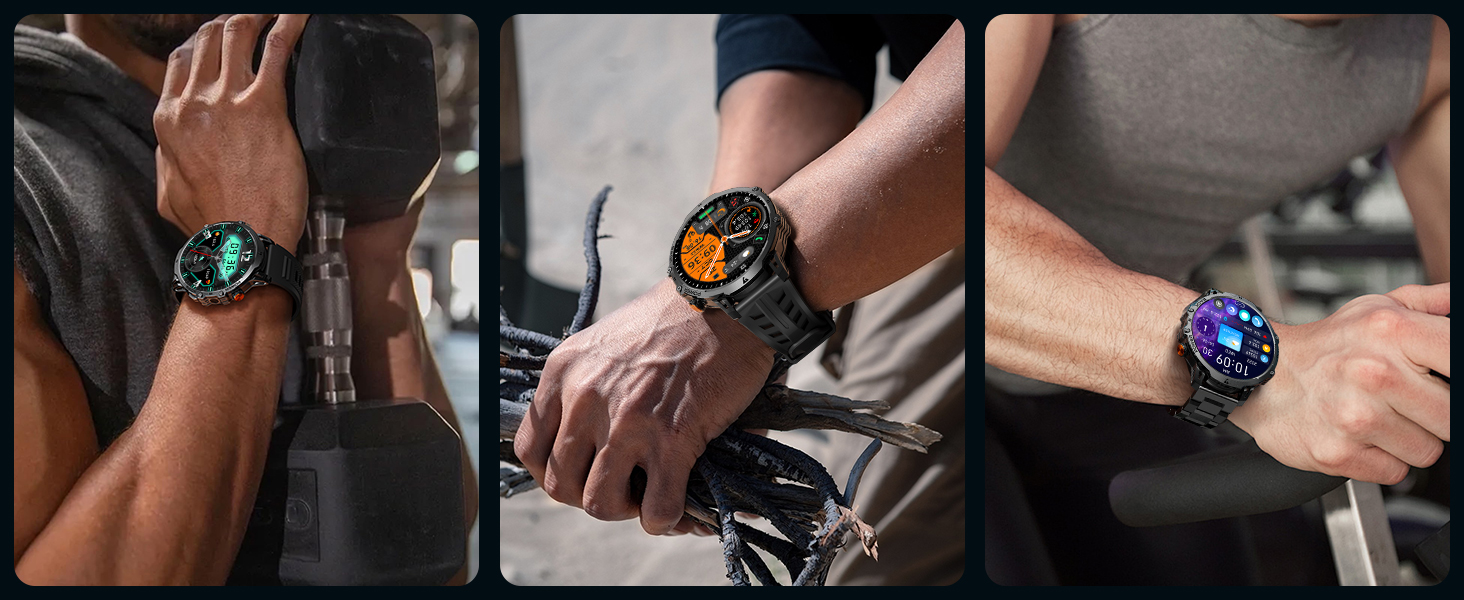
Image: An illustration highlighting the 1000mAh battery capacity of the LIGE Smart Watch, showing estimated daily use of 15 days and standby time of 45 days, compared to watches with smaller batteries.
Waterproof Rating
The LIGE EF13-A Smart Watch has an IP68 waterproof rating. This means it is protected against dust ingress and can withstand immersion in water up to 1.5 meters for up to 30 minutes. It is suitable for:
- Swimming
- Handwashing
- Rain exposure
- Sweatproof activities
Note: While IP68 rated, it is not recommended for hot water activities, diving, or prolonged submersion in deep water.
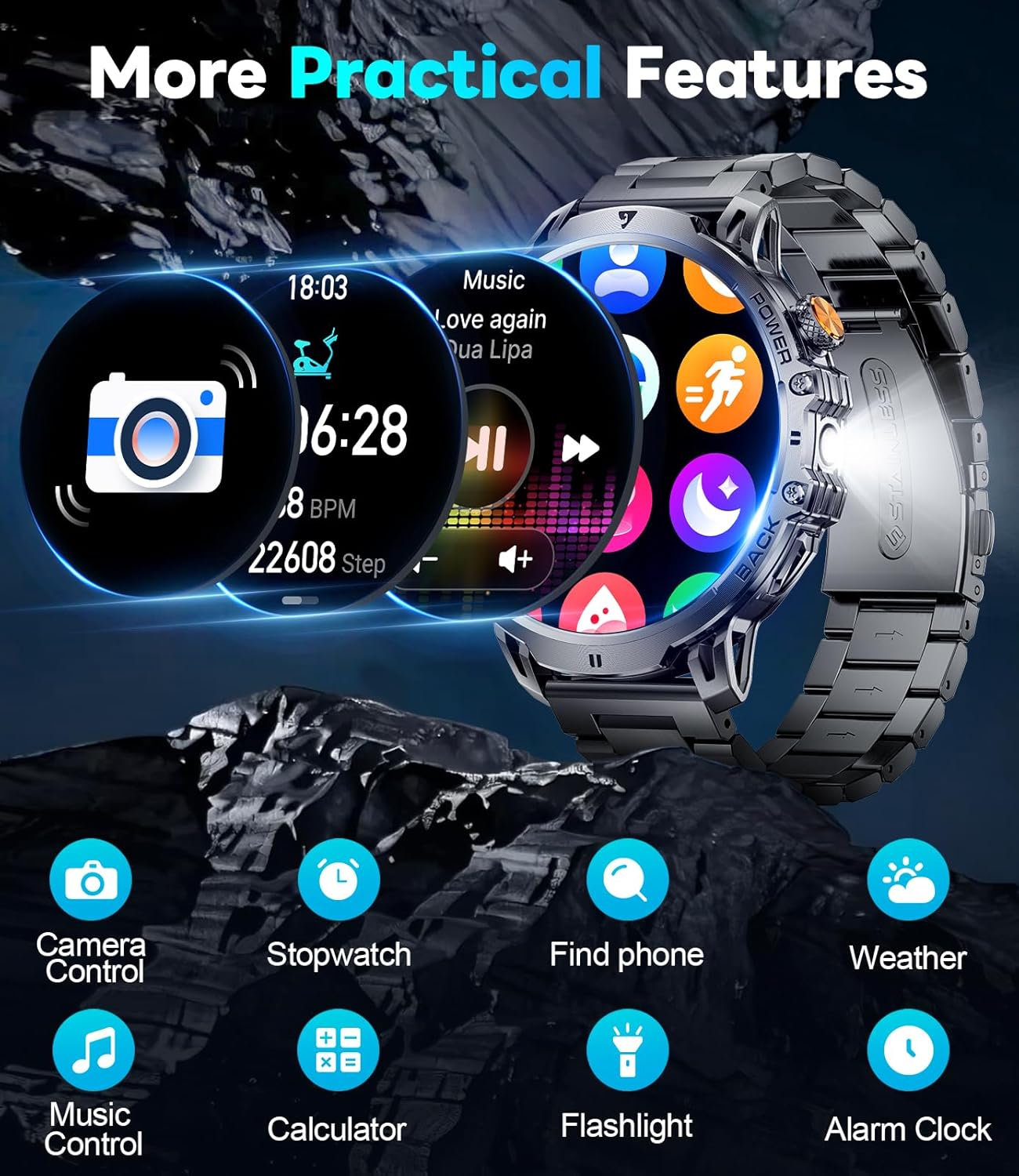
Image: A person swimming while wearing the LIGE Smart Watch, demonstrating its IP68 waterproof capability for water-related activities.
Specifications
| Feature | Detail |
|---|---|
| Model Number | EF13-A |
| Display Size | 1.85 Inches HD AMOLED |
| Battery Capacity | 1000 mAh Lithium Polymer |
| Waterproof Rating | IP68 |
| Connectivity | Bluetooth |
| Operating System Compatibility | Android 5.0+ and iOS 11.0+ |
| Memory Storage Capacity | 128 MB |
| Item Weight | 7.8 ounces |
| Product Dimensions | 2.36 x 0.79 x 1.18 inches |
| Special Features | LED flashlight, 2 straps, activity tracker, SMS reminder, exercise recording, sleep monitoring, sedentary reminder, calorie calculation, low battery warning, fast charging, ultra-low power consumption, heart rate, vibration, sports mode, music control, smart alarm, weather forecast. |
Troubleshooting
If you encounter issues with your LIGE EF13-A Smart Watch, refer to the following common problems and solutions:
- Watch not connecting to phone:
- Ensure Bluetooth is enabled on your phone.
- Make sure the watch is charged.
- Restart both the watch and your phone.
- Re-attempt pairing through the GloryFit Pro APP.
- Check if the app has all necessary permissions.
- Notifications not appearing:
- Verify that notification permissions are granted in the GloryFit Pro APP.
- Check your phone's notification settings to ensure the app is allowed to send notifications.
- Ensure "Do Not Disturb" mode is not active on the watch or phone.
- Short battery life:
- Reduce screen brightness.
- Limit frequent use of power-intensive features like continuous heart rate monitoring or flashlight.
- Ensure the watch is fully charged using the provided magnetic charging cable.
- Screen is black/unresponsive:
- Try pressing and holding the power button to restart the watch.
- Ensure the watch is charged. Connect it to the charger for at least 30 minutes.
- Bluetooth audio takes over phone audio:
- On your phone, go to Bluetooth settings and disconnect or unpair the watch when you want audio to play through your phone's speakers or other connected devices.
- Some phones allow you to specify which audio profiles (e.g., media audio, call audio) are used by a Bluetooth device. Adjust these settings if available.
Warranty and Support
The LIGE EF13-A Smart Watch comes with a 24-month (365 days) after-sales service. If you have any questions or require assistance with your smart watch, please contact customer support. We aim to provide quick responses within 24 hours to resolve any issues.
For support, refer to the contact information provided on the Customer Card included in your package or visit the official LIGE website.


