
1. Introduction
This manual provides detailed instructions for the operation and maintenance of your LIGE Smart Watch EF13-F. Please read this manual thoroughly before using the device to ensure proper functionality and to maximize your user experience. The LIGE Smart Watch EF13-F is designed to be a versatile companion, offering a large HD display, long-lasting battery, comprehensive health monitoring, and various sports tracking features.

Image 1.1: The LIGE Smart Watch EF13-F, showcasing its round display and included dual strap options (metal and silicone).
2. Package Contents
Verify that all items are present in your product packaging:
- LIGE Smart Watch EF13 (1 unit)
- Silver Stainless Steel Strap (1 unit)
- White Silicone Strap (1 unit)
- Product Manual (1 unit)
- Customer Card (1 unit)
- Magnetic Charging Cable (1 unit)
- Strap Adjuster Tool (1 unit)

Image 2.1: Front view of the LIGE Smart Watch EF13-F retail packaging.

Image 2.2: An illustration detailing the watch dimensions and the various components included in the package, such as the watch body, two straps, charging cable, and strap adjuster tool.
3. Getting Started
3.1 Charging the Device
Before initial use, fully charge your LIGE Smart Watch EF13-F. Connect the magnetic charging cable to the charging points on the back of the watch and plug the USB end into a standard USB power adapter (not included). A full charge typically takes approximately 2.5 hours. The watch features a 1000mAh lithium-ion battery, providing up to 14+ days of normal use and over 50 days of standby time.

Image 3.1: Visual representation of the 1000mAh battery capacity and its extended daily use and standby times compared to smaller batteries.
3.2 App Installation and Pairing
To unlock the full functionality of your smart watch, download and install the dedicated "GloryFit Pro APP" on your smartphone. The app is compatible with Android 5.0+ and iOS 11.0+ devices.
- Download the App: Search for "GloryFit Pro APP" on the Google Play Store (for Android) or Apple App Store (for iOS) and install it.
- Enable Bluetooth: Turn on Bluetooth on your smartphone.
- Add Device: Open the GloryFit Pro APP, navigate to the device section, and tap "Add New Device." The app will search for available devices.
- Pair Device: Select "EF13" from the list of found devices. Confirm the pairing request on both your watch and smartphone.
- Grant Permissions: Follow the on-screen prompts to grant necessary permissions for notifications and other features.
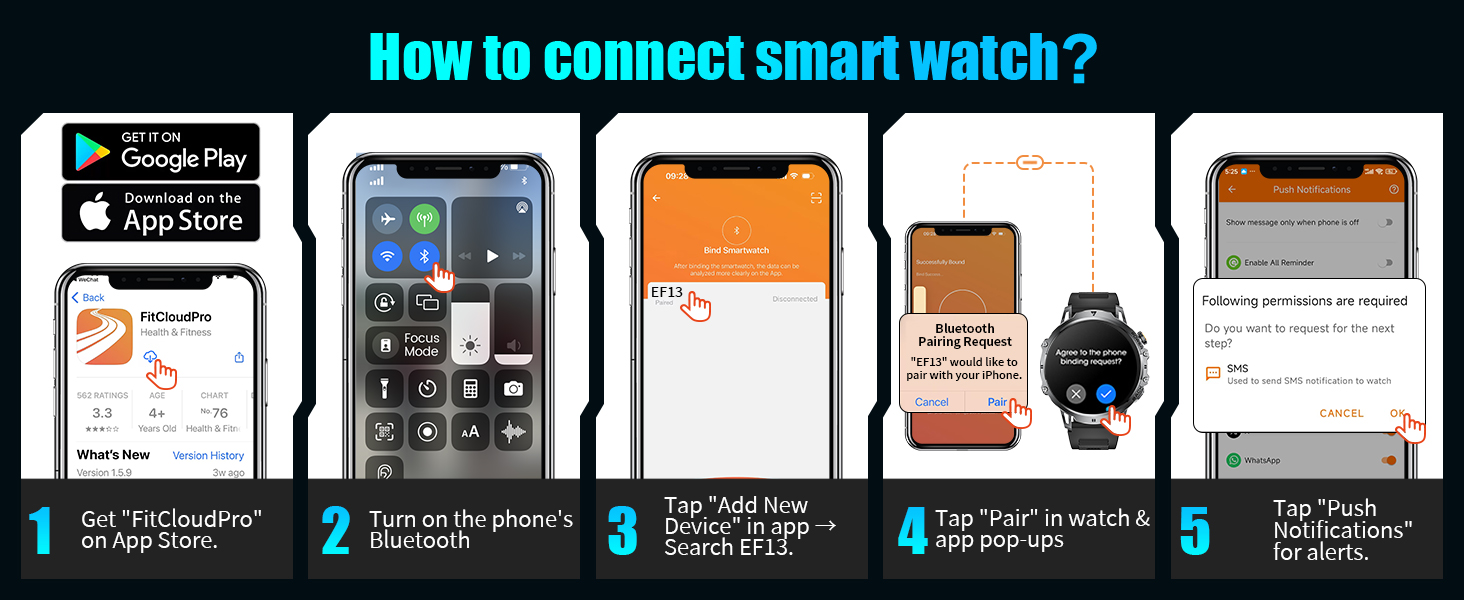
Image 3.2: A visual guide illustrating the five steps to connect the LIGE Smart Watch EF13-F to a smartphone via the FitCloudPro app, including app download, Bluetooth activation, device search, pairing confirmation, and notification permissions.
3.3 Strap Adjustment
The LIGE Smart Watch EF13-F comes with two interchangeable straps: a silver stainless steel strap and a white silicone strap. Use the provided strap adjuster tool to modify the length of the metal strap for a comfortable fit. The straps can be easily swapped to suit different occasions or activities.
4. Basic Operation
4.1 Power On/Off
- Power On: Press and hold the 'POWER' button (typically the top right button) until the screen illuminates.
- Power Off: From the watch face, swipe down to access quick settings, or navigate through the menu to find the 'Power Off' option. Alternatively, press and hold the 'POWER' button and select 'Power Off' when prompted.
4.2 Touchscreen Navigation
The watch features a 1.85-inch round HD AMOLED touchscreen with 360*360 resolution for intuitive navigation.
- Swipe Up/Down: Scroll through menus, notifications, or quick settings.
- Swipe Left/Right: Access different widgets, health data summaries, or app shortcuts.
- Tap: Select an item, open an app, or confirm an action.
- Press and Hold: Customize watch faces or access specific app functions.
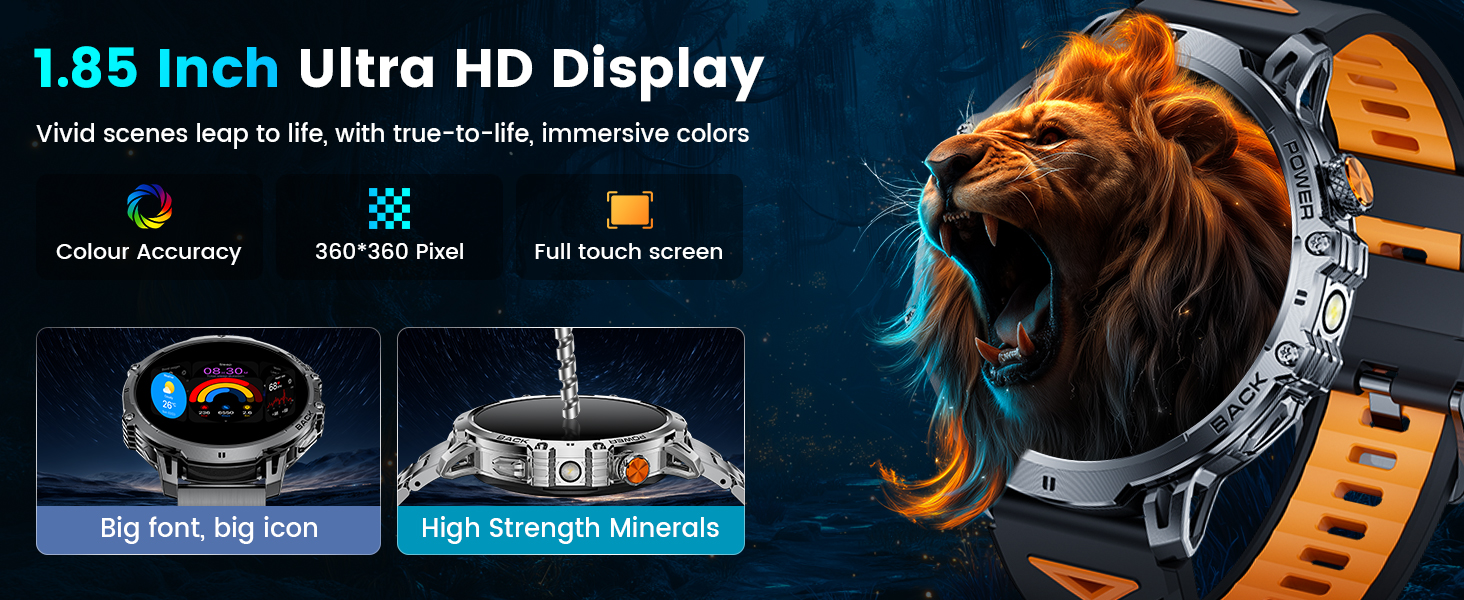
Image 4.1: The 1.85-inch Ultra HD display of the LIGE Smart Watch EF13-F, highlighting its color accuracy, 360*360 pixel resolution, and full touch screen capabilities.
4.3 Button Functions
The watch includes mechanical side buttons for additional control:
- POWER Button (Top Right): Short press to wake/sleep screen, return to watch face, or enter/exit menu. Long press to power on/off or restart.
- BACK Button (Bottom Right): Short press to go back to the previous screen.
4.4 Watch Face Customization
Personalize your watch with over 200 available watch faces through the GloryFit Pro APP. You can also create custom watch faces using your own photos.
- On Watch: Press and hold the watch face to quickly switch between pre-loaded watch faces.
- Via App: Open the GloryFit Pro APP, navigate to the 'Dial Market' or 'Watch Face' section to browse and download additional watch faces.

Image 4.2: A display of various watch faces available for the LIGE Smart Watch EF13-F, including options for digital, analog, and customizable photo backgrounds.
5. Key Features
5.1 Bluetooth Calling & Message Notifications
Once connected via Bluetooth, the watch allows you to manage calls and receive notifications directly on your wrist.
- Answer/Make Calls: Use the built-in microphone and speaker to answer incoming calls, dial numbers using the numeric keypad, or select contacts from your synced list.
- Message Alerts: Receive notifications from SMS, Facebook, WhatsApp, Instagram, and other applications.

Image 5.1: The LIGE Smart Watch EF13-F displaying features like AI voice assistant, message alerts from various social media platforms, and options for answering/making calls directly from the watch.
5.2 AI Voice Assistant
Activate the integrated voice assistant to perform various tasks, such as checking the weather or setting alarms, using voice commands.
5.3 LED Flashlight
The watch includes a high-brightness LED flashlight with an illumination range of up to 20 meters, useful for various situations including outdoor activities or power outages.
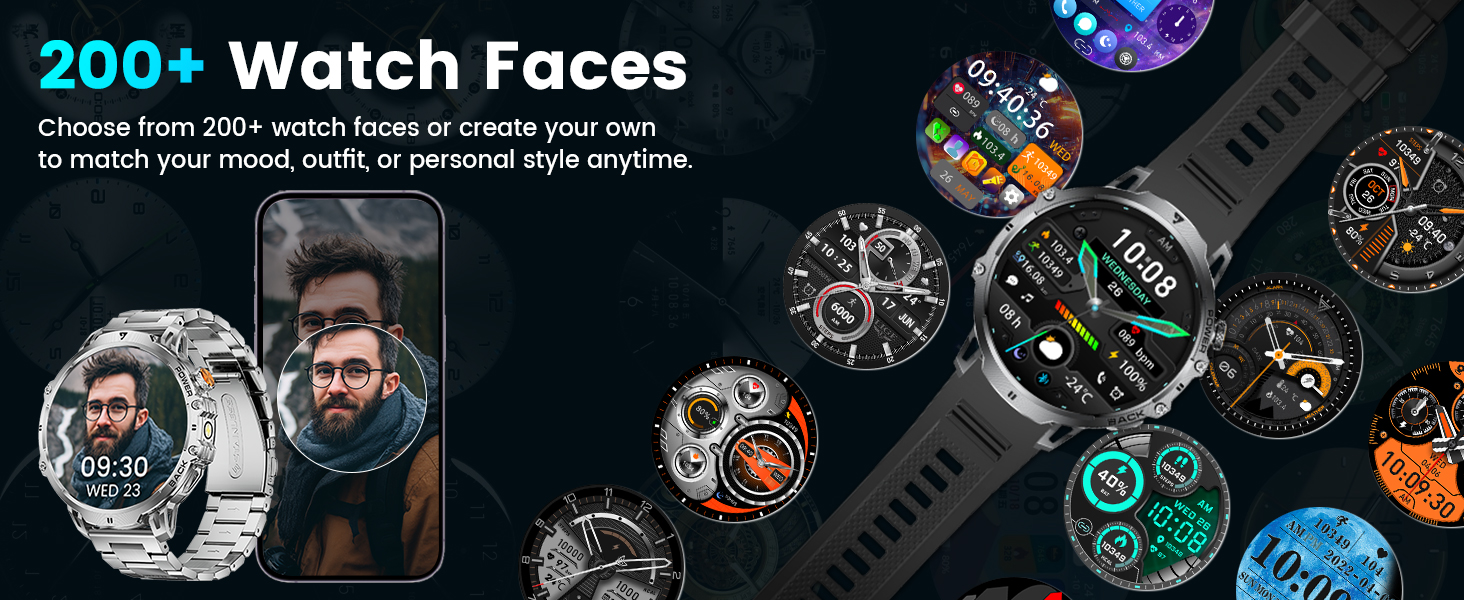
Image 5.2: The LIGE Smart Watch EF13-F demonstrating its powerful LED flashlight feature, useful for finding items in the dark, night walks, or during power outages.
5.4 Music and Camera Control
Control your smartphone's music playback (play, pause, skip tracks) and remotely trigger your phone's camera directly from the watch.
5.5 Other Utilities
The watch offers several practical tools:
- Stopwatch & Timer: For timing activities.
- Alarm Clock: Set alarms directly on the watch.
- Weather Forecast: Get real-time weather updates.
- Find Phone: Locate your paired smartphone.
- Calculator: Basic calculations on your wrist.
- Sedentary & Hydration Reminders: Prompts to move or drink water.
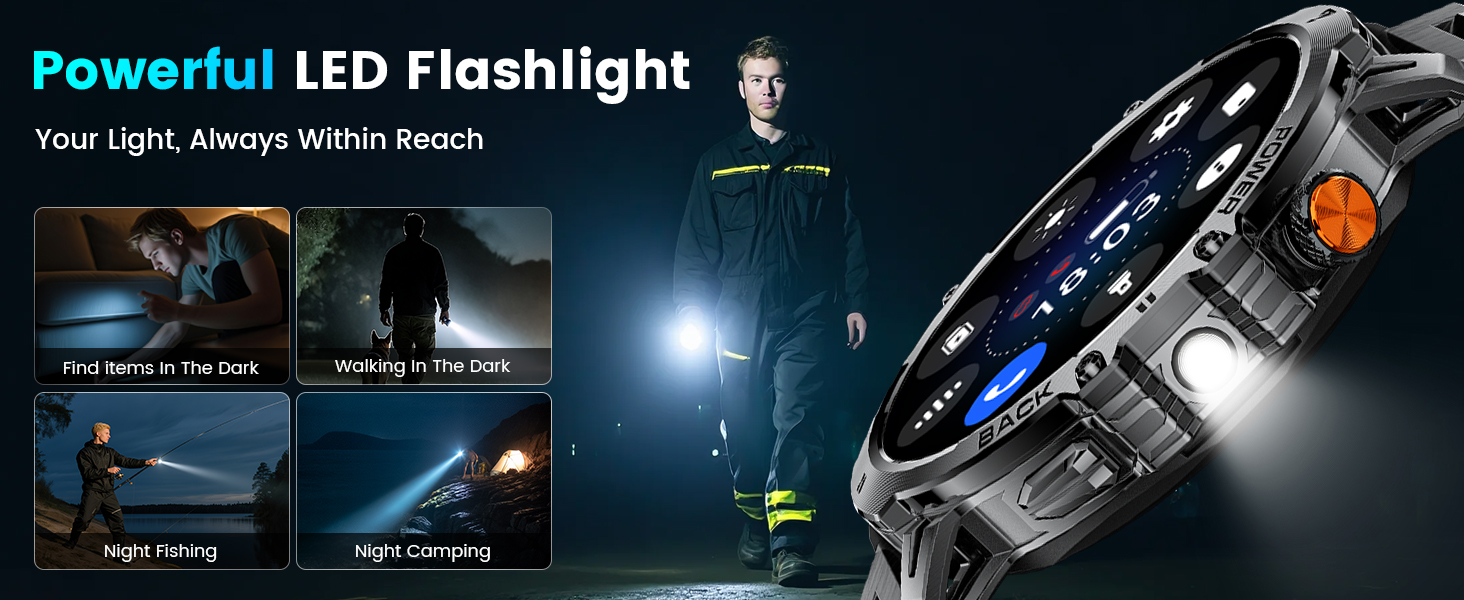
Image 5.3: An overview of additional practical features on the LIGE Smart Watch EF13-F, including camera control, stopwatch, find phone, weather, music control, calculator, flashlight, and alarm clock.
6. Health and Fitness Tracking
The LIGE Smart Watch EF13-F is equipped with sensors for continuous health and fitness monitoring.
6.1 Heart Rate Monitoring
The watch provides 24/7 heart rate monitoring. View real-time heart rate data directly on the watch or access detailed historical data and analysis in the GloryFit Pro APP.

Image 6.1: The LIGE Smart Watch EF13-F displaying 24/7 health monitoring features, including heart rate tracking with a graph and sleep monitoring showing deep, light, and awake times.
6.2 Blood Oxygen Monitoring
Monitor your blood oxygen levels throughout the day. This data can be viewed on the watch and in the companion app.
6.3 Sleep Monitoring
The watch tracks various sleep stages (REM, light sleep, deep sleep) and records wake times to provide insights into your sleep quality. This information is available in the GloryFit Pro APP.
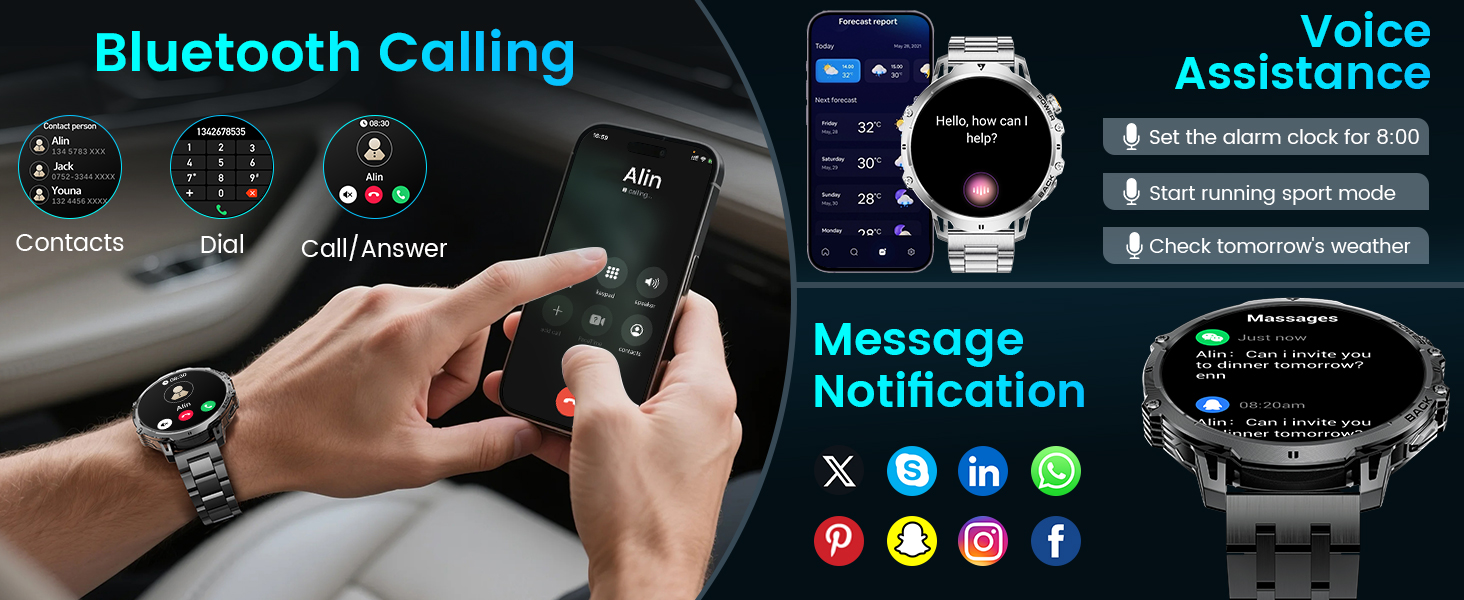
Image 6.2: The LIGE Smart Watch EF13-F showcasing its 100+ sports modes, with examples like running, climbing, surfing, and weightlifting, along with real-time data display for steps, distance, calories, and heart rate.
6.4 Sports Modes and Activity Tracking
With over 110 sports modes, the watch caters to a wide range of physical activities. It records real-time exercise data such as heart rate, steps, calories burned, distance, and activity duration. This data helps you track your progress and achieve your fitness goals.
7. Water Resistance
The LIGE Smart Watch EF13-F features an IP68 waterproof rating. This means it is resistant to dust and can withstand immersion in water up to 1.5 meters for 30 minutes. It is suitable for daily activities such as handwashing, rain, and swimming. However, it is not recommended for hot water activities like showering or sauna, or for deep diving.
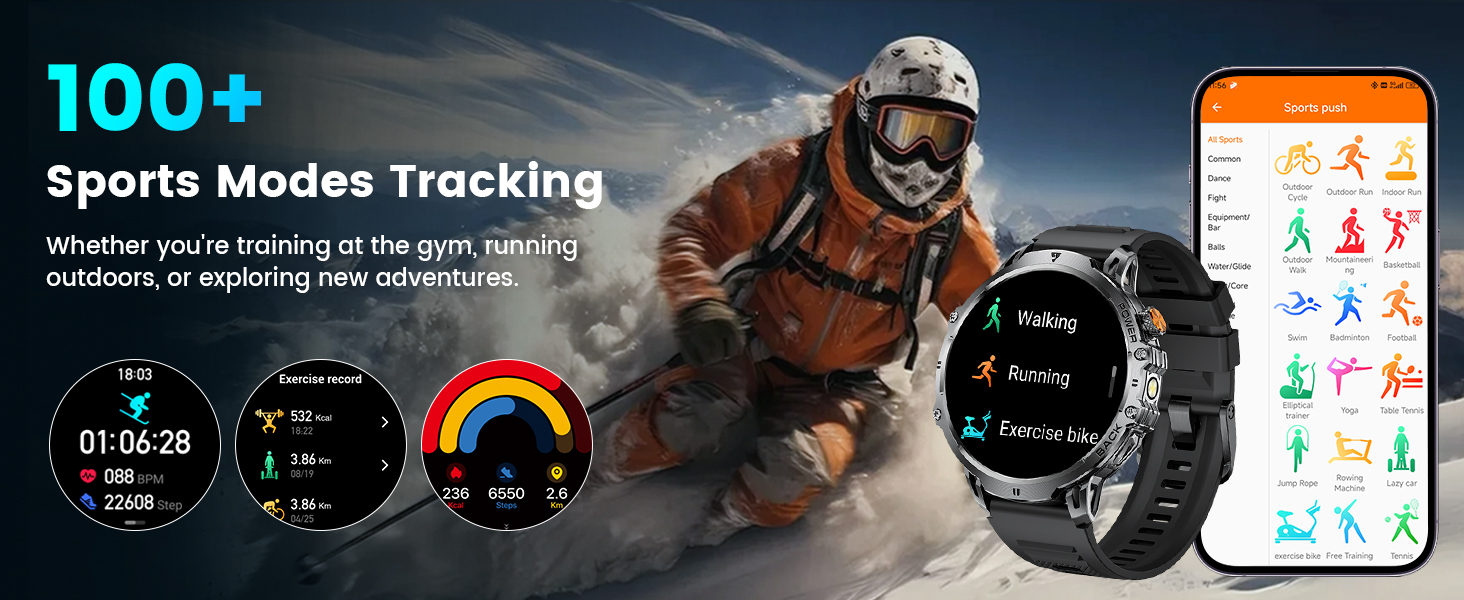
Image 7.1: A visual representation of the LIGE Smart Watch EF13-F's IP68 waterproof capabilities, showing its suitability for swimming, handwashing, rain, and sweatproof use.
8. Specifications
| Feature | Specification |
|---|---|
| Model Number | EF13-F |
| Display Size | 1.85 Inches |
| Display Type | HD AMOLED, 360*360 resolution |
| Battery Capacity | 1000mAh Lithium Polymer |
| Battery Life (Normal Use) | 14+ days |
| Standby Time | 50+ days |
| Charging Time | Approx. 2.5 hours |
| Waterproof Rating | IP68 |
| Operating System Compatibility | Android 5.0+ and iOS 11.0+ |
| Connectivity | Bluetooth |
| Memory Storage Capacity | 128 MB |
| Item Weight | 9.9 ounces |
| Product Dimensions | 2.36 x 0.79 x 1.18 inches |
| Special Features | LED flashlight, 2 straps, activity tracker, SMS notifications, sleep monitoring, sedentary reminder, calorie calculation, heart rate, sports modes, music control, smart alarm, weather forecast |
9. Care and Maintenance
- Cleaning: Regularly wipe the watch screen and body with a soft, dry cloth. For stubborn dirt, use a slightly damp cloth and dry thoroughly.
- Avoid Extreme Temperatures: Do not expose the watch to high-temperature environments, as this can affect battery life and device performance.
- Charging: Use only the provided magnetic charging cable. Ensure the charging contacts are clean and dry before charging.
- Storage: When not in use for extended periods, store the watch in a cool, dry place.
- Disassembly: Do not attempt to disassemble or modify the watch, as this will void the warranty and may cause damage.
10. Troubleshooting
- Watch not turning on: Ensure the watch is fully charged. Connect it to the charger for at least 30 minutes.
- Cannot pair with phone: Make sure Bluetooth is enabled on your phone and the watch is within range. Restart both the watch and your phone, then try pairing again through the GloryFit Pro APP.
- Notifications not received: Check app permissions on your phone to ensure the GloryFit Pro APP has access to notifications. Verify that notifications are enabled within the app settings for the watch.
- Inaccurate health data: Ensure the watch is worn snugly on your wrist, not too tight or too loose. Clean the sensors on the back of the watch. Note that health data is for reference only and not for medical use.
- Short battery life: Reduce screen brightness, disable unnecessary features like continuous heart rate monitoring if not needed, and ensure no background apps are excessively draining power.
11. Warranty and Support
The LIGE Smart Watch EF13-F comes with a 24-month service period and 365 days of after-sales support. For any questions or issues regarding your smart watch, please contact LIGE customer service. They aim to provide quick responses within 24 hours to resolve all your concerns.
Compatibility: This smart watch is compatible with Android smartphones version 5.0 and above, and iOS smartphones version 11.0 and above.


