
LIGE EF13-D
LIGE Smart Watch EF13-D User Manual
Model: EF13-D
Brand: LIGE
1. Product Overview
The LIGE Smart Watch EF13-D is a versatile wearable device designed for daily use, fitness tracking, and communication. It features a large HD AMOLED display, long-lasting battery, and robust construction.
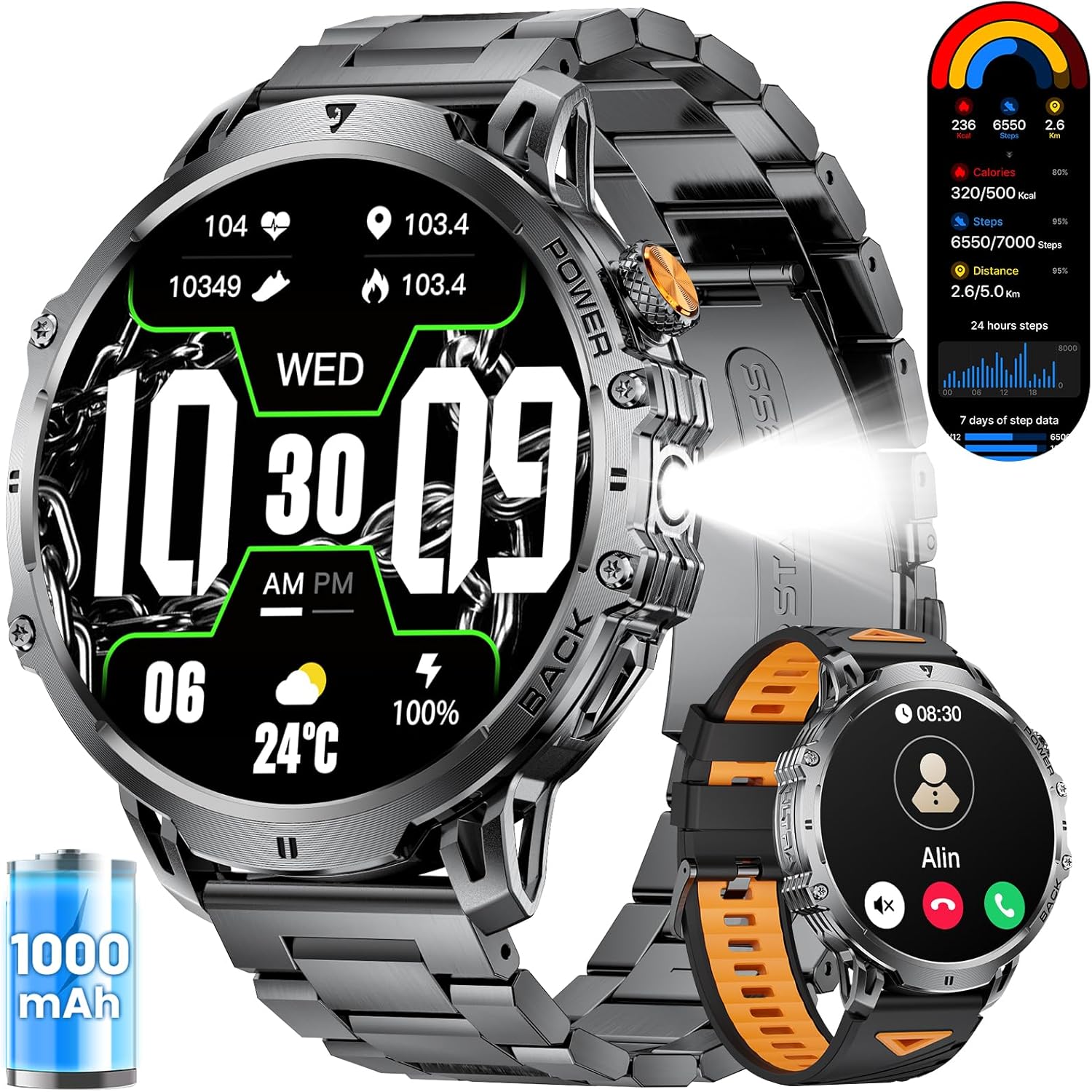
Image 1.1: The LIGE Smart Watch EF13-D, showcasing its design with both metal and silicone strap options, along with a display of its features like step count, heart rate, and battery life.
What's in the Box:
- LIGE Smart Watch EF13-D (1 unit)
- Black Stainless Steel Strap (1 unit)
- Black Silicone Strap (1 unit)
- Product Manual (1 unit)
- Customer Card (1 unit)
- Magnetic Charging Cable (1 unit)
- Strap Adjuster (1 unit)

Image 1.2: An illustration detailing the watch dimensions and the complete contents of the product packaging.
2. Setup Guide
2.1 Charging the Watch
Before initial use, fully charge your LIGE Smart Watch EF13-D. Connect the magnetic charging cable to the charging points on the back of the watch and plug the USB end into a standard USB power adapter (not included). A full charge typically takes approximately 2.5 hours.

Image 2.1: The watch connected to its magnetic charging cable, illustrating the charging process and emphasizing the 1000mAh battery.
2.2 App Installation and Pairing
To unlock the full functionality of your LIGE Smart Watch EF13-D, you need to install the companion application on your smartphone and pair the devices.
- Download the App: Search for "FitCloudPro" on the App Store (for iOS devices) or Google Play Store (for Android devices) and install it.
- Enable Bluetooth: Turn on Bluetooth on your smartphone.
- Add Device: Open the FitCloudPro app, navigate to the "Device" section, and tap "Add New Device." The app will search for available devices.
- Pair: Select "EF13" from the list of found devices. Confirm the pairing request on both your watch and smartphone.
- Grant Permissions: Follow the on-screen prompts to grant necessary permissions for notifications and other features.
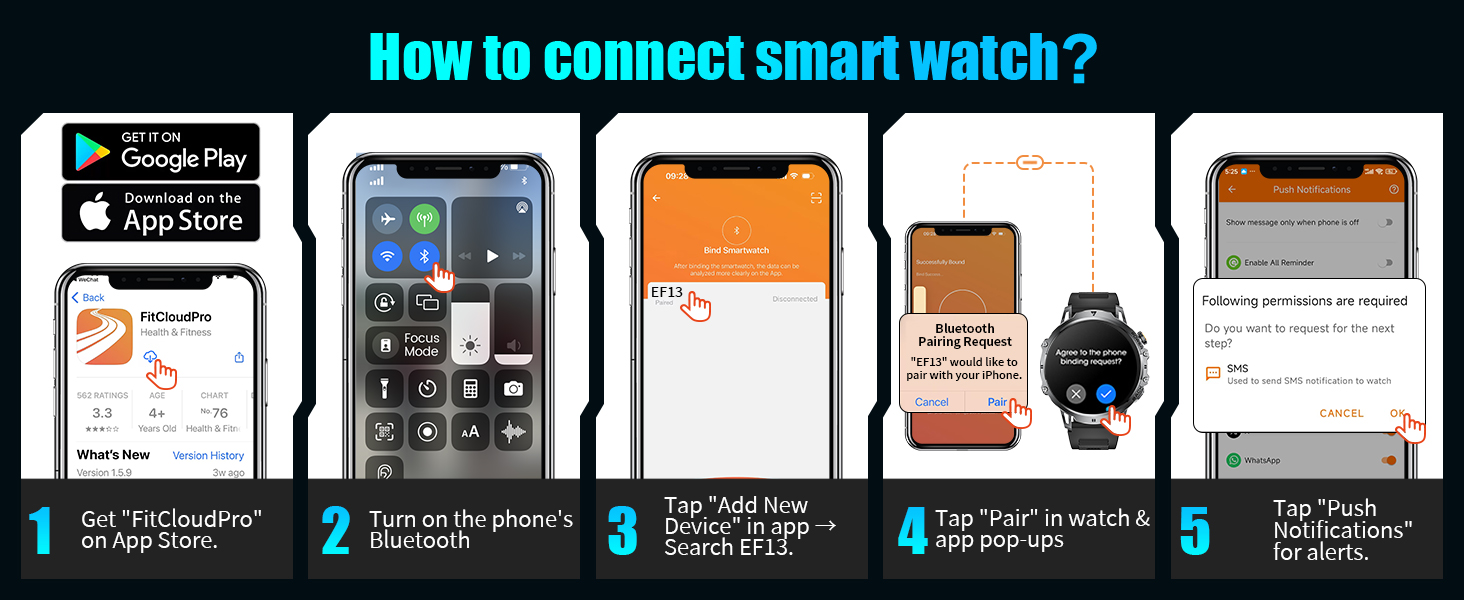
Image 2.2: Visual instructions for downloading the FitCloudPro app, enabling Bluetooth, and pairing the watch with your phone.
3. Operating Instructions
3.1 Display and Navigation
The EF13-D features a 1.85-inch HD AMOLED touchscreen with a 360*360 pixel resolution. Navigate the watch interface by swiping across the screen and tapping icons. The display offers clear visibility in various lighting conditions.
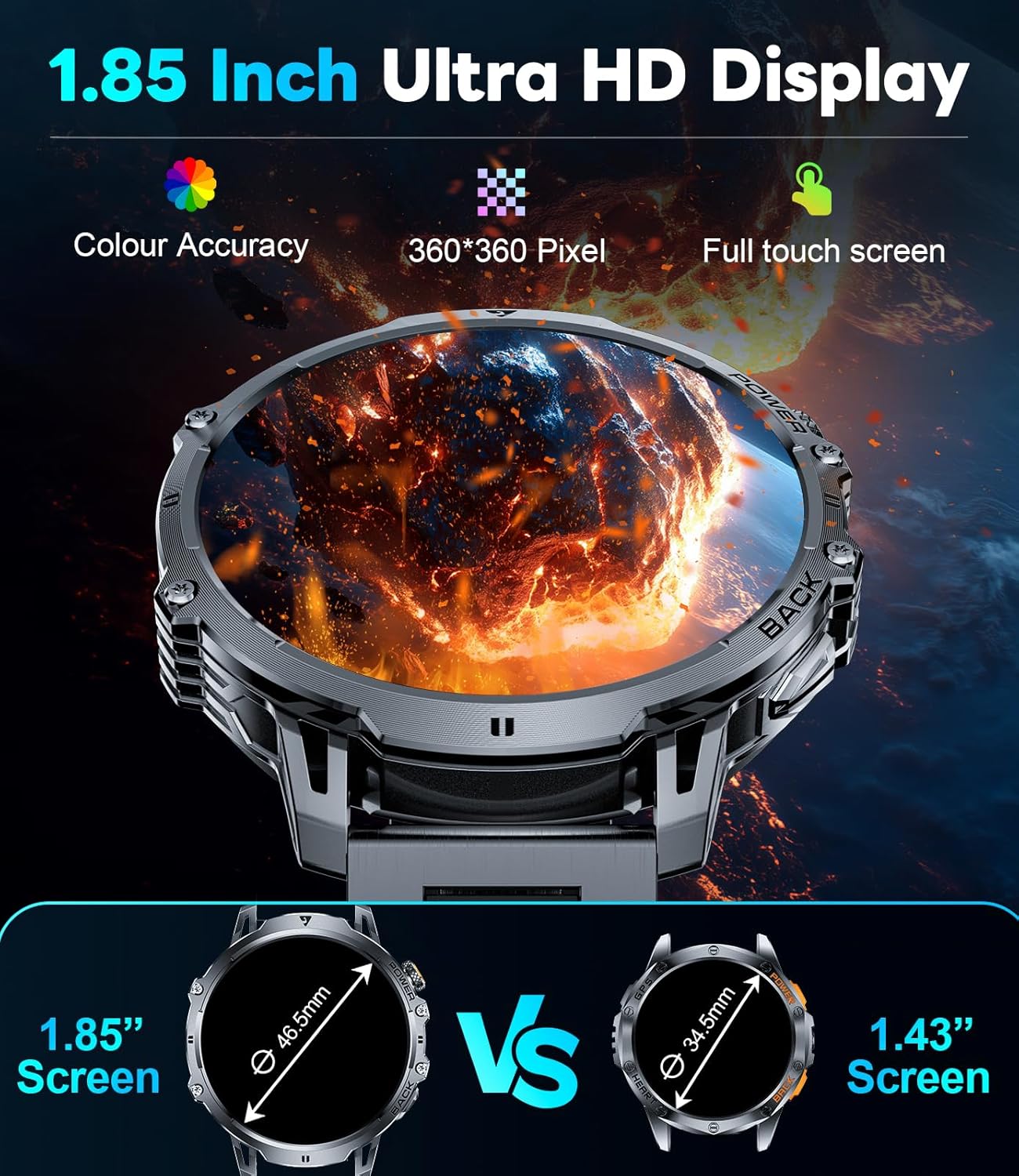
Image 3.1: A visual comparison emphasizing the larger 1.85-inch HD AMOLED display of the EF13-D model.
3.2 Communication Features
- Bluetooth Calling: After successful Bluetooth connection, you can answer, make, or reject calls directly from the watch using its built-in microphone and speaker. Access call logs and a numeric keypad for dialing.
- Message Notifications: Receive notifications for SMS, and messages from various social media applications (e.g., Facebook, WhatsApp, Instagram) directly on your watch.
- Voice Assistant: Utilize the integrated voice assistant for tasks such as setting alarms or checking weather forecasts.
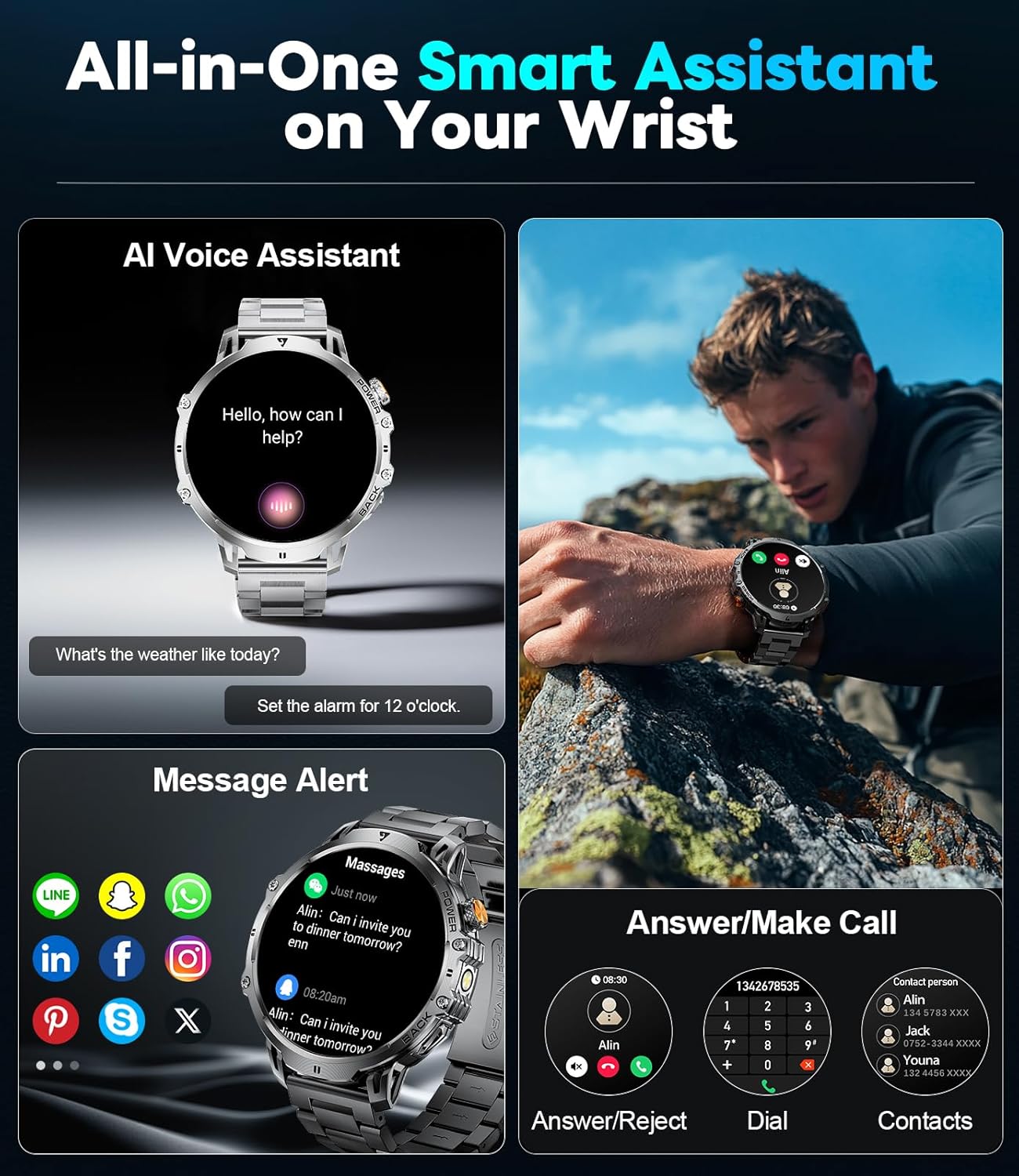
Image 3.2: A depiction of the watch's smart assistant capabilities, showing call management, message alerts, and voice assistant interaction.
3.3 Watch Faces and Customization
The watch offers access to over 200 watch faces through the companion app, allowing you to customize its appearance to match your style or mood.
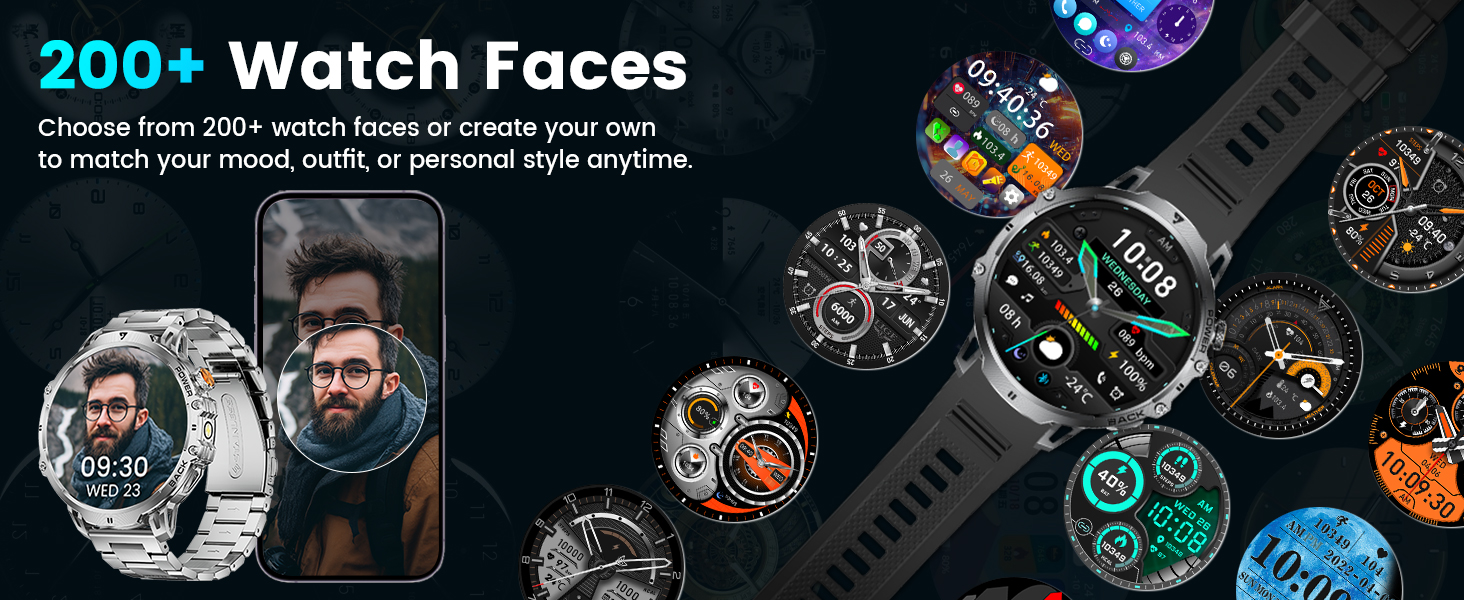
Image 3.3: A collage of diverse watch faces, demonstrating the extensive customization options available.
3.4 Additional Features
The EF13-D includes several practical tools:
- LED Flashlight: A high-brightness LED flashlight is integrated for convenience in low-light conditions.
- Music Control: Control music playback on your smartphone directly from the watch.
- Camera Control: Use the watch as a remote shutter for your phone's camera.
- Stopwatch & Timer: Essential tools for timing activities.
- Alarm Clock: Set alarms directly on the watch.
- Weather Forecasts: Get real-time weather updates.
- Find Phone: Locate your paired smartphone.
- Calculator: A basic calculator function.
- Sedentary & Hydration Reminders: Prompts to encourage activity and water intake.
- Password Lock: For privacy protection.
- Do Not Disturb Mode: Silence notifications during specific times.
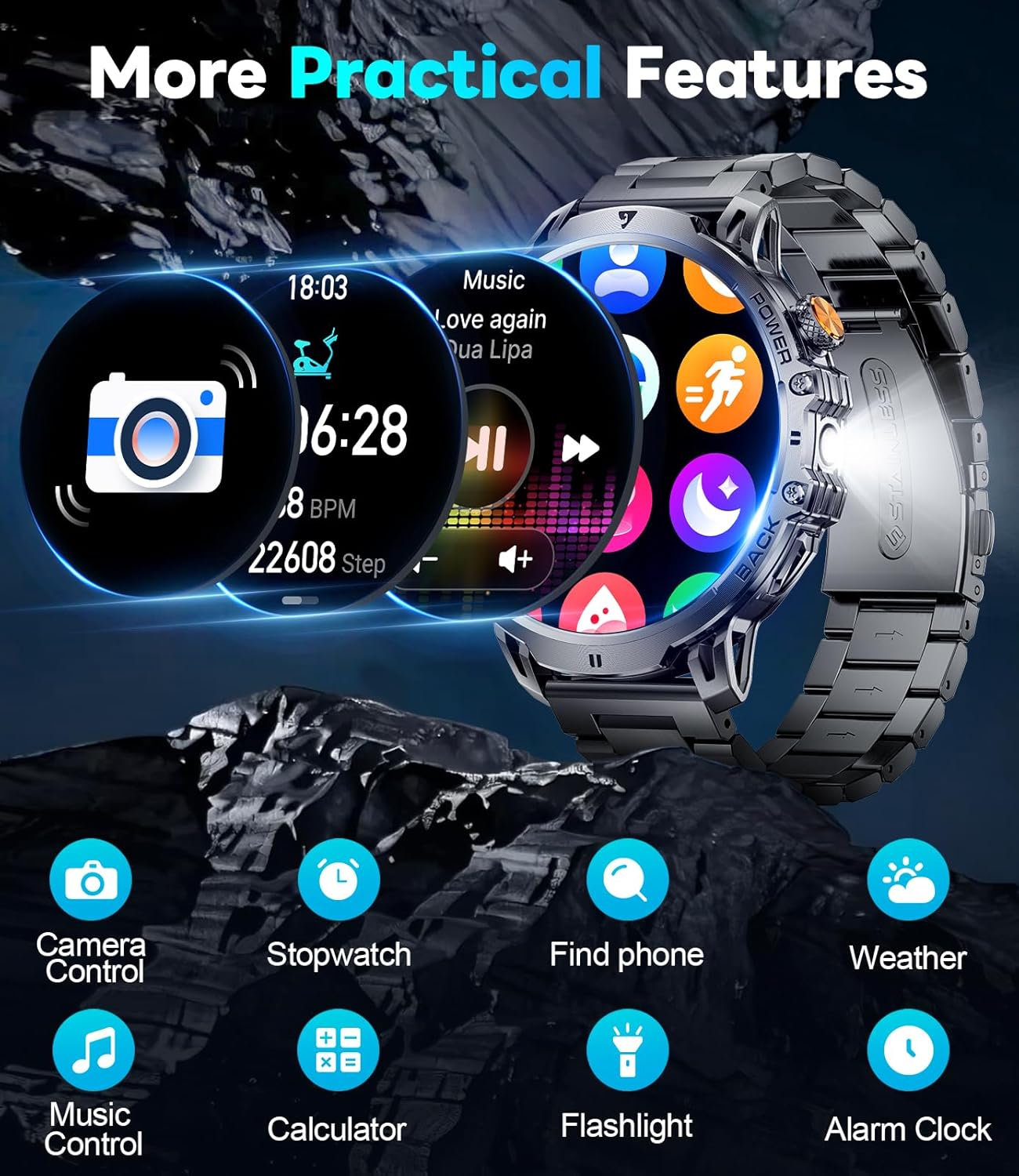
Image 3.4: A visual representation of the watch's additional practical features.
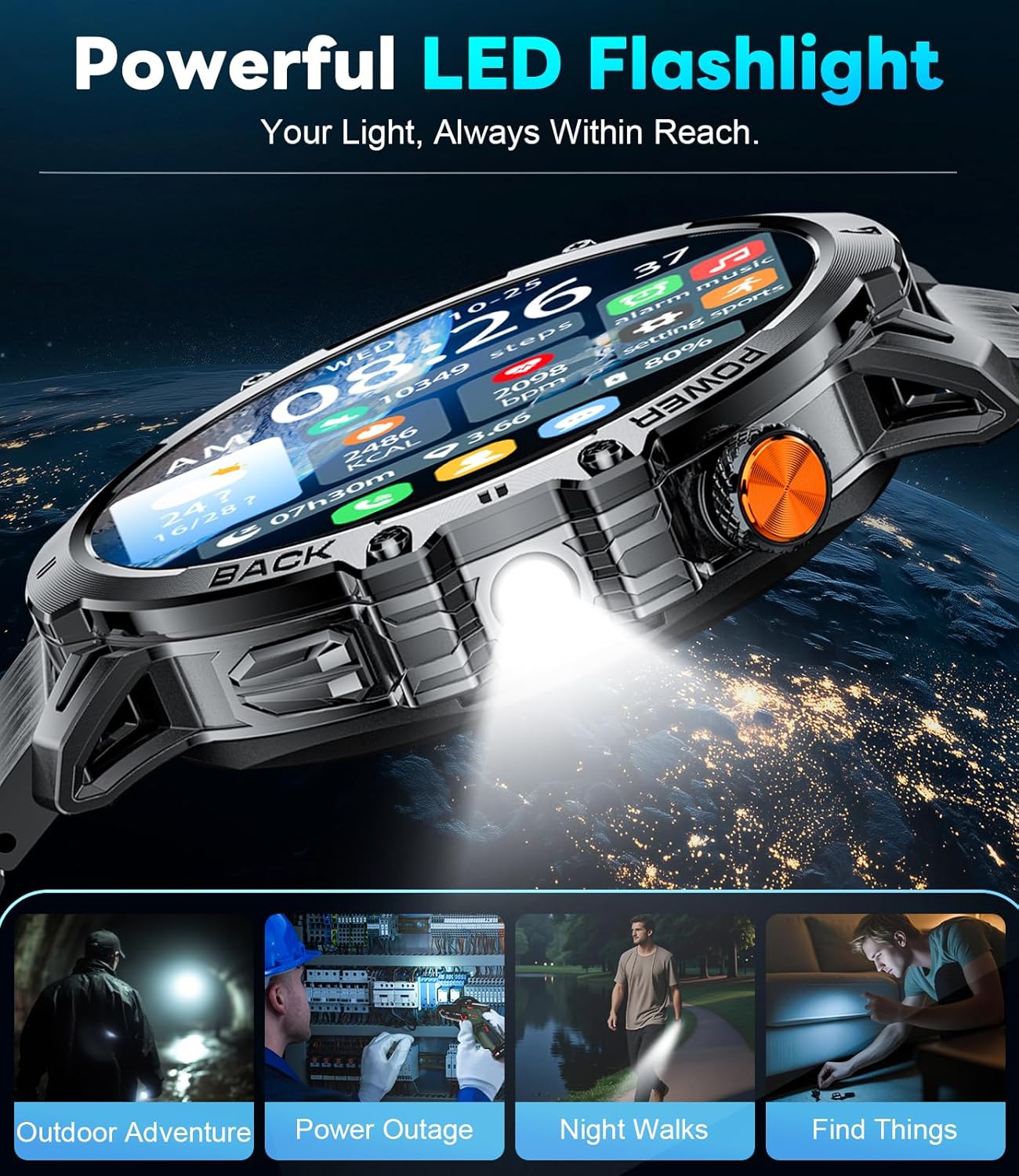
Image 3.5: Examples of how the integrated LED flashlight can be utilized in various situations.
4. Health and Fitness Tracking
4.1 24/7 Health Monitoring
The watch is equipped with sensors for continuous health monitoring:
- Heart Rate Tracking: Monitors your heart rate throughout the day. Real-time data is viewable on the watch and in the app.
- Sleep Monitoring: Tracks different sleep stages (REM, light sleep, deep sleep) and records awake times to provide insights into your sleep quality.
- Blood Oxygen Monitoring: Measures blood oxygen levels, with configurable intervals for readings.
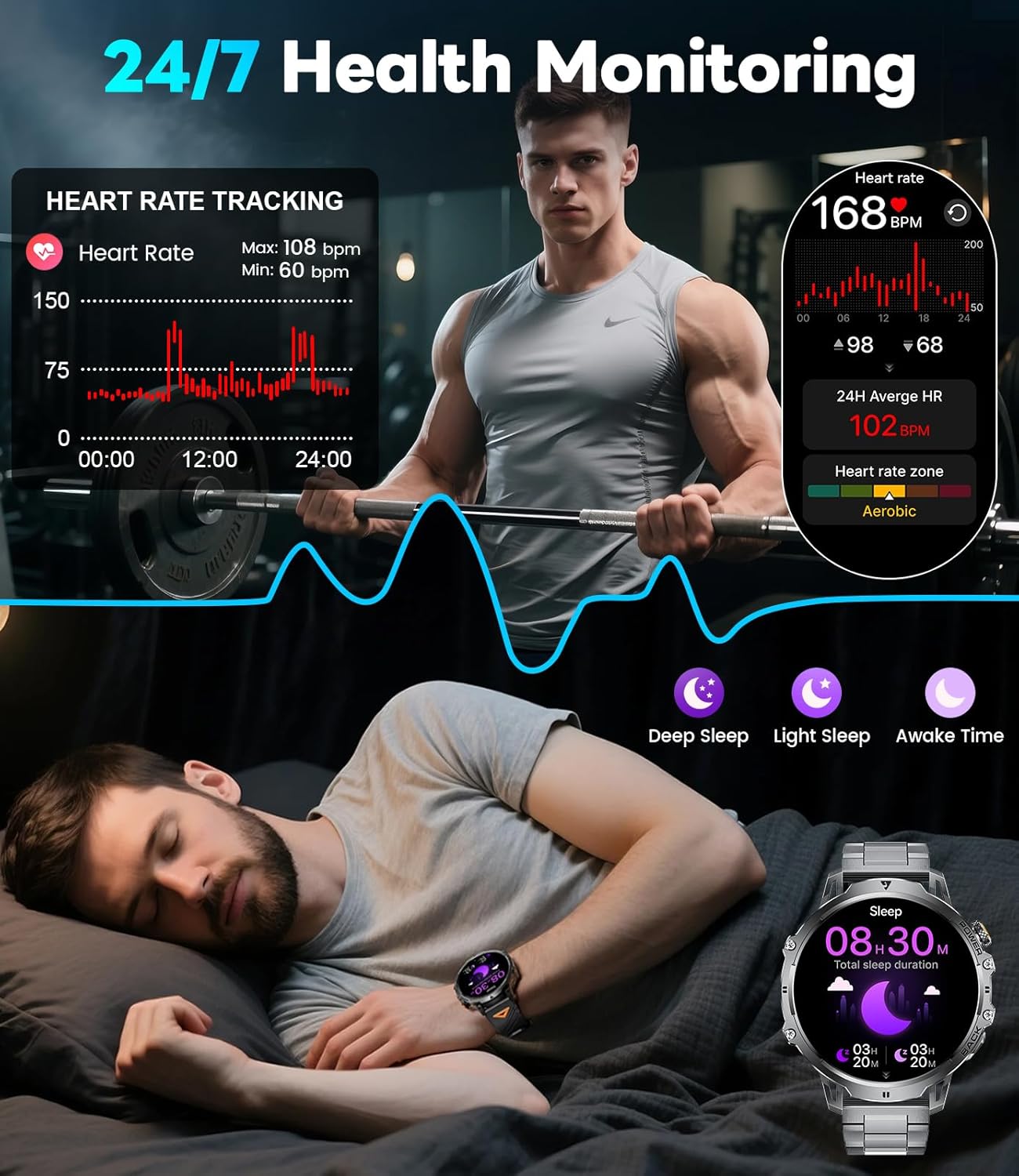
Image 4.1: Visuals demonstrating the watch's continuous heart rate and sleep tracking capabilities.
4.2 Sports Modes
The EF13-D supports over 110 different sports modes, catering to a wide range of physical activities. During workouts, it records real-time data such as heart rate, steps, calories burned, distance, and activity duration.
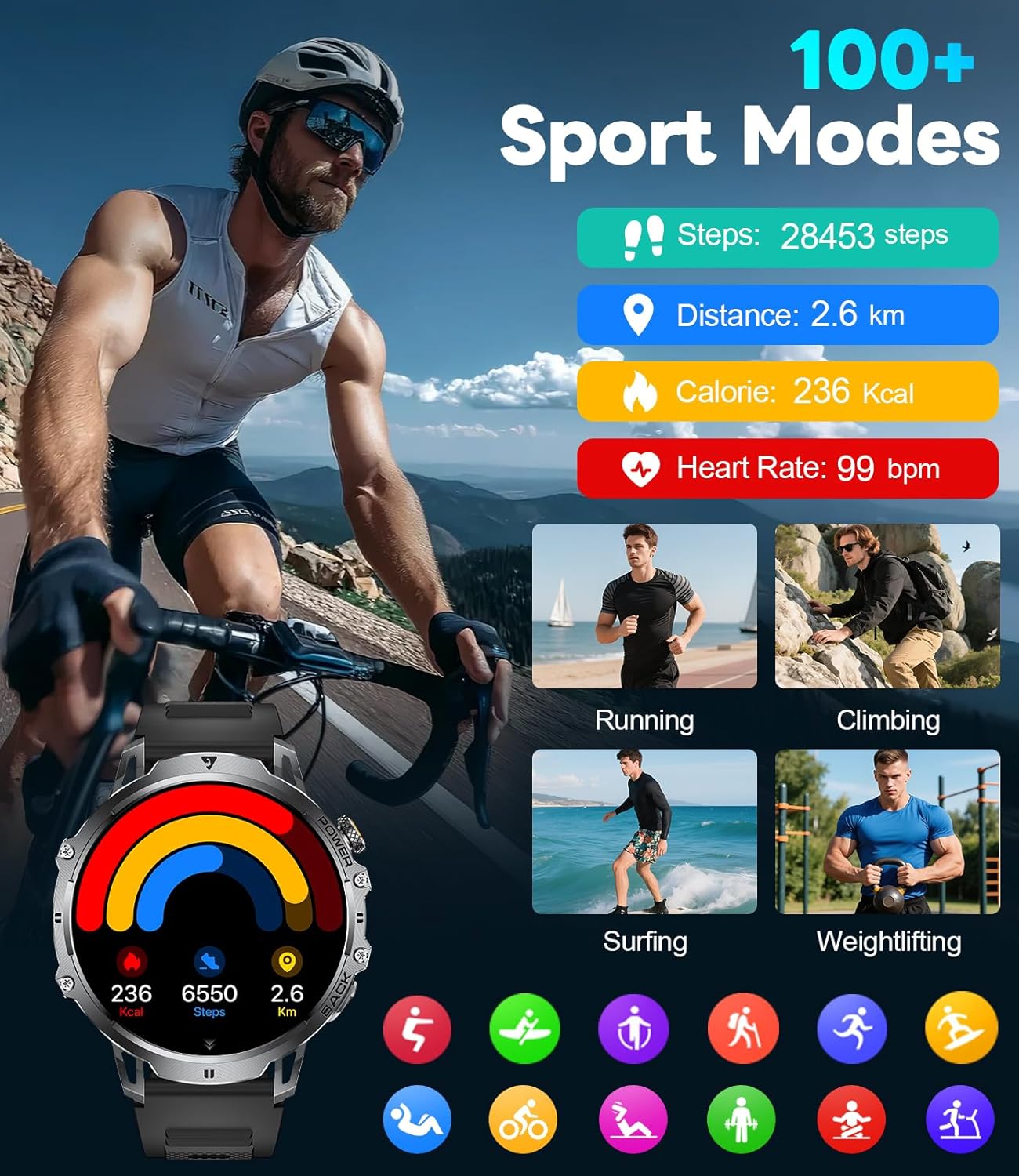
Image 4.2: A display of the diverse sports modes offered by the watch, with examples of tracked metrics.
5. Maintenance and Durability
5.1 Battery Life
The watch is equipped with a 1000mAh lithium-ion battery. Under normal operating conditions, it provides 14+ days of use on a single charge, with a maximum standby time exceeding 50 days.

Image 5.1: A comparison table illustrating the extended battery life of the 1000mAh battery in the EF13-D.
5.2 Water Resistance and Durability
The LIGE Smart Watch EF13-D features an IP68 waterproof rating and military-grade construction, providing resistance against scratches, shocks, dust, and extreme environmental conditions (e.g., -40°C to 70°C). It is suitable for activities like swimming, handwashing, and use in rain.

Image 5.2: A visual representation of the watch's IP68 water resistance during swimming.

Image 5.3: Details on the watch's military-grade durability, including resistance to various environmental factors.
6. Specifications
| Feature | Specification |
|---|---|
| Product Dimensions | 2.36 x 0.79 x 1.18 inches |
| Item Weight | 9.9 ounces |
| Model Number | EF13-D |
| Batteries | 1 Lithium Polymer battery (included) |
| Standing Screen Display Size | 1.85 Inches |
| Memory Storage Capacity | 128 MB |
| Operating System Compatibility | Android 5.0+ and iOS 11+ |
| Battery Capacity | 1000 mAh |
| Connectivity Technology | Bluetooth |
| GPS | No GPS |
| Shape | Round |
| Waterproof Rating | IP68 |
| Manufacturer | LIGE |
7. Troubleshooting
Common Issues and Solutions:
- Watch not turning on: Ensure the watch is fully charged. Connect it to the magnetic charger and allow it to charge for at least 30 minutes before attempting to power it on.
- Cannot pair with smartphone:
- Ensure Bluetooth is enabled on your phone.
- Make sure the watch is within range of your phone.
- Restart both the watch and your smartphone.
- Verify that the correct app, "FitCloudPro," is installed and updated.
- Notifications not appearing:
- Check app permissions on your smartphone to ensure notifications are allowed for FitCloudPro.
- Ensure "Do Not Disturb" mode is not active on the watch or phone.
- Confirm that the watch is properly connected via Bluetooth.
- Inaccurate activity tracking (e.g., steps): Ensure the watch is worn snugly on your wrist. If issues persist, try a factory reset of the watch (refer to app settings for this option).
- Screen unresponsive or frozen: Attempt to restart the watch by pressing and holding the power button. If unresponsive, allow the battery to fully drain and then recharge.
8. Warranty and Support
8.1 Warranty Information
The LIGE Smart Watch EF13-D comes with a 24-month service period and 365 days of after-sales support.
8.2 Customer Support
For any questions or issues regarding your LIGE Smart Watch, please contact customer service. We aim to provide quick responses within 24 hours to resolve your concerns.
Compatibility: This smart watch is compatible with Android smartphones version 5.0 and above, and iOS smartphones version 11.0 and above.
Related documentsEF13-D


Ask a question about this manual
Ask about setup, troubleshooting, compatibility, parts, safety, or missing instructions. Manuals+ will review the question and use this page’s manual context to help answer it.