
Introduction
Thank you for choosing the xdobo Luxe Portable Bluetooth Speaker. This manual provides essential information for setting up, operating, and maintaining your speaker to ensure optimal performance and longevity. Please read this manual thoroughly before using the product.
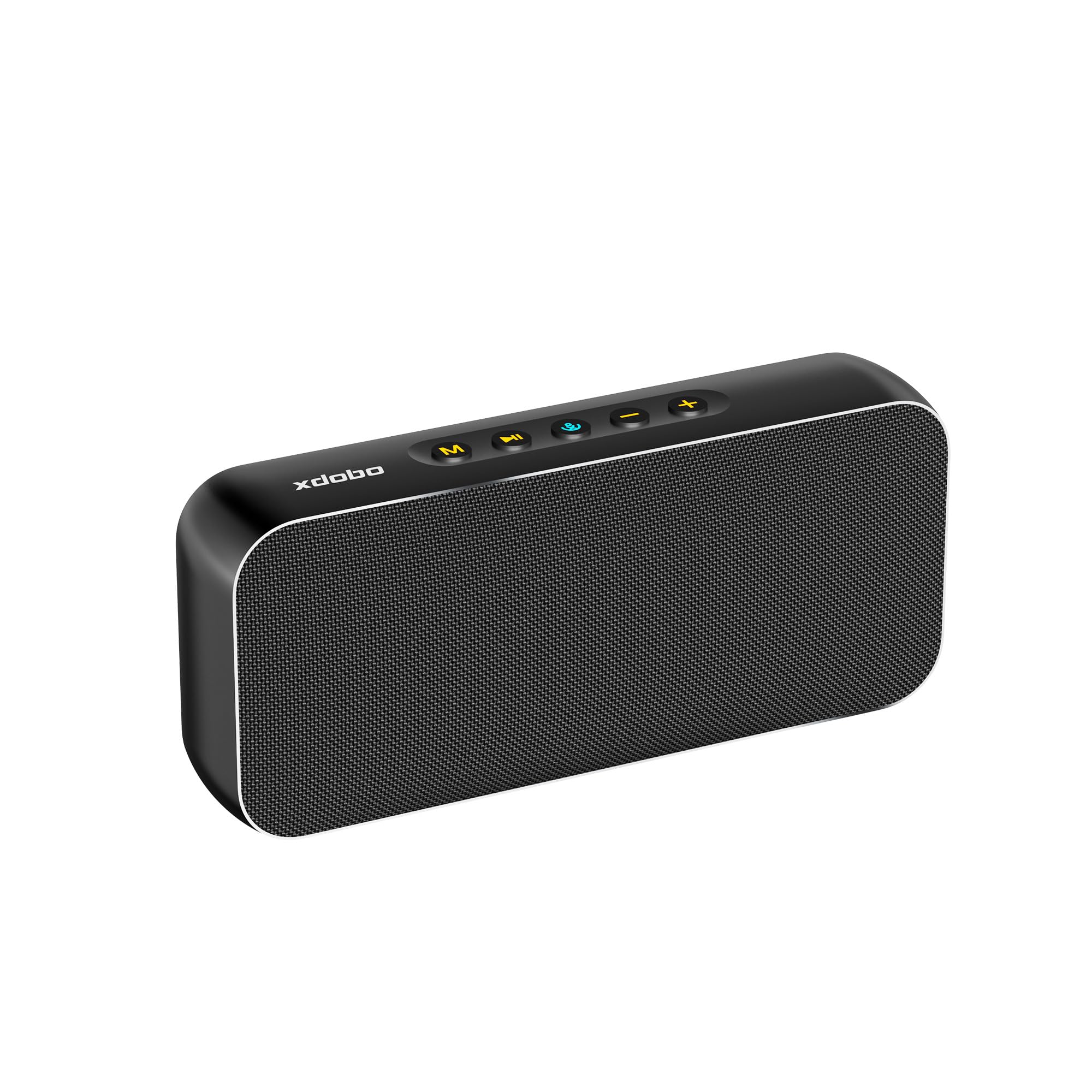
Image: The xdobo Luxe Portable Bluetooth Speaker in black, showcasing its sleek design.
What's in the Box
- xdobo Luxe Portable Bluetooth Speaker
- USB Type-C Charging Cable
- User Manual
Product Overview
Physical Features
The xdobo Luxe speaker features a premium design with a metal body and durable waterproof fabric. Its compact size and lightweight construction make it highly portable.
- Dimensions: 200 x 35 x 87 mm (7.87"D x 1.38"W x 3.43"H)
- Weight: 674 Grams
- Material: Metal, Fabric
Controls and Ports
The top panel of the speaker houses intuitive control buttons, while the side features a protected port panel.

Image: Detailed view of the speaker's top control buttons and the rubber-sealed side panel revealing TF card slot, Type-C charging port, and AUX input.
- Mode Button (M): Switches between input modes (Bluetooth, TF Card, AUX).
- Play/Pause Button (►▮▮): Plays or pauses audio.
- Power/Bluetooth Button (🔊): Powers the speaker on/off and initiates Bluetooth pairing.
- Volume Down (-): Decreases volume. Long press for previous track.
- Volume Up (+): Increases volume. Long press for next track.
- TF Card Slot: For playing music directly from a TF (MicroSD) card.
- Type-C Port: For charging the speaker.
- AUX Port: For wired audio connection.
Setup
1. Charging the Speaker
Before first use, fully charge the speaker. Connect the provided Type-C cable to the speaker's Type-C port and a compatible USB power adapter (not included).
- Charging Time: Approximately 3-4 hours.
- Input Power: Type-C 5V/2A.
- The LED indicator will show charging status.

Image: The xdobo Luxe speaker highlighting its long battery life and Type-C fast charging capability.
2. Powering On/Off
Press and hold the Power/Bluetooth button (🔊) for 2-3 seconds to power the speaker on or off. A sound prompt will indicate the status.
3. Bluetooth Pairing
- Ensure the speaker is powered on and in Bluetooth mode (the LED indicator will flash).
- On your device (smartphone, tablet, etc.), enable Bluetooth and search for available devices.
- Select "XDOBO LUXE" from the list.
- Once paired, the LED indicator will stop flashing and remain solid, and a sound prompt will confirm the connection.
4. True Wireless Stereo (TWS) Pairing
To achieve true wireless stereo sound, you can pair two xdobo Luxe speakers together.

Image: Two xdobo Luxe speakers demonstrating True Wireless Stereo (TWS) pairing for enhanced sound.
- Ensure both speakers are powered on and not connected to any other Bluetooth device.
- On one speaker (this will be the primary speaker), double-press the Power/Bluetooth button (🔊). It will enter TWS pairing mode.
- The primary speaker will automatically search for the secondary speaker. Once connected, both speakers will emit a sound prompt.
- Now, connect your device to the primary speaker via Bluetooth as described in step 3.
5. Connecting via AUX or TF Card
- AUX: Connect a 3.5mm audio cable (not included) from your audio source to the speaker's AUX port. The speaker will automatically switch to AUX mode.
- TF Card: Insert a TF (MicroSD) card with music files into the TF card slot. The speaker will automatically switch to TF card mode.
Operating Instructions
Basic Controls
- Play/Pause: Press the Play/Pause button (►▮▮).
- Volume Up/Down: Short press the '+' or '-' buttons.
- Next Track: Long press the '+' button.
- Previous Track: Long press the '-' button.
- Change Mode: Press the 'M' button to cycle through Bluetooth, TF Card, and AUX modes.
Maintenance
Cleaning
Wipe the speaker with a soft, damp cloth. Do not use harsh chemicals or abrasive cleaners. Ensure all port covers are securely closed before cleaning with moisture.
Waterproof Care
The speaker is designed to be waterproof. However, ensure the rubber cover for the charging and AUX ports is firmly sealed before exposing the speaker to water or moisture to maintain its waterproof integrity.

Image: The xdobo Luxe speaker positioned outdoors near water, illustrating its waterproof and durable design.
Battery Care
To prolong battery life, avoid fully discharging the speaker frequently. Charge it regularly, even if not in use for extended periods.
Troubleshooting
- No Power: Ensure the speaker is charged. Connect to a power source and try again.
- Cannot Pair Bluetooth: Make sure the speaker is in Bluetooth pairing mode (flashing LED). Ensure your device's Bluetooth is on and within range. Try unpairing and re-pairing.
- No Sound: Check the volume levels on both the speaker and your connected device. Ensure the correct input mode is selected.
- Poor Sound Quality: Move the speaker closer to your Bluetooth device. Ensure there are no obstructions. For wired connections, check the audio cable.
Specifications
| Feature | Specification |
|---|---|
| Brand | xdobo |
| Model Number | XDOBO LUXE |
| Speaker Maximum Output Power | 60 Watts |
| Frequency Response | 20 Hz - 16 KHz |
| Connectivity Technology | Bluetooth 5.3 |
| Audio Output Mode | Stereo |
| Mounting Type | Freestanding |
| Enclosure Material | Metal, Fabric |
| Additional Features | Waterproof |
| Color | Black |
| Battery Average Life | 8 Hours (varies by volume and content) |
| Speaker Size | 2.05 Inches |
| Woofer Diameter | 3 Inches |
| Water Resistance Level | Waterproof |
| Signal-to-Noise Ratio | 110 dB |
| Total USB 2.0 Ports | 1 (Type-C) |
| Impedance | 4 Ohms |
| Number of Batteries | 1 Nonstandard Battery (included) |
| Audio Driver Type | Dynamic Driver |
| Audio Driver Size | 52 Millimeters |
| Input Voltage | 5 Volts |
| Item Weight | 674 Grams |
| Compatible Devices | Smartphone |
| Battery Charge Time | 4 Hours |
Warranty and Support
The xdobo Luxe Portable Bluetooth Speaker comes with a 1 Year Manufacturer Warranty. For warranty claims or technical support, please refer to the contact information provided on the product packaging or visit the official xdobo website.
For further assistance, please visit the xdobo Store on Amazon.


