
1. Introduction and Overview
The GLOBAL-PTT 5288 Plus is a versatile two-way radio system designed for reliable communication across various environments. It features dual-mode operation, combining modern 4G LTE Push-to-Talk (PoC) technology for nationwide coverage with traditional analog UHF/VHF capabilities for local communication. This manual provides essential information for setting up, operating, and maintaining your GLOBAL-PTT 5288 Plus radios.
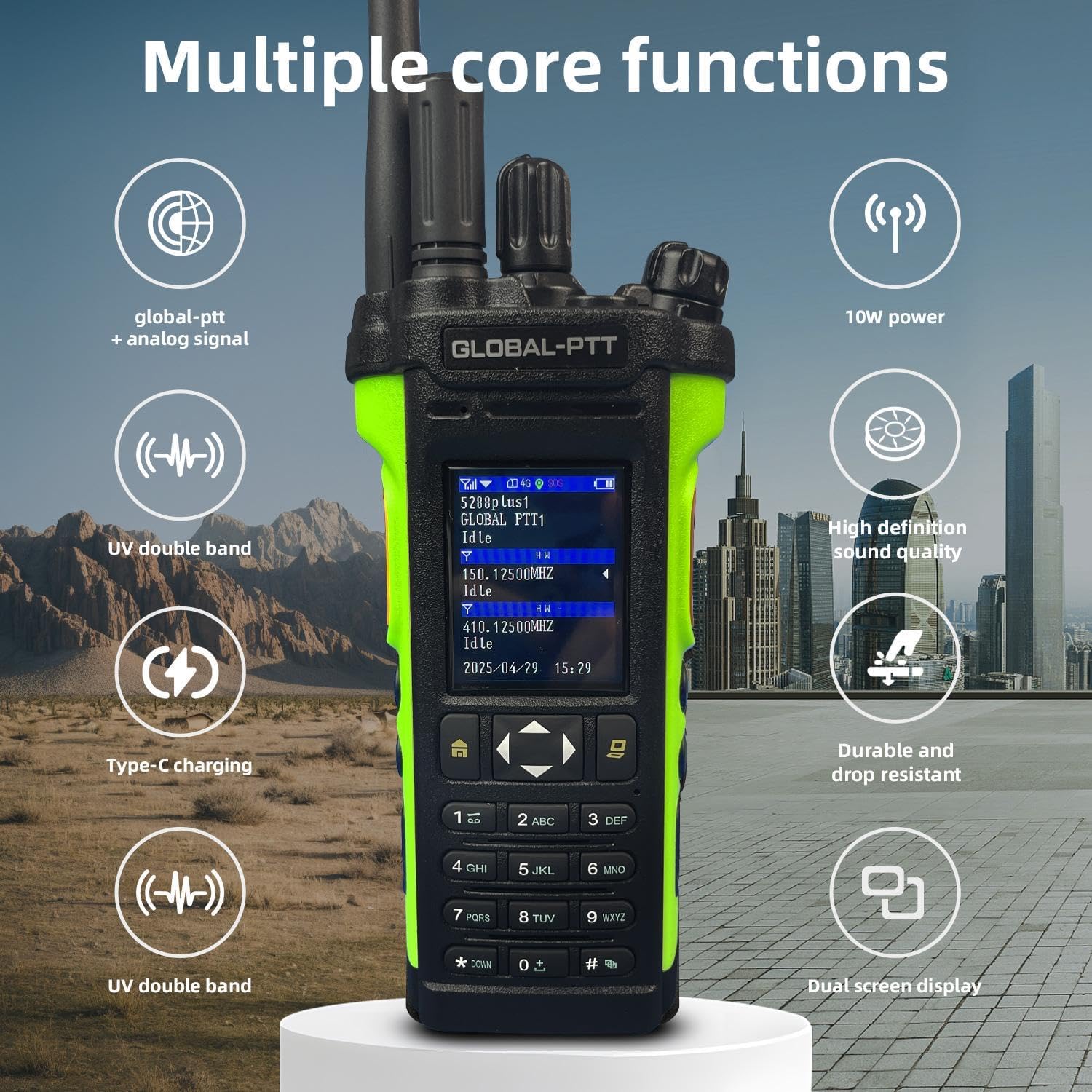
Image: The GLOBAL-PTT 5288 Plus radio showcasing its multiple core functions including global-ptt + analog signal, UV double band, Type-C charging, 10W power, high definition sound quality, durable and drop resistant design, and dual screen display.
2. What's in the Box
Your GLOBAL-PTT 5288 Plus package includes the following items:
- Two (2) GLOBAL-PTT 5288 Plus 4G LTE Two-way Radios
- Pre-installed SIM Cards (with 1-year data plan)
- Two (2) Type-C Charging Cables
- Two (2) User Manuals
- Two (2) Lanyards
- Two (2) Belt Clips
- Two (2) Earpieces with Microphones
3. Product Features
- Nationwide Coverage: Features 4G LTE connectivity with unlimited range across the country, including pre-installed SIM cards and a one-year data plan.
- Dual Mode Operation: Combines modern 4G LTE technology with traditional analog walkie-talkie functionality for maximum versatility and compatibility.
- Powerful Performance: Equipped with 10W power output and dual-band UHF/VHF capability for enhanced signal strength and communication range.
- Advanced Features: Includes dual screen display, high-definition sound quality, and convenient Type-C charging port for modern usability.
- Professional Design: Durable construction with drop-resistant housing, full keypad interface, and clear LCD display for reliable field operations.

Image: Two GLOBAL-PTT 5288 Plus radios side-by-side, illustrating their dual mode intercom capability with one showing 'Public network' and the other 'simulation'.
4. Setup
4.1. Battery and SIM Card Installation
- Locate the battery compartment on the back of the radio.
- Slide the battery release lever upwards to remove the battery pack.
- Insert the pre-installed SIM card(s) into the designated slot(s) beneath the battery. Ensure they are correctly seated.
- Reattach the battery pack by aligning it with the contacts and sliding it down until it clicks securely into place.
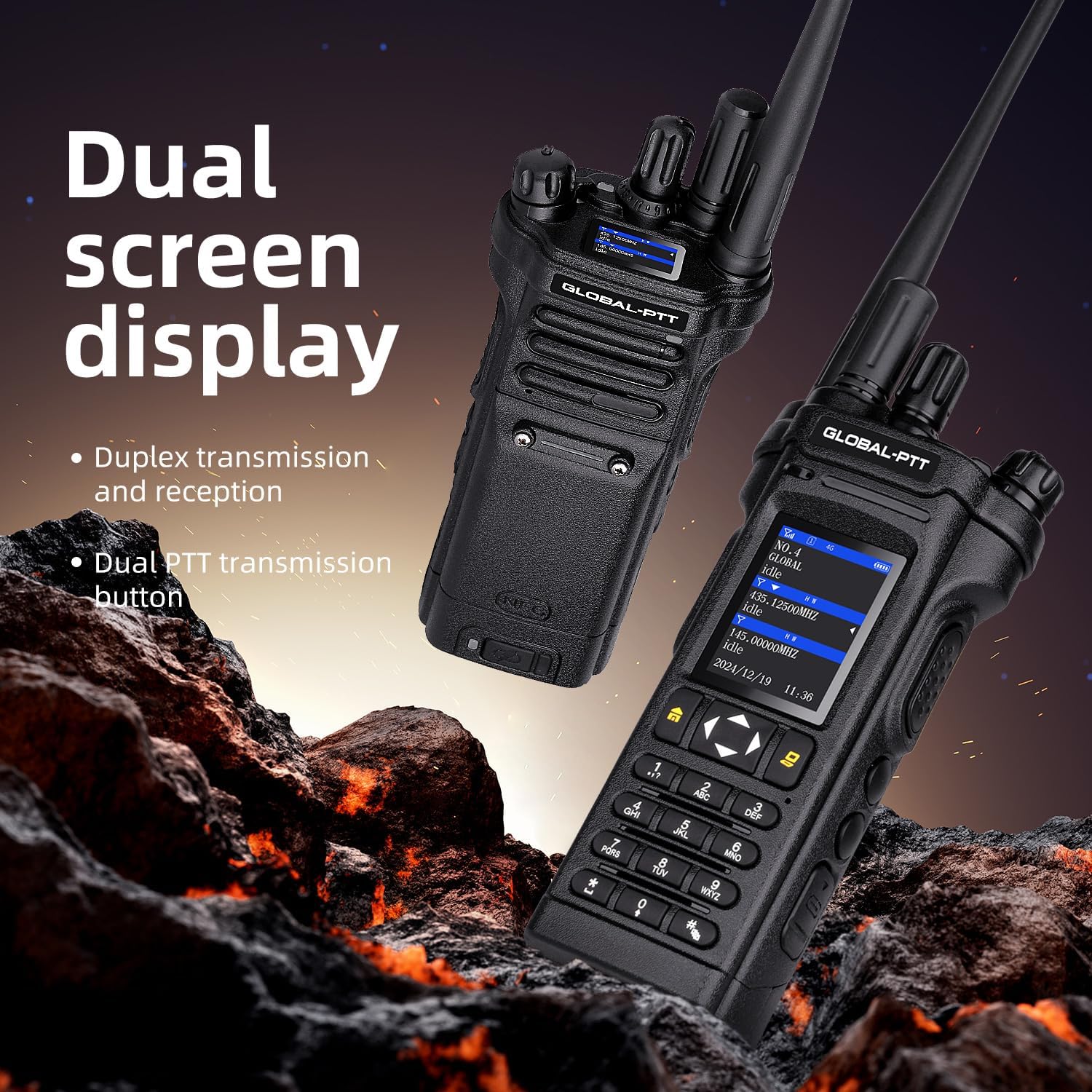
Image: The rear view of the GLOBAL-PTT 5288 Plus radio with the battery removed, clearly showing the SIM card slots for installation.
4.2. Antenna Attachment
Screw the appropriate antenna (long for 4G LTE, short for analog) into the antenna port on top of the radio until it is finger-tight. Do not overtighten.
4.3. Charging the Radio
Connect the provided Type-C charging cable to the charging port on the side of the radio and plug the adapter into a power outlet. The charging indicator light will show the charging status. A full charge provides extended battery life.
4.4. Attaching Accessories
Attach the belt clip to the back of the radio for easy carrying. The lanyard can be attached to the top of the radio for added security. The earpiece with microphone can be plugged into the dedicated port for private communication.
5. Operating Instructions
5.1. Power On/Off
To power on the radio, rotate the top knob clockwise until you hear a click and the screen illuminates. To power off, rotate the knob counter-clockwise until it clicks off.
5.2. Adjusting Volume
Rotate the top knob (same as power) to adjust the volume level. Turn clockwise to increase volume, counter-clockwise to decrease.
5.3. Switching Modes (PoC / Analog)
The radio supports both 4G LTE PoC and Analog modes. Use the menu buttons to navigate and select your desired operating mode. The dual screen display will show the active mode and relevant information.
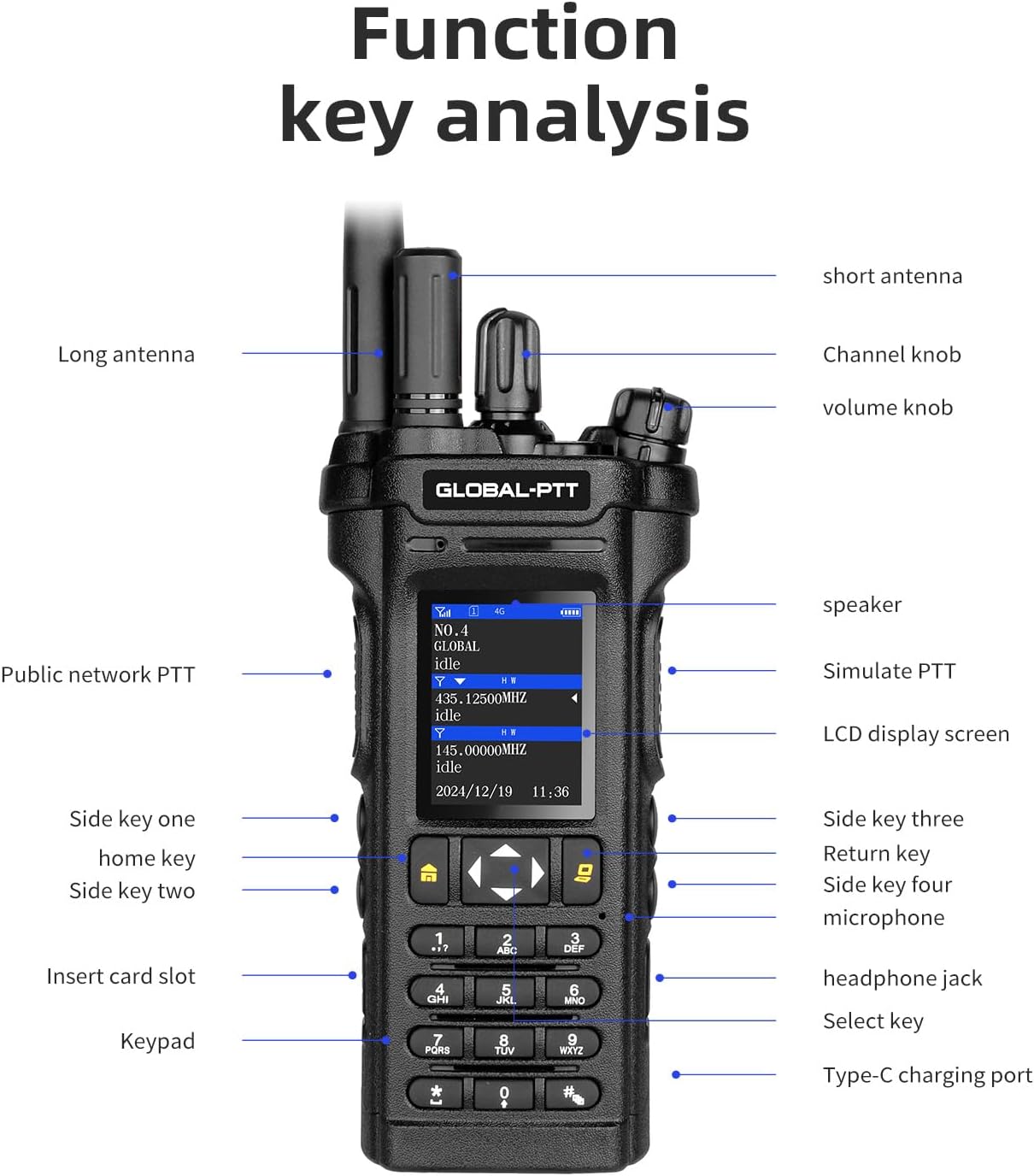
Image: A detailed view of the GLOBAL-PTT 5288 Plus radio, highlighting and labeling its various function keys, knobs, ports, and display screen.
5.4. Push-to-Talk (PTT) Functionality
Press and hold the designated PTT button on the side of the radio to transmit your voice. Release the button to listen. There are separate PTT buttons for PoC and Analog modes.
5.5. Group and Single Calls
The radio supports single calls, group calls, and all calls. Use the keypad and menu options to select the desired call type and recipient group. You can also switch between groups.

Image: Three GLOBAL-PTT 5288 Plus radios arranged to show the concepts of single call, group call, and all call communication modes.
5.6. Channel/Frequency Selection
Use the keypad to directly enter frequencies or navigate through pre-programmed channels. The up/down arrow buttons allow for quick scrolling through frequencies or channels. The left/right arrow buttons navigate through different pages or menus.
Video: This video demonstrates how to change channels on the GLOBAL-PTT 5288 Plus radio using the keyboard. It shows the steps of pressing * then # to enter VFO mode, entering the desired channel, and then pressing * again to save the channel.
5.7. FM Radio Function
To access the FM radio, hold down the '0' key on the keypad. You can then tune to your desired FM frequency to listen to music or broadcasts.
5.8. Programming and Copy Functions
The radio supports programming and copy functions for advanced users. Refer to the detailed user manual (QR code provided in the box) for instructions on how to program channels and utilize the copy function via computer software.
Video: This video provides a guide on how to program the GLOBAL-PTT 5288 Plus radio, detailing the steps for advanced configuration.
Video: This video demonstrates the 5288PLUS copy function, showing how to duplicate settings or channels between radios.
6. Maintenance
- Cleaning: Use a soft, damp cloth to clean the radio's exterior. Avoid harsh chemicals or abrasive materials.
- Battery Care: Charge the battery fully before first use. Avoid overcharging or completely draining the battery to prolong its lifespan. Store the radio and battery in a cool, dry place.
- Antenna Care: Ensure the antenna is securely attached. Avoid bending or forcing the antenna, as this can damage the radio's signal performance.
7. Troubleshooting
- No Power: Ensure the battery is fully charged and correctly installed. Check the power knob is rotated to the 'on' position.
- No Signal (4G LTE PoC): Verify that you are within an area with 4G LTE cellular coverage. Check if the SIM card is properly inserted.
- No Signal (Analog UHF/VHF): Ensure the correct antenna is attached and that you are within range of other analog radios or repeaters. Check the selected frequency/channel.
- No Audio: Check the volume level. Ensure the earpiece/microphone is correctly plugged in if in use.
- Communication Issues: Confirm all radios are on the same channel/group and in the correct operating mode.
8. Specifications
| Feature | Specification |
|---|---|
| Item Weight | 15.2 Ounces |
| Product Dimensions | 1.5"D x 2.5"W x 8.5"H |
| Number of Channels | 16 |
| Special Feature | 10W Power Output, 4G LTE Connectivity, Dual Band UHF/VHF, High Definition Sound, Type-C Charging |
| Frequency Range | 4G, UHF, VHF |
| Talking Range Maximum | 5000 Kilometer (4G LTE) |
| Voltage | 7.4 Volts |
| Water Resistance Level | Water Resistant |
9. Warranty and Support
The GLOBAL-PTT 5288 Plus radios come with a 1-year warranty. For technical support, troubleshooting beyond this manual, or warranty claims, please refer to the contact information provided in the full user manual included in your package or visit the official GLOBAL-PTT website.


