
Introduction
This manual provides comprehensive instructions for the safe and efficient use of your eufy Security SoloCam E42 4K Wireless Solar Security Camera System with HomeBase S380. Please read this manual thoroughly before installation and operation to ensure optimal performance and to prevent damage to the device.
What's in the Box
The eufy Security SoloCam E42 system typically includes the following components:
- eufy Security SoloCam E42 4K Wireless Solar Camera(s)
- eufy HomeBase S380
- Mounting bracket and screw kit
- USB charging cable
- Ethernet cable (for HomeBase)
- Power adapter (for HomeBase)
- Quick Start Guide
Note: The number of cameras may vary based on the purchased package. A Micro SD card for local storage is not included and must be purchased separately if desired for the camera.
Setup
1. Charging the Camera
Before initial use, ensure the SoloCam E42 camera is fully charged. Connect the camera to a power source using the provided USB cable. The camera features a built-in solar panel for continuous charging after installation, requiring approximately 2 hours of direct sunlight daily for sustained operation.

Image: SoloCam E42 with its solar panel for continuous power.
2. Setting up the HomeBase S380
Connect the HomeBase S380 to your router using the Ethernet cable and plug it into a power outlet. Follow the instructions in the eufy Security app to complete the HomeBase setup and pair your SoloCam E42 cameras. The HomeBase S380 provides 16GB of built-in local storage, expandable up to 16TB, and supports continuous recording even if your internet connection is interrupted. Ensure HomeBase firmware is V3.6.9.0 or newer and the app is V5.0.80 or newer for optimal performance.
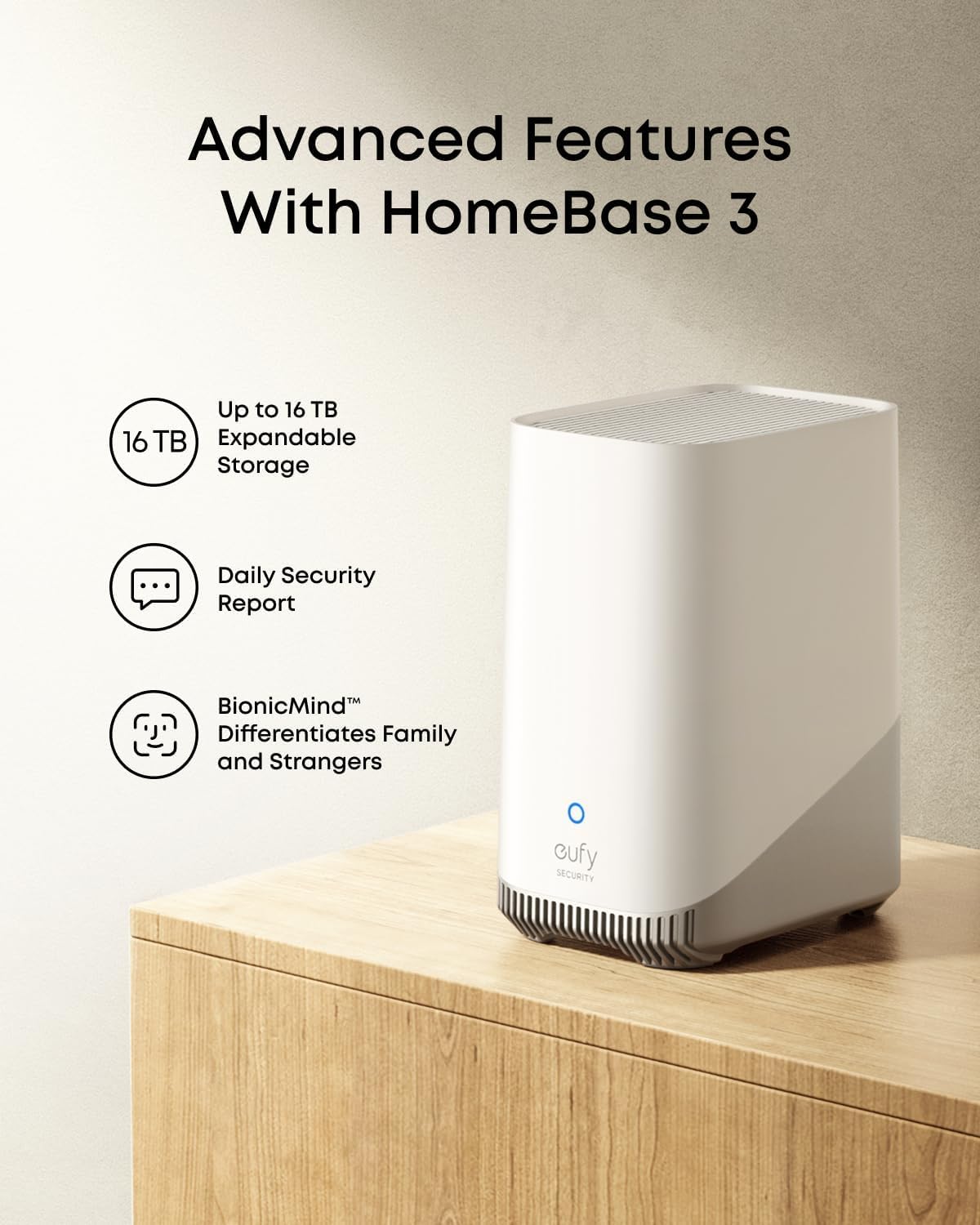
Image: HomeBase S380 with its advanced features.
3. Mounting the Camera
Select a suitable outdoor location for your camera, ensuring it has a clear view and receives adequate sunlight for solar charging. Use the provided mounting bracket and screws to securely attach the camera to a wall or other stable surface. Adjust the camera angle for optimal coverage.

Image: SoloCam E42 mounted on an exterior wall.
Video: Installation guide for a eufy Security SoloCam (S220 model shown, but installation steps are similar).
Operating Instructions
1. Using the eufy Security App
Download the eufy Security app from your device's app store. The app allows you to view live 4K UHD video, access recorded footage, customize settings, and receive notifications. The camera offers 360° coverage with pan and tilt functionality, minimizing blind spots.

Image: See every detail in 4K UHD.
Image: 360° protection with no blind spots.
2. AI Motion Detection and Tracking
The integrated AI detects and automatically tracks people, vehicles, or important events within the camera's field of view, reducing false alarms. The system can also perform cross-camera tracking, merging related clips from multiple cameras for a complete event timeline.

Image: Cross-Camera Tracking with HomeBase S380.
3. Deterring Intruders
The camera features a motion-activated strobe light (red/blue) and a powerful 103 dB siren to deter unwanted visitors. You will receive instant notifications on suspicious activity.

Image: Triple protection to deter intruders.
4. Smart Home Compatibility
The system is compatible with popular smart home platforms such as Apple Home, Hey Google, and Alexa, allowing for integrated control and monitoring (requires HomeBase S380 to operate).

Image: Smart Home Compatible.
Maintenance
1. Solar Panel Care
To ensure continuous power, periodically clean the solar panel on the camera to remove dust, dirt, or debris that may obstruct sunlight. Use a soft, damp cloth for cleaning. Avoid abrasive materials or harsh chemicals.
2. Firmware Updates
Regularly check for and install firmware updates via the eufy Security app to ensure your system has the latest features, security enhancements, and bug fixes.
3. Local Storage Management
If using a Micro SD card in the camera (up to 128GB) or relying on the HomeBase S380's storage (up to 16TB), periodically review and manage your recorded footage. You can delete old recordings or transfer important clips to another storage device.

Image: Local Storage, No Monthly Fee.
Troubleshooting
- Camera Not Charging: Ensure the solar panel is clean and receives at least 2 hours of direct sunlight daily. If issues persist, try charging the camera directly with the USB cable.
- No Video Feed: Check the camera's battery level and Wi-Fi connection. Ensure the HomeBase S380 is powered on and connected to the internet. Restart both the camera and HomeBase if necessary.
- False Alarms: Adjust the AI detection sensitivity and activity zones within the eufy Security app to minimize unwanted alerts.
- Poor Video Quality: Ensure the camera lens is clean. Check your Wi-Fi signal strength at the camera's location.
- HomeBase Not Connecting: Verify the Ethernet cable connection to your router and ensure the HomeBase has power. Check your router settings.
Specifications
| Model Number | T8173 |
| Model Name | T8173321 |
| Video Resolution | 4K UHD |
| Connectivity | Wireless (Wi-Fi) |
| Power Source | Solar Powered, Battery (1 9V battery included) |
| Special Features | Night Vision, AI Motion Detection, Smart Tracking, Strobe Light, Siren |
| Indoor/Outdoor Use | Outdoor |
| Mounting Type | Wall Mount |
| Local Storage | Up to 128GB Micro SD (camera), 16GB built-in (HomeBase S380), expandable to 16TB (HomeBase S380) |
| Video Format | MP4 |
| Product Dimensions | 9.18 x 9.18 x 12929.97 cm |
| Item Weight | 5.16 kg |
| Manufacturer | Anker |
| Country of Origin | China |
Warranty and Support
For warranty information and technical support, please refer to the official eufy Security website or contact their customer service. Keep your purchase receipt for warranty claims.


