1. Introduction
This manual provides detailed instructions for the setup, operation, and maintenance of your ALCATEL Epure Premium DECT Cordless Phone with Answering Machine. Please read this manual thoroughly before using your new phone to ensure proper functionality and to familiarize yourself with all its features.

Figure 1: ALCATEL Epure Premium DECT Cordless Phone (Black)
2. Package Contents
Verify that all items are present in your package:
- Handset
- Base Unit
- Power Adapter
- Telephone Line Cord
- Rechargeable Battery (9V, included)
- User Manual (this document)
3. Setup
3.1. Battery Installation
- Locate the battery compartment on the back of the handset.
- Open the battery compartment cover.
- Insert the provided 9V rechargeable battery, ensuring correct polarity.
- Close the battery compartment cover securely.
3.2. Connecting the Base Unit
- Connect the power adapter to the DC IN port on the base unit and then plug it into a wall outlet.
- Connect one end of the telephone line cord to the LINE port on the base unit and the other end to your telephone wall jack.
- Place the handset on the base unit to charge. Allow at least 15 hours for the initial charge.
3.3. Handset Registration
Your handset is typically pre-registered to the base unit. If the handset displays "Unregistered" or you are adding an additional handset, follow these steps:
- On the base unit, press and hold the PAGE button (or registration button, refer to base unit diagram) for approximately 5 seconds until the registration indicator light flashes.
- On the handset, navigate to the MENU, then select REGISTRATION.
- Enter the system PIN (default is usually 0000).
- The handset will display "Registering..." and then "Handset Registered" upon successful completion.
4. Operating Instructions
4.1. Making and Receiving Calls
- To Make a Call: Lift the handset or press the CALL button, then dial the number.
- To Receive a Call: Lift the handset or press the CALL button when the phone rings.
- Hands-free Function: During a call, press the SPEAKER button to activate the hands-free mode. Press again to deactivate.

Figure 2: Hands-free Function on Handset
4.2. Answering Machine
The integrated answering machine offers up to 30 minutes of recording time. You can manage messages directly from the base unit or the handset.
- Playing Messages (Base Unit): Press the PLAY button on the base unit to listen to new messages. Use the SKIP and DELETE buttons to manage messages.
- Playing Messages (Handset): Navigate to the MENU, then select ANSWERING MACHINE to access options for playing, deleting, or recording your outgoing message.

Figure 3: Answering Machine Display on Base Unit
4.3. Call Barring (Call Blocking)
Block up to 100 unwanted numbers. This feature can be managed via a dedicated button or through the handset menu.
- Blocking a Number (Dedicated Key): During an incoming call or from the call log, press the CALL BAR button on the base unit or handset to add the number to the block list.
- Managing Block List: Access the CALL BAR menu via the handset to add, remove, or review blocked numbers.
- Automatic Blocking: Configure the phone to only accept calls from numbers stored in your phonebook.
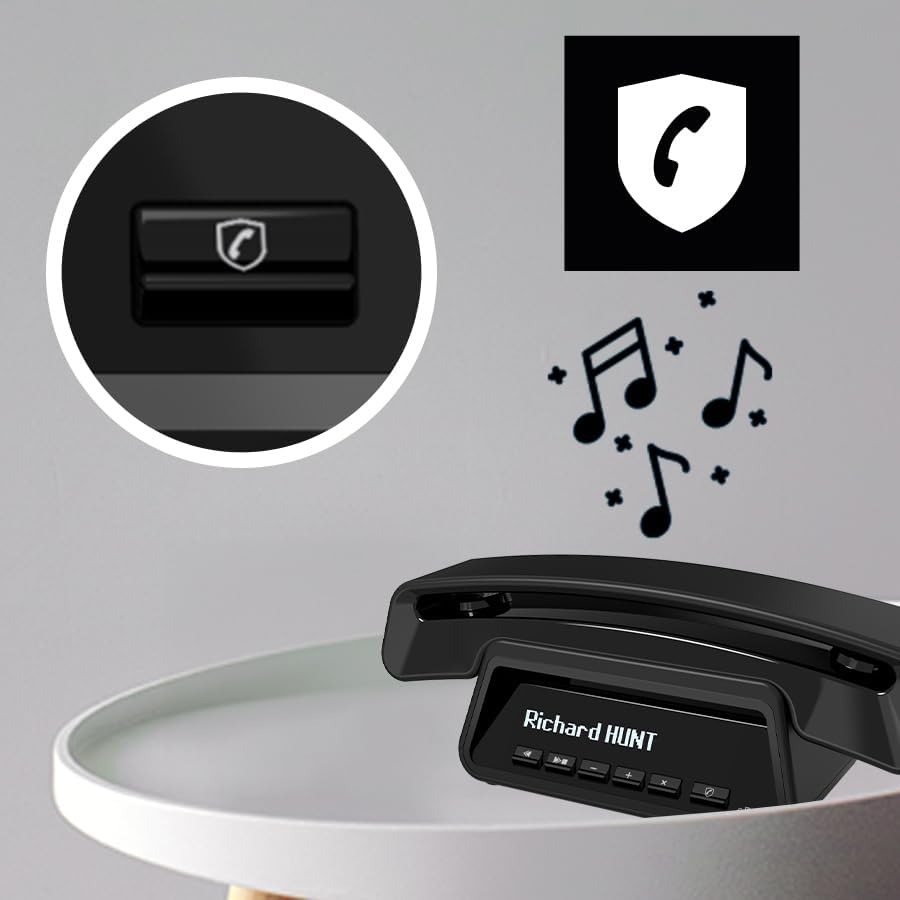
Figure 4: Call Barring Button on Base Unit
4.4. Phonebook
Store up to 100 contacts in the phonebook. Contacts can be synchronized across multiple handsets (up to 4 per base).
- Adding a Contact: Navigate to MENU > PHONEBOOK > ADD NEW. Enter the name and number.
- VIP Ring Tones: Assign specific ring tones to VIP contacts for easy identification.

Figure 5: Handset Display with Contact List
4.5. Display and ECO Mode
- Large Graphic Display: The handset features a clear, white graphic display with large characters for optimal legibility. The base unit also has a smart display for time, date, and caller ID.
- ECO Mode: This mode reduces power consumption and transmission power, extending battery life and promoting energy efficiency. The phone offers approximately 10 hours of talk time.

Figure 6: Talk Time and ECO Mode Indication
5. Maintenance
- Cleaning: Use a soft, damp cloth to clean the handset and base unit. Do not use abrasive cleaners or solvents.
- Battery Care: To maintain optimal battery performance, fully charge the handset regularly. If the phone will not be used for an extended period, remove the battery.
- Environment: Keep the phone away from heat sources, direct sunlight, and moisture.
6. Troubleshooting
| Problem | Solution |
|---|---|
| No dial tone. | Ensure the telephone line cord is securely connected to both the base unit and the wall jack. Check if the power adapter is properly connected. |
| Cannot make or receive calls. | Check if the handset is registered to the base unit. Ensure the battery is charged. Verify that call barring is not preventing the call. |
| Poor sound quality. | Move closer to the base unit. Check for interference from other electronic devices. Ensure the telephone line cord is not damaged. |
| Answering machine not recording messages. | Check if the answering machine is turned on. Verify that there is sufficient recording time available (max 30 minutes). |
| Handset display is blank. | Place the handset on the base unit to charge. The battery may be depleted. |
7. Specifications
- Product Dimensions: 18.43 x 8.9 x 4.96 inches
- Item Weight: 1.1 pounds
- Batteries: 1 x 9V rechargeable battery (included)
- Brand: Alcatel
- Telephone Type: DECT Cordless
- Material: Plastic
- Power Source: Battery Powered
- Dialer Type: Digital
- Answering System Type: Digital
- Answering Machine Recording Time: Up to 30 minutes
- Phonebook Capacity: 100 contacts
- Call Barring Capacity: Up to 100 numbers
- Talk Time: Approximately 10 hours
8. Warranty and Support
For warranty information and technical support, please refer to the documentation provided with your purchase or visit the official Alcatel support website. Keep your proof of purchase for warranty claims.


