1. Introduction
Thank you for choosing the Flrrtenv 50.4'' L-Shaped Desk. This versatile desk is designed to maximize your workspace with its L-shaped configuration, integrated power outlets, USB ports, LED lighting, and ample storage solutions. This manual provides essential information for the proper setup, operation, and maintenance of your new desk.
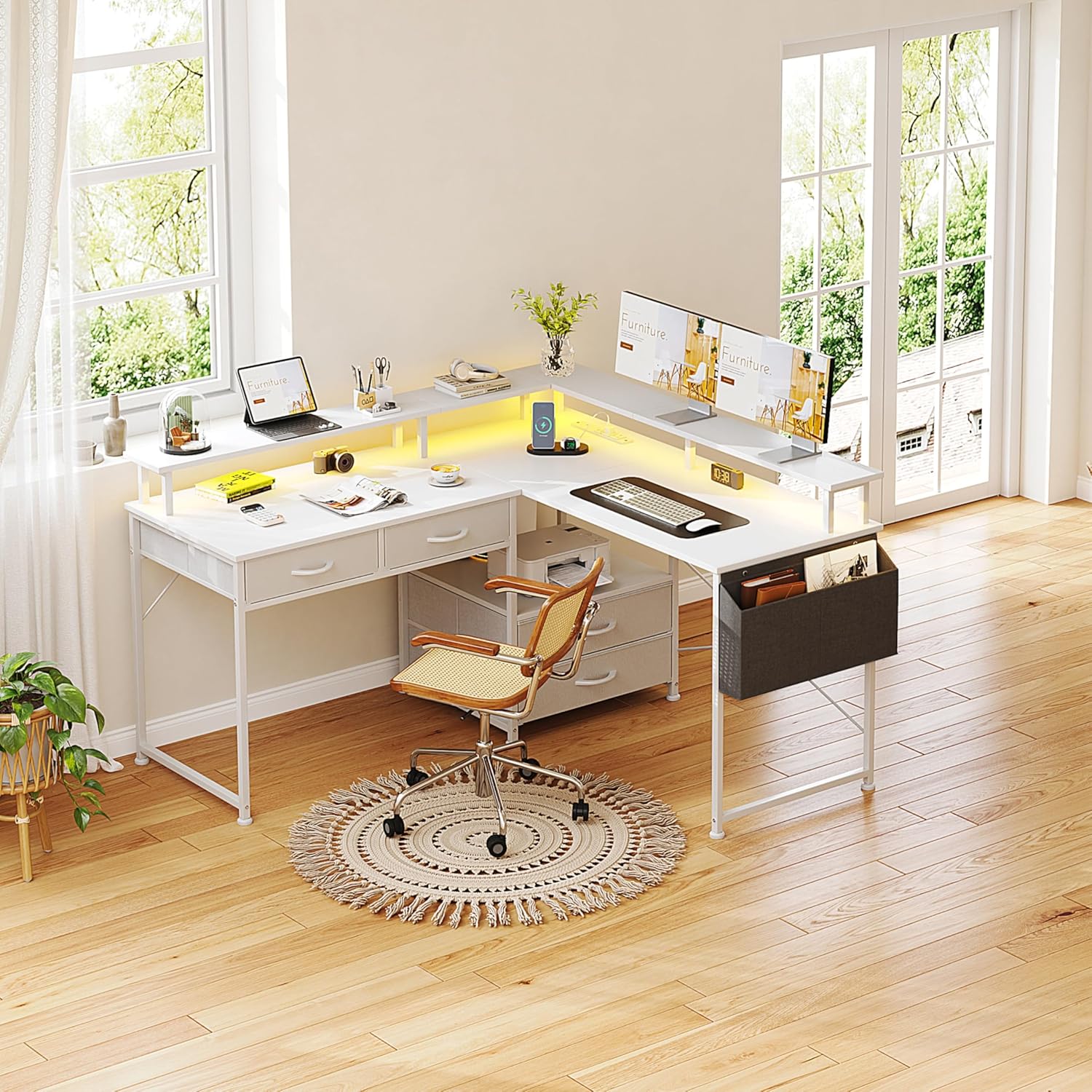
Figure 1: Overview of the Flrrtenv L-Shaped Desk in an office environment.
2. Setup and Assembly
Carefully unpack all components and verify against the included parts list (not provided in this manual, refer to your product packaging). Assembly requires following the step-by-step instructions provided with your desk. Ensure all connections are secure before use.
2.1 Reversible Configuration
The Flrrtenv L-Shaped Desk offers a reversible design, allowing you to configure it as an L-shaped desk with the longer side to the left or right, or as a long straight desk. Plan your desired configuration before assembly.

Figure 2: Multiple installation modes for the desk, including L-shaped and straight configurations.
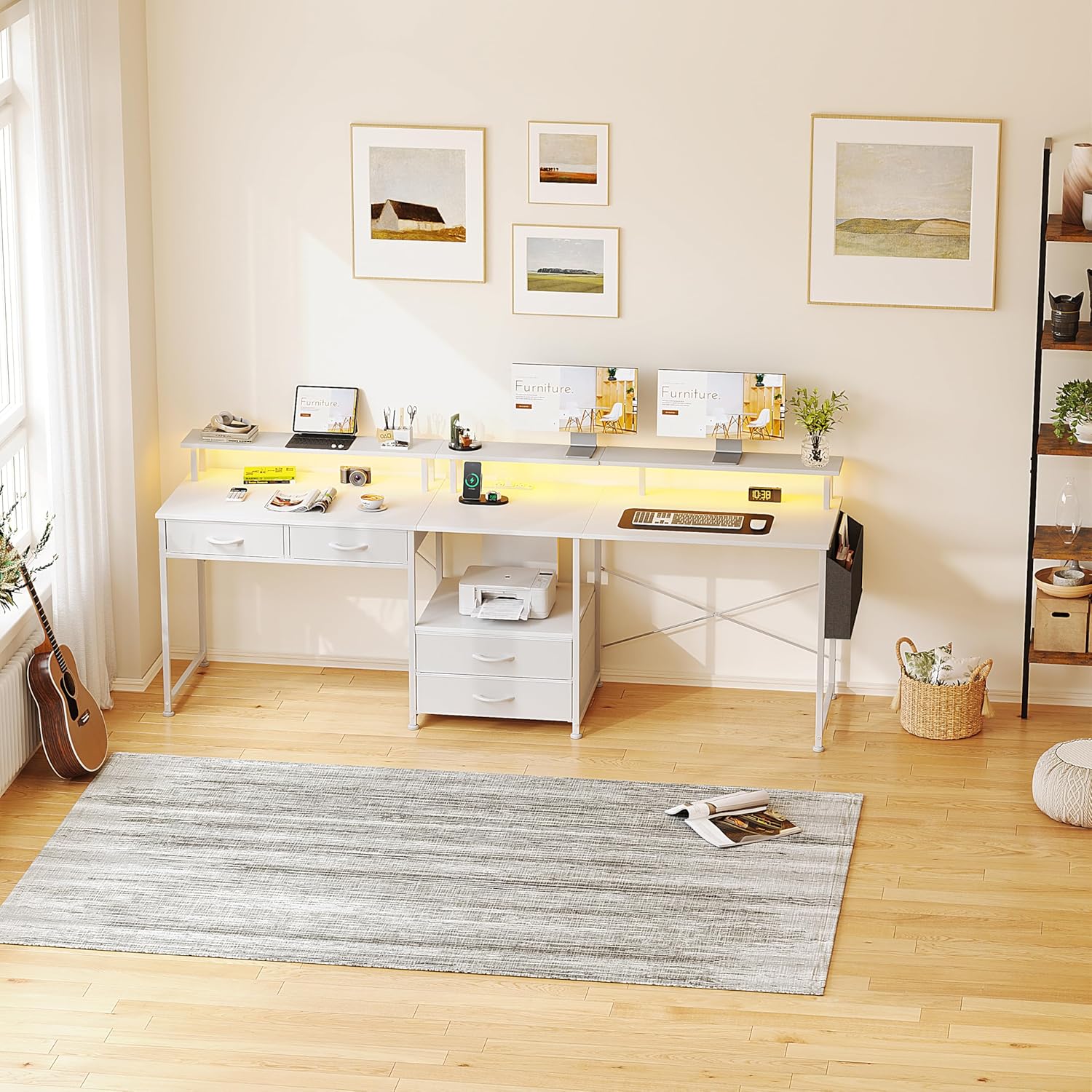
Figure 3: The desk configured as a long straight unit, suitable for larger spaces or specific layouts.
2.2 Dimensions
Refer to the diagram below for detailed product dimensions to ensure the desk fits your intended space.

Figure 4: Product dimensions, including length, width, and height of various sections.
3. Operating Instructions
3.1 Integrated Power Outlet and USB Ports
The desk includes a built-in power strip with 3 AC outlets, 1 USB-A port, and 1 USB-C port for convenient charging and powering of your devices. Connect the desk's main power cord to a wall outlet. Ensure the power strip is not overloaded.

Figure 5: Detail of the 3 AC outlets, 1 USB-A port, and 1 Type-C port for device charging.
3.2 LED Light Strip
The integrated LED light strip provides customizable ambient lighting. Use the included remote control to adjust settings. Features include:
- 30 Colors Change: Select from a wide range of static colors.
- 22 Dynamic Modes: Choose from various lighting effects.
- 10 Flicker Frequencies: Adjust the speed of dynamic modes.
- 5 Brightness Levels: Control the intensity of the light.
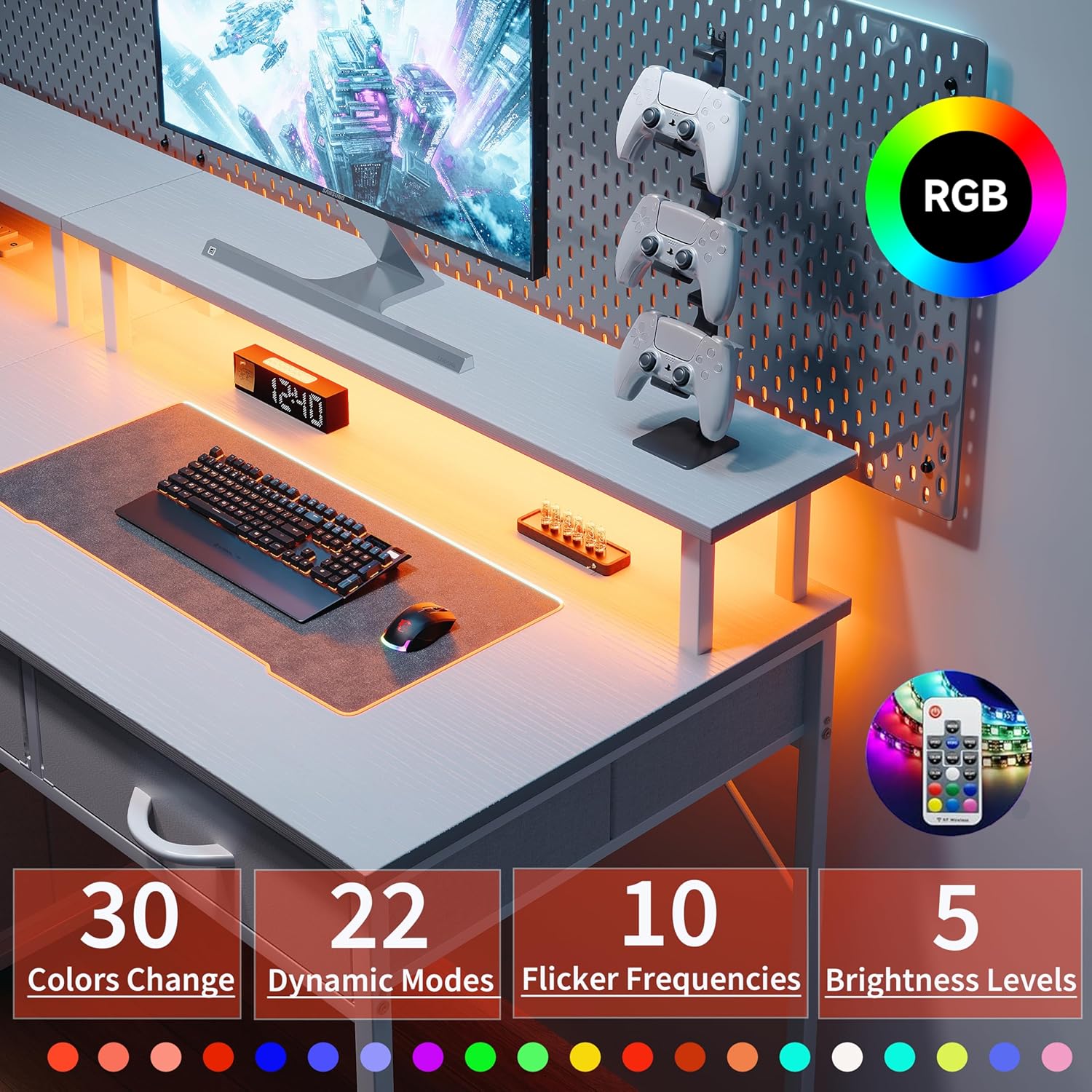
Figure 6: The LED light strip illuminating the monitor stand, with remote control and color options displayed.
3.3 Storage Features
The desk includes four fabric drawers and a tableside bag for organizing your items. The fabric drawers are removable for easy access and cleaning.

Figure 7: The four removable fabric drawers providing storage for electronic devices, accessories, and stationery.
4. Maintenance
- Cleaning: Wipe the desk surfaces with a soft, damp cloth. Avoid harsh chemicals or abrasive cleaners that may damage the finish.
- Fabric Drawers: The fabric drawers can be removed for cleaning. Spot clean with a mild detergent and allow to air dry completely before reinserting.
- Connections: Periodically check all screws and fasteners to ensure they remain tight and secure.
- Electrical Components: Ensure the power cord and integrated outlets are free from damage. Do not attempt to repair electrical components yourself.
5. Troubleshooting
| Problem | Possible Cause | Solution |
|---|---|---|
| Desk is wobbly or unstable. | Loose screws or uneven floor. | Check and tighten all assembly screws. Adjust leveling feet if present, or place shims under legs on uneven surfaces. |
| Power outlets/USB ports are not working. | Desk not plugged in, wall outlet issue, or power strip overload. | Ensure the desk's power cord is securely plugged into a functional wall outlet. Check if the wall outlet works with other devices. Reduce the number of devices plugged into the desk's power strip. |
| LED light strip is not illuminating. | Power issue, remote control battery, or connection problem. | Ensure the desk's power is on. Check the remote control battery. Verify the LED strip's connection to the power source. |
6. Specifications
| Feature | Detail |
|---|---|
| Brand | Flrrtenv |
| Model Number | F-ZJSC-WH-CA-NEW |
| Desk Design | L-Shaped Computer Desk |
| Color | White |
| Product Dimensions (L x W x H) | 47.24"D x 37.01"W x 50.39"H (L-shape configuration) |
| Number of Drawers | 4 (Fabric) |
| Power Outlets | 3 AC Outlets (230V/13A) |
| USB Ports | 1 USB-A Port (5V/3A), 1 Type-C Port (5V/3A) |
| LED Light Strip | Adjustable colors, dynamic modes, flicker frequencies, brightness levels |
| Additional Features | Reversible configuration, Monitor Stand, Tableside Bag |
7. Warranty and Support
For warranty information and customer support, please refer to the documentation included with your purchase or contact Flrrtenv directly. Manufacturer contact information is typically available on the product packaging or the brand's official website.
Manufacturer Contact Information: Flrrtenv