
1. Introduction
The DJI Power 1000 V2 is a high-capacity portable power station designed to provide reliable power for various applications, from home backup to outdoor adventures. Featuring a 1024Wh LFP battery and a stable 2600W output, it supports fast recharging and offers multiple ports for diverse devices.
Video: DJI Power 1000 V2 Introduction. This video provides a general overview of the DJI Power 1000 V2 Portable Power Station, highlighting its key features and design.
2. Safety Information
The DJI Power 1000 V2 incorporates advanced safety features, including a 1024Wh LFP battery, intelligent BMS, sub-nano coating, and flame-retardant housing, ensuring safety in various environments. It is designed for a 10-year lifespan with 80% capacity retention after 4000 cycles.

Image: LiFePO4 Battery Cell. This image illustrates the internal LiFePO4 battery cells, highlighting their durability and safety features.

Image: Intelligent Battery Management System (BMS). This image shows the BMS chip, which provides 14 protection mechanisms for safe operation.
Video: DJI Power Safety Test. This video demonstrates various safety tests performed on the DJI Power series, ensuring its reliability and durability.
3. What's in the Box
Upon unpacking your DJI Power 1000 V2, ensure all components are present:
- DJI Power 1000 V2 Portable Power Station
- DJI Power AC Power Cable

Image: DJI Power 1000 V2 and AC Power Cable. This image displays the main unit and the included AC power cable.
4. Product Overview
The DJI Power 1000 V2 offers a robust design with multiple output ports to cater to various power needs. It features a clear display for monitoring input/output wattage and battery status.
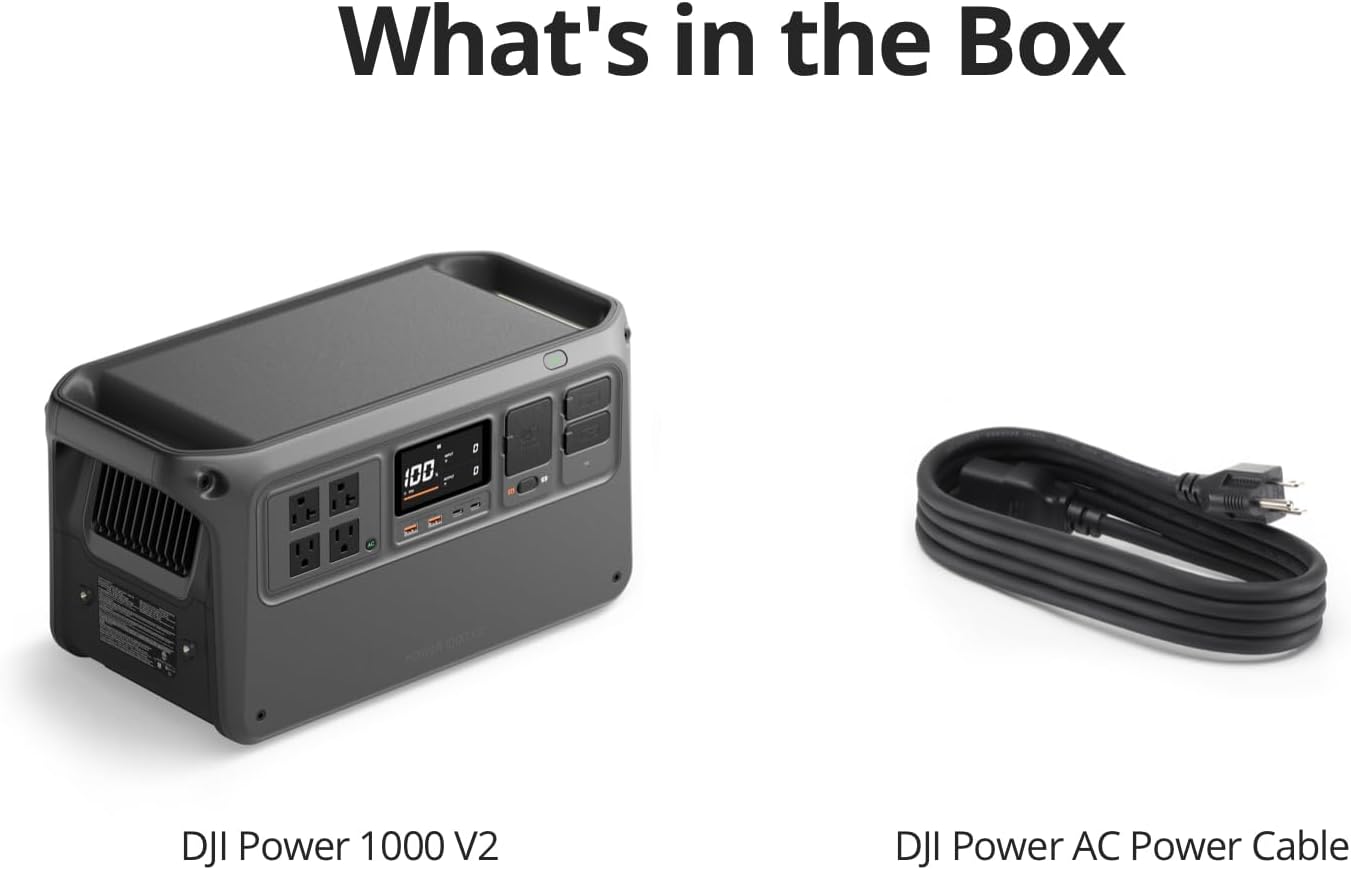
Image: DJI Power 1000 V2 Ports. A close-up view of the power station's interface, showing AC outlets, USB-A, USB-C, and SDC ports.

Image: Multiple Ports Diagram. This diagram details the various input and output ports available on the DJI Power 1000 V2, including AC, USB-A, USB-C, SDC, and SDC Lite ports.
5. Setup
5.1 Initial Use
Before first use, ensure the power station is adequately charged. It is recommended to fully charge the device upon receipt.
Video: DJI Power 2000 | First Use. This video demonstrates the initial setup and powering on process for a DJI Power station (applicable concepts for Power 1000 V2).
5.2 Connecting Solar Panel Adapter Module
To utilize solar charging, connect the DJI Power Solar Panel Adapter Module (MPPT) to the power station. This module allows for connecting multiple solar panels.
Video: DJI POWER Series Solar Panel Adapter. This video illustrates how to install and connect the solar panel adapter module to the DJI Power station.
5.3 Connecting Car Super Fast Charger
For fast charging on the go, connect the DJI Power 1kW Super Fast Car Charger to your vehicle's battery and the power station.
Video: DJI Power Super Fast Charger | Car Scenario. This video demonstrates the installation and connection of the car super fast charger.
6. Operating the Power Station
6.1 Powering On/Off
Press and hold the power button for 2 seconds to turn the unit on or off. The display screen will activate upon powering on.
6.2 AC Output
The DJI Power 1000 V2 provides a 2600W stable output, capable of powering 99% of household appliances. Press the AC button once to enable AC output. The indicator will light up. For continuous AC output, press and hold the AC button for more than 2 seconds.

Image: 2600W High Continuous Output. This image highlights the power station's capability to deliver 2600W of continuous output, powering multiple devices simultaneously.
6.3 USB and SDC Output
Utilize the dual 140W USB-C ports and USB-A ports for charging various electronic devices, including laptops, drones, and smartphones. The SDC ports offer expanded applications for DJI accessories.

Image: DJI Power 1000 V2 Charging Drone. The power station is shown charging a DJI drone, demonstrating its compatibility with DJI's ecosystem.
Video: DJI Power | Accessory Usage. This video showcases various accessories and their usage with the DJI Power station, including charging drones and other devices.
6.4 UPS Mode
In UPS (Uninterruptible Power Supply) mode, the DJI Power 1000 V2 automatically switches to battery power within 0.01 seconds during a power outage, ensuring continuous operation for connected devices.

Image: UPS Mode Operation. This image demonstrates the power station providing seamless backup power to a computer in UPS mode.
6.5 Smart App Control
Manage your DJI Power 1000 V2 remotely using the DJI Home app. Control AC output, adjust parameters, and monitor power status in real-time.

Image: Smart App Control Interface. This image shows a smartphone displaying the DJI Home app interface for remote control and monitoring of the power station.
7. Recharging
The DJI Power 1000 V2 supports multiple recharging methods, including grid power, solar power, and car power, with flexible fast recharging capabilities.

Image: Flexible Fast Recharging Options. This image illustrates the various fast recharging methods: Grid Power (0-80% in 37 mins), Solar Power (0-1024Wh in 40 mins), and Car Power (0-100% in 78 mins).
7.1 Grid Power Recharging
Recharge the power station to 80% in just 37 minutes using grid power. A full charge (0-100%) takes approximately 56 minutes.
7.2 Solar Power Recharging
Connect compatible solar panels via the DJI Power Solar Panel Adapter Module (MPPT) for efficient solar recharging. Up to three solar panels can be used in parallel with one MPPT module.

Image: DJI Power 1000 V2 with Solar Panels. The power station is shown connected to solar panels for outdoor recharging.
7.3 Car Power Recharging
Use the DJI Power 1kW Super Fast Car Charger to recharge the power station from your vehicle's battery. This method can fully recharge the unit in about 78 minutes.

Image: DJI Power 1000 V2 with Car Charger. The power station is shown connected to a car charger for in-vehicle recharging.
8. Maintenance
8.1 Battery Care
The 1024Wh LFP battery is designed for a long lifespan, retaining 80% capacity after 4000 cycles. For optimal battery health, avoid prolonged exposure to extreme temperatures and store the device in a cool, dry place when not in use.
8.2 Cleaning
Regularly clean the exterior of the power station with a soft, dry cloth. Ensure all ports are free from dust and debris. Do not use liquid cleaners or immerse the device in water.
9. Troubleshooting
9.1 Firmware Update
To ensure optimal performance, keep your DJI Power 1000 V2 firmware updated. Updates can be performed via the DJI Home app or DJI Assistant 2 (Power Series) software on a computer.
Video: DJI Power Series | Firmware Update. This video guides users through the process of updating the firmware for DJI Power series devices.
9.2 Common Issues
- Device not powering on: Ensure the battery is charged. If not, connect to a power source.
- No output from AC ports: Press the AC button to enable output. Check if the device is in continuous output mode if needed.
- Slow recharging: Verify the power source and cable are correctly connected and meet the required specifications. Ensure the recharge mode is set to 'Fast Recharge' if quicker charging is desired.
10. Specifications
| Feature | Specification |
|---|---|
| Brand | DJI |
| Model Name | DYM1000V2L |
| Battery Capacity | 1024 Watt-hours (LFP Battery) |
| Output Wattage | 2600 Watts (Stable Output) |
| Voltage | 110 Volts |
| Item Weight | 14.14 Kilograms (31.1 pounds) |
| Product Dimensions | 19.2"L x 8.85"W x 9.05"H |
| Total Power Outlets | 4 |
| Sound Level | 26 Decibels (Ultra-Quiet Operation) |
| Special Features | Portable, Rechargeable Battery, Ultra-Quiet Operation |
11. Warranty and Support
The DJI Power 1000 V2 units purchased from the DJI Store have a three-year warranty, which can be extended by an additional two years after first connecting to the DJI Home app. Consult customer service on DJI Store for more details.
For further assistance, please visit the official DJI support website or contact customer service.


