
Introduction
The Muddy Pro Cam 18 Bundle is a high-performance trail camera system designed for outdoor scouting and monitoring. This bundle includes the 18MP Pro Cam trail camera, a 16GB SD card, and six AA batteries, providing a complete solution for capturing high-quality images and videos in various outdoor conditions. Its robust design and advanced features make it an ideal tool for wildlife observation and property surveillance.

Image: The Muddy Pro Cam 18 Bundle, featuring the trail camera, six AA batteries, and a 16GB SD card.
Package Contents
Please verify that all items are present in your Muddy Pro Cam 18 Bundle:
- Muddy Pro Cam 18 Trail Camera
- 16GB SD Memory Card
- 6 AA Batteries
- Adjustable Mounting Strap
Setup
Battery Installation
The Pro Cam 18 operates on 6 AA batteries. For optimal performance and battery life, it is recommended to use high-quality alkaline or lithium batteries.
- Locate the battery compartment on the bottom of the camera.
- Open the battery compartment latch and pull out the battery tray.
- Insert 6 AA batteries, ensuring correct polarity (+/-) as indicated inside the compartment.
- Slide the battery tray back into the camera until it clicks securely into place.

Image: The Muddy Pro Cam 18 with its battery chamber open, ready for battery insertion.
SD Card Installation
The camera requires a Secure Digital (SD) card for storing images and videos. The bundle includes a 16GB SD card, and the camera supports up to 32GB.
- Open the front cover of the camera to reveal the control panel and SD card slot.
- Insert the 16GB SD card into the designated slot until it clicks. Ensure the card is inserted in the correct orientation.
- Close the front cover securely.

Image: The Muddy Pro Cam 18 with batteries and the SD card correctly installed in their respective compartments.
Mounting Options
The Pro Cam 18 offers flexible mounting solutions:
- Adjustable Strap: Use the included adjustable strap with buckle to secure the camera to a tree or post.
- 1/4"-20 Thread: The camera features a 1/4"-20 threaded insert on the bottom for use with standard camera mounts or tripods.
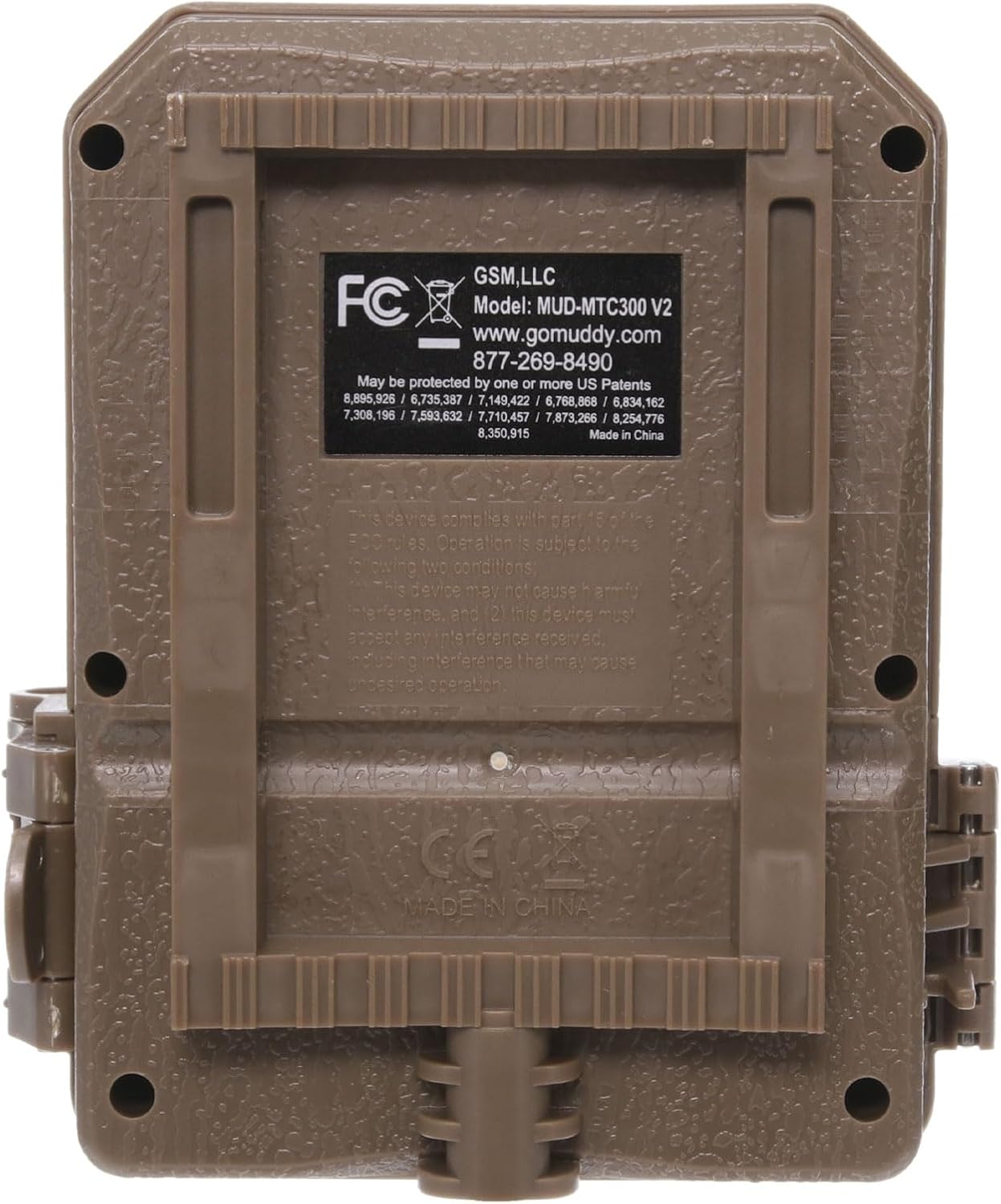
Image: Side view of the Muddy Pro Cam 18, highlighting the durable latch mechanism and the mounting points.
Operating Instructions
Powering On/Off
To power on the camera, open the front cover and locate the ON/OFF switch. Slide the switch to the 'ON' position. The backlit LCD screen will illuminate, indicating the camera is active. To power off, slide the switch to 'OFF'.

Image: The Muddy Pro Cam 18 with its front cover open, displaying the backlit LCD screen and control buttons for easy navigation.
Basic Settings
Use the control buttons next to the LCD screen to navigate and adjust camera settings. The backlit LCD screen provides clear visibility for setting up the camera.
- Image Quality: Set to 18 Megapixel for high-resolution photos.
- Video Options: Choose from 4 video options, with lengths ranging from 10 to 60 seconds. Videos are recorded in standard VGA resolution.
- Trigger Delay: Select from 7 options, ranging from 10 seconds to 30 minutes, to control the delay between detections.
- Burst Interval: Configure the camera to capture 2-6 photo bursts per trigger event.
- Detection Range: The camera features a 50-foot detection range with a 3-zone, 50-degree detection angle.
- Image Data: Captured images include Camera ID, Date, Time, Temperature, and Moon Phase stamps.

Image: Front view of the Muddy Pro Cam 18 trail camera, showing the lens and IR emitters.
Data Retrieval
To retrieve captured images and videos, remove the SD card from the camera. Insert the SD card into a compatible card reader connected to a computer or other device. The files can then be viewed, copied, or deleted.
Maintenance
- Cleaning: Regularly clean the camera lens and housing with a soft, dry cloth. Avoid abrasive materials or harsh chemicals.
- Battery Replacement: Replace batteries when the low battery indicator appears on the LCD screen or when performance degrades. Dispose of used batteries responsibly.
- SD Card Management: Periodically format the SD card (after backing up important data) to maintain optimal performance and prevent data corruption.
- Waterproof Housing: Ensure the camera's housing latches are securely closed to maintain its waterproof integrity, especially before exposure to rain or moisture.
Troubleshooting
| Problem | Possible Cause | Solution |
|---|---|---|
| Camera not powering on | Incorrect battery installation; Dead batteries | Check battery polarity; Replace with fresh batteries. |
| Poor image/video quality | Dirty lens; Low light conditions; Incorrect settings | Clean the lens; Ensure adequate lighting or adjust IR settings; Verify image quality settings. |
| Short battery life | Frequent triggers; Cold weather; Low-quality batteries | Reduce trigger frequency; Use lithium batteries in cold weather; Use high-quality alkaline batteries. |
| No images/videos recorded | SD card full or corrupted; Camera not armed; Detection issues | Format or replace SD card; Ensure camera is in 'ON' mode; Check detection range and angle. |
Specifications
| Feature | Detail |
|---|---|
| Image Quality | 18 Megapixel |
| Video Resolution | Standard VGA |
| Video Length Options | 10 - 60 Seconds |
| Screen | Backlit LCD screen |
| Detection Range | 50 feet |
| Detection Angle | 3 Zone + 50 degree |
| Burst Interval | 2-6 seconds |
| LEDs | 18 with invisible flash |
| Trigger Delay Options | 10 sec - 30 min. (7 options) |
| Trigger Speed | 1.5 Seconds |
| Image Data Stamp | Camera ID, Date, Time, Temp, & Moon Phase |
| Mounting Options | Adjustable strap with buckle; 1/4" - 20 thread |
| Battery Type | 6 AA or 12V DC alternate power option |
| Battery Life | Up to 10,000 images |
| Memory | Requires secure digital card, up to 32GB |
| Material | Molded ABS; waterproof housing |
| Operating Temperature | -10 Degrees F to 140 degrees F |
| Color | Non-reflective brown |
| Dimensions (H x W x D) | 4.75" x 4.25" x 2.5" |
Warranty Information
The Muddy Pro Cam 18 Bundle comes with a 1-Year Limited Warranty. Please retain your proof of purchase for warranty claims. For specific terms and conditions, refer to the warranty documentation included with your product or contact customer support.
Support
For technical support, frequently asked questions, or to submit a photo, please use the following resources:
- Phone Support: 877-269-8490
- Online Resources: Visit GoMuddy.com for additional information and support.
