
1. Introduction
Welcome to the user manual for your new Aptofit Trackpro Watch. This smart watch is designed to simplify your daily life by offering a comprehensive suite of features, including Bluetooth calling, real-time notifications, advanced health monitoring, and multiple sports modes. Its intuitive interface and robust design make it an ideal companion for both daily activities and fitness pursuits.
Please read this manual carefully to understand the proper operation, maintenance, and safety precautions for your device. Keep this manual for future reference.
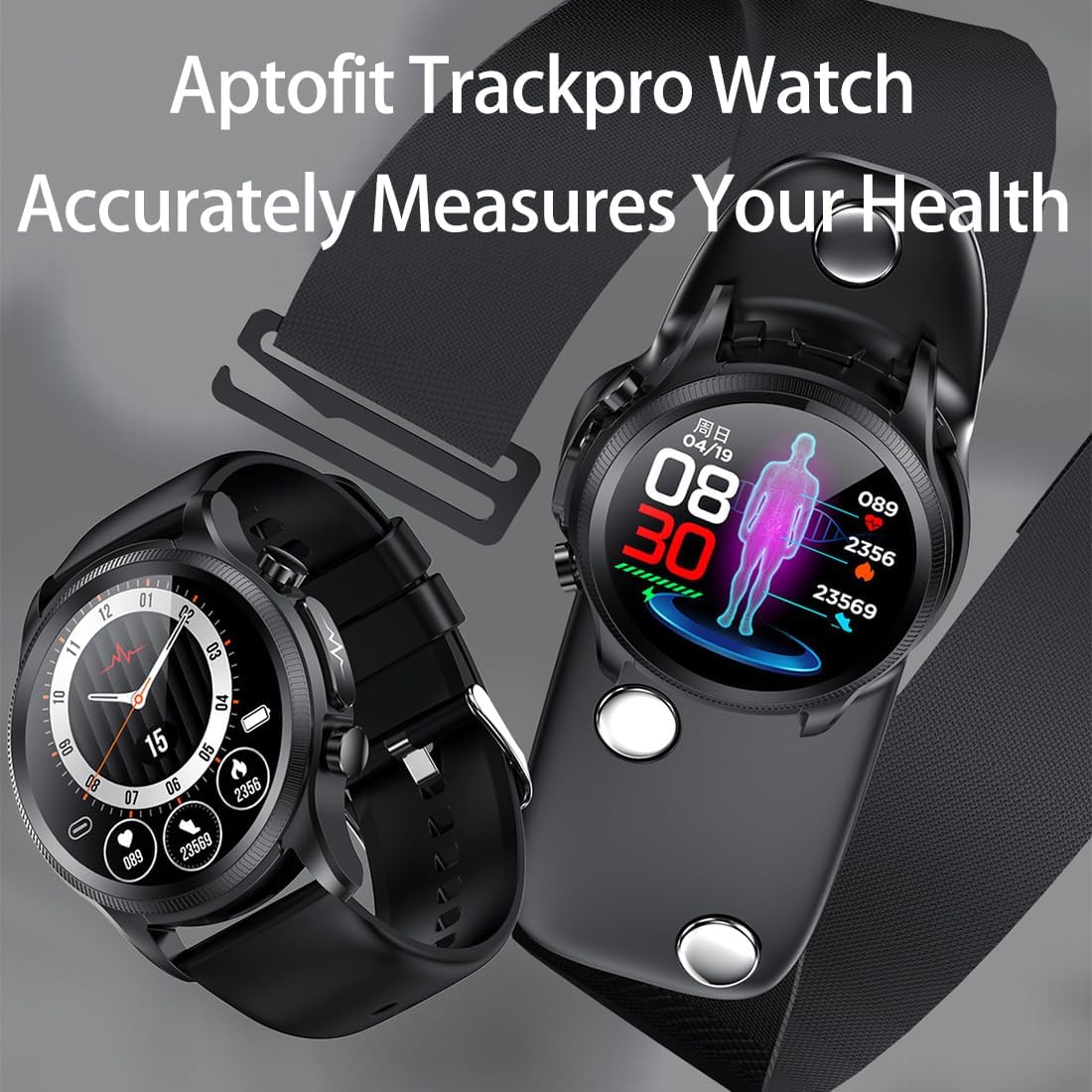
Image 1.1: The Aptofit Trackpro Watch, highlighting its capability to accurately measure health metrics. This image shows the watch face displaying health data alongside the text "Aptofit Trackpro Watch Accurately Measures Your Health".
2. Package Contents
Ensure all items listed below are present in your product package:
- 1 x Aptofit Trackpro Watch
- 1 x EGC-Bandages
- 1 x Chest Stickers Bracket
- 1 x Charging Cable
- 1 x User Manual (This document)
- 1 x Watch Band (Pre-attached or separate)
- 1 x Gift Packaging Bags (for accessories)

Image 2.1: A complete view of the Aptofit Trackpro Watch package contents, including the smartwatch, EGC-Bandages, chest stickers, and gift bags.
3. Getting Started
3.1 Charging the Watch
Before first use, fully charge your Aptofit Trackpro Watch. The watch features wireless charging with auto-adsorption and auto-disconnect for safe and efficient power-up.
- Connect the charging cable to a USB power adapter (not included) and plug it into a power outlet.
- Place the back of the watch onto the wireless charging pad. The watch will automatically align and begin charging.
- The watch display will indicate charging status. A full charge typically takes approximately 2 hours.

Image 3.1: Visual representation of the watch's battery capacity (280mAh), standby life (30 days), and classic use duration (4-7 days), indicating long-lasting performance.
3.2 Pairing with Your Phone (App Installation)
To unlock the full potential of your Aptofit Trackpro Watch, you need to pair it with your smartphone via the dedicated mobile application. The watch is compatible with Android 5.0+ and iOS 10.0+ devices.
- Download the App: Scan the QR code provided in the quick start guide (or on the watch screen during initial setup) or search for the "Aptofit" app in your phone's app store (Google Play Store for Android, Apple App Store for iOS).
- Install and Open: Install the app and open it. Follow the on-screen prompts to create an account or log in.
- Enable Bluetooth: Ensure Bluetooth is enabled on your smartphone.
- Pairing Process: In the Aptofit app, navigate to the device pairing section. The app will search for nearby devices. Select "Aptofit Trackpro Watch" from the list of found devices.
- Confirm Pairing: A pairing request will appear on both your phone and the watch. Confirm the pairing on both devices.
- Synchronization: Once paired, the watch will synchronize data with the app. You can now customize settings, view health data, and manage notifications through the app.
4. Operating Your Trackpro Watch
4.1 Display and Navigation
The Aptofit Trackpro Watch features a 1.38-inch HD curved display with 360*360 resolution, offering clear and vibrant visuals.
- Touch Screen: Swipe left/right, up/down to navigate through menus and features. Tap to select.
- Side Buttons: The watch has physical buttons on the side for quick access to functions or to return to the home screen. Refer to the on-screen prompts for specific button functionalities.

Image 4.1: Close-up view of the watch's 1.38-inch HD large screen, showcasing its clear display and vibrant colors.
4.2 Bluetooth Calling & Notifications
Stay connected directly from your wrist.
- Bluetooth Calls: Once paired, you can answer incoming calls directly on your watch. The watch uses its built-in microphone and speaker for clear audio.
- Real-Time Notifications: Receive alerts for calls, texts, WhatsApp, Facebook, and other app notifications directly on your watch. Ensure notification permissions are enabled in the Aptofit app and your phone's settings.
4.3 Custom Watch Faces
Personalize your watch to match your style.
- Pre-loaded Faces: Choose from hundreds of designs available through the Aptofit app.
- Custom Photos: Upload your personal photos via the mobile app to set them as your watch face.
5. Health Monitoring
The Aptofit Trackpro Watch offers comprehensive health monitoring with multiple measurement modes for enhanced accuracy.
5.1 Monitoring Modes
The watch supports four distinct modes for accurate health data collection:
- Wrist-Measurement Mode: For quick measurements, long-press the "EGC-key" on the watch or tap "Start Test" in the app.
- Hand-Held Mode: Detach the watch strap, fasten the watch onto the monitoring bracket, and use PTT mode for measurement.
- Heart-Rate Strap Mode: Fix the monitoring bracket on your chest with a heart-rate strap and initiate measurement in PTT mode.
- Chest-Sticker Mode: Attach the monitoring bracket to your chest using the provided chest stickers and use PTT mode for monitoring.

Image 5.1: Illustration of the four different wearing modes for the Aptofit Trackpro Watch: wrist, handheld, heart rate belt, and chest patch detection, emphasizing comprehensive and accurate monitoring.

Image 5.2: A visual display of the watch's capability to provide real-time automatic detection of various body values, such as blood pressure, with historical data shown on the screen.
5.2 Sleep Monitoring
The watch automatically monitors your sleep stages (light, deep, REM) and provides insights to help you improve your sleep quality. View detailed sleep reports in the Aptofit app.
6. Sports Modes
Track your workouts with over 7 sports modes, including running, cycling, and basketball. The watch provides detailed metrics such as steps, calories burned, and heart rate during exercise.
- Starting a Workout: Navigate to the "Sports" section on your watch, select your desired activity, and tap to start.
- Viewing Data: Real-time data is displayed on the watch during your workout. Post-workout summaries are available on the watch and in the Aptofit app.

Image 6.1: A visual demonstrating the watch's ability to track exercise steps, mileage, and records across multiple exercise modes, helping users burn calories effectively.
7. AI Voice Assistant & Handy Tools
The Aptofit Trackpro Watch integrates an AI voice assistant and various handy tools for convenience.
- AI Voice Assistant: Use voice commands to check the weather, set timers, switch songs, or find your lost phone. Activate the voice assistant by a designated gesture or button press (refer to on-screen instructions).
- Handy Tools: Access built-in tools such as a calculator, weather report, and multi-language support directly from your wrist.
8. Maintenance & Care
8.1 Water Resistance
The Aptofit Trackpro Watch is IP68 deep waterproof, meaning it is resistant to dust and can withstand immersion in water up to 1.5 meters for 30 minutes. It is suitable for daily use, hand washing, and light rain. However, it is not recommended for hot showers, saunas, or diving, as steam and hot water can damage the seals.

Image 8.1: The Aptofit Trackpro Watch submerged in water, illustrating its IP68 deep waterproof rating, suitable for various daily activities.
8.2 Cleaning and Care
- Clean the watch regularly with a soft, damp cloth.
- Avoid using harsh chemicals, abrasive cleaners, or solvents.
- Ensure the charging contacts on the back of the watch are clean and dry before charging.
- If the watch gets wet, dry it thoroughly before charging or prolonged storage.
9. Troubleshooting
If you encounter issues with your Aptofit Trackpro Watch, refer to the following common solutions:
| Problem | Possible Solution |
|---|---|
| Watch not turning on | Ensure the watch is fully charged. Connect it to the charger and wait a few minutes. If still unresponsive, try a soft reset by pressing and holding the power button for 10-15 seconds. |
| Cannot pair with phone |
|
| Notifications not appearing |
|
| Inaccurate health data |
|
10. Specifications
| Feature | Detail |
|---|---|
| Product Name | Aptofit Trackpro Watch |
| Display | 1.38-inch HD Curved Screen |
| Resolution | 360*360 |
| Body Size | 44*55*12mm |
| Circle Diameter | 44*44mm |
| Battery Capacity | 280mAh |
| System Requirements | Android 5.0+ / iOS 10.0+ |
| Waterproof Rating | IP68 Deep Waterproof |
| Connectivity | Bluetooth |
| Special Features | Activity Tracker, Alarm Clock, Calendaring, Lightweight, Multisport Tracker, AI Voice Assistant |
| GPS | No GPS |
| Manufacturer | bunoju |
11. Warranty and Support
For warranty information, please refer to the warranty card included with your product or contact the manufacturer directly. If you have any questions about the product or require technical assistance, please contact bunoju customer support through the platform where you purchased the product or visit the official bunoju website for contact details.
Friendly Tips:
- Product size parameters are manually measured; slight errors may occur.
- Display effects may vary between screens; the picture is for reference only.
- For any product or order inquiries, please contact us via Amazon. We aim to reply within 24 hours.