
1. Overview
The KOFIRE UG-09 Wireless Gaming Headset is designed to provide a high-quality audio experience for gamers across various platforms. Featuring versatile connectivity options, immersive sound, and a comfortable design, this headset is engineered for extended gaming sessions and clear communication.
2. What's in the Box
- 1 x KOFIRE Wireless Gaming Headset
- 1 x USB & Type-C 2-in-1 Transmitter
- 1 x Type-C Charging Cable
- 1 x User Manual
3. Product Features
3.1. Exceptional Battery Life
Enjoy up to 65 hours of playtime in Bluetooth mode (microphone off) or 50 hours in 2.4GHz dongle mode (microphone on). The headset supports simultaneous charging and use, and a full recharge takes approximately 2-2.5 hours.
3.2. Detachable ENC Noise-Canceling Microphone
The 360° omnidirectional ENC (Environmental Noise Canceling) microphone accurately captures your voice while suppressing background noise, ensuring clear communication with teammates. It is detachable for versatile use.
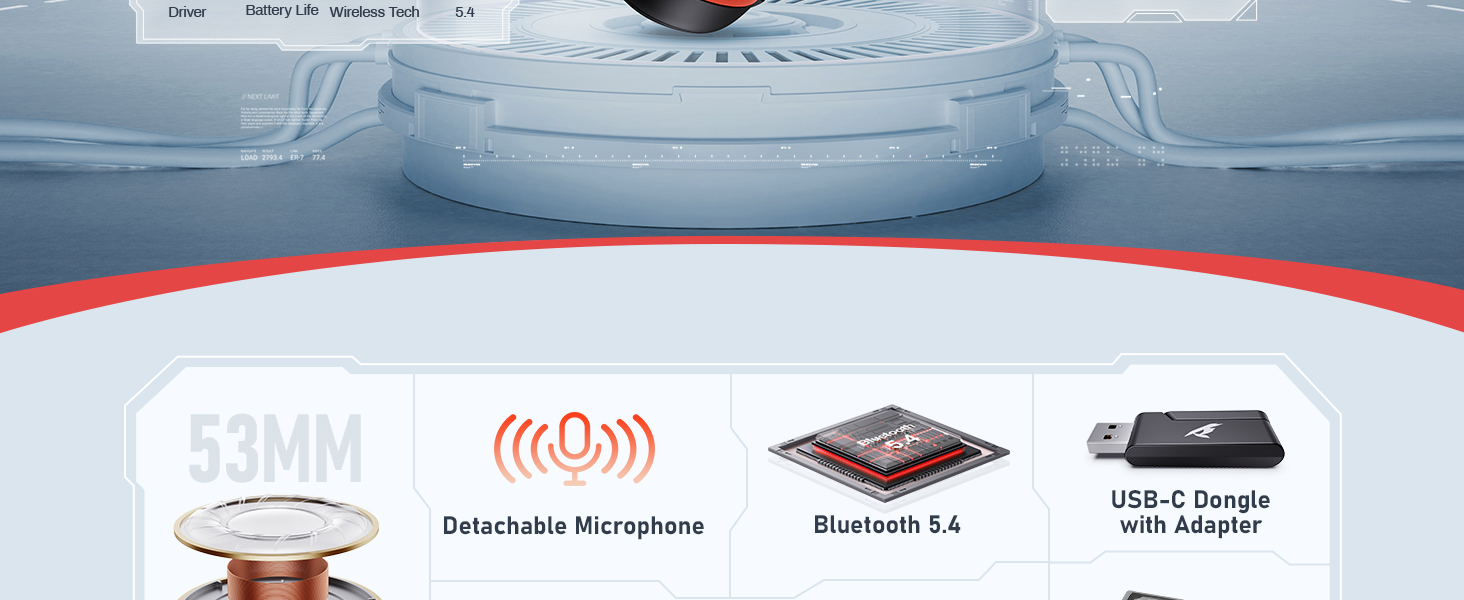
Image: The KOFIRE UG-09 headset highlighting its detachable ENC noise reduction microphone.
3.3. Immersive 53MM Dynamic Drivers
Equipped with large 53mm dynamic drivers, the headset delivers 3D stereo sound, reproducing game audio with precision, including environmental sounds and enemy footsteps, for an immersive experience.

Image: A detailed view of the 53MM dynamic speaker driver.
3.4. Triple Connectivity Modes
The UG-09 offers three ways to connect:
- 2.4GHz Wireless: Utilizes a USB 2.4G transmitter for ultra-low latency (≤20ms) and stable data transmission, ideal for PC, PS5, PS4, Mac, and Nintendo Switch (audio only).
- Bluetooth 5.4: Connects wirelessly to mobile devices, tablets, and Switch for audio.
- 3.5mm Wired: A standard 3.5mm cable allows for wired connection to various gaming devices, including Xbox (wired mode only).

Image: Visual representation of the headset's Bluetooth 5.4 and 2.4GHz wireless capabilities.
3.5. Lightweight and Ergonomic Design
Weighing only 9.5 ounces, the headset features rotatable and foldable ear cups, an adjustable headband, and soft memory sponge cushions with breathable leather for maximum comfort during long gaming sessions. It also provides passive noise cancellation by enveloping the ears.

Image: The headset's ergonomic design with rotatable earcups, soft sponge, adjustable angle, and retractable headband.
3.6. Wide Compatibility
Compatible with PS5, PS4, PC, Mac, laptops, desktops, phones, pads, tablets, and Nintendo Switch. Note: Microphone not supported on Switch. Xbox wireless mode is not supported; only wired mode is available for Xbox.
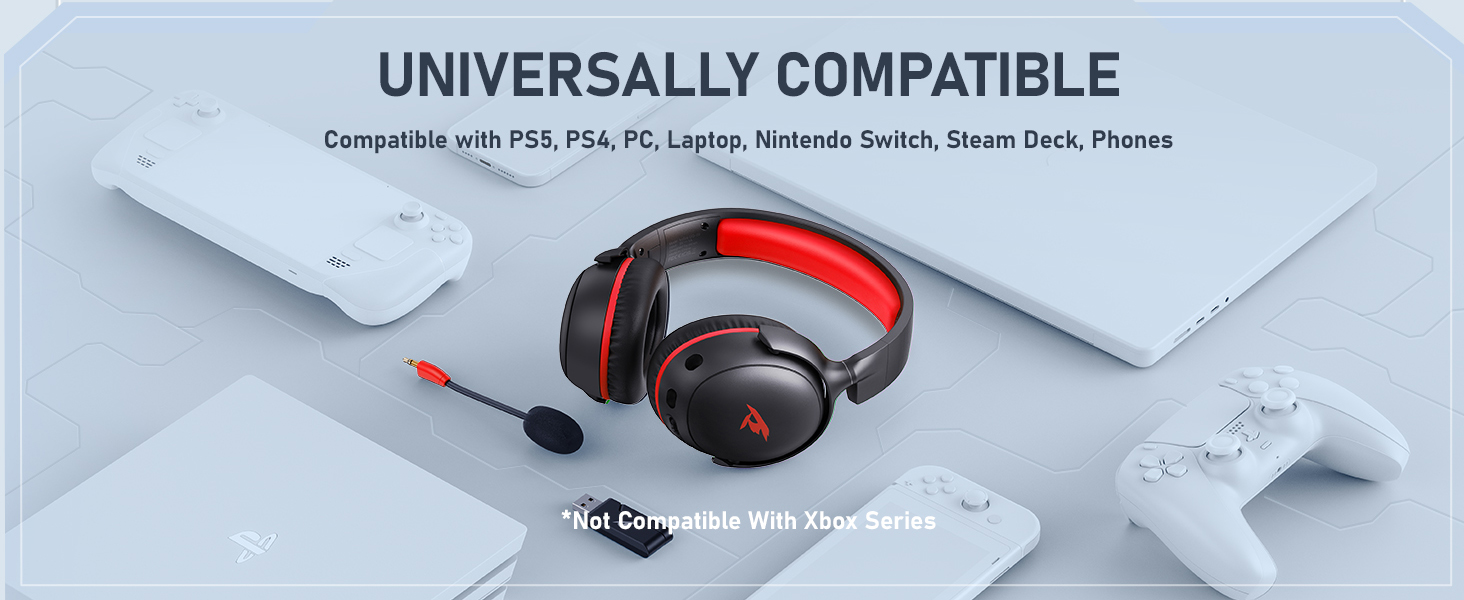
Image: The KOFIRE UG-09 headset demonstrating universal compatibility with multiple gaming platforms and devices.
4. Setup Instructions
To pair your KOFIRE UG-09 headset, follow these steps:
- 2.4GHz Mode (for PC, PS5, PS4, Mac):
a. Insert the USB transmitter into your device.
b. Press and hold the microphone button on the headset to switch to 2.4G mode. You will hear an audible confirmation, "dongle mode."
c. On your connected device, select "Kofire UG-09" to complete the pairing process. - Bluetooth Mode (for phones, tablets, Switch):
a. Press and hold the microphone button on the headset for 3 seconds to activate Bluetooth mode.
b. On your mobile device, search for "Kofire UG-09" in your Bluetooth settings and complete the pairing process. - 3.5mm Wired Mode:
a. Connect the provided 3.5mm cable from the headset to the audio jack of your gaming device.
5. Operating Instructions
5.1. Controls
The headset features intuitive controls located on the earcups:
- Volume Control: Adjust audio levels using the dedicated volume roller/buttons.
- Microphone Mute: A one-touch mute capability allows you to quickly silence the microphone.
- Power Button: Turns the headset on/off and may also serve as a multi-function button for playback control (e.g., skip tracks).
5.2. Charging
Connect the Type-C charging cable to the headset's charging port and a compatible USB power source. The headset can be used while charging.
5.3. Microphone Usage
The detachable microphone can be plugged into the designated port on the earcup. Adjust its flexible arm for optimal voice pickup. Mute the microphone using the dedicated button when not in use.
6. Maintenance
- Keep the headset clean by wiping it with a soft, dry cloth.
- Avoid exposing the headset to extreme temperatures, humidity, or direct sunlight.
- Store the headset in a safe place to prevent damage when not in use.
7. Troubleshooting
- No Sound: Ensure the headset is powered on, correctly paired/connected, and the volume is turned up. Check device audio settings.
- Microphone Not Working: Verify the microphone is securely attached and not muted. Check device input settings. Note: Microphone is not supported on Nintendo Switch.
- Connectivity Issues: For 2.4GHz mode, ensure the USB transmitter is properly inserted. For Bluetooth, ensure the headset is in pairing mode and within range.
- Battery Draining Quickly: Ensure the headset is fully charged. Reduce volume or turn off unnecessary features to conserve battery.
8. Specifications
| Feature | Detail |
|---|---|
| Model Name | UG-09 |
| Connectivity Technology | 2.4GHz USB-A & Type-C 2-in-1 Dongle, Bluetooth 5.4, 3.5mm Removable Wired |
| Audio Driver Type | Dynamic Driver (53MM) |
| Battery Life | Up to 65 hours (Bluetooth, mic off), 50 hours (2.4GHz, mic on) |
| Charging Time | 2-2.5 hours |
| Microphone | Detachable ENC Noise-Canceling Omnidirectional |
| Noise Control | Sound Isolation, Passive Noise Cancellation |
| Item Weight | 14.9 ounces (0.42 Kilograms) |
| Compatible Devices | PC, Mac, Laptop, Desktop, Phone, Pad, Tablet, PlayStation 5/4/Pro/Slim, Gaming Consoles, Switch (audio only), Xbox (wired only) |
| Bluetooth Version | 5.4 |
| Audio Latency | ≤20 Milliseconds (2.4GHz) |
9. Warranty and Support
KOFIRE provides professional services and expert support for the UG-09 Wireless Gaming Headset. If you encounter any issues or have questions, please contact our support team. We aim to respond within 0-24 hours and provide comprehensive assistance to ensure your satisfaction.
10. Product Videos
Why choose this PS5 Headset?
Video: A detailed look at the features and benefits of the KOFIRE UG-09 headset, specifically highlighting its use with PS5.
KOFIRE UG-09 Headset Unboxing
Video: An unboxing of the KOFIRE UG-09 headset, showing its contents and initial presentation.
KOFIRE UG-09 Headset Unboxing & Review
Video: A comprehensive unboxing and review of the KOFIRE UG-09 headset, detailing its features and performance.
Battery Capacity Demonstration
Video: A short demonstration highlighting the impressive battery capacity of the KOFIRE UG-09 headset.
Let's take a look at this PS5 headset.
Video: An overview of the KOFIRE UG-09 headset, focusing on its design and functionality for PS5 users.


