LIGE Military Smart Watch User Manual
Model: EF12-F
Military Smart Watches with 1000 mAh Battery/Flashlight/3 Bands, 1.75'' HD Display Smart Watch (Make Call), IP68 Waterproof Fitness Tracker with Heart Rate, Sleep Monitor, 100+ Sport Modes, for iOS Android
1. Introduction
This manual provides detailed instructions for the LIGE EF12-F Military Smart Watch. Designed for durability and comprehensive functionality, this smartwatch features a robust build, long-lasting battery, and a wide array of health and fitness tracking capabilities. Please read this manual thoroughly to ensure proper setup and operation of your device.

Figure 1.1: LIGE EF12-F Military Smart Watch overview.
2. What's in the Box
Verify that all items are present in the package:
- 1 x LIGE EF12-F Smartwatch
- 1 x Metal Band
- 2 x Black Silicone Bands
- 1 x User Manual
- 1 x Charging Cable
Video 2.1: Unboxing and initial setup of the EF12 Smartwatch, demonstrating package contents and basic handling.
3. Setup
3.1 Charging the Smartwatch
Before first use, fully charge your LIGE EF12-F Smartwatch. Connect the magnetic charging cable to the charging points on the back of the watch and plug the USB end into a compatible power source (e.g., computer USB port, 5V/1A USB adapter). A full charge typically takes approximately 2.5 hours. The watch features a 1000mAh battery, providing up to 15 days of typical use.
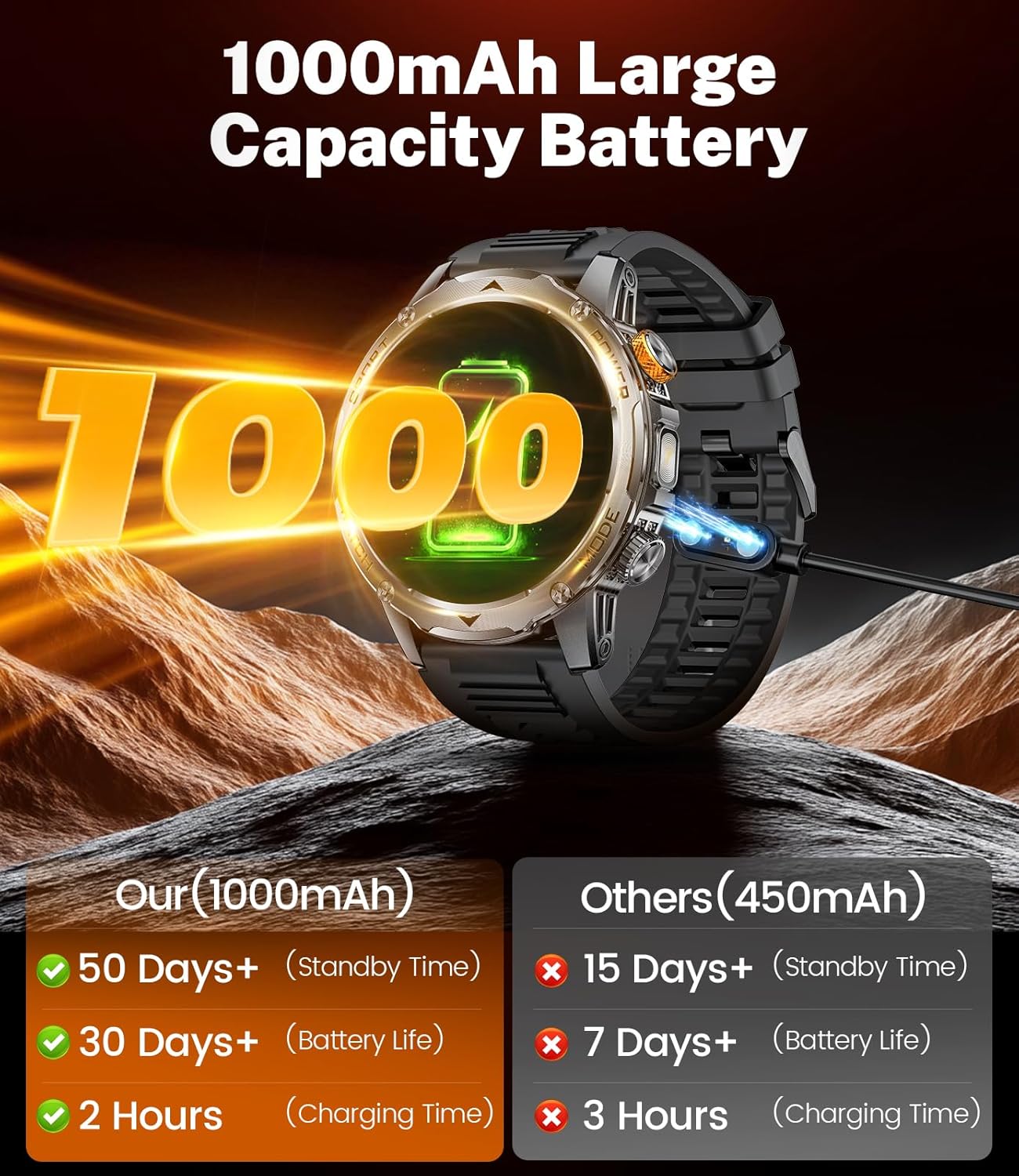
Figure 3.1: Smartwatch charging via magnetic cable, illustrating the 1000mAh battery capacity.
3.2 App Installation and Connection
To unlock the full potential of your smartwatch, download and install the FitcloudPro app on your smartphone. The app is compatible with Android 5.1 & iOS 9.0 and above.
- Scan the QR code provided in the included manual or search for "FitcloudPro" in your phone's app store.
- Open the app and follow the on-screen instructions to create an account or log in.
- Ensure Bluetooth is enabled on your smartphone.
- In the FitcloudPro app, navigate to the device section and search for your smartwatch (EF12-F).
- Select your device to pair. Confirm the pairing request on both your phone and smartwatch.
- Allow all necessary permissions requested by the app for full functionality, including notifications and location access.
3.3 Band Installation and Adjustment
Your LIGE EF12-F Smartwatch comes with three interchangeable bands: one metal and two silicone. To change or adjust the bands:
- To attach a band: Locate the quick-release pins on the band. Align one end of the pin with the lug hole on the watch case. Push the pin inwards and slide the other end into the opposite lug hole. Release the pin to secure the band. Gently pull the band to ensure it is properly attached.
- To remove a band: Locate the quick-release pin. Pull the pin inwards and gently detach the band from the watch case.
- For metal band adjustment: Use the provided tool to remove or add links as needed to achieve a comfortable fit. Refer to the video for a visual guide.
Video 3.1: Demonstrates how to install and adjust both silicone and metal bands on the smartwatch.
4. Operating Instructions
4.1 Display and Navigation
The LIGE EF12-F features a 1.75-inch HD full touchscreen and a rotatable crown for intuitive navigation.
- Swipe Down: Access quick settings (e.g., brightness, flashlight, battery status).
- Swipe Up: View notifications.
- Swipe Left/Right: Navigate through main functions and widgets (e.g., activity data, heart rate, weather, music control).
- Press Side Button (Power/Home): Wake/sleep screen, return to home screen.
- Rotate Crown: Scroll through menus and lists, adjust settings.

Figure 4.1: The 1.75-inch HD display and integrated flashlight functionality.
4.2 Bluetooth Calls and Message Reminders
With Bluetooth 5.2 connectivity, you can manage calls and receive notifications directly on your wrist.
- Making/Receiving Calls: Once connected to your phone, you can dial numbers, answer, or reject calls directly from the smartwatch. The watch supports viewing call logs and saving contacts.
- Message Notifications: Receive real-time social media notifications and text messages. Note that messages are not replyable from the watch.
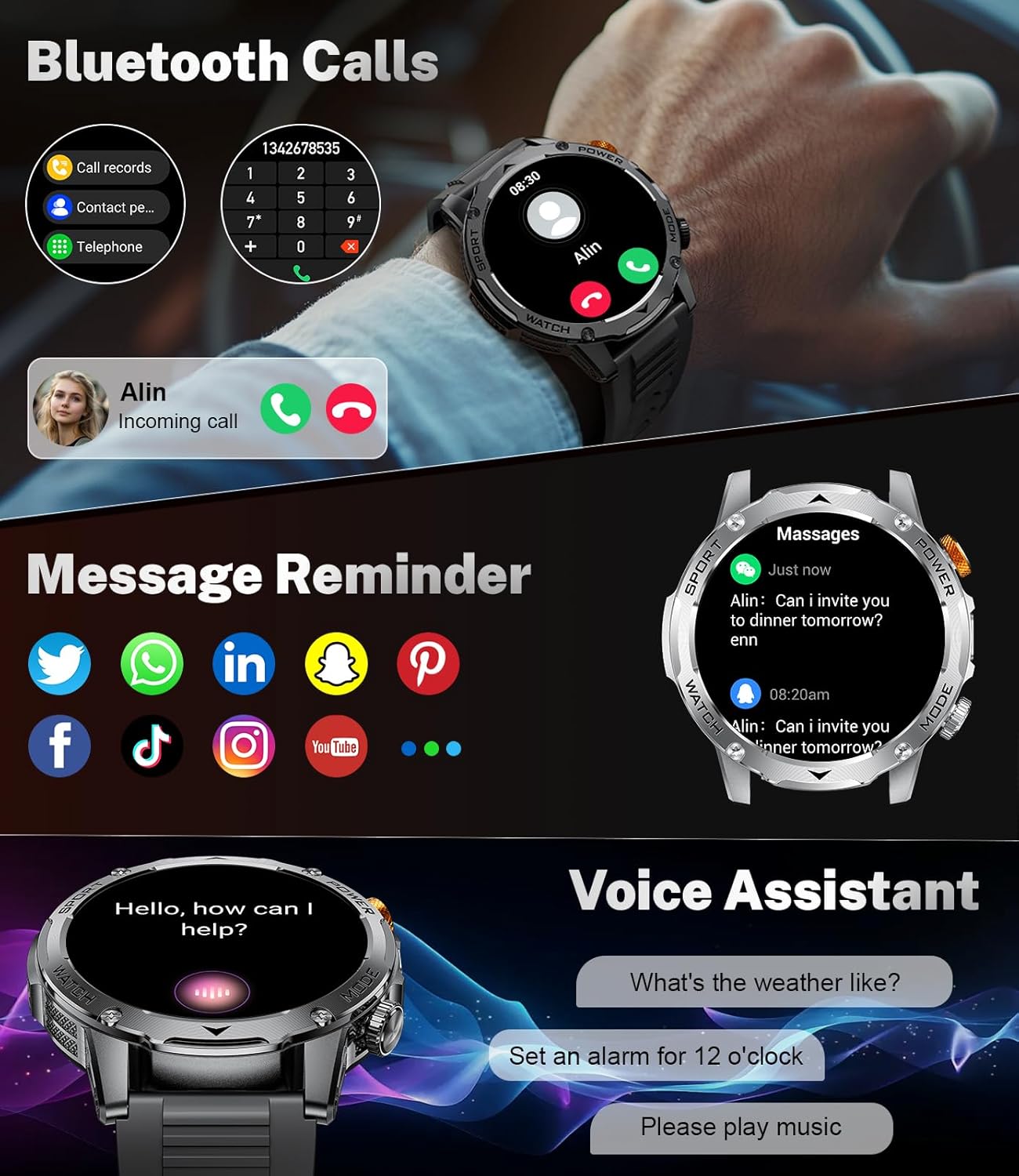
Figure 4.2: Smartwatch displaying call, message, and voice assistant features.
4.3 Health Monitoring
The smartwatch is equipped with sensors for continuous health monitoring. Note: Monitoring data is for reference only and should not be used for medical purposes.
- Heart Rate Monitoring: Continuously tracks your dynamic heart rate 24 hours a day. You can view your heart rate frequency in real-time and set alerts in the app.
- Blood Oxygen (SpO2) Monitoring: Measures your blood oxygen levels.
- Sleep Monitoring: Monitors your sleep quality at night, providing multiple sleep indicators to help you understand your sleep patterns.

Figure 4.3: Overview of the smartwatch's 24-hour health monitoring capabilities.
4.4 Sport Modes and Activity Tracking
The smartwatch supports over 100 sport modes to track your workouts effectively.
- Sport Modes: Choose from 20 built-in modes, and add up to 100+ additional exercise modes via the FitcloudPro app. Track metrics such as duration, calories burned, and heart rate during your activities.
- Pedometer: The watch continuously tracks your daily steps, distance traveled, and calories burned in real-time.

Figure 4.4: Smartwatch interface showing various sport modes and activity data.
4.5 Flashlight Function
The LIGE EF12-F includes a powerful 800 lumen LED flashlight for convenience in low-light conditions or emergencies. Access it with a single click from the shortcut bar at the top of the screen.

Figure 4.5: The powerful LED flashlight feature of the smartwatch.
4.6 Customizing Watch Faces
Personalize your smartwatch with over 150 dynamic holographic dials or create your own custom watch faces through the FitcloudPro app.
- Pre-set Dials: Browse and select from a wide variety of pre-installed watch faces directly on the watch or through the app.
- DIY Watch Faces: Use the FitcloudPro app to upload your own photos and customize the layout to create unique watch faces.

Figure 4.6: Examples of customizable watch faces and the DIY feature.
4.7 Other Functions
The LIGE EF12-F Smartwatch integrates various daily functions for enhanced convenience:
- Weather: Get real-time weather updates.
- Voice Assistant: Use voice commands for various tasks.
- Music Control: Control music playback on your connected smartphone.
- Alarm Clock: Set alarms directly from the watch.
- Stopwatch & Timer: Utilize built-in timing functions.
- Calculator: Perform basic calculations.
- Water Reminder: Receive reminders to drink water.
- Sedentary Reminder: Get alerts when you've been inactive for too long.
- Camera Control: Remotely control your phone's camera.

Figure 4.7: Multi-functional features integrated into the smartwatch.
5. Maintenance
5.1 Water Resistance (IP68)
The LIGE EF12-F Smartwatch is IP68 waterproof, meaning it can withstand daily activities such as hand washing, swimming, and exposure to rain. It is resistant to dust and can be submerged in water up to 1.5 meters for 30 minutes. However, it is not recommended for hot water baths, saunas, or deep diving, as steam and high pressure can compromise the seals.
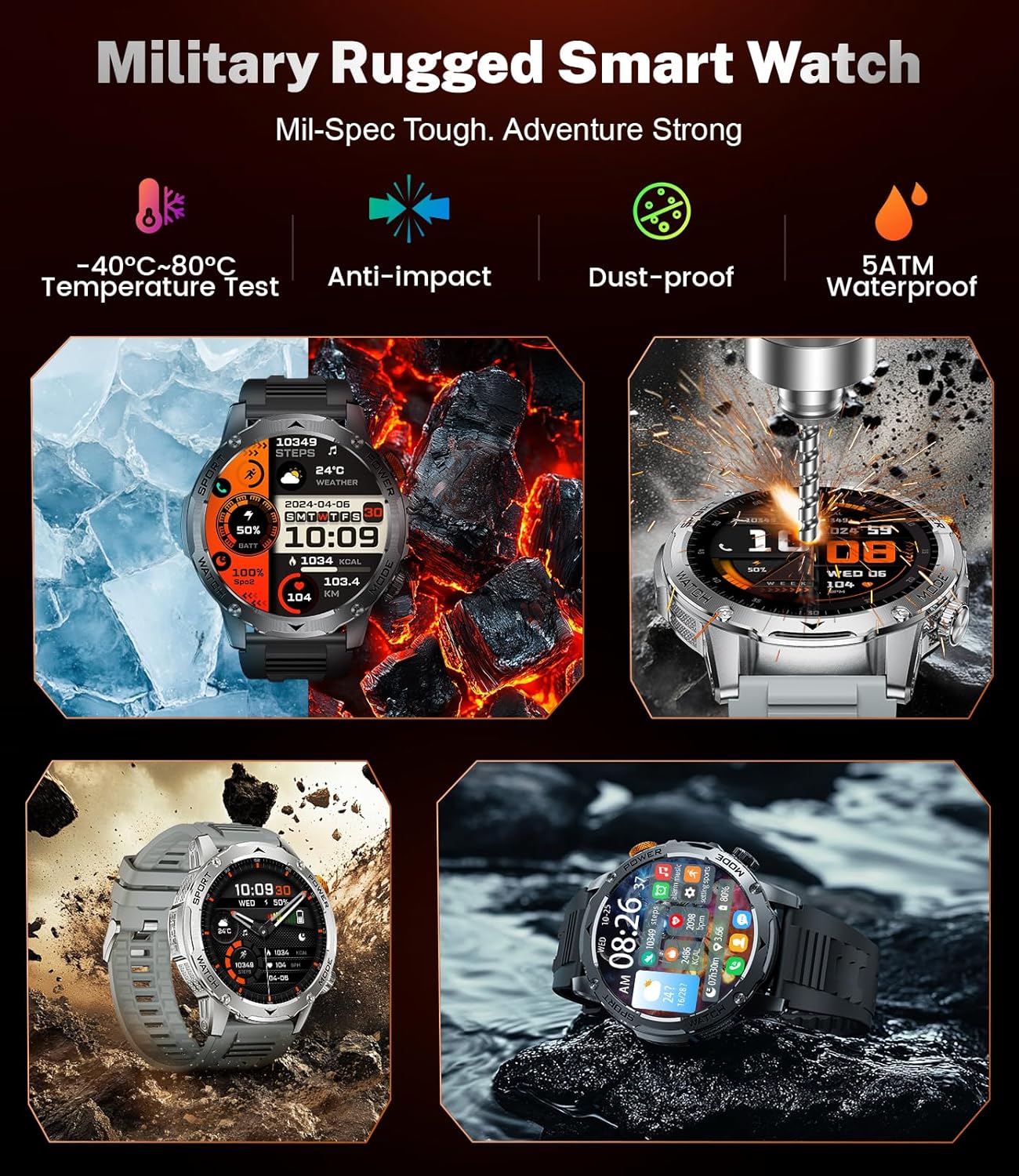
Figure 5.1: Smartwatch durability features, including IP68 water resistance.
5.2 Cleaning and Care
To maintain your smartwatch's appearance and functionality:
- Wipe the screen and body with a soft, lint-free cloth.
- For silicone bands, clean with mild soap and water, then rinse thoroughly and dry.
- Avoid using abrasive cleaners or solvents that could damage the watch.
- Ensure the charging contacts are clean and dry before charging.
5.3 Battery Care
To prolong battery life:
- Avoid exposing the watch to extreme temperatures (hot or cold).
- Charge the watch regularly, avoiding complete discharge for extended periods.
- If storing the watch for a long time, charge it to about 50% before storage.
6. Troubleshooting
If you encounter issues with your LIGE EF12-F Smartwatch, refer to the following common solutions:
| Problem | Possible Cause | Solution |
|---|---|---|
| Watch does not turn on | Low battery; Power button not pressed long enough | Charge the watch for at least 30 minutes. Press and hold the power button for 3-5 seconds. |
| Cannot pair with phone | Bluetooth off; App not running; Watch too far from phone; App permissions denied | Ensure Bluetooth is on. Open FitcloudPro app. Keep watch within 10 meters of phone. Grant all app permissions. Restart both devices. |
| Notifications not received | App notification settings off; Phone notification settings off; Bluetooth disconnected | Check notification settings in FitcloudPro app. Ensure phone's notification access is granted to the app. Reconnect Bluetooth. |
| Inaccurate health data | Loose fit; Sensor obstruction; Not for medical use | Ensure watch is snug on wrist. Clean sensor. Remember data is for reference only. |
| Short battery life | Frequent use of power-intensive features (calls, bright screen); High notification volume | Reduce screen brightness. Limit continuous heart rate monitoring. Turn off unnecessary notifications. |
If the issue persists, please contact LIGE customer support for further assistance.
7. Specifications
| Feature | Detail |
|---|---|
| Model Number | EF12-F |
| Display Size | 1.75 Inches HD Full Touchscreen |
| Battery Capacity | 1000 mAh Lithium Polymer |
| Battery Life (Typical Use) | Up to 15 days |
| Water Resistance Rating | IP68 |
| Connectivity | Bluetooth 5.2 |
| Compatibility | Android 5.1 & iOS 9.0 and above |
| Health Monitoring | Heart Rate, Blood Oxygen, Sleep Monitor |
| Sport Modes | 100+ modes |
| Special Features | 800 lumen Flashlight, Bluetooth Call, Voice Assistant, Music Control, Camera Control, Customizable Dials |
| Item Weight | 6.3 ounces (180 Grams) |
| Dimensions | 8.11 x 3.82 x 0.87 inches |
8. Warranty and Support
LIGE offers 24-hour online customer service to address any questions or concerns you may have regarding your smartwatch. Please refer to your purchase documentation for specific warranty terms and contact information.
For assistance, please visit the official LIGE store or contact their customer support channels as provided with your product.


