
LIGE EF12-C
LIGE EF12-C Military Smartwatch User Manual
Model: EF12-C | Brand: LIGE
1. Introduction
This manual provides detailed instructions for the setup, operation, and maintenance of your LIGE EF12-C Military Smartwatch. Please read this manual thoroughly to ensure proper use and to maximize the features of your device.
Product Overview
The LIGE EF12-C is a rugged military-grade smartwatch designed for durability and extensive functionality. It features a 1.75-inch IPS HD display, a powerful 1000 mAh battery, an integrated flashlight, and comprehensive health and fitness tracking capabilities, including heart rate and sleep monitoring. It supports Bluetooth calling and is compatible with both iOS and Android devices.
What's in the Box
- 1 x LIGE EF12-C Smartwatch
- 1 x Metal Band
- 1 x Black Silicone Band
- 1 x Grey Silicone Band
- 1 x User Manual
- 1 x Charging Cable
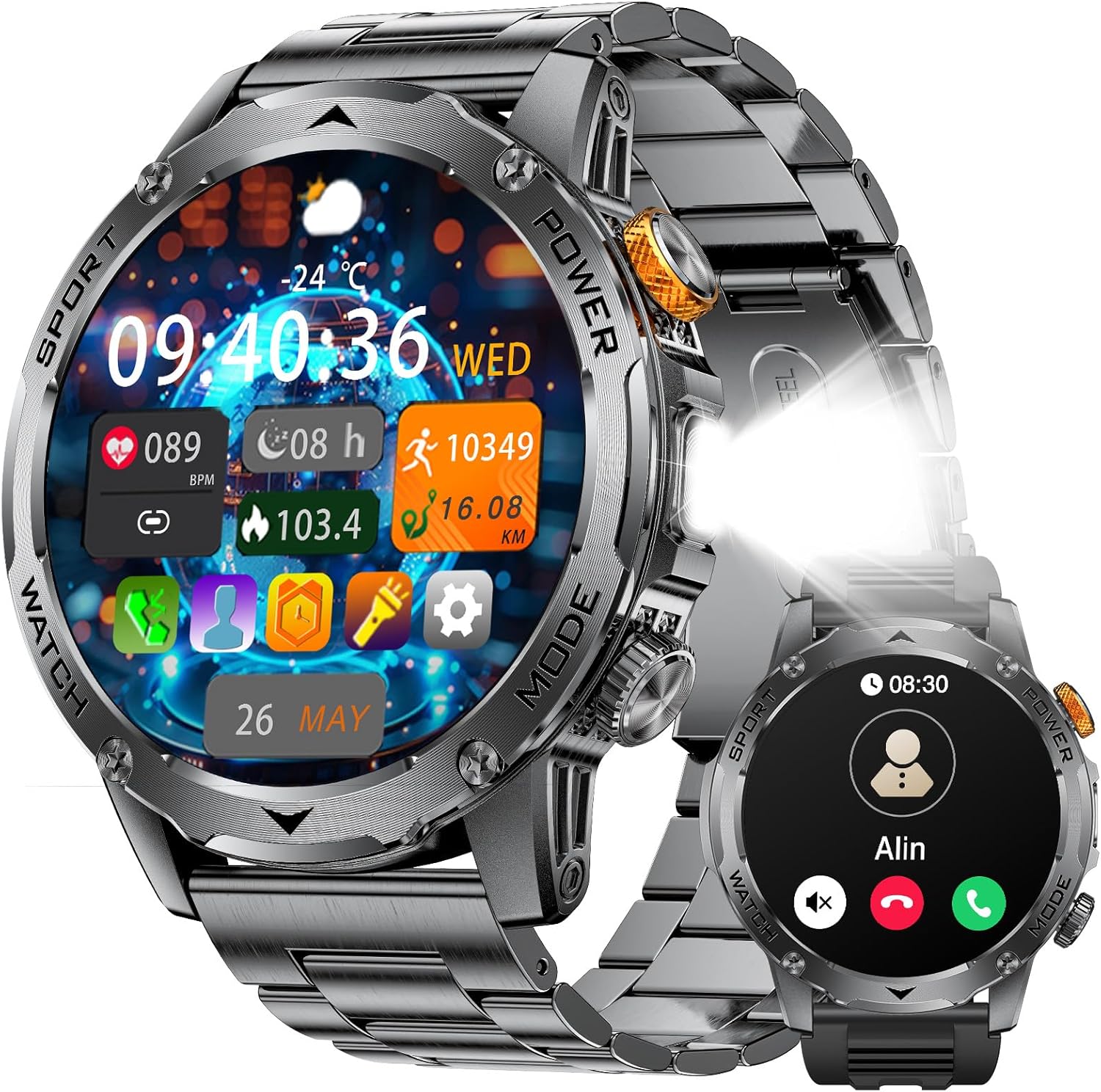
Image: The LIGE EF12-C Military Smartwatch, showcasing its robust design and integrated flashlight.
2. Setup Guide
Initial Setup & App Connection
- Download the App: Scan the QR code in the included manual or search for the 'FitcloudPro' app on your smartphone's app store (Google Play Store for Android, Apple App Store for iOS).
- Open and Pair: Open the 'FitcloudPro' app and follow the on-screen instructions to search for your smartwatch via Bluetooth.
- Grant Permissions: Allow all requested permissions to ensure full functionality, including notifications and health data synchronization.
Enabling Notifications and Weather
- Open the 'FitcloudPro' app.
- Navigate to the "Devices" section at the bottom of the app interface.
- Activate all desired notifications (e.g., social media, text messages) and enable weather updates.
Bluetooth Call Functionality
- After successfully connecting your watch to the app, pull down the screen on your smartwatch to access the top shortcut center.
- Locate the phone icon and tap to turn on/off the call function.
- You can also manage "Audio Bluetooth" settings here to control whether your phone's sound plays through the watch.
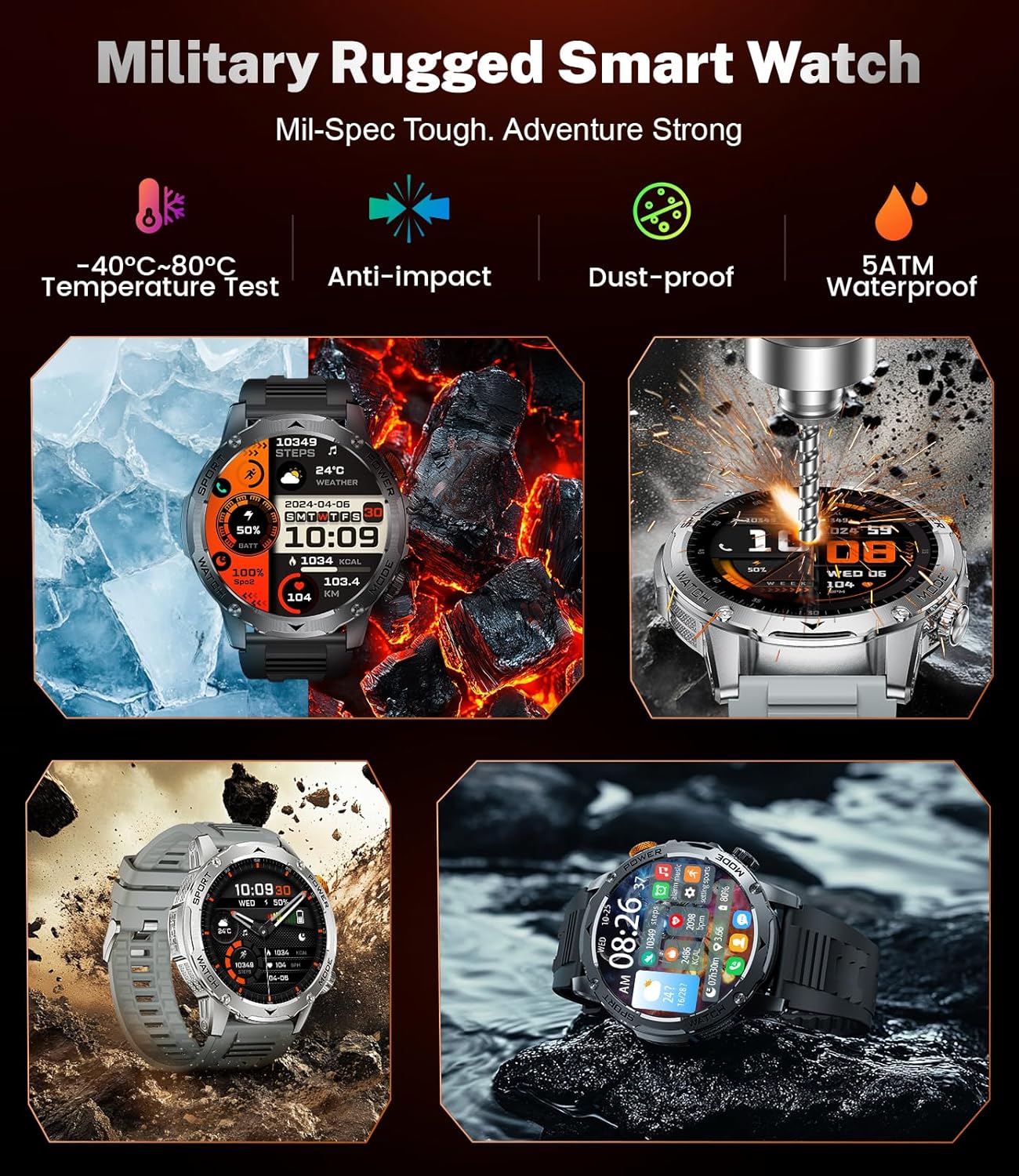
Image: The smartwatch display showing incoming call and message notification features.
3. Operating Instructions
Display and Watch Faces
The smartwatch features a large 1.75-inch HD touchscreen with adjustable brightness for clear visibility even in sunlight. You can customize your watch's appearance with over 150 dynamic holographic dials available through the companion app, allowing you to change them according to your mood or occasion.

Image: A close-up of the 1.75-inch HD display, highlighting its clarity and the integrated flashlight feature.
Bluetooth Calling & Notifications
With Bluetooth 5.2 connectivity, the smartwatch allows you to make, answer, and reject calls directly from your wrist with stable and clear audio. You can also add contacts and view call logs. The watch receives real-time notifications from social media apps and text messages, ensuring you don't miss important communications (messages are not replyable from the watch).
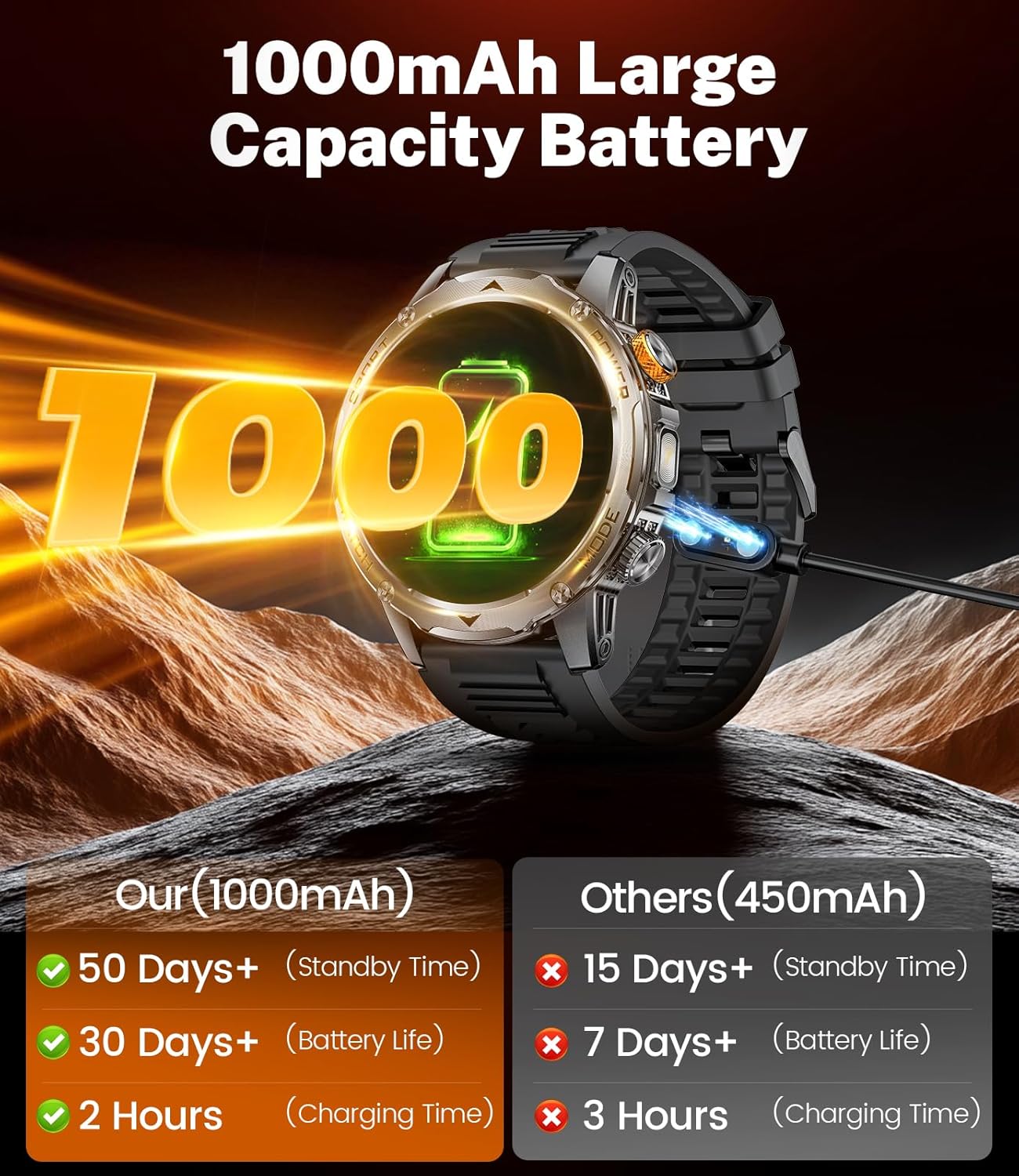
Image: The smartwatch displaying an incoming call and various social media notification icons.
Video: An official product video demonstrating the LIGE Military Smartwatch's features, including its 1000mAh battery and overall functionality.
Health Monitoring
Equipped with a low-power, accurate monitoring sensing chip, the smartwatch can track your dynamic heart rate 24 hours a day. It also monitors your night sleep quality, providing multiple sleep indicators for a better understanding of your health. Heart rate alerts can be set within the app. (Note: Monitoring data is for reference only and not intended for medical use.)
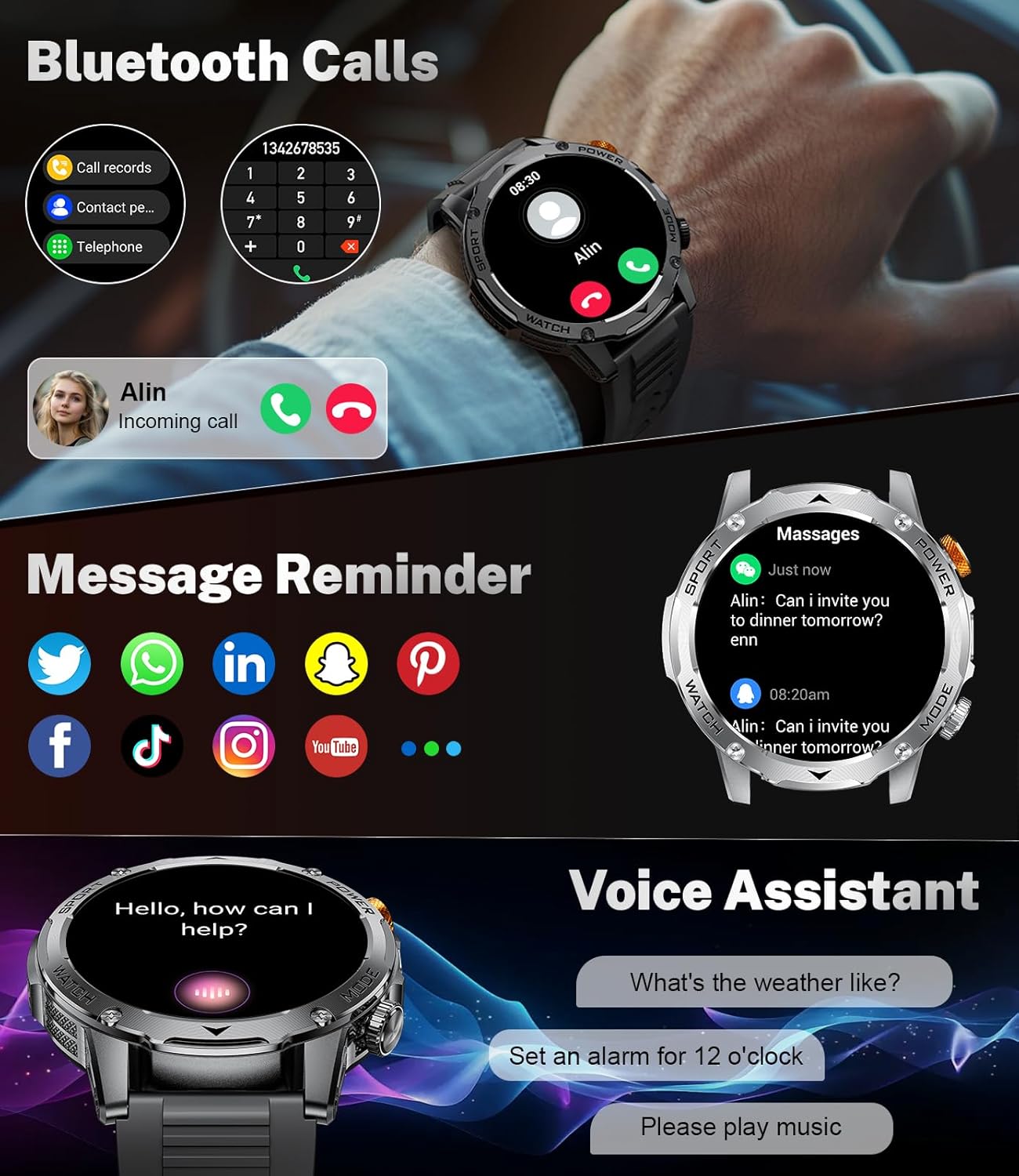
Image: Visual representation of the smartwatch's 24-hour health monitoring capabilities, including heart rate, blood oxygen, sleep, and breathing exercises.
Sports Modes & Activity Tracking
The smartwatch offers over 100 sports modes, with 20 built-in training modes for daily use and the option to add more via the FitcloudPro app. It tracks calories burned, distance traveled, and steps taken in real-time, helping you achieve your fitness goals and monitor daily progress.

Image: The smartwatch interface showing a selection of over 100 sports modes and real-time activity tracking data like calories, steps, and distance.
Flashlight Function
The integrated 800 lumen flashlight can be activated with a single click from the shortcut bar at the top of the screen. This powerful utility is useful for lighting your way, finding items in the dark, or handling emergencies.
Other Smart Features
The LIGE EF12-C includes a variety of daily functions to enhance convenience:
- Weather: Get real-time weather updates directly on your wrist.
- Voice Assistant: Interact with your watch using voice commands.
- Music Control: Manage music playback on your connected smartphone.
- Alarm Clock: Set alarms for reminders.
- Stopwatch & Timer: Essential tools for timing activities.
- Calculator: Perform quick calculations.
- Water Reminder: Receive prompts to stay hydrated.
- Sedentary Reminder: Get alerts to move after periods of inactivity.
- Camera Control: Remotely trigger your phone's camera.

Image: The smartwatch screen showcasing its multi-functional capabilities, including music control, flashlight, camera control, weather, alarm clock, and drink reminder icons.
4. Maintenance
Water Resistance
The LIGE EF12-C Smartwatch boasts an IP68 waterproof rating, allowing for normal use during daily activities such as hand washing, swimming, and in rainy or wet environments. Avoid prolonged submersion in hot water or exposure to high-pressure water jets.
Battery Charging
The built-in 1000mAh ultra-large battery provides over 15 days of battery life with daily use and can be fully charged in approximately 2.5 hours. Use the provided charging cable and a standard USB power adapter (not included) to charge the device. Ensure the charging pins align correctly with the watch's charging contacts.

Image: The smartwatch connected to its charging cable, illustrating its 1000mAh battery capacity and charging efficiency compared to other models.
General Care
- Clean the watch regularly with a soft, dry cloth.
- Avoid exposing the watch to extreme temperatures or direct sunlight for extended periods.
- Do not attempt to disassemble the watch, as this will void the warranty.
5. Troubleshooting
Common Issues and Solutions
- Watch not connecting to phone:
Ensure Bluetooth is enabled on both devices. Restart both the watch and your phone. Make sure the 'FitcloudPro' app is open and has all necessary permissions. - Notifications not appearing:
Check app permissions on your phone. Ensure notifications are enabled within the 'FitcloudPro' app under the "Devices" section. Verify that your phone's notification settings allow the app to display alerts. - Inaccurate health readings:
Ensure the watch is worn snugly on your wrist, not too tight or too loose. Clean the sensor on the back of the watch. Remember that health monitoring data is for reference only and not for medical diagnosis. - Short battery life:
Reduce screen brightness. Limit continuous health monitoring. Turn off unnecessary features like 'raise to wake' if not frequently used. Ensure the watch is fully charged. - Watch not turning on:
Connect the watch to its charger and allow it to charge for at least 30 minutes. If it still doesn't turn on, try a different charging port or adapter.
6. Technical Specifications
| Feature | Specification |
|---|---|
| Brand | LIGE |
| Model Number | EF12-C |
| Screen Size | 1.75 Inches |
| Display Type | IPS HD Display |
| Battery Capacity | 1000 Milliamp Hours (mAh) |
| Battery Composition | Lithium Polymer |
| Operating System | Android Wear 2.0 |
| Memory Storage Capacity | 128 MB |
| Connectivity Technology | Bluetooth |
| GPS | GPS Via Smartphone |
| Waterproof Rating | IP68 |
| Shape | Round |
| Item Weight | 6.3 ounces (180 Grams) |
| Package Dimensions | 8.03 x 3.82 x 0.87 inches |
| Special Features | Multisport Tracker, Fitness, IP68 Waterproof, Flashlight, Heart Rate, SpO2, Sleep Monitor, Bluetooth Call, 1000mAh Battery, Notifications, Activity Tracker, Alarm Clock, Lightweight, Music Player, Password Protection, Phone Call, Sedentary Reminder, Shockproof, Calendaring, Camera, Custom Activity Tracking, Cycle Tracking, Daily Workout Memory, Text Messaging, Time Display, Touchscreen, Voice Call, Voice Control, Weather Forecast |
| Date First Available | June 12, 2025 |
| Customer Reviews | 4.4 out of 5 stars (49 ratings) |
| Best Sellers Rank | #52,550 in Electronics, #1,411 in Smartwatches |
7. Warranty and Support
LIGE offers 24-hour online service to address any questions or concerns you may have regarding your smartwatch. For support, please refer to the contact information provided in the packaging or on the official LIGE website.
Related documentsEF12-C

Ask a question about this manual
Ask about setup, troubleshooting, compatibility, parts, safety, or missing instructions. Manuals+ will review the question and use this page’s manual context to help answer it.