
1. Introduction
This manual provides essential information for setting up, operating, and maintaining your OPPO Reno14 5G smartphone. Please read this guide thoroughly to ensure proper use and to maximize your device's capabilities.
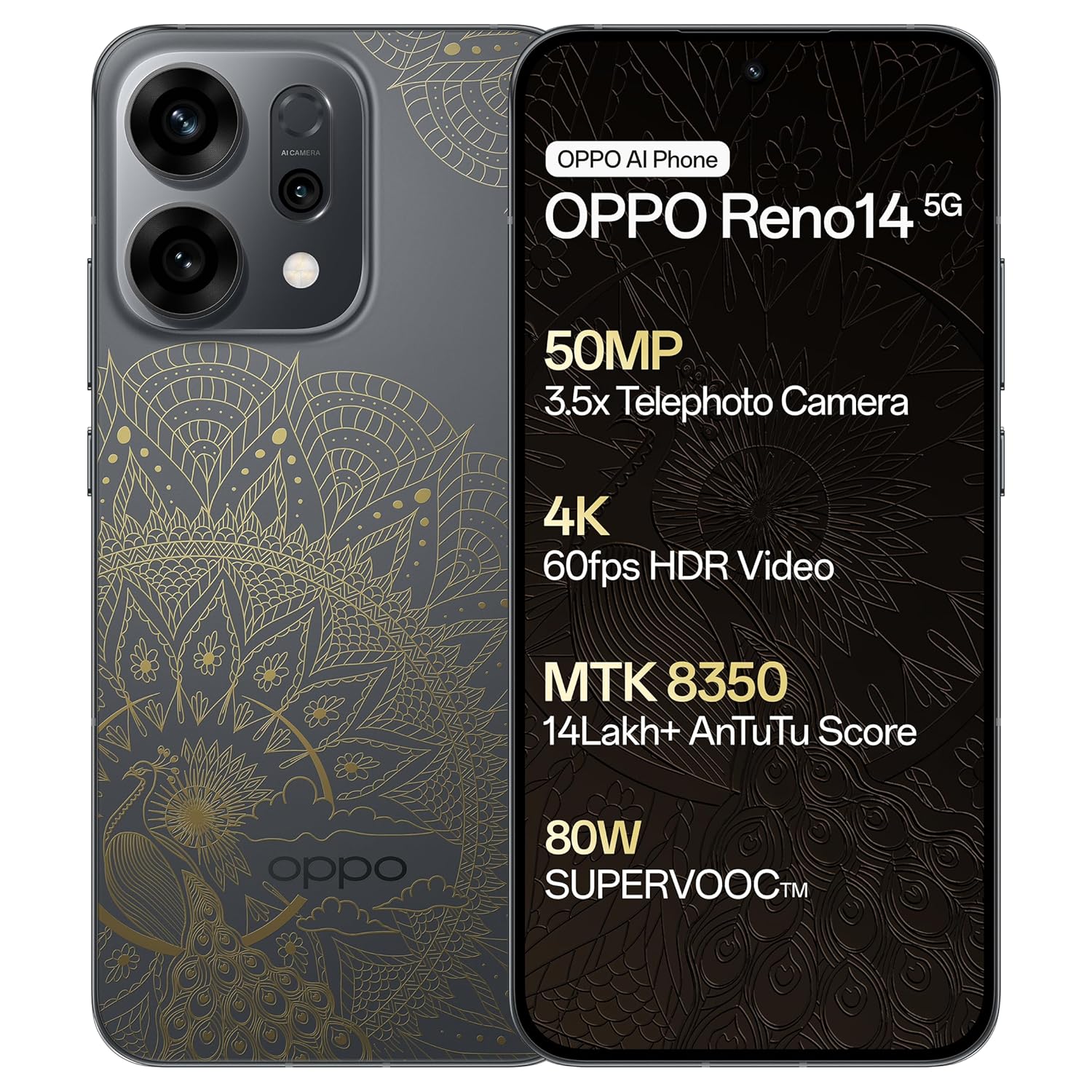
Image 1.1: Front and back view of the OPPO Reno14 5G, showcasing its design and primary specifications.
2. Setup Guide
2.1. Unboxing and Initial Inspection
Upon opening the package, verify that all components are present and undamaged:
- OPPO Reno14 5G Smartphone
- Phone Case
- Power Adapter
- USB Cable
- SIM Tray Ejector
2.2. SIM Card Installation
- Locate the SIM card tray on the side of the device.
- Insert the SIM tray ejector tool into the small hole next to the tray and press gently until the tray pops out.
- Place your Nano-SIM card(s) into the designated slots on the tray. Ensure the gold contacts face downwards.
- Carefully reinsert the SIM tray into the phone until it clicks into place.
2.3. Initial Power On and Charging
Press and hold the power button until the OPPO logo appears. Follow the on-screen instructions to complete the initial setup, including language selection, Wi-Fi connection, and Google account setup. For optimal performance, fully charge the device before first use using the provided power adapter and USB cable.
3. Operating Your Device
3.1. Basic Navigation
The OPPO Reno14 5G features an intuitive Android 15 operating system with a touchscreen interface. Use gestures such as tapping, swiping, pinching, and spreading to navigate through menus, open applications, and interact with content.
3.2. Camera Features
The device is equipped with an advanced camera system designed for versatile photography.
- Main Camera: 50MP IMX882 sensor for high-resolution images.
- Ultra Wide Camera: 8MP for capturing broader scenes.
- Telephoto Camera: 50MP with 3.5x optical zoom, supporting up to 120x Super Digital Zoom.
- Front Camera: 50MP Ultra Clear Camera for detailed selfies.
- Special Features: Includes AI Studio for creative effects, AI Flash Photography, and a dedicated Underwater Photography mode.

Image 3.1: Detailed view of the Ultra-Clear Triple Main Camera System.

Image 3.2: The device demonstrating its underwater photography capability.
3.3. Performance and Gaming
The OPPO Reno14 5G is powered by the MediaTek 8350 Chipset, designed to provide smooth performance for various tasks, including gaming. The AI Nano Dual-Drive Cooling System helps maintain optimal device temperature during extended use.
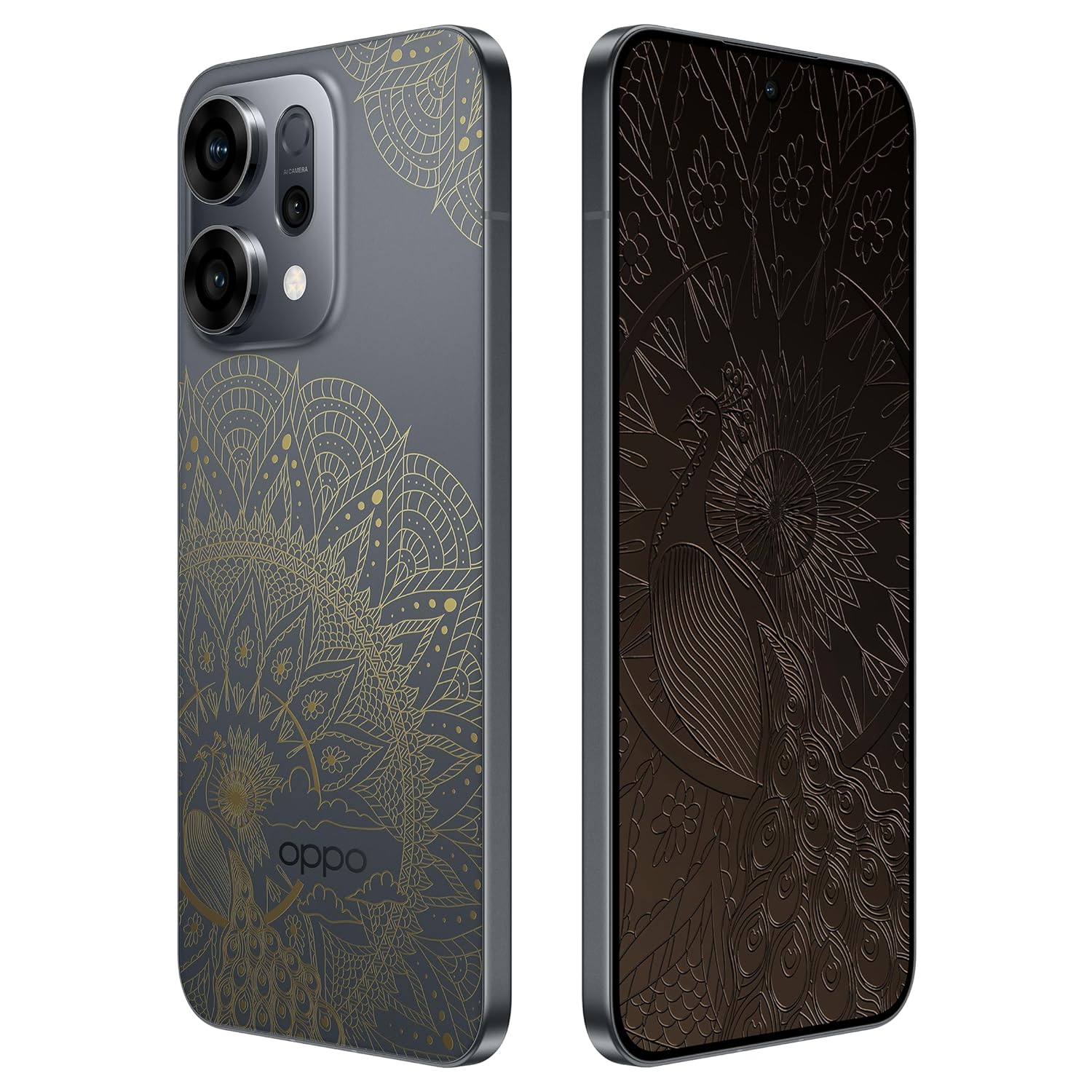
Image 3.3: Overview of the MediaTek Dimensity 8350 Flagship Platform.
3.4. Battery Management
The device features a 6000mAh battery, offering extended usage time. It supports 80W SUPERVOOC Flash Charge for rapid recharging.

Image 3.4: Illustration of the 6000mAh battery and 80W SUPERVOOC Flash Charge capabilities.
3.5. Operating System and AI Features
Running on Android 15, the OPPO Reno14 5G integrates AI-enhanced features, including Google Gemini for intelligent chat and multimodal interaction, and an AI Call Translator for real-time voice translation.
3.6. Connectivity
The device supports Bluetooth, USB, Wi-Fi, and GPS. The OPPO SignalBoost X1 Chip enhances network performance for stronger and more stable connections.
4. Maintenance
4.1. Cleaning and Care
To clean your device, use a soft, lint-free cloth. Avoid abrasive materials or harsh chemicals. Keep the device away from extreme temperatures and direct sunlight.
4.2. Water and Dust Resistance
The OPPO Reno14 5G is rated IP68 and IP69 for water and dust resistance. This means it is protected against dust ingress and can withstand immersion in water up to 1.5 meters for 30 minutes. However, it is not recommended for prolonged underwater use or exposure to high-pressure water jets.

Image 4.1: The device demonstrating its water and dust resistance.
4.3. Software Updates
Regularly check for and install software updates to ensure your device has the latest features, security patches, and performance improvements. Updates can be found in the device's settings menu.
5. Troubleshooting
If you encounter issues with your OPPO Reno14 5G, consider the following common solutions:
- Device not responding: Press and hold the power button for about 10 seconds to force a restart.
- Charging issues: Ensure the charger and cable are securely connected and undamaged. Try a different outlet or charger.
- Network connectivity problems: Check if Airplane Mode is off. Restart the device. Verify your SIM card is properly inserted and active.
- App crashes: Clear the app's cache and data in settings, or reinstall the app.
- Slow performance: Close unnecessary background apps, clear storage space, or restart the device.
For persistent issues, refer to the official OPPO support website or contact customer service.
6. Specifications
| Feature | Specification |
|---|---|
| Operating System | Android 15 |
| Model Number | CPH2737 |
| Dimensions (LxWxH) | 15.8 x 7.5 x 0.7 cm |
| Weight | 187 g |
| Display Resolution | 1256x2760 |
| Main Camera | 50MP |
| Telephoto Camera | 50MP (3.5x Optical Zoom) |
| Front Camera | 50MP |
| RAM | 8 GB |
| Storage | 256 GB (as per product title, not explicitly in specs table) |
| CPU Model | MediaTek 8350 (Others) |
| CPU Speed | 3.35 GHz |
| Battery Capacity | 6000 mAh |
| Charging | 80W SUPERVOOC Flash Charge |
| Connectivity | Bluetooth, USB, Wi-Fi, GPS |
| Special Features | Dual SIM, Fast Charging Support, Water Resistant (IP68 & IP69) |
7. Warranty and Support
Your OPPO Reno14 5G is covered by a manufacturer's warranty. For warranty details, service, or technical support, please contact OPPO customer service.
Manufacturer: OPPO Mobiles India Pvt Ltd
Address: 5th FLOOR, Tower B, BUILDING, N-8, DLF Cyber City, DLF Phase 2, Gurugram, Haryana 122002
Customer Service Tel: 18001032777
You can also visit the official OPPO website for further assistance and resources.


