1. Introduction
This manual provides essential instructions for the safe and efficient operation of your Hepway P1300 Portable Power Station. Please read this manual thoroughly before using the device and retain it for future reference.
The Hepway P1300 is a portable power station equipped with a 1154Wh lithium battery, providing up to 1300W (1500W peak) of pure sine wave AC output. It features multiple output ports, including AC, DC, USB-A, and USB-C, and supports various charging methods such as AC adapter, car charger, and solar panels.
2. Safety Instructions
Observe the following safety precautions to prevent injury or damage to the device:
- Do not disassemble, repair, or modify the unit.
- Avoid exposure to rain, moisture, or immersion in water. The power station is not water-resistant.
- Do not use or store the unit near heat sources, open flames, or in direct sunlight for extended periods.
- Keep out of reach of children and pets.
- Ensure proper ventilation during use and charging. Do not block ventilation openings.
- Use only approved accessories and charging cables.
- If the unit emits unusual odors, heat, or shows other abnormalities, discontinue use immediately and contact support.
- Avoid dropping or subjecting the unit to strong impacts.
- Dispose of the unit and its battery according to local regulations.
3. Package Contents
Verify that all items are included in your package:
- 1x Hepway P1300 Portable Power Station
- 1x AC Adapter
- 1x Car Charger to XT60 Cable
- 1x MC4 to XT60 Cable (for solar charging)
- 1x User Manual
4. Product Overview
4.1. Unit Diagram
The image below illustrates the main components and ports of the Hepway P1300 Portable Power Station.

Figure 1: Front and side view of the Hepway P1300 Portable Power Station with labels indicating the LCD display, 8mm input, XT60 solar charging port, Refrigerator Mode button, USB-A fast charge ports, USB output, Car port, USB-C PD3.0 port, AC output ports, and LED lamp.
4.2. LCD Display
The LCD display provides real-time information about the power station's status.

Figure 2: Detailed view of the LCD display. Key indicators include (1) Charging Status, (2) Work Mode, (3) Remained Time, (4) Battery Level Indicator, (5) Output Power, (6) Input Power, (7) Discharge Mode, (8) Fault Code, and (9) Fan Status.
5. Setup and Initial Use
5.1. Initial Charging
Before first use, it is recommended to charge the Hepway P1300 to at least 90%. This helps to calibrate the battery management system and optimize battery performance. If you observe rapid power consumption initially, perform 2-3 full charge-discharge cycles to normalize battery capacity.
5.2. Connecting Devices
Ensure the power station is turned on before connecting any devices. Plug your devices into the appropriate output ports (AC, DC, USB-A, USB-C).
6. Operating Instructions
6.1. Powering On/Off
Press and hold the main power button to turn the unit on or off. Individual output sections (AC, DC, USB) may have their own power buttons.
6.2. Using AC Outlets
The P1300 provides 4 AC 120V pure sine wave outlets, capable of delivering up to 1300W continuously (1500W peak). Connect appliances that require standard household power.
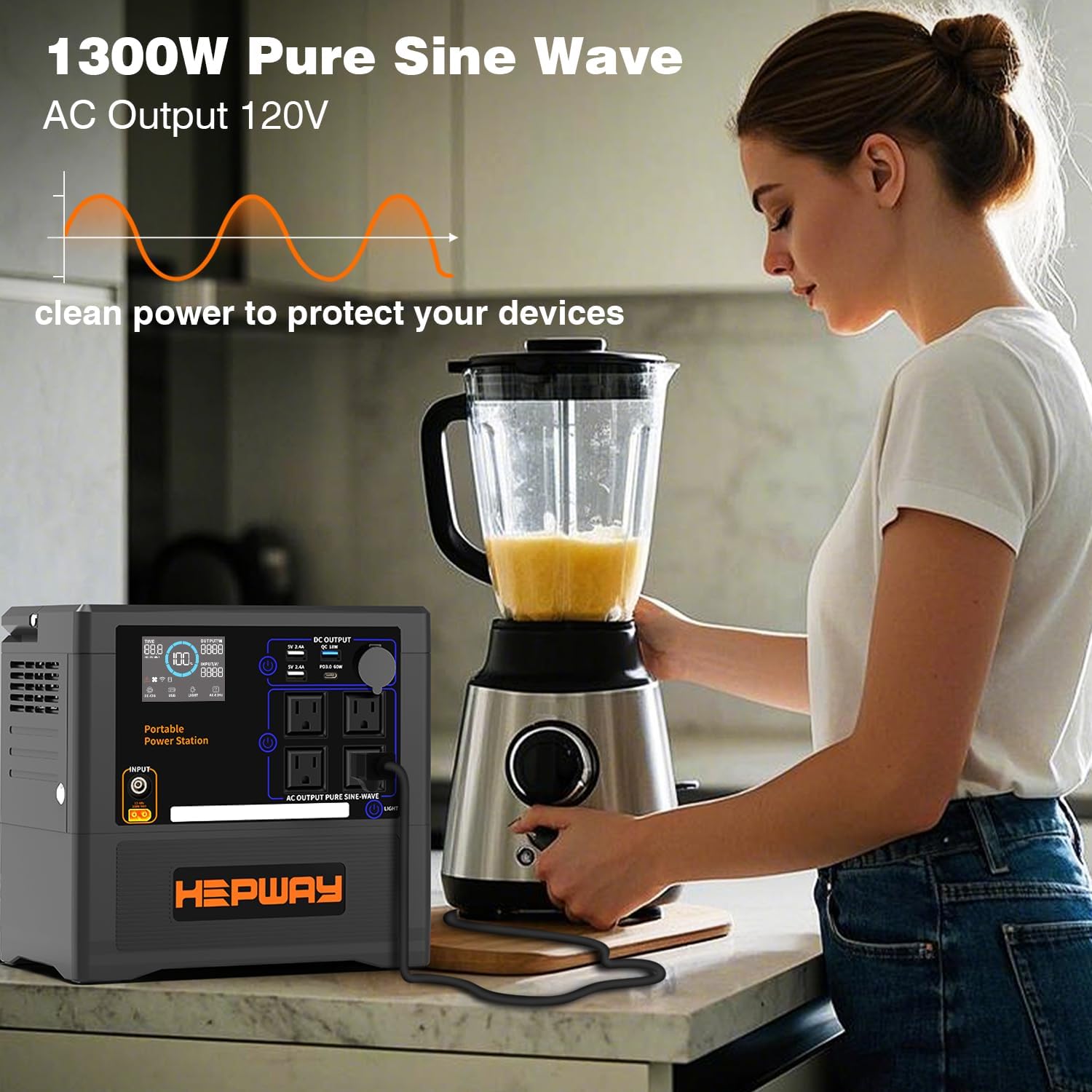
Figure 3: The Hepway P1300 providing stable 120V AC power for a blender, demonstrating its pure sine wave output suitable for sensitive electronics.
6.3. Using DC and USB Outputs
The unit includes:
- USB-A Ports: Two 5V/2.4A ports and one fast charge QC3.0 (18W) port.
- USB-C PD3.0 Port: One 60W Power Delivery port.
- Car Port: One DC12V, Max 10A port.

Figure 4: The Hepway P1300 simultaneously powering a blender, a portable speaker, and other devices using its various output ports, including AC, USB-C, USB-A, and a car outlet.
6.4. Refrigerator Mode
The P1300 features a dedicated 'Refrigerator Mode' designed for low-wattage devices requiring continuous power, such as refrigerators, CPAP machines, aquariums, or pet feeders. This mode optimizes power delivery for these specific applications.

Figure 5: The Hepway P1300 operating in Refrigerator Mode, providing power to a CPAP machine, ensuring continuous operation for essential devices.
To activate Refrigerator Mode, locate the dedicated button on the side of the unit. The display text will change between "saving" and "normal" in response to the button position. While the 'Refrigerator Mode' icon may not always be displayed, the functionality is active when the corresponding setting is selected.
6.5. Charging the Power Station
The P1300 supports multiple charging methods:
- AC Adapter Charging: Connect the provided AC adapter to a wall outlet. Max 180W, approximately 6.5 hours for a full charge.
- Car Charging: Use the Car Charger to XT60 Cable to charge from your vehicle's 12V outlet. Approximately 15 hours for a full charge.
- Solar Charging: Connect compatible solar panels (18V-43V, 300W MAX) using the MC4 to XT60 Cable. The built-in MPPT controller optimizes charging efficiency. Approximately 4 hours for a full charge with optimal solar input.

Figure 6: Illustration of the three primary charging methods: AC adapter for home charging, solar panels for outdoor charging, and a car charger for on-the-go power replenishment.

Figure 7: The Hepway P1300 connected to a solar panel for efficient solar charging, highlighting its compatibility with various solar setups.
7. Maintenance
7.1. Battery Care
To ensure optimal performance and longevity of the lithium battery:
- Recharge the unit promptly when the battery level drops below 20%.
- For long-term storage, maintain the battery level between 50% and 80%.
- Regularly discharge the battery to 20% and then charge to 80-90%. Operating the battery consistently below 20% or above 90% can reduce its lifespan due to increased heat generation in these ranges.
7.2. Storage
Store the power station in a cool, dry place, away from direct sunlight and extreme temperatures. Ensure the unit is clean and free of dust. Recharge every 3-6 months if stored for extended periods to prevent deep discharge.
8. Troubleshooting
- Unit Not Turning On: Ensure the battery is charged. If completely depleted, connect to an AC power source for a few minutes before attempting to power on.
- No Output from Ports: Verify that the specific output section (AC, DC, USB) is activated. Check the LCD display for any fault codes. Ensure the connected device's power consumption does not exceed the port's or unit's maximum output.
- Refrigerator Mode Icon Not Displaying: While the icon may not always be visible, the mode is active if the side button changes the display text between "saving" and "normal."
- Slow Charging: Check that the charging cable and adapter are securely connected. For solar charging, ensure panels are in direct sunlight and correctly angled. Verify solar panel specifications (18V-43V, 300W MAX).
- Overload Protection: If the unit shuts down due to overload, disconnect the high-power device, wait a few minutes, and then restart the power station.
9. Specifications
| Feature | Specification |
|---|---|
| Brand | Hepway |
| Model Name | HEPWAY P1300 |
| Battery Capacity | 1154Wh |
| AC Output (Running) | 1300W |
| AC Output (Peak) | 1500W |
| AC Output Voltage | 120 Volts |
| Output Waveform | Pure Sine Wave |
| USB-A Output | 2x 5V/2.4A, 1x QC3.0 (18W) |
| USB-C Output | 1x PD3.0 (60W) |
| Car Port Output | DC12V, Max 10A |
| AC Adapter Input | Max 180W |
| Solar Input (XT60) | 18V-43V, Max 300W (MPPT) |
| Car Charger Input | 12V 7A |
| Special Features | Automatic Shut Down, Refrigerator Mode |
| Dimensions (L x W x H) | 10.16"L x 6.89"W x 9.8"H |
| Item Weight | 21.8 pounds |
| Material | ABS |
| Color | Black |
10. Warranty and Support
10.1. Warranty Information
The Hepway P1300 Portable Power Station comes with a 2-Year Manufacturer Warranty. Please retain your proof of purchase for warranty claims.
10.2. Customer Support
For technical assistance, warranty inquiries, or any questions not covered in this manual, please contact Hepway customer support through the retailer's platform or the official Hepway website.


