Introduction
This manual provides detailed instructions for the setup, operation, maintenance, and troubleshooting of your Redragon K724 PRO Wireless Gasket Gaming Keyboard. Please read this manual thoroughly before using the product to ensure optimal performance and longevity.

Image: Redragon K724 PRO Wireless Gasket Gaming Keyboard with RGB lighting and LCD screen.
Key Features
- Smart Info-Island Screen: A 1.14-inch TFT screen displays keyboard information, connection mode, battery level, and typing status.
- Gasket Design: The body structure uses precision-locked covers with gaskets for noise reduction and flexibility, providing consistent feedback and reduced rigid noise.
- 3-Mode Connection: Supports USB-C wired, BT 3.0/5.0, and 2.4Ghz wireless modes for versatile connectivity.
- Custom Mint Mambo Switch: Thick-lubed linear switches offer cushioned, creamy, and cozy typing feedback. The upgraded socket is compatible with nearly all 3/5-pin switches.
- 5-Layer Noise Dampening: Equipped with 3.5mm PO foam, IXPE switch foam, PET sound pad, bottom socket foam, silicone bottom pad, and silicone gasket to significantly reduce hollow noise.
- 81 Keys Layout: A compact 75% layout that retains essential function keys while providing more mouse space.
- ONE-Knob Control: A convenient knob for adjusting keyboard backlight brightness and media functions (volume, play/pause, track switch).
- Pro Software Supported: Software allows for custom modes, effects, macros, keybindings, and shortcuts.
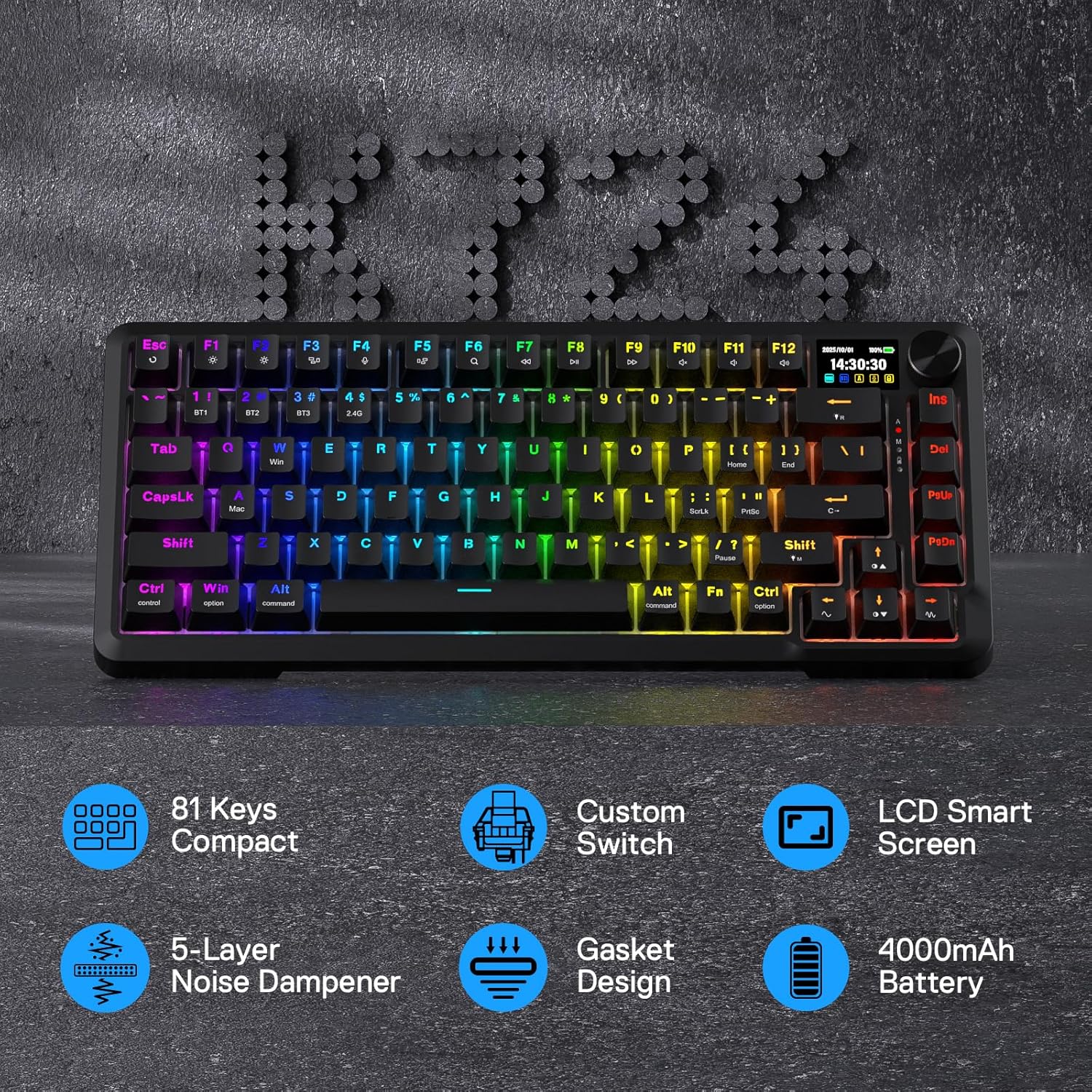
Image: Overview of Redragon K724 PRO features including 81 keys, custom switches, LCD screen, noise dampening, gasket design, and battery capacity.
What's in the Box
- Redragon K724 PRO Wireless Gasket Gaming Keyboard
- USB Cable
- Keycap/Switch Puller
- Spare Switches
- User Manual
Setup
Connection Modes
The Redragon K724 PRO keyboard supports three connection modes: USB-C wired, 2.4Ghz wireless, and Bluetooth (BT 3.0/5.0).
- USB-C Wired: Connect the keyboard directly to your computer using the provided USB-C cable.
- 2.4Ghz Wireless: Locate the USB-A dongle stored in the compartment on the side of the keyboard. Plug the dongle into an available USB port on your computer. Switch the keyboard's side selector to '2.4G'.
- Bluetooth Wireless: Switch the keyboard's side selector to 'BT'. On your device (PC, laptop, tablet), search for Bluetooth devices and select 'Redragon K724 PRO' to pair. The keyboard supports BT 3.0/5.0.
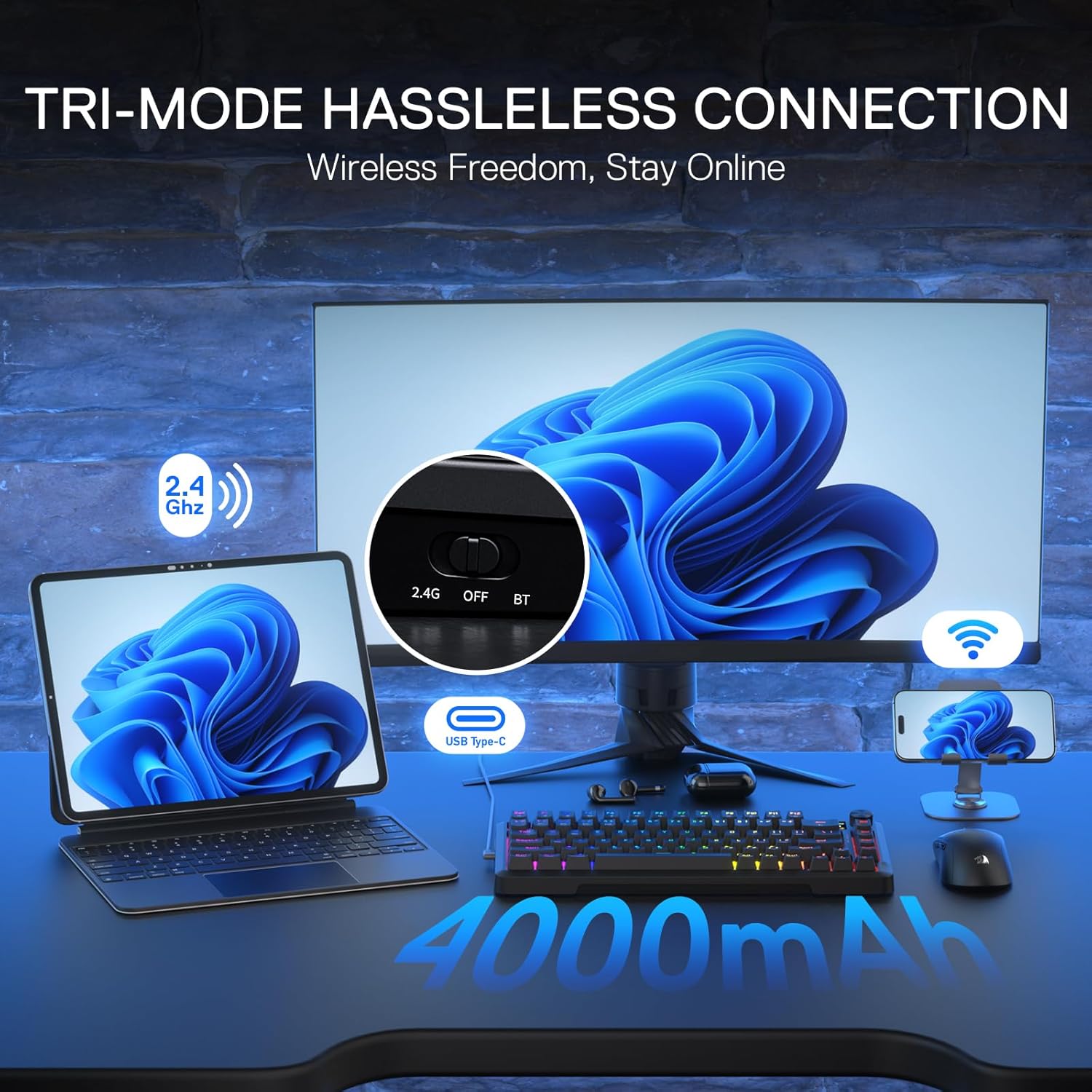
Image: The Redragon K724 PRO keyboard demonstrating its three connection modes: 2.4Ghz wireless, USB Type-C wired, and Bluetooth wireless.
Initial Power On
Upon initial power-on, the keyboard's LCD screen will display the Redragon logo and then show the current connection status, time, and battery level.
Video: An overview of the Redragon K724 PRO Mechanical Keyboard, demonstrating its features and initial setup.
Operating
Smart Info-Island Screen & Knob Control
The 1.14-inch TFT screen provides real-time information about your keyboard's status, including connection mode, battery level, and typing status. The multi-function knob allows for easy control of various settings.
- Rotate Knob: Adjusts volume when not in menu mode.
- Press Knob: Enters the menu on the LCD screen. Rotate to navigate through options like Config, Effect, Color, Brightness, Speed, Language, Layout, Time Format, and Time Set. Press again to select an option.
- Time Sync: The on-screen time will auto-sync with your PC's system time upon the software's initial launch.
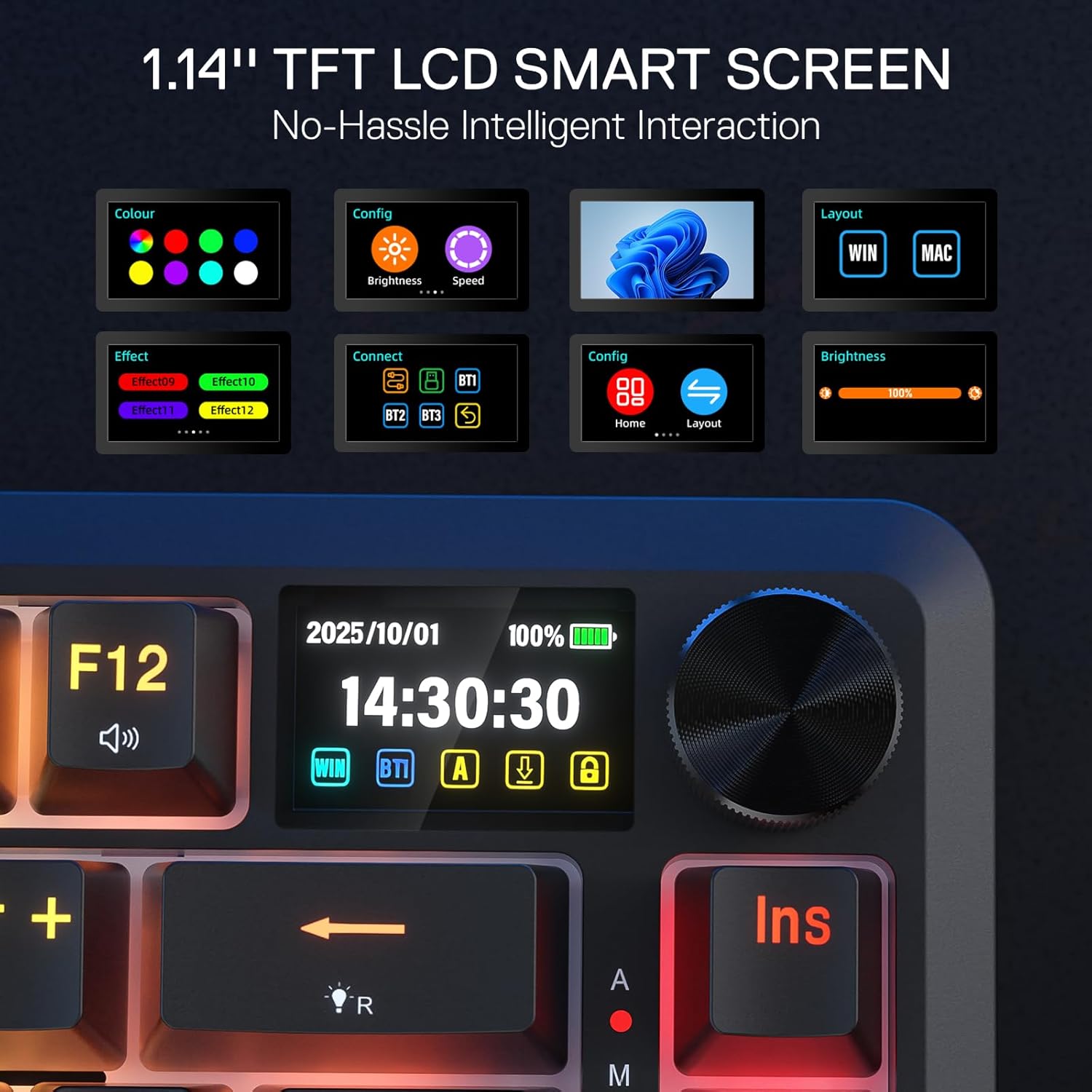
Image: The 1.14-inch TFT LCD Smart Screen of the Redragon K724 PRO, displaying configuration options for color, effects, brightness, and connection modes.

Image: The multi-function knob on the Redragon K724 PRO, used for controlling brightness, volume, and navigating screen operations.
RGB Backlighting Control
The keyboard features vibrant RGB backlighting with multiple effects and colors. You can control these directly from the keyboard or through the software.
- Change RGB Effects: Press FN + INS to cycle through various RGB lighting effects.
- Change Single Colors: Press FN + ENTER to cycle through single color options.
- Adjust Brightness: Press FN + UP Arrow to increase brightness and FN + DOWN Arrow to decrease brightness.
- Turn RGB On/Off: Press FN + SPACE to toggle the RGB lighting on or off.
Video: A review and unboxing of the RGB Gaming Keyboard, showcasing its lighting features.
Key Combinations (FN Key)
The FN key can be combined with other keys for additional functions:
| Function | Windows O.S. | MAC O.S. |
|---|---|---|
| Screen brightness - | FN+F1 | F1; FN+F1 |
| Screen brightness + | FN+F2 | F2; FN+F2 |
| Multiple windows | FN+F3 | F3; FN+F3 |
| Speech recognition (Win10 or newer) | FN+F4 | F4; Siri / FN+F4 |
| Show desktop | FN+F5 | F5; FN+F5 |
| Search | FN+F6 | F6; FN+F6 |
| Pre track | FN+F7 | F7; FN+F7 |
| Play / Pause | FN+F8 | F8; FN+F8 |
| Next track | FN+F9 | F9; FN+F9 |
| Mute | FN+F10 | F10; FN+F10 |
| Volume down | FN+F11 | F11; FN+F11 |
| Volume up | FN+F12 | F12; FN+F12 |
Pro Software
Expand your customization options by downloading the available software from redragonshop.com. The software allows you to design your own lighting modes and effects, create macros with different keybindings or shortcuts, and manage other keyboard settings. The on-screen time will auto-sync with your PC's system time upon the software's initial launch.

Image: The Redragon K724 PRO software interface, illustrating options for GIF settings, key redefinition, macro editing, and RGB backlight customization.
Maintenance
Charging
When the keyboard's battery is low, the backlight will turn off, and the power LED will blink. Connect the keyboard with the provided USB-C cable to your computer for charging. The battery power indicator on the LCD screen will show the current charge level.

Image: The Redragon K724 PRO keyboard highlighting its 4000mAh battery capacity.
Cleaning and Spill Handling
If you spill liquid on the keyboard, immediately unplug the keyboard from the computer. Wipe off any excess liquid and place the keyboard in a well-ventilated area. Ensure the keyboard is completely dry before its next use.
Troubleshooting
If the keyboard does not respond, please check if the keyboard is properly inserted into the corresponding USB port on the computer, or try another USB port. For wireless connections, ensure the dongle is correctly inserted or Bluetooth is properly paired.
Specifications
- Brand: Redragon
- Model: K724 PRO
- Series: Behemoth
- Hardware Platform: Laptop, PC, Tablet
- Item Weight: 2.53 pounds
- Package Dimensions: 14.84 x 7.52 x 2.76 inches
- Color: Black
- Power Source: Wired
- Batteries: 1 Lithium Polymer battery required
- Connectivity Technology: 2.4Ghz, BT, USB-C
- Keyboard Description: 81 Keys Wireless Gasket Gaming Keyboard
- Recommended Uses For Product: Gaming
- Special Feature: 3-Mode Tech, 81 Keys Gasket Design, Custom Mambo Switch, Hype Display & Knob, Knob Control
- Keyboard backlighting color support: RGB
- Material: Acrylonitrile Butadiene Styrene, Polybutylene Terephthalate
Warranty and Support
For warranty information and technical support, please refer to the documentation included with your product or visit the official Redragon website. Keep your purchase receipt for any warranty claims.


