
Soundcore D1301
Soundcore Sleep A30 User Manual
Smart Active Noise Cancelling Sleep Earbuds
1. Introduction
The Soundcore Sleep A30 earbuds are designed to provide a tranquil sleep environment through advanced noise cancellation and adaptive sound technologies. This manual provides detailed instructions for setting up, operating, and maintaining your Sleep A30 earbuds to ensure optimal performance and comfort.

Image: Soundcore Sleep A30 earbuds and their charging case, highlighting their compact design.
2. What's in the Box
Verify that all components are present in your package:
- Soundcore Sleep A30 Earbuds (1 pair)
- Charging Case (1)
- USB-C Cable (1)
- Ear Tips: XXS, XS, S, M (pre-installed), L, XL (6 pairs total)
- Ear Wings: S, M (pre-installed), L (3 pairs total)
Image: All components included in the Soundcore Sleep A30 package, laid out for inspection.
3. Setup
3.1. Choosing the Right Fit
Selecting the correct ear tips and ear wings is crucial for comfort and effective noise cancellation. Experiment with different sizes to find the best seal and most comfortable fit for your ears, especially if you are a side sleeper.
Image: A diagram illustrating the proper insertion angle for the earbuds and the various ear tip and wing options.
3.2. Charging
Before first use, fully charge the earbuds and the charging case. Connect the USB-C cable to the charging case and a power source. The LED indicators on the case will show the charging status.
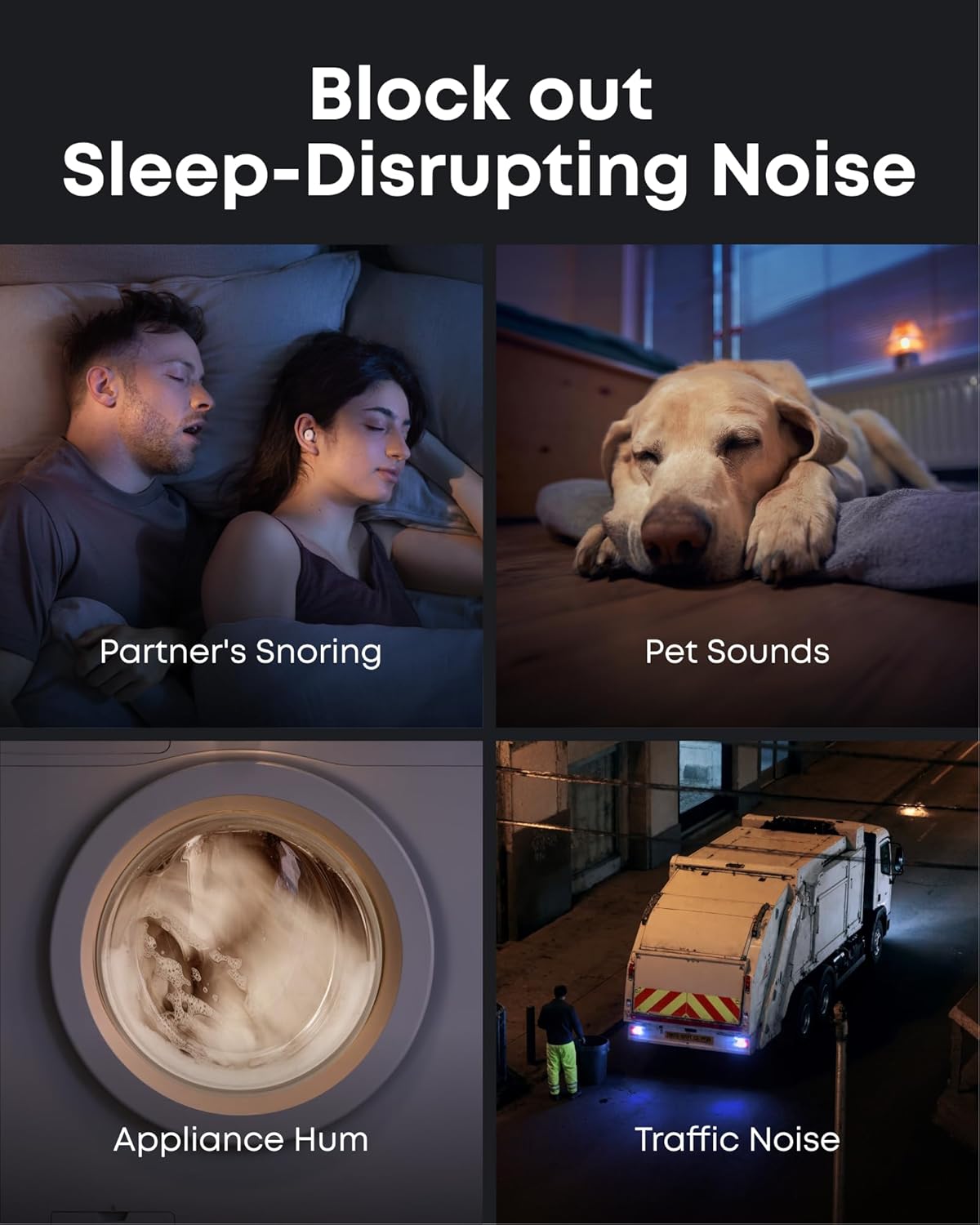
Image: Soundcore Sleep A30 earbuds resting in their open charging case, ready for charging.
3.3. Bluetooth Pairing
Open the charging case. The earbuds will automatically enter Bluetooth pairing mode. On your device, enable Bluetooth and select "Soundcore Sleep A30" from the list of available devices.
3.4. Soundcore App Installation
Download the Soundcore app from your device's app store. The app provides access to advanced features, sound customization, sleep tracking, and firmware updates.
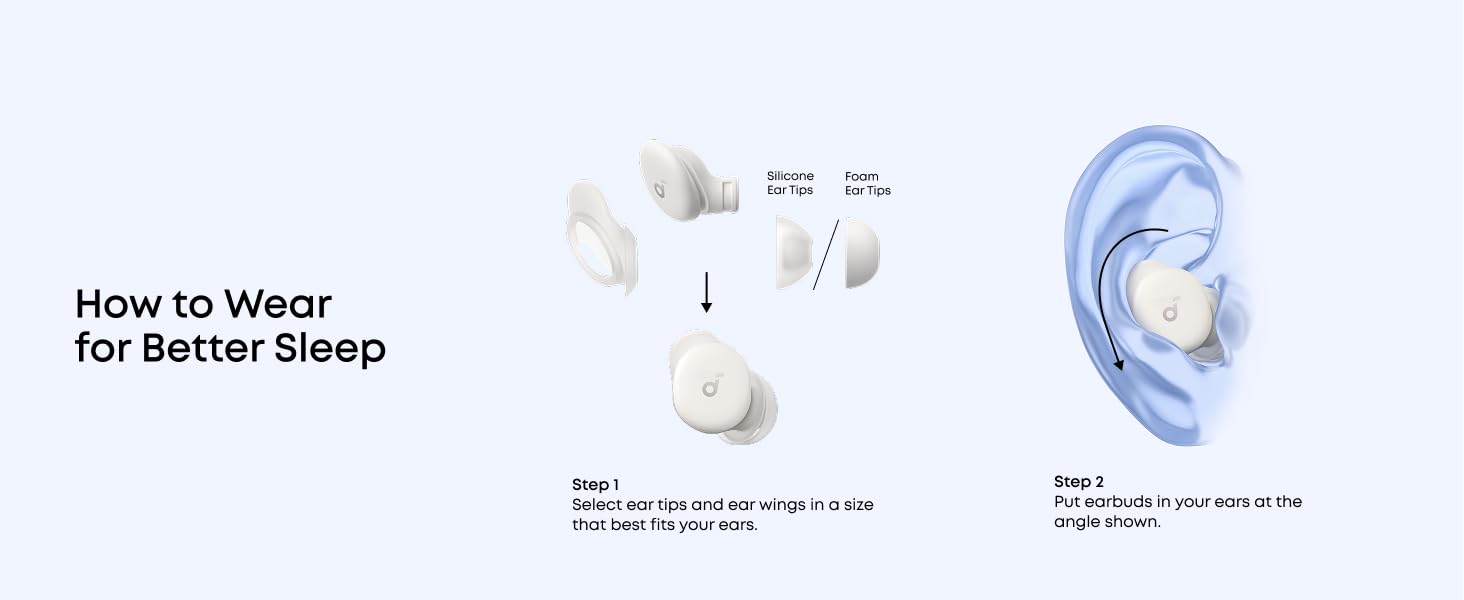
Image: Screenshots of the Soundcore app interface, demonstrating options for customizing your sleep journey.
4. Operating Instructions
4.1. Power On/Off
The earbuds power on automatically when removed from the charging case and power off when placed back inside and the case is closed.
4.2. Touch Controls
The Sleep A30 earbuds feature touch-sensitive controls. Customize these controls via the Soundcore app for actions such as playing/pausing audio, adjusting volume, or switching noise control modes.
4.3. Noise Control
The Sleep A30 utilizes Smart Active Noise Cancelling (ANC) with Ear Canal Adaptation Technology to reduce ambient noise. It also features a Passive Noise Cancellation (PNC) system for high-frequency sounds.

Image: Visual representation of the earbuds blocking common sleep-disrupting noises like snoring, pet sounds, appliance hum, and traffic noise.
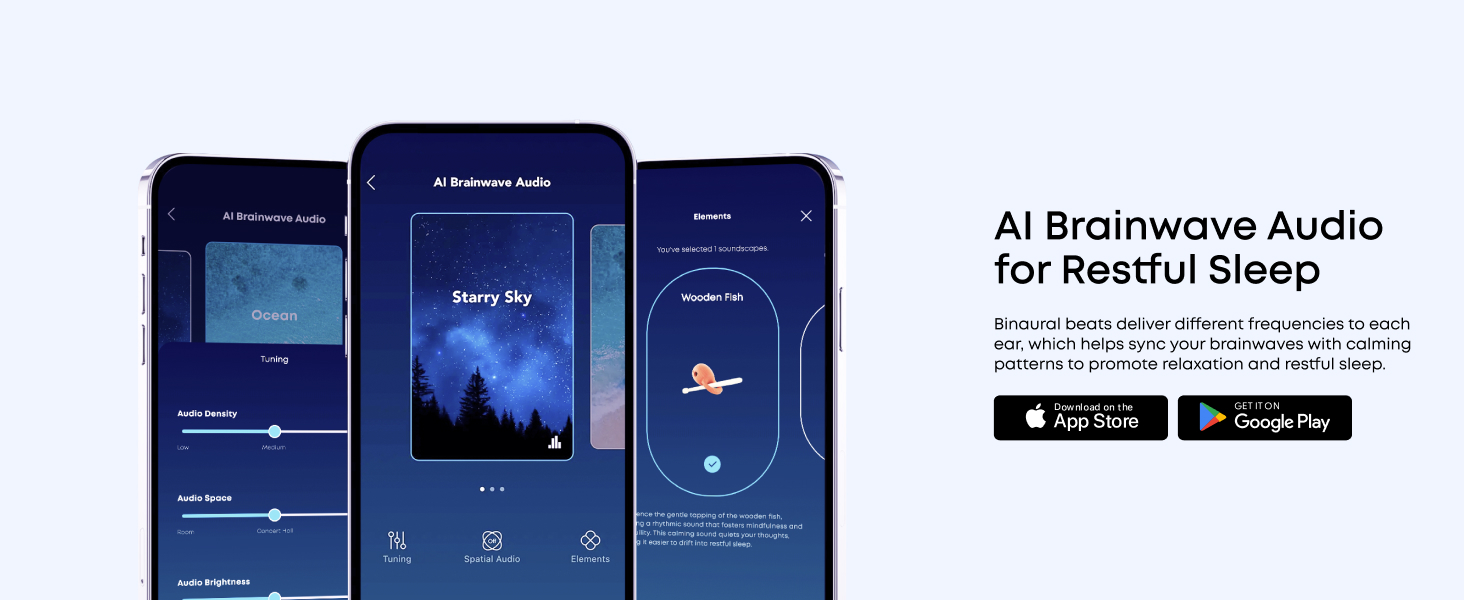
Image: An exploded diagram illustrating the components of the Dual Noise Cancellation System, including ANC and PNC elements.
4.4. Adaptive Snore Masking System
The charging case monitors and analyzes snoring sounds in real-time. The earbuds then constantly optimize the snore-masking audio to ensure you remain undisturbed. For best results, place the charging case within 5 feet (1.5 m) of the snorer.

Image: A visual explanation of the 3-Stage Snore Masking System, showing the snore-tracking case, adaptive snore-masking audio, and memory foam ear tips working together.
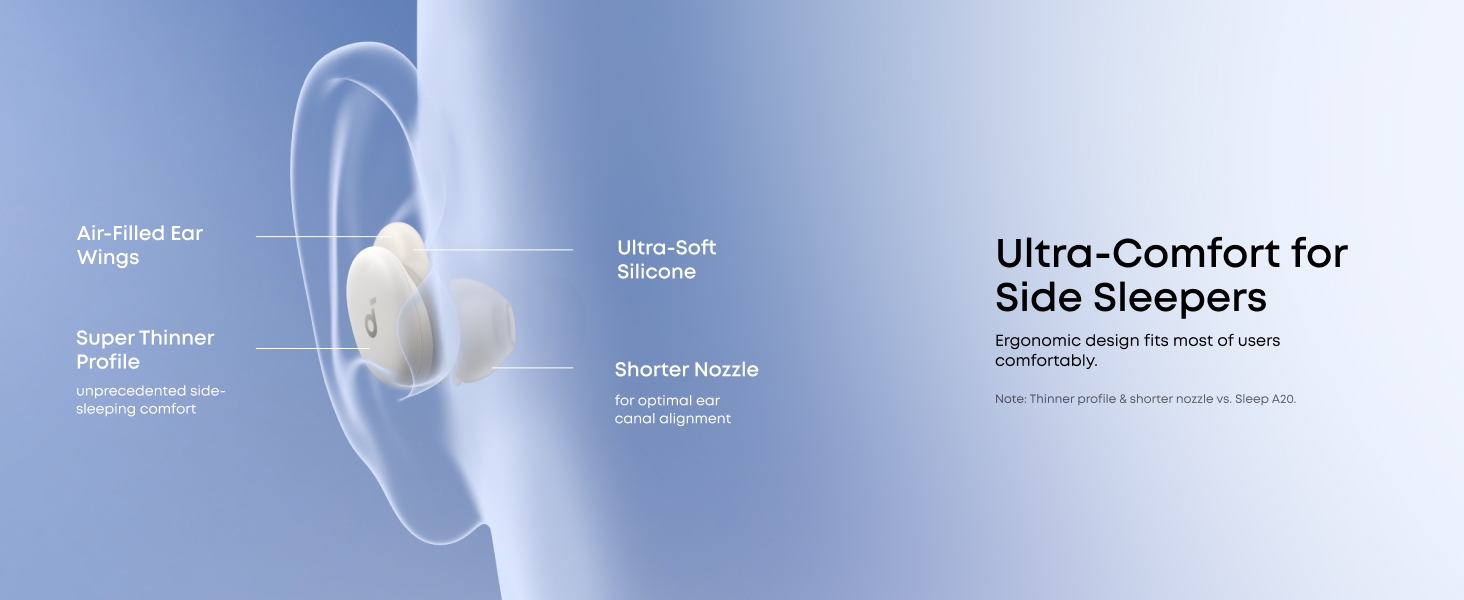
Image: The charging case emitting sound waves, indicating its real-time snore-tracking capability.
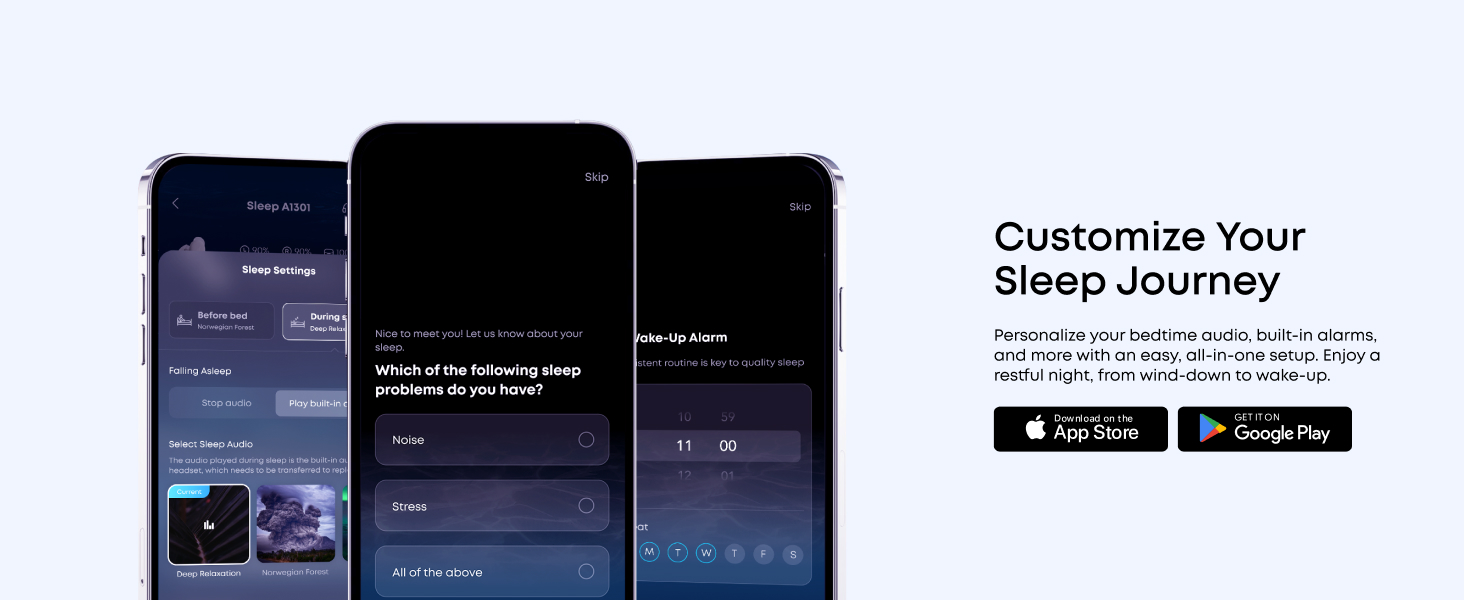
Image: A woman sleeping peacefully with the earbuds, while sound waves illustrate the snore masking system in action.
4.5. AI Brainwave Audio
The earbuds utilize binaural beats to deliver different frequencies to each ear, helping to sync your brainwaves with calming patterns to promote relaxation and restful sleep. Access various brainwave audio options through the Soundcore app.
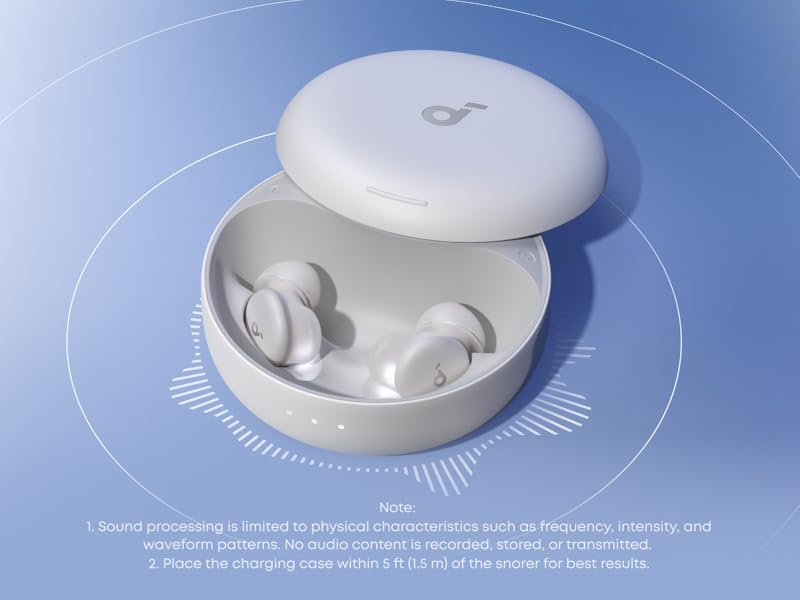
Image: The Soundcore app displaying various AI Brainwave Audio soundscapes like 'Ocean' and 'Starry Sky', with tuning options.
4.6. Ultra-Comfort for Side Sleepers
The Sleep A30 earbuds are designed with ultra-soft silicone, short nozzles, and a lightweight, slim profile to relieve pressure, making them comfortable for side sleepers. The ergonomic shape is based on 3D mapping of thousands of ear canals for a universal comfortable fit.
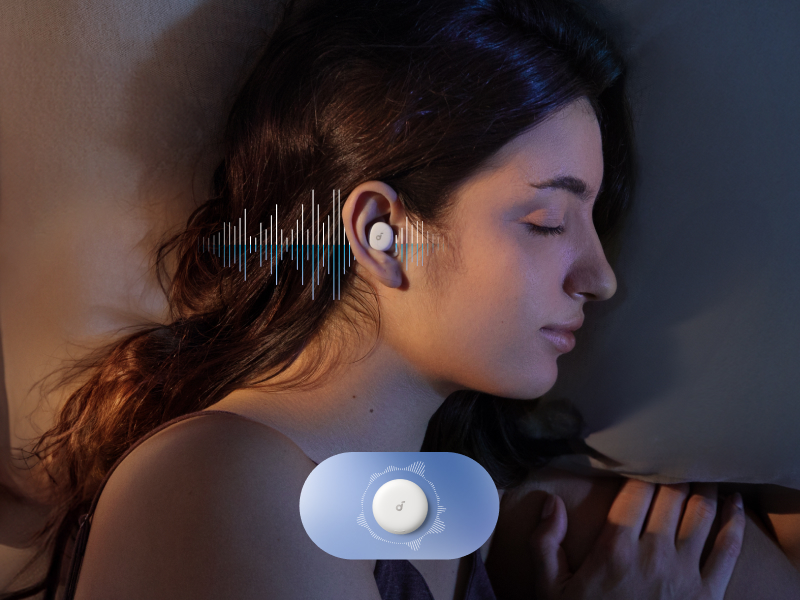
Image: A woman sleeping on her side, demonstrating the comfortable fit of the earbuds for side sleepers.
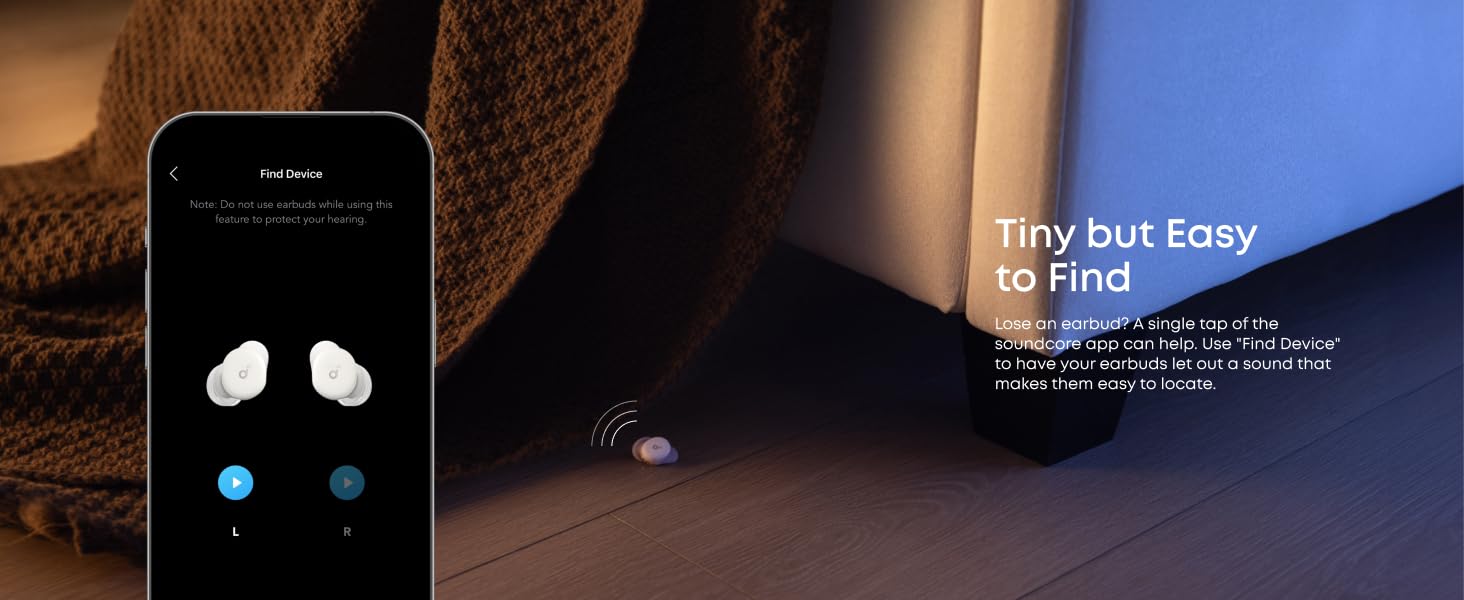
Image: A detailed diagram highlighting the design features that contribute to ultra-comfort for side sleepers, including air-filled ear wings, ultra-soft silicone, and a shorter nozzle.

Image: A cross-section view of the earbud, showing the soft silicone, memory foam core, and ultra-thin coating for enhanced comfort.
4.7. Sleep Customization
The Soundcore app allows you to personalize your bedtime audio, set sleep reminders, and configure built-in alarms for a tailored sleep experience.
4.8. Find Device Feature
If an earbud is misplaced, use the "Find Device" feature in the Soundcore app to make it emit a sound, aiding in its location.
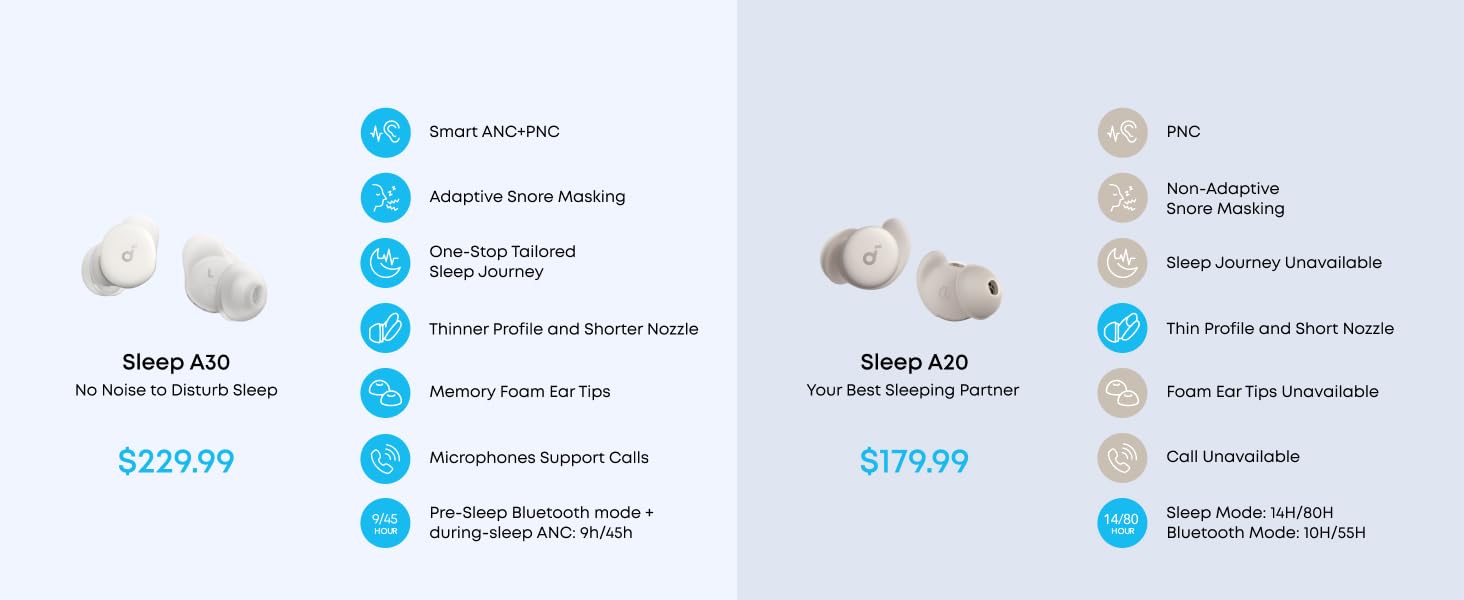
Image: The Soundcore app's 'Find Device' screen, showing left and right earbud icons and a visual of a lost earbud under a bed.
4.9. Product Video
Video: Official product video for Soundcore Sleep A30, demonstrating key features and usage scenarios.
5. Maintenance
5.1. Cleaning
Regularly clean the earbuds and charging case with a soft, dry cloth. For ear tips, remove them and clean with mild soap and water, then dry thoroughly before reattaching.
5.2. Storage
When not in use, store the earbuds in their charging case to protect them and maintain battery life.
6. Troubleshooting
If you encounter any issues with your Soundcore Sleep A30 earbuds, refer to the following common problems and solutions:
| Problem | Solution |
|---|---|
| Earbuds not charging | Ensure the charging cable is securely connected and the power source is active. Clean the charging contacts on both the earbuds and the case. |
| Cannot pair with device | Ensure earbuds are in pairing mode (open case). Turn off and on Bluetooth on your device. Forget the device in your Bluetooth settings and re-pair. |
| Poor noise cancellation | Ensure you have selected the correct size ear tips and ear wings for a snug fit. Check for any obstructions in the earbud nozzles. |
| Sound quality issues | Check the audio source. Ensure earbuds are clean. Try resetting the earbuds (refer to the full user guide for specific reset instructions). |
For more detailed troubleshooting, please refer to the official Troubleshooting Guide (PDF).
7. Specifications
- Model Name: Sleep A30
- Noise Control: Adaptive Noise Cancellation
- Connectivity: Wireless (Bluetooth 5.3)
- Bluetooth Range: 15 Meters
- Frequency Response: 20 KHz
- Battery Life: Up to 9 hours (earbuds), up to 45 hours (with charging case)
- Charging Time: 1.5 Hours (earbuds)
- Material: Plastic
- Item Weight: 103.5 Grams (total)
- Product Dimensions: 2.56 x 2.56 x 1.18 inches (charging case)
- Water Resistance Level: Waterproof
- Control Type: Touch Control
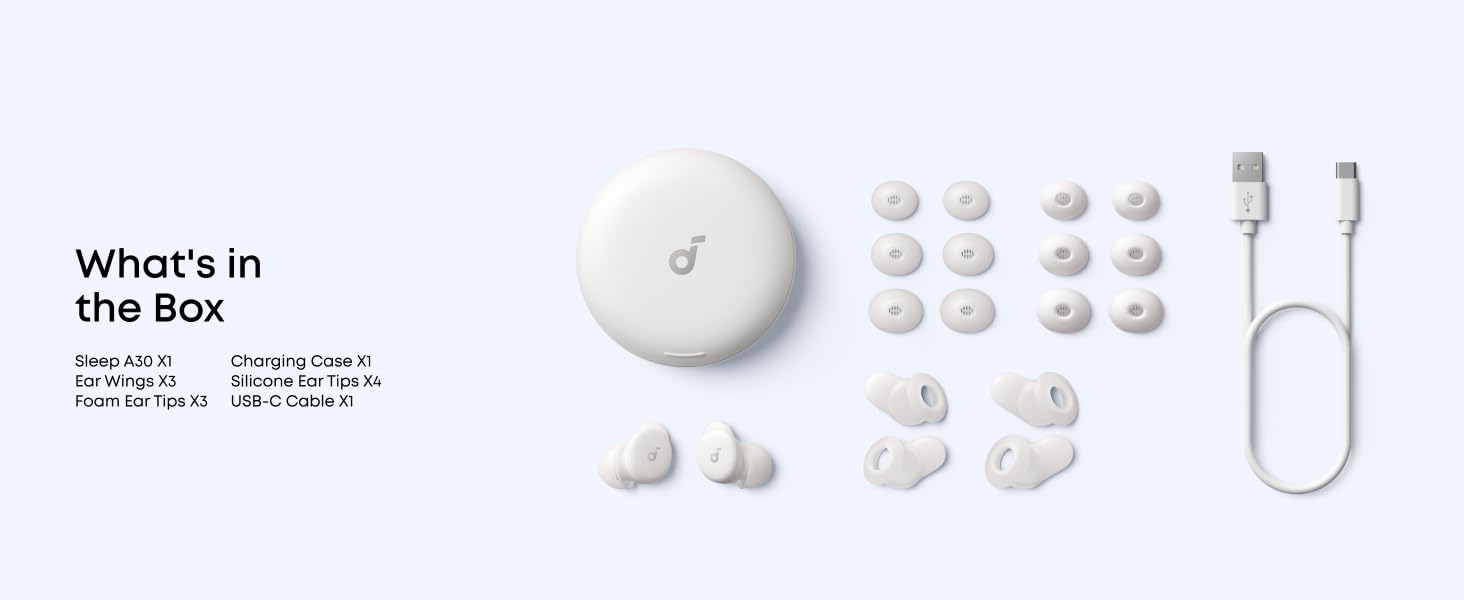
Image: A graphic illustrating the 9 hours of playtime per charge and 45 hours total with the charging case.
8. Important Safety Information
To prevent damage or injury, always adhere to the following safety guidelines:
- Do not expose to extreme temperatures.
- Avoid dropping or subjecting to strong impacts.
- Keep out of reach of children and pets.
- Do not disassemble or attempt to repair the device.
- Use only specified charging cables and adapters.
- Avoid using at excessively high volumes for prolonged periods to prevent hearing damage.
9. Warranty and Support
Soundcore products come with a limited warranty. For detailed warranty information, product support, or to access the full user guide, please visit the official Soundcore website or refer to the provided PDF documents:
Related documentsD1301


Ask a question about this manual
Ask about setup, troubleshooting, compatibility, parts, safety, or missing instructions. Manuals+ will review the question and use this page’s manual context to help answer it.