
SEUNKWANG TK100
User Manual: EWEADN TK100 Wired Typewriter Mechanical Keyboard and Mouse Combo
Model: TK100 | Brand: SEUNKWANG
Product Overview
The EWEADN TK100 is a wired mechanical keyboard and mouse combo designed for both office productivity and gaming. It features 104 keys with a retro typewriter aesthetic, white backlighting, and anti-ghosting technology. The accompanying wired mouse offers adjustable sensitivity for precise control. This combo provides a stable and reliable connection, ensuring a comfortable and efficient user experience.
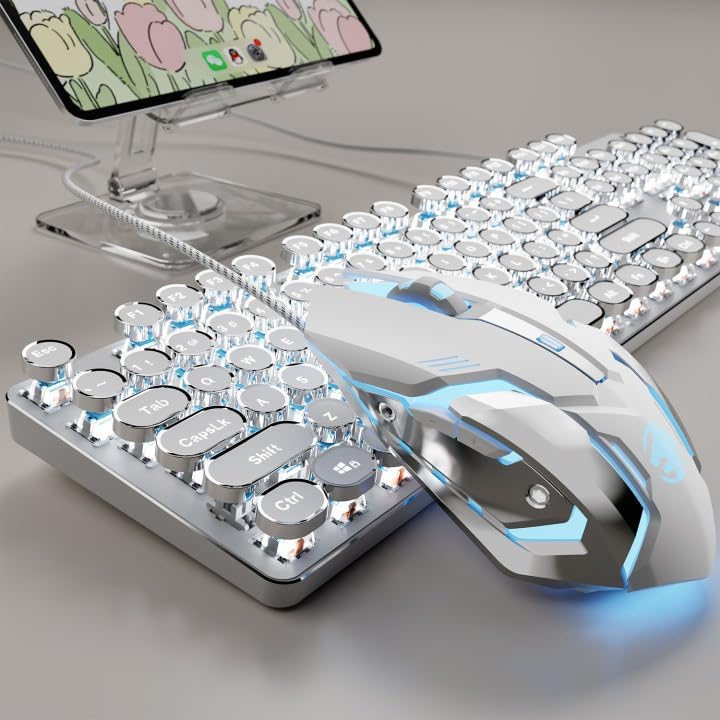
Image: The EWEADN TK100 wired mechanical keyboard and mouse combo, showcasing its white backlit keys and ergonomic design.
Key Features
- Simple Plug and Play: Offers a stable and reliable connection without the need for software installation. Simply plug in the USB connector to your device.
- Retro Typewriter Round Keycaps & Ergonomic Design: Features two-tone injection-molded punk-style round keycaps with a transparent back for durability. Stepped floating keycaps are designed for comfortable typing, reducing fatigue. An ergonomic footstand allows for adjustable typing angles.
- Metal Panel & White Backlight: Constructed with a high-quality aluminum alloy panel with a finely polished finish. The minimalist white backlight offers 19 preset lighting effects (FN + INS/6/7/8/9/0), 5 brightness levels, and breathing modes (FN + arrow keys).
- 104-Key Anti-Ghosting: Equipped with anti-ghosting technology, ensuring multiple simultaneous keystrokes are registered correctly without conflict, suitable for both office work and gaming.
- High-Precision Wired Mouse & Wide Compatibility: The wired mouse features adjustable sensitivity (3 levels) for smooth, fast response, and accurate tracking. The combo supports PC, Mac laptops, tablets, and desktop computers via USB wired connection.
Setup Guide
Connecting Your Keyboard and Mouse
- Locate an available USB-A port on your computer or compatible device.
- Plug the USB connector from the EWEADN TK100 keyboard and mouse combo into the USB-A port.
- The system will automatically detect and install the necessary drivers. No additional software installation is required.
- Once detected, the keyboard and mouse are ready for immediate use.

Image: Illustration of the simple plug-and-play setup, showing the keyboard and mouse connected to a laptop, highlighting wide compatibility with various devices.
Operating Instructions
Keyboard Functions
- Standard Typing: Use the keys as you would with any standard 104-key keyboard.
- Anti-Ghosting: The keyboard supports full-key rollover, meaning all keystrokes are registered accurately even during rapid, simultaneous presses. This is particularly beneficial for gaming and fast typing.
- Ergonomic Adjustment: The keyboard features an ergonomic footstand that allows you to adjust the typing angle for optimal comfort and reduced wrist fatigue.
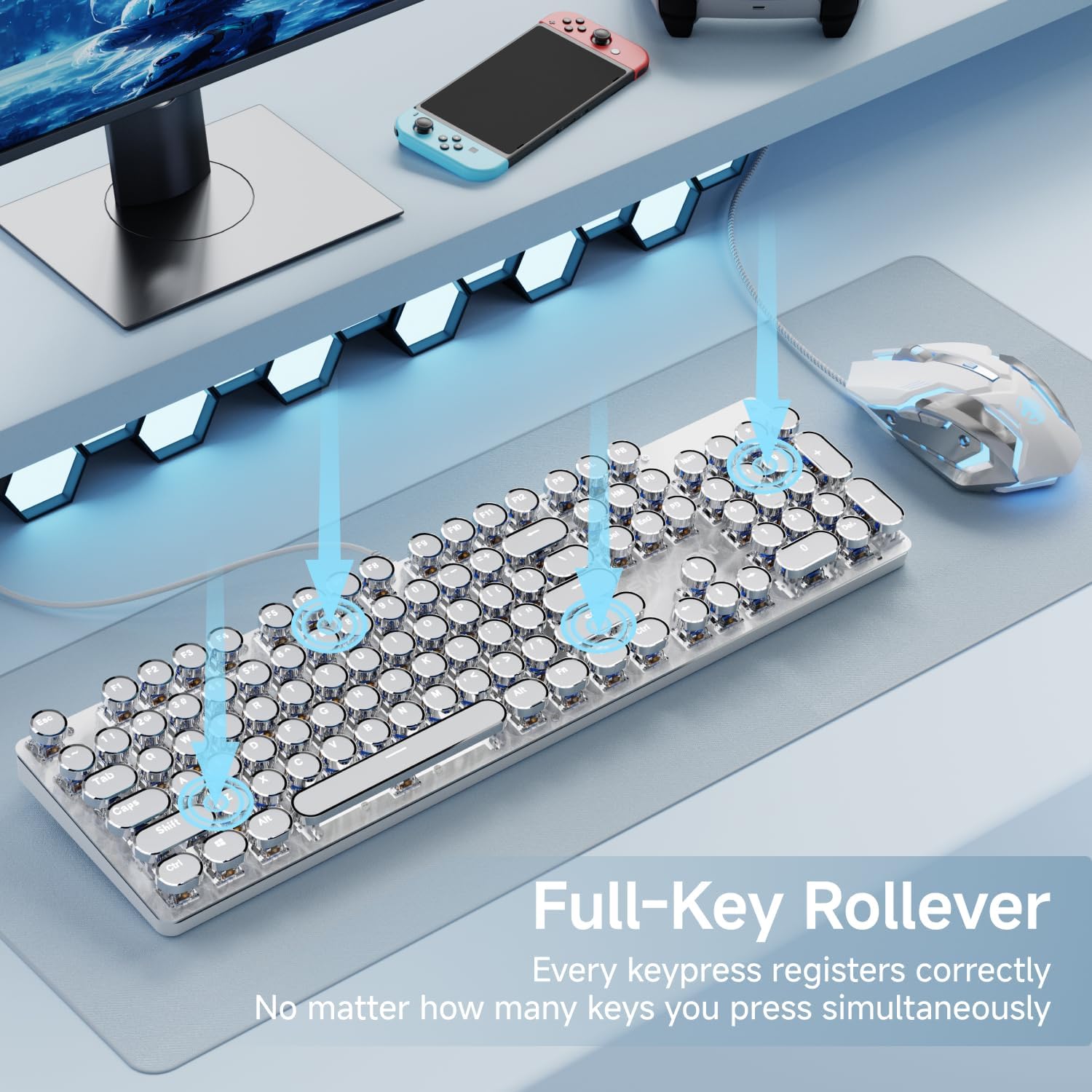
Image: Visual representation of the full-key rollover capability, showing multiple keypresses being registered simultaneously on the keyboard.

Image: Close-up view of the keyboard's adjustable feet, demonstrating the ergonomic design that allows for a 7-degree typing angle.
Backlight Control
The keyboard features a white backlight with multiple customization options:
- Change Lighting Effects: Press FN + INS to cycle through 20 basic lighting effects.
- Game Lighting Modes: Press FN + 6/7/8/9/0 to activate 5 specific game lighting modes.
- Adjust Brightness: Press FN + ↑ to increase brightness and FN + ↓ to decrease brightness (5 levels available).
- Breathing Mode: Some lighting effects may include a breathing mode, which can also be adjusted using the brightness keys.

Image: The keyboard displaying its white backlight, with an overlay indicating the function key combinations for changing light effects and adjusting brightness.
Mouse Functions
- Standard Operation: The mouse functions as a standard wired optical mouse with left-click, right-click, and scroll wheel.
- DPI Adjustment: The mouse offers 3 levels of sensitivity adjustment. Use the DPI button (usually located behind the scroll wheel) to cycle through the settings: 800, 1200, 1600, and 2400 DPI. This allows you to easily change the movement speed for different tasks.
- Durability: The mouse is designed for a long lifespan with a 3,000,000 clicks lifetime.

Image: A detailed view of the wired mouse, highlighting its 3,000,000 clicks lifetime, flexible and unbreakable cable, and 4-DPI adjustment settings (800-1200-1600-2400).
Product Demonstration Video
Video: A demonstration of the EWEADN TK100 Wired Typewriter Mechanical Keyboard and Mouse in use, showcasing its typing experience and backlighting.
Maintenance
- Cleaning: To clean the keyboard and mouse, disconnect them from your device. Use a soft, dry cloth to wipe down surfaces. For stubborn dirt, a slightly damp cloth can be used, ensuring no liquid enters the internal components.
- Keycap Cleaning: Keycaps can be carefully removed for deeper cleaning if necessary. Use a keycap puller (not included) to avoid damage. Ensure keycaps are completely dry before reattaching.
- Storage: Store the keyboard and mouse in a cool, dry place away from direct sunlight and extreme temperatures.
Troubleshooting
| Problem | Possible Cause | Solution |
|---|---|---|
| Keyboard/Mouse not responding | Loose USB connection, faulty USB port, driver issue. | Ensure the USB cable is securely plugged into the port. Try a different USB port. Restart your computer. |
| Keys not registering or double-typing | Dust/debris under keycap, switch malfunction, software conflict. | Clean under the affected keycap. Ensure anti-ghosting is functioning correctly. Test on another computer to rule out software issues. |
| Mouse cursor erratic or unresponsive | Dirty sensor, unsuitable surface, cable damage. | Clean the optical sensor on the bottom of the mouse. Use a mouse pad or a smooth, non-reflective surface. Check the USB cable for any visible damage. |
| Backlight not working or inconsistent | Backlight setting, power issue. | Press FN + ↑ to increase brightness. Cycle through lighting effects using FN + INS. Ensure the keyboard is properly connected. |
Product Specifications
| Feature | Detail |
|---|---|
| Brand | SEUNKWANG |
| Model Number | TK100 |
| Connectivity Technology | USB-A (Wired) |
| Keyboard Description | Mechanical, 104 Keys |
| Keycap Style | Retro Typewriter Round Keycaps |
| Backlight | White Backlight (19 effects, 5 brightness levels) |
| Anti-Ghosting | Full-Key Rollover |
| Mouse DPI Settings | 800, 1200, 1600, 2400 |
| Compatible Devices | Laptop, PC, Gaming Console, Tablet, Smartphone |
| Item Weight | 2.38 pounds |
| Package Dimensions | 22.87 x 7.01 x 2.13 inches |
Warranty and Support
The EWEADN TK100 Wired Typewriter Mechanical Keyboard and Mouse Combo comes with 48-month brand support. For any inquiries, technical assistance, or warranty claims, please contact the SEUNKWANG customer support team through your purchase platform or the official brand website.
Please retain your proof of purchase for warranty validation.
Ask a question about this manual
Ask about setup, troubleshooting, compatibility, parts, safety, or missing instructions. Manuals+ will review the question and use this page’s manual context to help answer it.