
1. Overview
The Monster Persona 6th ANC headphones provide a high-fidelity audio experience with active noise cancellation. These wireless Bluetooth over-ear headphones are designed for comfort and extended use, featuring multiple listening modes and long battery life. This manual provides instructions for setup, operation, and maintenance.
2. What's in the Box

Image: Contents of the Monster Persona 6th ANC headphone box.
- Monster Persona 6th ANC Headphones × 1
- Type-C Charging Cable × 1
- Aux Cable × 1
- User Manual × 1
3. Product Layout and Controls
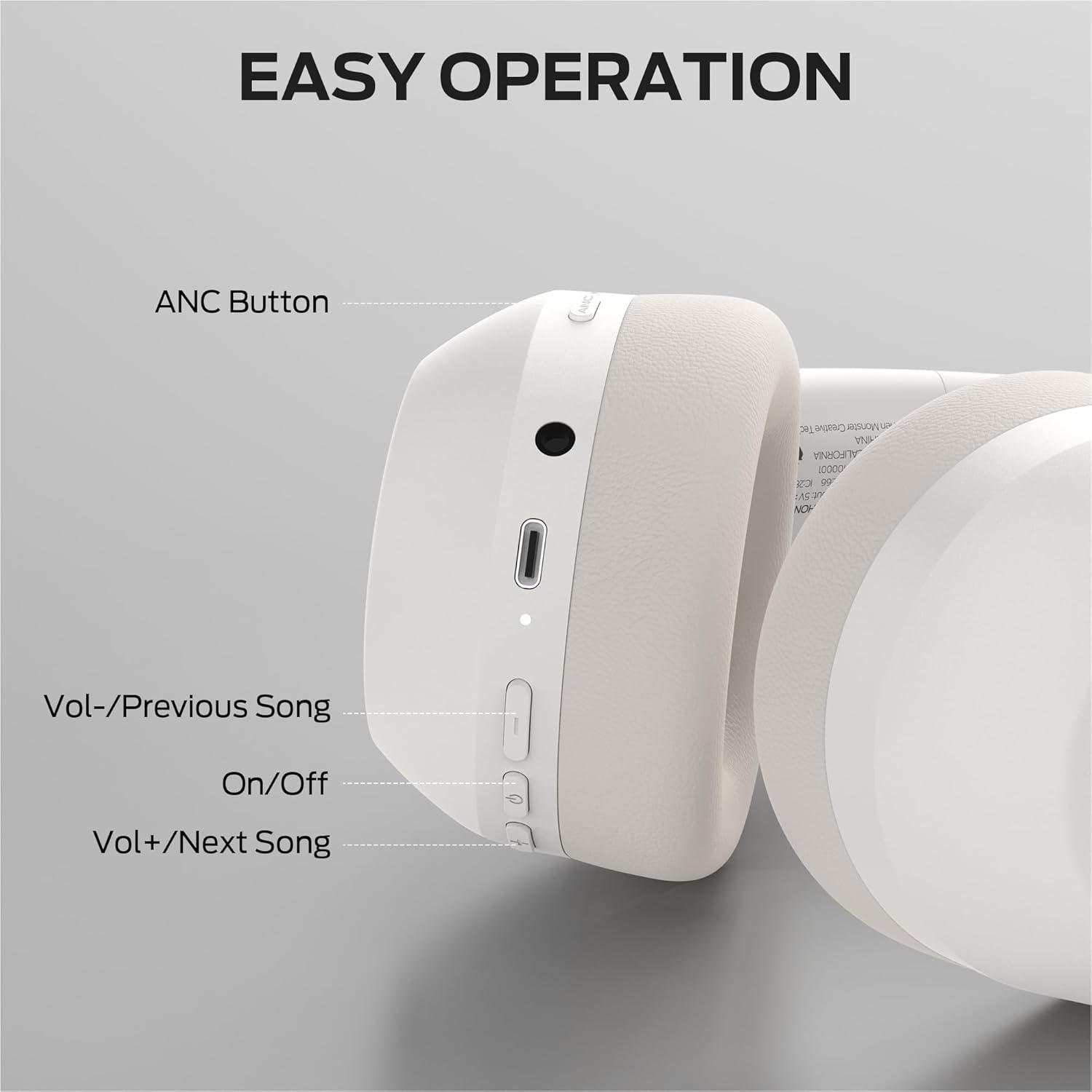
Image: Right earcup controls of the Monster Persona 6th ANC headphones.

Image: Detailed diagram of headphone button functions.
Control Functions:
- Power Button (On/Off): Long press for 3 seconds to power on/off.
- Play/Pause: Press once.
- Answer/Hang Up Call: Press once.
- Reject Call: Long press for 2 seconds.
- Voice Assistant: Long press for 2 seconds.
- Volume Up (+): Press once.
- Next Song: Long press for 2 seconds.
- Volume Down (-): Press once.
- Previous Song: Long press for 2 seconds.
- ANC Button: Press once to switch between ANC modes (Active Noise Cancellation, Transparency Mode, Standard Mode).
4. Setup
4.1 Charging the Headphones
Before first use, fully charge the headphones. Connect the provided Type-C charging cable to the charging port on the headphones and the other end to a USB power source (e.g., computer, wall adapter). The LED indicator will show charging status.
- A full charge takes approximately 2 hours.
- A 10-minute rapid charge provides approximately 5 hours of playback.
- Fully charged headphones offer up to 60 hours of playtime (ANC off) or 40 hours (ANC on).

Image: Headphones indicating long battery life and rapid charging capability.
4.2 Powering On/Off
- Power On: Long press the Power button for 3 seconds. The LED indicator will flash.
- Power Off: Long press the Power button for 3 seconds. The LED indicator will turn off.
4.3 Bluetooth Pairing
- Ensure the headphones are powered off.
- Long press the Power button for 3 seconds until the LED indicator flashes blue and red, indicating pairing mode.
- On your device (smartphone, tablet, computer), enable Bluetooth and search for available devices.
- Select "Monster Persona 6th ANC" from the list of found devices.
- Once connected, the LED indicator on the headphones will flash blue slowly.

Image: Headphones demonstrating multi-point Bluetooth connection to a phone and laptop.
The headphones support Bluetooth 6.0 for stable and efficient wireless connectivity.
5. Operation
5.1 Music Playback
- Play/Pause: Press the Power button once.
- Next Song: Long press the Volume Up (+) button for 2 seconds.
- Previous Song: Long press the Volume Down (-) button for 2 seconds.
- Volume Adjustment: Press the Volume Up (+) or Volume Down (-) button once.
5.2 Call Functions
- Answer/End Call: Press the Power button once.
- Reject Call: Long press the Power button for 2 seconds.
- Activate Voice Assistant: Long press the Power button for 2 seconds when not on a call.
5.3 Music Modes (ANC, Transparency, Standard)
The headphones feature three distinct music modes to adapt to your environment. Press the ANC button once to cycle through these modes:
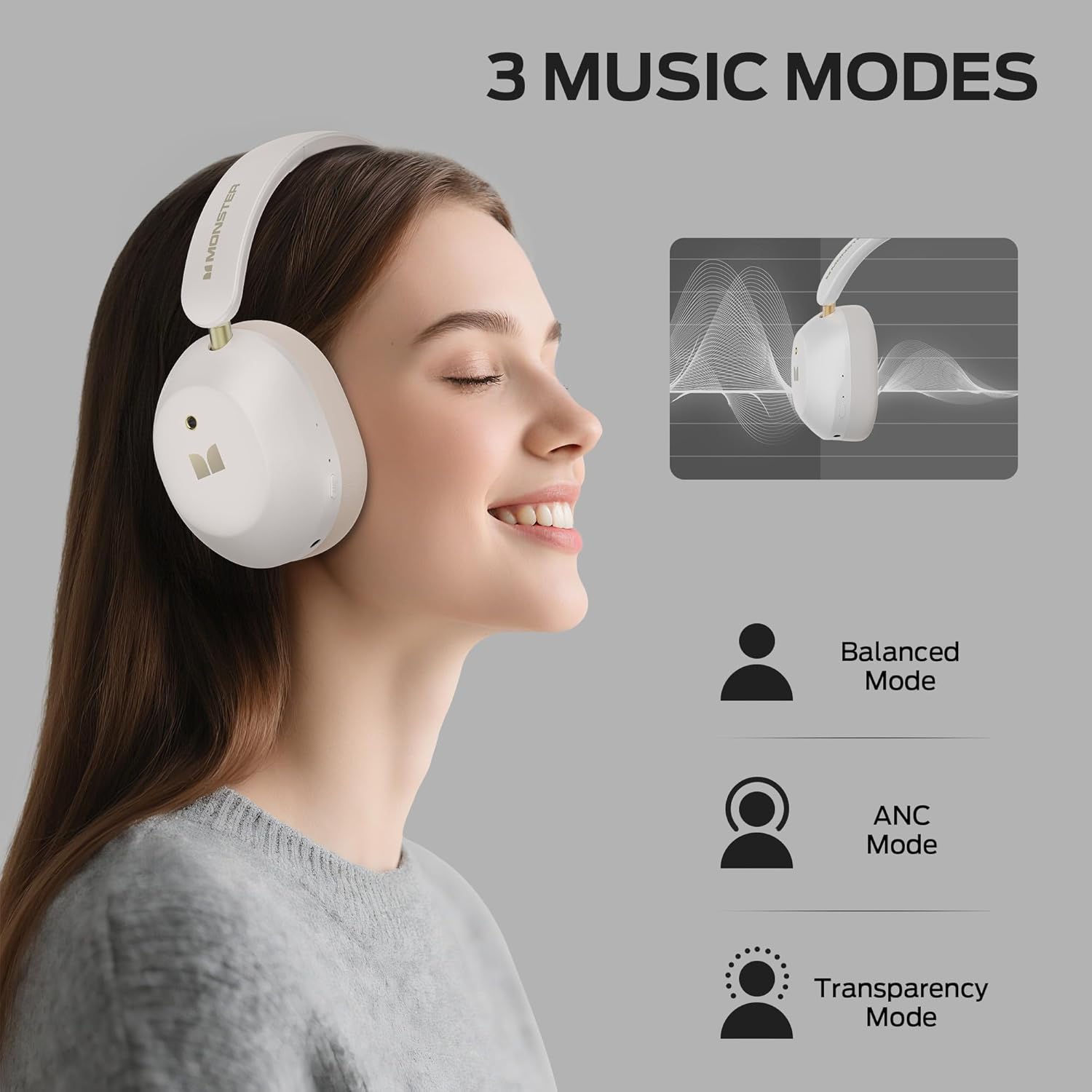
Image: Visual representation of the three available music modes.
- Active Noise Cancellation (ANC) Mode: Reduces ambient noise for an immersive listening experience. Ideal for travel or noisy environments.
- Transparency Mode: Allows you to hear your surroundings while listening to audio, enhancing awareness. Useful for commutes or when interacting with others.
- Standard Mode: Provides a balanced audio experience without active noise cancellation or transparency features.
5.4 Multi-Point Connection
The headphones can connect to two Bluetooth devices simultaneously. This allows for seamless switching between audio sources, such as listening to music on a laptop and answering a call on a smartphone without re-pairing.
- Pair the headphones with the first device (e.g., smartphone).
- Disable Bluetooth on the first device.
- Put the headphones back into pairing mode and pair with the second device (e.g., laptop).
- Re-enable Bluetooth on the first device. The headphones should automatically connect to both devices.
5.5 Wired Connection
For wired listening, connect the provided 3.5mm Aux cable to the headphone's audio jack and to your audio source. This mode can be used when the battery is depleted or for devices without Bluetooth connectivity.

Image: Headphones demonstrating both wired (3.5mm) and wireless (Bluetooth) connection options.
6. Maintenance
- Cleaning: Use a soft, dry cloth to clean the headphones. Do not use abrasive cleaners or solvents.
- Storage: Store the headphones in a cool, dry place away from direct sunlight and extreme temperatures.
- Battery Care: To prolong battery life, avoid fully discharging the headphones frequently. Charge them regularly, even if not in use for extended periods.
- Water Exposure: These headphones are not waterproof. Avoid exposure to water or excessive moisture.
7. Troubleshooting
| Problem | Solution |
|---|---|
| Headphones do not power on. | Ensure the headphones are charged. Connect them to a power source using the Type-C cable. |
| Cannot pair with a Bluetooth device. |
|
| No sound or low volume. |
|
| Active Noise Cancellation (ANC) is not working effectively. |
|
| Sound quality is poor. |
|
8. Specifications
| Model Name | Monster Persona 6th ANC |
| Connectivity Technology | Wireless (Bluetooth), Wired (3.5mm Aux) |
| Wireless Communication | Bluetooth 6.0 |
| Bluetooth Range | Up to 33 Feet (10 meters) |
| Noise Control | Active Noise Cancellation |
| Audio Driver Size | 40 mm Dynamic Driver |
| Battery Life | Up to 60 hours (ANC off), 40 hours (ANC on) |
| Charging Time | Approx. 2 hours (10 min charge for 5 hours playtime) |
| Control Type | Button Control |
| Earpiece Shape | Over-Ear |
| Material | Plastic |
| Item Weight | 14 ounces |
| Color | White |
9. Safety Information
- Do not expose headphones to extreme temperatures, humidity, or corrosive substances.
- Avoid dropping or subjecting the headphones to strong impacts.
- Do not attempt to disassemble or modify the headphones. This will void the warranty.
- Listen at moderate volume levels to prevent hearing damage. Prolonged exposure to loud sounds can cause irreversible hearing loss.
- Do not use headphones in situations where inability to hear ambient sounds could be dangerous (e.g., driving, cycling, walking in traffic).
- Keep out of reach of children and pets.
- Dispose of batteries and electronic components responsibly according to local regulations.
10. Warranty and Support
For warranty information and customer support, please refer to the official Monster website or contact your retailer. Keep your purchase receipt for warranty claims.
Manufacturer: Monster