
LEVNARY B0FC6KTYDQ
LEVNARY Mid-Century Modern Nightstand with Charging Station Instruction Manual
Model: B0FC6KTYDQ
Introduction
This manual provides detailed instructions for the assembly, operation, and maintenance of your LEVNARY Mid-Century Modern Nightstand with Charging Station. Please read this manual thoroughly before assembly and use to ensure proper function and longevity of your product. Keep this manual for future reference.

Image: Various views of the nightstand, including front, side, angled, and back.
Safety Information
- Ensure all parts are present and undamaged before assembly. Do not use if any parts are missing or broken.
- Assemble on a soft, clean surface to prevent scratches.
- Do not overtighten screws during assembly to avoid damaging the material.
- Keep small parts away from children during assembly.
- Place the nightstand on a level surface to prevent tipping.
- Do not exceed the maximum weight recommendation of 50 pounds for the tabletop.
- For the charging station, ensure the power cord is fully inserted into a functional wall outlet. Do not overload the outlets or USB ports.
- Keep liquids away from the charging station to prevent electrical hazards.
Package Contents
Please verify that all components listed below are included in your package:
- Nightstand Frame Components
- Drawer with Fabric-Like Textured Front
- Metal Legs
- Charging Station Unit (with power cord)
- Assembly Hardware (screws, dowels, etc.)
- Screwdriver
- Instruction Manual
Assembly Instructions
Follow these steps carefully to assemble your nightstand.
- Unpack and Identify Parts: Carefully remove all components from the packaging. Lay them out on a clean, soft surface. Refer to the parts list to ensure all pieces are present.
- Assemble the Frame: Connect the side panels to the top and bottom panels using the provided hardware. Ensure all connections are secure but do not overtighten.
- Install the Shelf: Slide the open shelf into its designated slots within the frame.
- Prepare the Drawer: Attach the drawer slides to the drawer box and the nightstand frame according to the instructions. Insert the fabric-like textured drawer front onto the drawer box.
- Install the Drawer: Carefully slide the assembled drawer into the nightstand frame until it clicks into place.
- Install Charging Station: Place the recessed power strip into the cutout on the top surface of the nightstand. Secure it with the provided screws.
- Attach Metal Handle: Secure the metal handle to the drawer front.
- Final Check: Ensure all screws are tightened and the nightstand is stable.

Image: Detailed view of the nightstand's dimensions and components, including the drawer and charging station.

Image: Close-up details of the nightstand's features, including the tabletop, rounded corners, drawer interior, and handle.
Operating Instructions
Using the Charging Station
The integrated charging station provides convenient power access for your electronic devices.
- Plug the nightstand's power cord into a standard 125V/12A wall outlet.
- To charge devices, connect them to the available 2 AC outlets or 2 USB ports (5V/2A) on the recessed power strip.
- Ensure devices are compatible with the provided power specifications.

Image: The recessed charging station on the nightstand's top, with devices connected.
Drawer and Shelf Usage
- The drawer provides concealed storage for personal items. Pull the metal handle to open and push to close.
- The open shelf is suitable for displaying books, decorative items, or for easy access to frequently used objects.
- The bottom space can be utilized for additional storage, such as slippers or boxes, and allows for robot vacuum clearance.
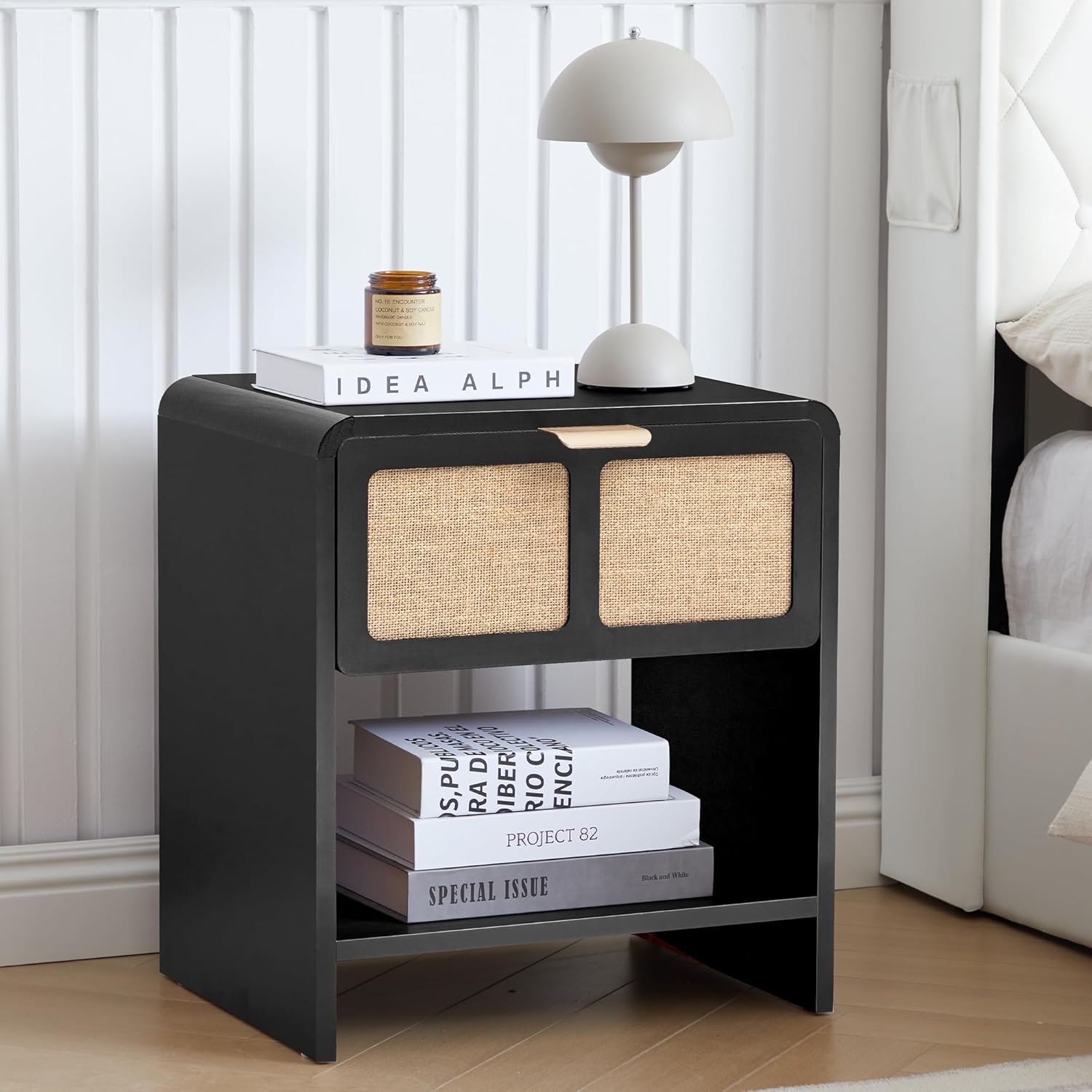
Image: The nightstand showcasing its drawer and open shelf storage.
Versatile Placement
The LEVNARY nightstand is designed for versatile use in various rooms and settings.
- As a Nightstand: Place next to your bed for convenient access to essentials and charging.
- As an End Table: Position beside a sofa or armchair in the living room.
- As a Side Table: Use in a home office or other areas for additional surface and storage.

Image: Examples of the nightstand's versatile use as a nightstand, end table, and side table.
Maintenance
- Cleaning: Wipe the nightstand surfaces with a soft, damp cloth. Avoid harsh chemicals or abrasive cleaners that may damage the finish. For the fabric-like drawer front, gently dust or use a soft brush.
- Spills: Immediately wipe up any spills to prevent staining or damage to the engineered wood.
- Hardware: Periodically check and tighten all screws and fasteners to ensure stability.
- Charging Station: Keep the charging ports free of dust and debris. Do not attempt to disassemble the charging unit.
Troubleshooting
| Problem | Possible Cause | Solution |
|---|---|---|
| Nightstand is wobbly. | Loose fasteners; uneven floor. | Tighten all assembly screws. Place on a level surface or use furniture pads to stabilize. |
| Drawer does not slide smoothly. | Drawer slides misaligned; debris in tracks. | Check alignment of drawer slides. Clean tracks of any obstructions. |
| Charging station not working. | Power cord not fully plugged in; wall outlet not functional; device not compatible; overloaded. | Ensure power cord is securely plugged into a working outlet. Test the outlet with another device. Verify device compatibility. Do not exceed maximum load. |
| Scratches on surface. | Rough handling; abrasive cleaning. | Use soft cloths for cleaning. Avoid dragging objects across the surface. Consider furniture polish or repair kits for minor scratches. |
Specifications
| Brand | LEVNARY |
| Model | B0FC6KTYDQ |
| Product Dimensions (D x W x H) | 13.77"D x 17.71"W x 19.88"H |
| Item Weight | 22 Pounds |
| Maximum Weight Recommendation (Tabletop) | 50 Pounds |
| Color | Black–linen Drawer Front |
| Material Type | Engineered Wood, Metal |
| Number of Drawers | 1 |
| Number of Shelves | 1 |
| Charging Station | 2 AC Outlets (125V/12A), 2 USB Ports (5V/2A) |
| Power Cord Length | 4.9-Foot |
| Included Components | Screwdriver |
Product Overview Video
Video: A visual overview of the LEVNARY Mid-Century Modern Nightstand with Charging Station, demonstrating its features and design.
Warranty and Support
For warranty information or technical support, please refer to the contact details provided with your purchase documentation or visit the official LEVNARY website. Keep your purchase receipt for warranty claims.
For additional assistance, you may contact LEVNARY customer service via their Amazon Storefront.
Related documentsB0FC6KTYDQ


Ask a question about this manual
Ask about setup, troubleshooting, compatibility, parts, safety, or missing instructions. Manuals+ will review the question and use this page’s manual context to help answer it.