
Jugeman P131
Jugeman Smart Watch P131 User Manual
Model: P131
Brand: Jugeman
Product Overview
The Jugeman P131 Smart Watch is a versatile wearable device designed for both men and women, featuring a 2.06-inch HD AMOLED display. It offers comprehensive health monitoring, extensive sports tracking capabilities with built-in GPS, and convenient communication features including Bluetooth calling and message notifications. Its durable design includes 5 ATM water resistance and a long-lasting battery.

Figure 1: Jugeman P131 Smart Watch, showcasing its large AMOLED display and sleek design.
Setup Guide
1. Charging the Device
Before initial use, fully charge your Jugeman P131 Smart Watch. Connect the magnetic charging cable to the charging points on the back of the watch and plug the USB end into a compatible power adapter (not included). A full charge typically takes approximately 2.5 hours.
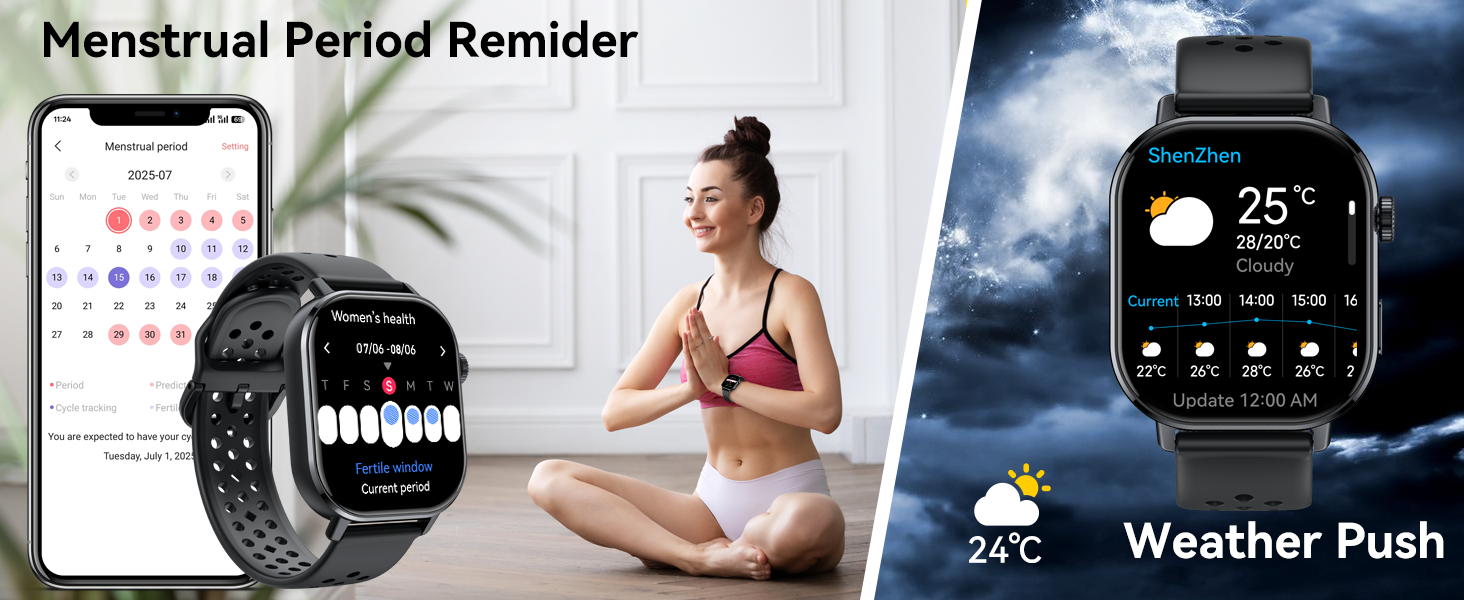
Figure 2: Overview of watch components and initial setup steps, including charging and app connection.
2. Pairing with Your Smartphone
To unlock the full functionality of your smart watch, pair it with your smartphone using the dedicated application. The app required is "GloryfitPro".
- Download the App: Scan the QR code provided in the watch's packaging or search for "GloryfitPro" in your smartphone's app store (Google Play Store for Android, Apple App Store for iOS).
- Enable Bluetooth: Ensure Bluetooth is enabled on your smartphone.
- Open GloryfitPro: Launch the app and follow the on-screen instructions to create an account or log in.
- Add Device: Within the app, navigate to the "Add Device" section. The app will search for nearby devices.
- Select "P131": From the list of found devices, select "P131" to initiate the pairing process.
- Confirm Pairing: A pairing request will appear on your phone. Click "Pair" to confirm.
- Allow Notifications: Grant necessary permissions within the app to allow the smartwatch to display notifications from your phone (e.g., calls, messages, social media alerts).
Once successfully paired, you can use the watch to answer/make calls and receive notifications directly on your wrist.
Operating Instructions
Display and Customization
The Jugeman P131 features a 2.06-inch HD AMOLED touchscreen with a resolution of 410*502 pixels, offering clear and vivid visuals. The "Always-On Display" mode ensures the time is always visible without needing to activate the screen.
- Watch Faces: Customize your watch face from a variety of built-in styles or upload your own photos/videos via the GloryfitPro app to personalize your device.
- Navigation: Swipe across the screen to access different functions and menus. Use the physical buttons for quick access or to return to the home screen.

Figure 3: The 2.06-inch HD AMOLED display and options for customized watch faces.
Communication Features
With advanced Bluetooth 5.4, the smart watch allows for seamless communication directly from your wrist.
- Bluetooth Calls: Make and receive phone calls directly on the watch after pairing with your smartphone.
- Message Notifications: Receive alerts for messages and social media notifications (WhatsApp, Facebook, Instagram, Twitter, WeChat, etc.).
- Voice Assistant: Utilize the built-in voice assistant for various tasks, including asking questions and controlling music playback.

Figure 4: Bluetooth call and message alert functionality of the smartwatch.
Health Monitoring
The P131 Smart Watch is equipped with optical sensors for continuous health tracking.
- Heart Rate Monitoring: Continuously monitors your heart rate and provides detailed data.
- Blood Oxygen (SpO2) Monitoring: Tracks your blood oxygen levels.
- Sleep Quality Monitoring: Analyzes your sleep patterns, including deep sleep, light sleep, and wake-up times.
- Stress Monitoring: Provides insights into your stress levels.
- Breathing Training: Guided breathing exercises to help manage stress.
- Women's Health: Features for menstrual period reminders.

Figure 5: Sleep and comprehensive health monitoring features.
Sports and Activity Tracking
The watch supports over 110 sports modes and provides accurate tracking for your activities.
- 110+ Sports Modes: Tracks various activities like running, walking, cycling, swimming, yoga, and more.
- Built-in GPS: Independent GPS module for accurate positioning (compatible with GPS, BeiDou, Galileo, GLONASS). Tracks route, distance, and pace. Note: GPS route tracking should be activated in open areas for optimal performance.
- Activity Tracking: Records daily activities including steps, distance, and calories burned.
- Outdoor Sensors: Includes an internal compass, altimeter, and barometer sensors to show current position, altitude, and air pressure.

Figure 6: Built-in GPS for high-precision positioning and route tracking.

Figure 7: Compass, altitude, and air pressure features for outdoor adventures.

Figure 8: The smartwatch supports over 110 built-in sports modes.
Other Functions
The Jugeman P131 Smart Watch includes a variety of additional useful features:
- Stopwatch & Timer: For precise timekeeping during workouts or daily tasks.
- Music Control: Control music playback on your connected smartphone.
- Remote Camera: Use the watch as a remote shutter for your phone's camera.
- Find Watch/Phone: Locate your watch or phone if misplaced.
- Weather Forecast: Get real-time weather updates.
- Sedentary Reminder: Alerts you to move after periods of inactivity.
- Water Reminder: Reminds you to drink water throughout the day.
- Alarm Clock: Set alarms for various purposes.
- Message Storage History: Review past notifications.

Figure 9: Overview of the multi-functional capabilities of the P131 Smart Watch.
Maintenance
Water Resistance
The Jugeman P131 Smart Watch has a 5 ATM water-resistance rating. This means it can withstand rain, splashes, and is suitable for showering or washing hands. It is not suitable for swimming, diving, or sauna use. Avoid exposing the watch to hot water or steam, as this can compromise the water seal.
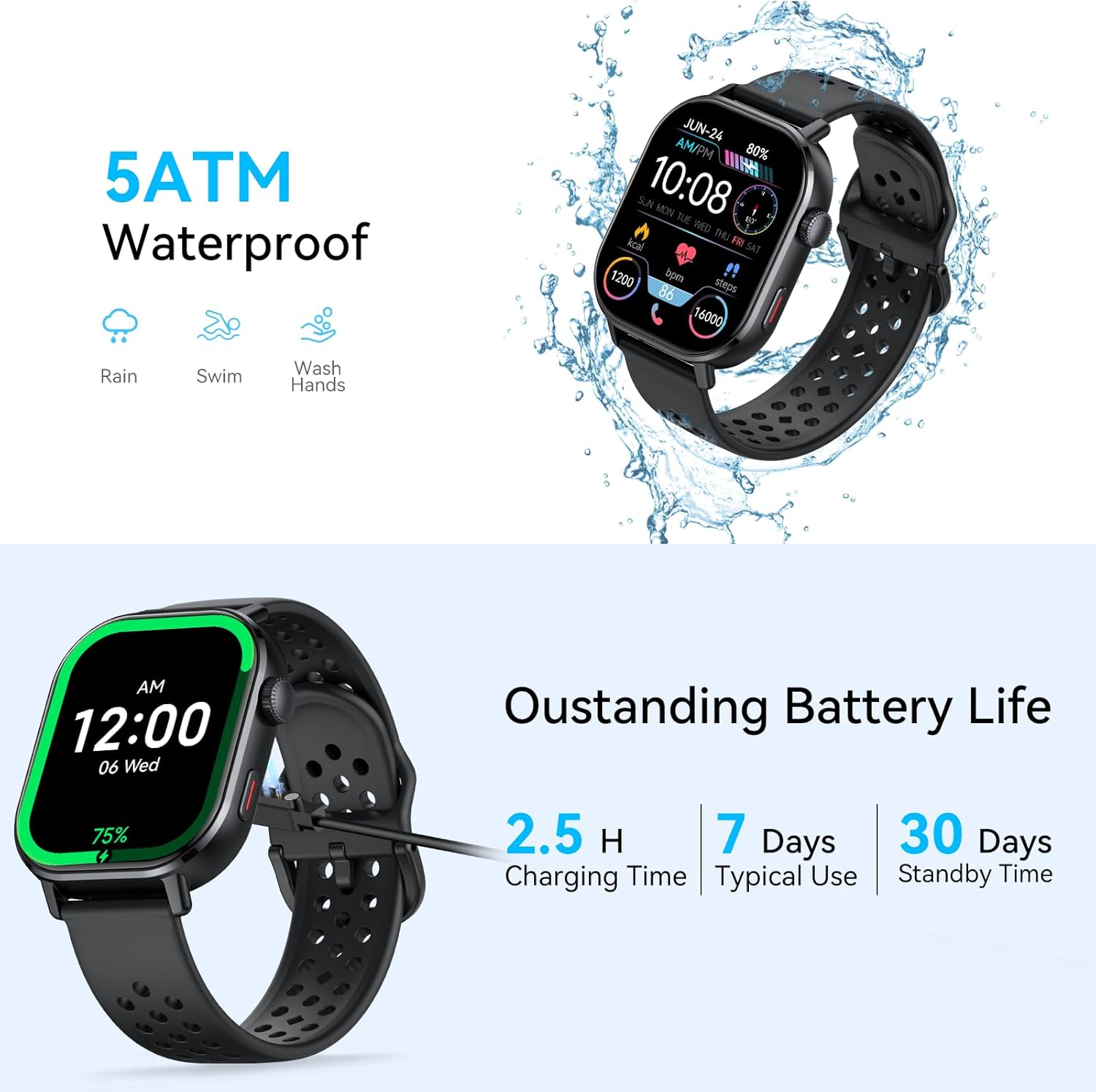
Figure 10: 5 ATM water resistance and battery life details.
Battery Life
The watch offers excellent battery performance:
- Typical Use: 7-10 days on a full charge.
- Standby Mode: Up to 30 days.
- Continuous GPS Use: Approximately 3 days.
To maximize battery life, consider adjusting screen brightness, limiting continuous heart rate monitoring, and turning off unnecessary notifications.
Cleaning and Care
Regularly clean your watch and strap to ensure optimal performance and hygiene. Use a soft, lint-free cloth to wipe the screen and body. For the silicone strap, you can use mild soap and water, then rinse thoroughly and dry completely before wearing.
Troubleshooting
If you encounter issues with your Jugeman P131 Smart Watch, please refer to the following common solutions:
- Watch not turning on: Ensure the watch is fully charged. Connect it to the charger for at least 30 minutes.
- Cannot pair with phone:
- Ensure Bluetooth is enabled on your phone and the watch is within range.
- Restart both your phone and the watch.
- Check if the "GloryfitPro" app is updated to the latest version.
- Forget the device in your phone's Bluetooth settings and try pairing again.
- Notifications not appearing:
- Verify that notification permissions are granted for the "GloryfitPro" app in your phone's settings.
- Ensure the app is running in the background and not being closed by your phone's power-saving features.
- Check notification settings within the "GloryfitPro" app.
- Inaccurate health data:
- Ensure the watch is worn snugly on your wrist, about one finger's width above the wrist bone.
- Keep the sensor clean and free from debris.
- Environmental factors and individual physiology can affect readings.
- GPS not tracking: Ensure you are in an open area with clear sky visibility. Check GPS settings within the watch or app.
For further assistance, please refer to the official product support channels.
Product Specifications
| Feature | Detail |
|---|---|
| Model Number | P131 |
| Display Size | 2.06 Inches HD AMOLED |
| Resolution | 410*502 pixels |
| Bluetooth Version | 5.4 |
| Water Resistance | 5 ATM |
| Battery Life (Typical) | 7-10 days |
| Battery Life (Standby) | Up to 30 days |
| Charging Time | Approx. 2.5 hours |
| Built-in Sensors | GPS, Altimeter, Barometer, Compass, Optical Heart Rate, SpO2 |
| Compatible Devices | Android (OS 4.4 and above), iOS |
| Band Material | Silicone |
| Item Weight | 5.9 ounces |
| Package Dimensions | 6.65 x 3.31 x 1.14 inches |
Official Product Video
Video 1: Overview of the Jugeman P131 Smart Watch, highlighting its 2.06" HD AMOLED display, GPS, Compass, and call answering capabilities.
Warranty and Support
For warranty information and customer support, please refer to the documentation included with your product or visit the official Jugeman website. You can also contact the seller directly through the platform where you purchased the product.
Seller: YJRCZJH-US
Amazon Store: Visit the Jugeman Store on Amazon
Related documentsP131


Ask a question about this manual
Ask about setup, troubleshooting, compatibility, parts, safety, or missing instructions. Manuals+ will review the question and use this page’s manual context to help answer it.