
Introduction
Thank you for choosing the Fisher SBX696 Portable Bluetooth Speaker. This manual provides essential information for setting up, operating, and maintaining your speaker to ensure optimal performance and longevity. Please read this manual thoroughly before using the product and retain it for future reference.
Safety Information
- Do not expose the speaker to extreme temperatures, direct sunlight, or high humidity.
- Avoid dropping or subjecting the speaker to strong impacts.
- Do not disassemble, repair, or modify the unit yourself. Contact qualified service personnel for any repairs.
- Keep the speaker away from water and other liquids. This product is not waterproof.
- Use only the provided charging cable or a certified equivalent.
- Ensure proper ventilation around the speaker during use.
What's in the Box
- Fisher SBX696 Portable Bluetooth Speaker
- Charging Cable
- User Manual
- Warranty Card
Product Overview
The Fisher SBX696 is a portable Bluetooth speaker designed for versatile audio playback. It features dual 6.5-inch drivers, RGB lighting, and multiple connectivity options.
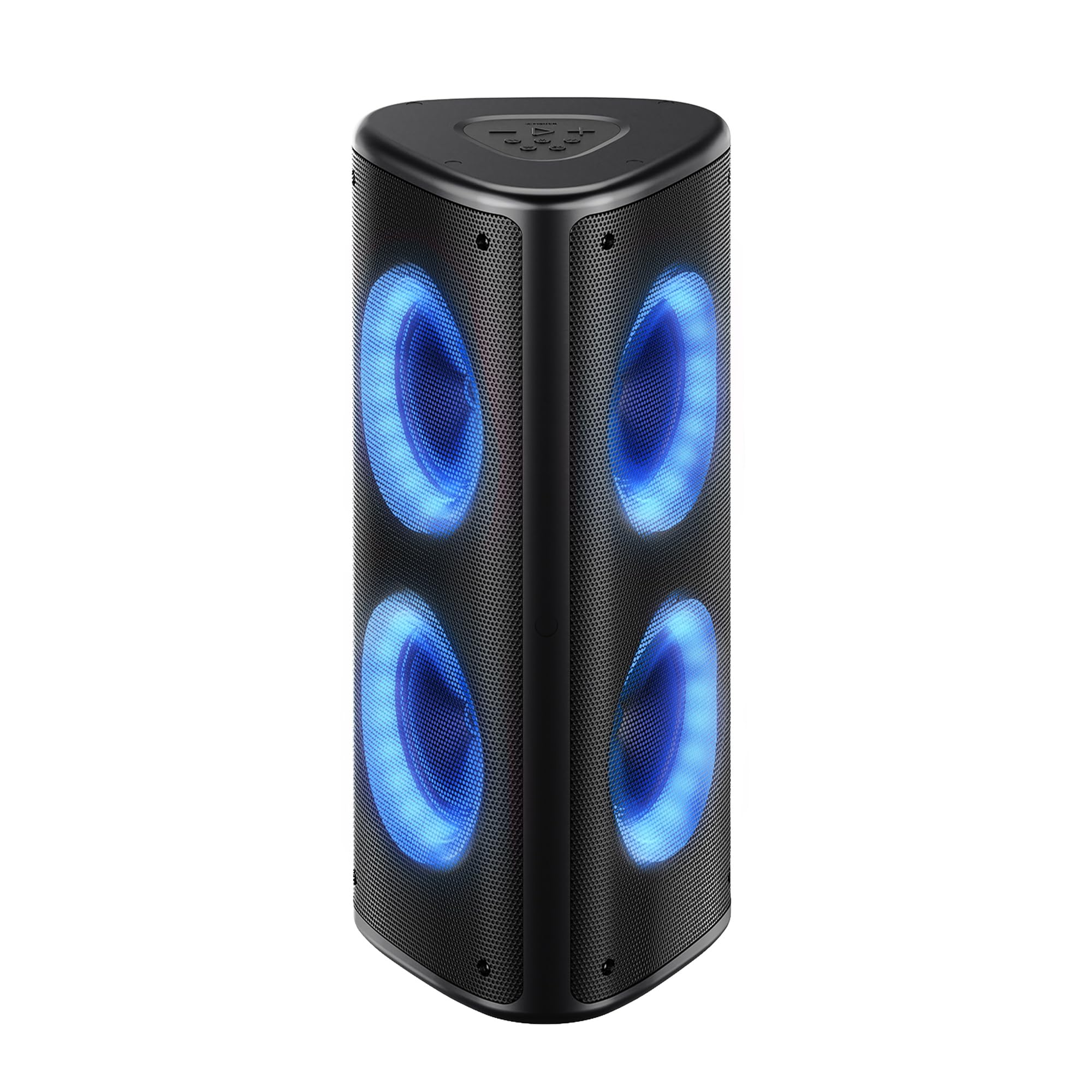
Figure 1: Front view of the Fisher SBX696 Portable Bluetooth Speaker, showcasing its triangular design and illuminated speaker cones.
Control Panel
The main controls are located on the top panel of the speaker. The rear panel houses various input/output ports.

Figure 2: Detailed view of the top control panel and rear input/output ports, including USB, TF Card, AUX, and Mic inputs.
- Play/Pause Button: Short press to play or pause audio.
- Volume Down (-): Short press to decrease volume.
- Volume Up (+): Short press to increase volume.
- Previous Track: Long press to go to the previous track.
- Next Track: Long press to go to the next track.
- Mode Button (M): Short press to switch between Bluetooth, USB, TF Card, AUX, and FM Radio modes.
- Light Mode Button: Short press to cycle through 6 dynamic RGB light modes. Long press to turn lights off/on.
- Equalizer (EQ) Button: Short press to switch between different equalizer presets (Bass, Treble, Normal).
- Power Switch (ON/OFF): Located on the rear panel.
- USB Port: For USB flash drive playback.
- DC 5V Port: For charging the speaker.
- TF Card Slot: For TF (Micro SD) card playback.
- AUX Input: For connecting external audio devices via a 3.5mm audio cable.
- MIC Input: For connecting a microphone.
Setup
Charging the Speaker
- Connect the provided USB-C charging cable to the DC 5V port on the speaker.
- Connect the other end of the cable to a USB power adapter (not included) or a computer's USB port.
- The battery indicator will show charging status. A full charge typically takes 8-10 hours.
Note: For optimal battery life, fully charge the speaker before first use.
Powering On/Off
- To power on, slide the ON/OFF switch on the rear panel to the "ON" position.
- To power off, slide the ON/OFF switch to the "OFF" position.
Operating Instructions
Bluetooth Mode
- Power on the speaker. It will automatically enter Bluetooth pairing mode, indicated by a flashing LED.
- Enable Bluetooth on your device (smartphone, tablet, etc.) and search for "SBX696".
- Select "SBX696" from the list of available devices to pair. A confirmation tone will sound upon successful connection.
- You can now play audio from your device through the speaker.
Note: The speaker has a wireless range of up to 33 feet (10 meters).
True Wireless Stereo (TWS) Function
TWS allows you to pair two SBX696 speakers together for a wider, richer stereo sound experience.

Figure 3: Illustration of two SBX696 speakers connected wirelessly via True Wireless Stereo (TWS) to a single device for enhanced sound.
- Ensure both SBX696 speakers are powered on and in Bluetooth mode, but not yet paired with any device.
- On one speaker (this will be the primary speaker), long press the "M" (Mode) button until you hear a pairing tone.
- The two speakers will automatically connect to each other. A confirmation tone will sound once connected.
- Now, connect your device to the primary speaker via Bluetooth as described in the "Bluetooth Mode" section.
- To cancel TWS, long press the "M" button on either speaker.
USB/TF Card Playback
- Insert a USB flash drive or TF (Micro SD) card containing MP3 audio files into the corresponding port on the rear panel.
- The speaker will automatically switch to USB or TF Card mode and begin playback. If not, short press the "M" button to select the correct mode.
- Use the Play/Pause, Previous, and Next buttons to control playback.
AUX Input Mode
- Connect an external audio device (e.g., MP3 player, TV) to the AUX input port on the rear panel using a 3.5mm audio cable (not included).
- Short press the "M" button to switch to AUX mode.
- Control playback from your connected device.
FM Radio Mode
- Short press the "M" button to switch to FM Radio mode.
- Long press the Play/Pause button to automatically scan and save available FM stations.
- Use the Previous and Next buttons to navigate between saved stations.
Microphone Input
- Connect a microphone (not included) to the MIC input port on the rear panel.
- Adjust the microphone volume using the connected microphone's controls or the speaker's main volume.
RGB Lighting

Figure 4: The Fisher SBX696 speaker showcasing its 6 dynamic RGB light modes, adding visual flair to the audio experience.
- Short press the Light Mode button to cycle through the 6 dynamic RGB light modes.
- Long press the Light Mode button to turn the lights off or on.
Maintenance
- Cleaning: Use a soft, dry cloth to clean the speaker's exterior. Do not use abrasive cleaners or solvents.
- Storage: When not in use for extended periods, store the speaker in a cool, dry place away from direct sunlight and extreme temperatures.
- Battery Care: To prolong battery life, avoid fully discharging the battery frequently. Charge the speaker regularly, even if not in use.
Troubleshooting
| Problem | Possible Cause | Solution |
|---|---|---|
| Speaker does not power on. | Low battery; Power switch is OFF. | Charge the speaker; Slide the power switch to "ON". |
| Cannot pair via Bluetooth. | Speaker is not in pairing mode; Device Bluetooth is off; Speaker is already connected to another device. | Ensure speaker is in Bluetooth mode (flashing LED); Turn on device Bluetooth; Disconnect from other devices. |
| No sound from USB/TF card. | Incorrect mode selected; Corrupt files; Card/drive not inserted correctly. | Press "M" button to select correct mode; Ensure files are MP3 format; Reinsert card/drive. |
| TWS pairing fails. | Speakers are too far apart; One speaker is already paired to a device. | Ensure speakers are close; Disconnect any Bluetooth devices from both speakers before TWS pairing. |
| Sound quality is poor. | Low battery; Device volume too low/high; EQ setting. | Charge speaker; Adjust device volume; Cycle through EQ settings. |
Specifications
| Feature | Detail |
|---|---|
| Model Number | SBX696 |
| Speaker Output Power | 80W Peak (Dual 40W drivers) |
| Speaker Size | 6.5 Inches (Woofer Diameter) |
| Connectivity Technology | Bluetooth 5.3, USB, AUX, TF Card, FM Radio, Mic Input |
| Bluetooth Range | Up to 33 feet (10 meters) |
| Battery Capacity | 6000mAh |
| Battery Average Life | Up to 5-6 hours (at 50% volume) |
| Charging Time | 8-10 Hours |
| Frequency Response | 20Hz - 20KHz |
| Audio Output Mode | Stereo |
| Additional Features | 6 RGB Light Modes, TWS Function, Built-in Carrying Handle |
| Item Dimensions (D x W x H) | 10.24"D x 10.94"W x 24.25"H |
| Weight | Approximately 13.23 lbs |
| Color | Black |
Warranty and Support
The Fisher SBX696 Portable Bluetooth Speaker comes with a limited warranty. Please refer to the included Warranty Card for detailed terms and conditions. For technical support, troubleshooting assistance, or warranty claims, please contact Fisher customer service.
Contact information can typically be found on the product packaging, the official Fisher website, or the Warranty Card.


