
1. Introduction
Thank you for choosing the ARENTI Baby Monitor Mount. This flexible mount is designed to provide a secure and optimal viewing angle for your ARENTI baby monitor, ensuring you can always keep an eye on your baby. Its versatile design allows for easy installation on cribs, shelves, or other furniture without the need for tools or causing wall damage.
2. Compatibility
This mount is compatible with various ARENTI baby monitor models, including:
- AInanny A4
- AInanny D3
- AInanny B2
- AInanny P2Q
- AInanny P2T
- AInanny P2F
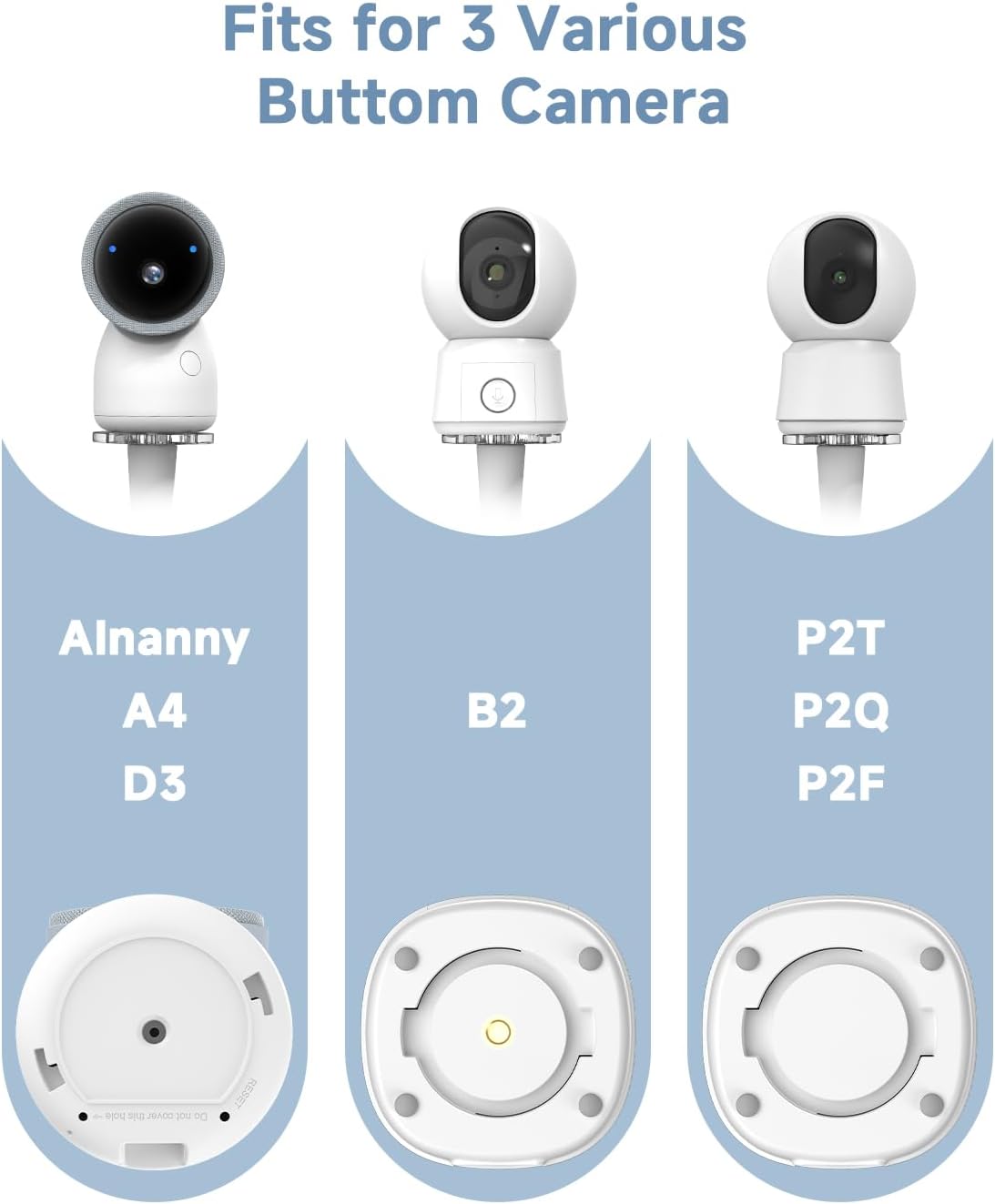
Image: The mount is designed to fit various ARENTI camera models, including AInanny A4, D3, B2, P2T, P2Q, and P2F, by attaching to their respective base plates.
3. Key Features
- Flexible Viewing Angle: The gooseneck design allows for easy adjustment to achieve the best viewing angle for your baby.
- Safety and Stability: Provides a secure and stable platform for your baby monitor.
- Quick and Easy Setup: Installs without the need for tools.
- Space-Saving Solution: Mounts directly to cribs or furniture, keeping surfaces clear.
- No Wall Damage: Eliminates the need for drilling or permanent fixtures.

Image: The flexible gooseneck allows for a wide range of adjustments, enabling you to position the camera for the optimal view of your baby in the crib.
4. Package Contents
Please ensure all items are present in the package:
- Flexible Gooseneck Mount
- Circular Base Plate
- Mounting Screws (3 pieces)
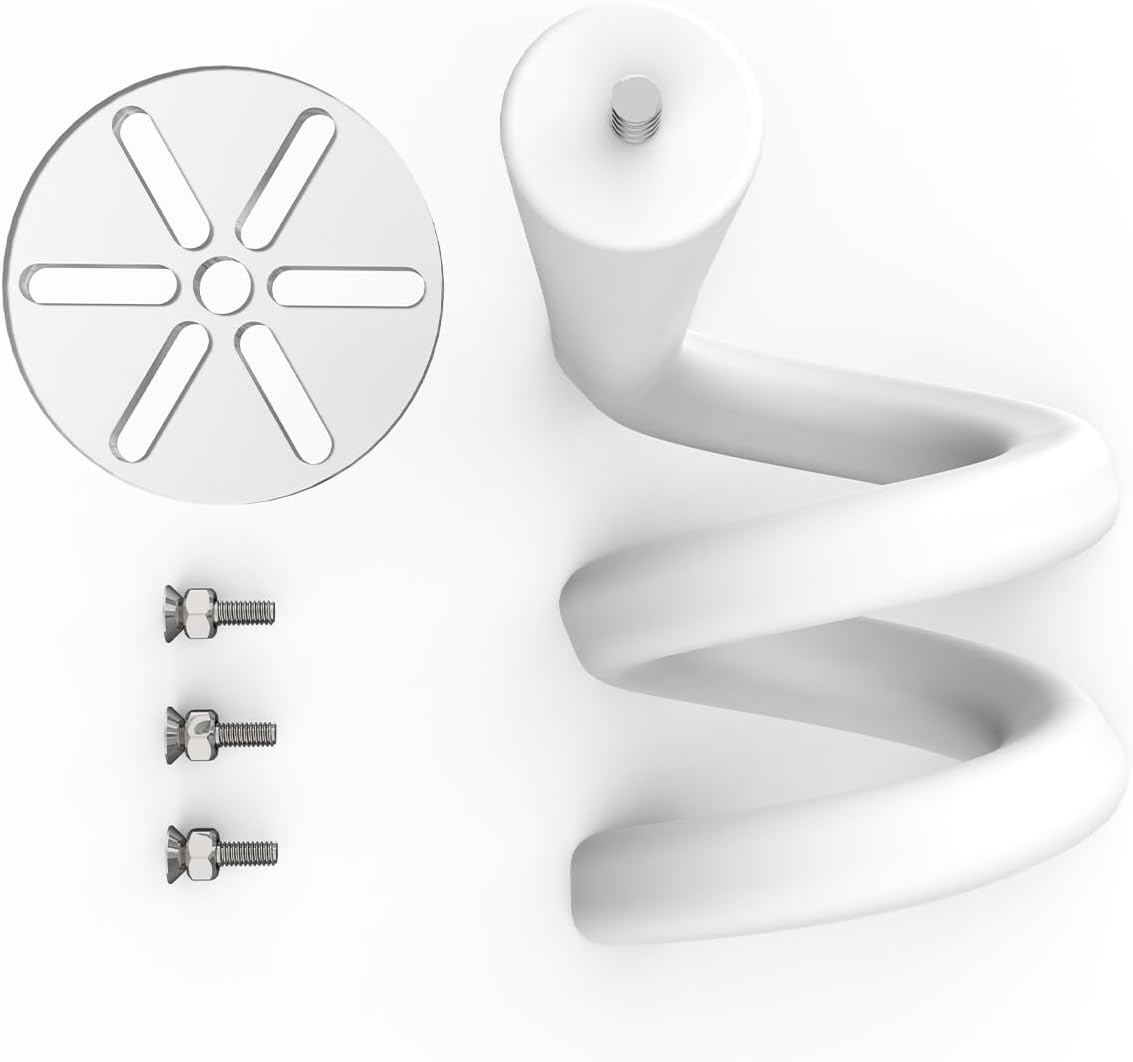
Image: The package includes the flexible gooseneck mount, a circular base plate for camera attachment, and three screws for assembly.
5. Installation Guide
Follow these steps to install your ARENTI Baby Monitor Mount:
- Assemble the Base: Screw the flexible gooseneck mount onto the circular base plate. Ensure it is tightened securely.
- Attach Camera: Fix your ARENTI baby monitor camera to the assembled base using the three included screws. Align the camera's base with the holes on the mount's base plate and fasten.
- Position the Mount: Bend and rotate the flexible gooseneck bracket to wrap it around the crib railing, a shelf, or other suitable furniture. Ensure it is firmly secured and stable.
- Adjust Angle: Once the mount is secured, adjust the gooseneck to achieve your preferred camera angle and height for optimal viewing of your baby.

Image: Step-by-step installation process showing how to assemble the mount, attach the camera, secure the gooseneck to furniture, and adjust the viewing angle.

Image: Examples of how the flexible gooseneck can be positioned and secured to different furniture pieces like a crib or a bedside table.
6. Operating the Mount
The ARENTI Baby Monitor Mount is designed for simple operation. Once installed, you can easily adjust the camera's position by gently bending and rotating the flexible gooseneck. Ensure the mount remains stable after any adjustments to maintain a clear and consistent view of your baby.

Image: A clear view of a baby in a crib, demonstrating the effective monitoring capability provided by the properly positioned mount.
7. Maintenance
To ensure the longevity and proper function of your ARENTI Baby Monitor Mount:
- Cleaning: Wipe the mount with a soft, damp cloth. Avoid using harsh chemicals or abrasive cleaners, as these may damage the material.
- Inspection: Periodically check the mount for any signs of wear or damage, especially at connection points and where it grips furniture. Ensure all screws remain tight.
- Storage: If storing the mount, keep it in a clean, dry place away from extreme temperatures.
8. Troubleshooting
If you encounter any issues with your ARENTI Baby Monitor Mount, consider the following:
- Mount is unstable: Ensure the gooseneck is securely wrapped around the furniture and tightened. The surface it's attached to should be sturdy and flat.
- Camera not attaching securely: Verify that the correct ARENTI camera model is being used and that the screws are properly aligned and tightened into the camera's base.
- Difficulty adjusting angle: The gooseneck is designed to be flexible yet firm. Apply steady pressure when bending. If it feels overly stiff or loose, inspect for any damage.
9. Product Specifications
| Brand | ARENTI |
| Material | Plastic or Silicone |
| Color | Black |
| Size | Adjustable |
10. Warranty Information
For detailed warranty information regarding your ARENTI Baby Monitor Mount, please refer to the official ARENTI website or the warranty card included with your product packaging. Keep your proof of purchase for warranty claims.
11. Customer Support
If you require further assistance, technical support, or have questions about your ARENTI Baby Monitor Mount, please visit the official ARENTI website or contact their customer support team through the channels provided on their website or product packaging.
You can visit the ARENTI Store at Amazon.com/ArentiIntelligence.