
1. Introduction
Thank you for choosing the NOUYAN Wrist Blood Pressure Monitor. This device is designed for convenient and accurate measurement of blood pressure and pulse rate at home. Please read this manual thoroughly before use to ensure correct operation and to obtain the most accurate results. This monitor is intended for adult use only.
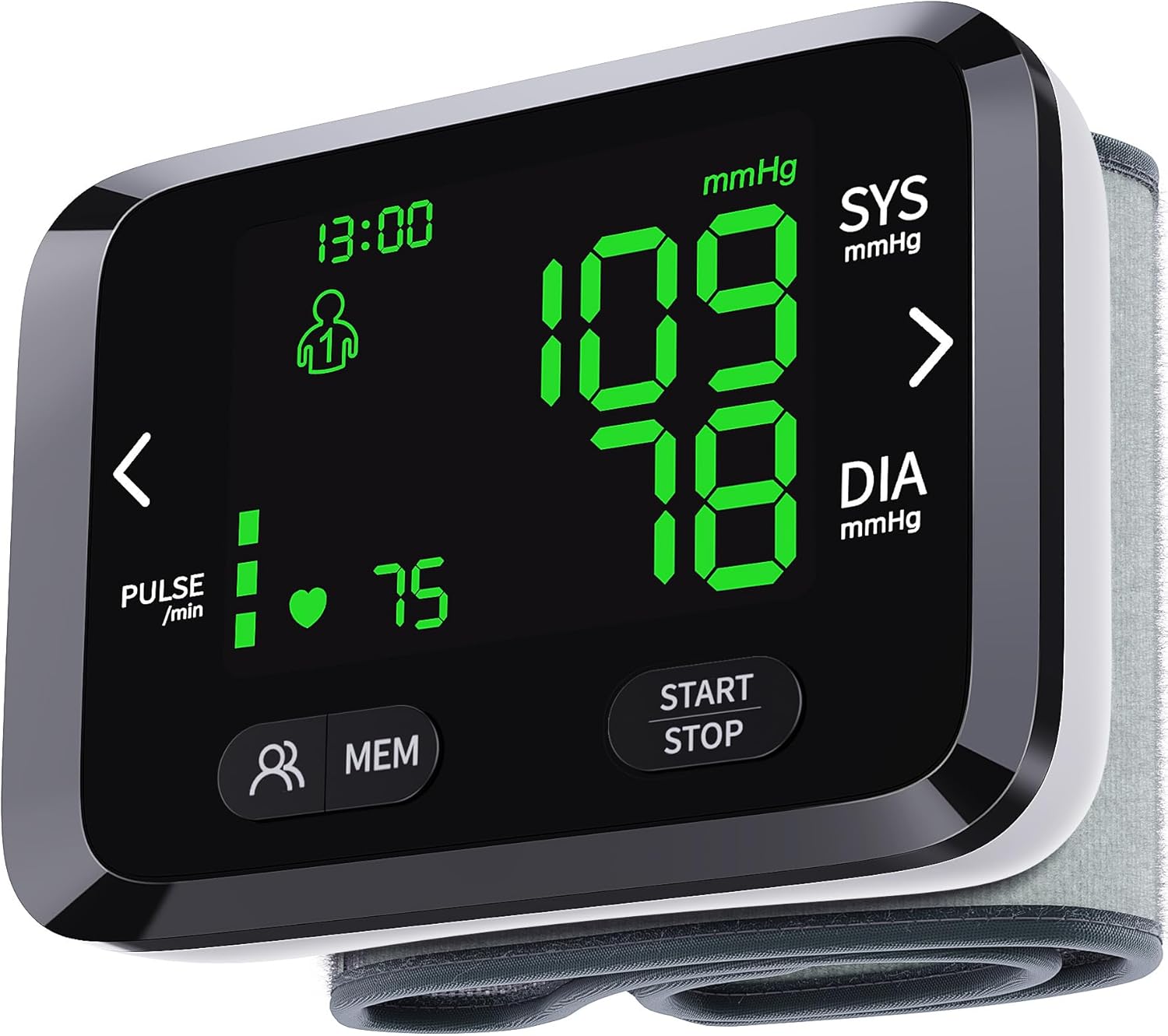
Image 1.1: NOUYAN Wrist Blood Pressure Monitor. This image displays the device's large, clear backlit LCD screen showing blood pressure (SYS 109, DIA 78 mmHg) and pulse (75 beats/min) readings, along with user and memory indicators.
2. Safety Information
- Consult your physician before using this device if you have any medical conditions.
- Do not use this device on infants, children, or individuals unable to express consent.
- Do not self-diagnose or self-medicate based on measurements from this device. Always consult a healthcare professional.
- Avoid taking measurements in a moving vehicle, during exercise, or immediately after bathing or consuming alcohol/caffeine.
- Ensure the cuff is applied correctly and comfortably. Over-tightening may cause discomfort or inaccurate readings.
- Keep the device away from strong electromagnetic fields.
- Use only specified batteries. Do not mix old and new batteries or different types of batteries.
3. Package Contents
Please check the package contents to ensure all items are present:
- NOUYAN Wrist Blood Pressure Monitor (Model: AOJ-35B)
- Adjustable Wrist Cuff (integrated)
- Storage Bag
- User Manual
Note: AAA batteries are not included and must be purchased separately.

Image 3.1: Internal view of the monitor. This image illustrates the device's internal structure, highlighting the smart measure chip and the battery compartment for AAA batteries (not included).
4. Setup
4.1 Battery Installation
- Locate the battery compartment cover on the back of the device.
- Slide the cover off.
- Insert two (2) AAA batteries, ensuring the correct polarity (+/-) as indicated inside the compartment.
- Replace the battery compartment cover.
4.2 Setting Date and Time
Upon first use or after battery replacement, the device may prompt you to set the date and time. Refer to the on-screen prompts and use the navigation buttons (if available) to adjust the year, month, day, and time. Confirm each setting to save.
5. Operating Instructions
5.1 Proper Measurement Technique
For accurate readings, follow these guidelines:
- Preparation: Rest for at least 5 minutes before taking a measurement. Avoid eating, drinking alcohol, smoking, or exercising for 30 minutes prior.
- Posture: Sit upright with your back supported and feet flat on the floor. Do not cross your legs.
- Wrist Placement: Apply the cuff to your left wrist. The monitor should be positioned on the inside of your wrist, approximately 1-2 cm from your palm.
- Heart Level: Ensure your wrist is at the same height as your heart during the measurement. You can support your arm on a table or use the carrying bag as a prop.

Image 5.1: Correct Wrist Position. This image demonstrates the proper way to position the wrist monitor on the left wrist, ensuring it is at the same height as the heart for accurate readings.
5.2 Taking a Measurement
- Ensure the cuff is securely and comfortably fastened to your left wrist.
- Press the 'START/STOP' button. The cuff will begin to inflate automatically.
- Remain still and silent during the measurement. Do not talk or move your arm.
- Once the measurement is complete (approximately 50 seconds), the blood pressure and pulse rate will be displayed on the LCD screen.
- The device will automatically power off after a period of inactivity to conserve battery life.
5.3 Understanding the Display
The monitor features a large backlit LCD display with color indicators to help interpret your readings:
- Green Display: Indicates a normal blood pressure reading.
- Yellow Display: Indicates a slightly high or elevated blood pressure reading.
- Red Display: Indicates a high blood pressure reading.

Image 5.2: 3-Color Intuitive Display. This image illustrates how the monitor's backlit display changes color (green, yellow, red) to visually indicate whether the blood pressure reading is normal, slightly high, or high.

Image 5.3: WHO Standard Indicator. This chart provides a visual guide to blood pressure classifications (Normal, Mid-High, High) based on Systolic and Diastolic readings, correlating with the monitor's color display.
6. Memory Functions
6.1 Dual-User Mode
The NOUYAN Wrist Blood Pressure Monitor supports two distinct users, each with separate memory storage. This allows two individuals to track their readings independently.
6.2 Accessing Stored Readings
The device can store up to 198 measurements (99 for each user). To view past readings:
- Press the 'MEM' button to enter memory mode.
- Use the left and right arrow buttons (or similar navigation) to scroll through previous measurements.
- To switch between User 1 and User 2, press the user selection button (often indicated by a person icon).

Image 6.1: Dual Users and Memory. This image highlights the monitor's capability to support two users and store 99 readings for each, with on-screen indicators for user selection and memory navigation.
7. Maintenance
7.1 Cleaning
Wipe the device and cuff with a soft, dry cloth. If necessary, use a slightly damp cloth with mild soap, then wipe dry. Do not use abrasive cleaners or immerse the device in water.
7.2 Storage
Store the monitor in its provided carrying bag in a cool, dry place, away from direct sunlight, extreme temperatures, and humidity. Remove batteries if the device will not be used for an extended period.
8. Troubleshooting
| Problem | Possible Cause | Solution |
|---|---|---|
| No display/Device won't turn on | Dead or incorrectly inserted batteries. | Check battery polarity. Replace with new AAA batteries. |
| Inaccurate readings | Incorrect cuff placement, movement during measurement, improper posture, or recent activity. | Ensure correct cuff placement and wrist position at heart level. Remain still and silent. Rest for 5 minutes before measuring. |
| Cuff does not inflate or inflates too little/much | Cuff not properly secured, air leakage, or device malfunction. | Re-secure the cuff. Check for any damage to the cuff. If problem persists, contact customer support. |
| Error message on display | Various operational errors. | Refer to the specific error code in the full manual (if available) or try restarting the device by removing and reinserting batteries. |
9. Specifications
- Model: AOJ-35B
- Brand: NOUYAN
- Product Dimensions: 3.5 x 2.6 x 1.1 inches (9 x 6.5 x 2.8 cm)
- Weight: 5.93 ounces (approximately 168g)
- Cuff Size: Adjustable, fits wrist sizes 5.31 - 7.68 inches (14-20 cm)
- Memory: 2 users x 99 readings (total 198 readings)
- Display Type: Large Backlit LCD
- Power Source: 2 x AAA batteries (not included)
- Manufacturer: Shenzhen AOJ Medical Technology Co., Ltd.

Image 9.1: Product Dimensions. This image provides a visual representation of the monitor's dimensions, indicating its compact size.
10. Warranty and Support
This NOUYAN product is covered by a manufacturer's warranty against defects in materials and workmanship. For specific warranty details, including duration and terms, please refer to the product packaging or contact NOUYAN customer support.
If you encounter any issues or have questions regarding your device, please contact NOUYAN customer support through the retailer's platform or the contact information provided with your purchase. Please have your model number (AOJ-35B) and purchase date ready when contacting support.