
Introduction
This manual provides essential information for the safe and efficient use of your JBL Charge 5 Wireless Bluetooth Speaker. Please read this manual thoroughly before operating the device and retain it for future reference. The JBL Charge 5 is designed to deliver powerful, high-quality audio with robust durability, featuring IP67 waterproof and dustproof ratings and a long-lasting battery.
What's in the Box
Verify that all items listed below are included in your package:
- 1 x JBL Charge 5 Portable Wireless Bluetooth Speaker (Black)
- 1 x Diginerds Travel Case for Charge 5
- 1 x USB Type-C Cable

Image: The JBL Charge 5 speaker shown alongside its protective travel case, illustrating the complete package contents.

Image: A close-up view of the Diginerds travel case, designed to protect the JBL Charge 5 speaker during transport.
Product Overview
Familiarize yourself with the main components and controls of your JBL Charge 5 speaker.
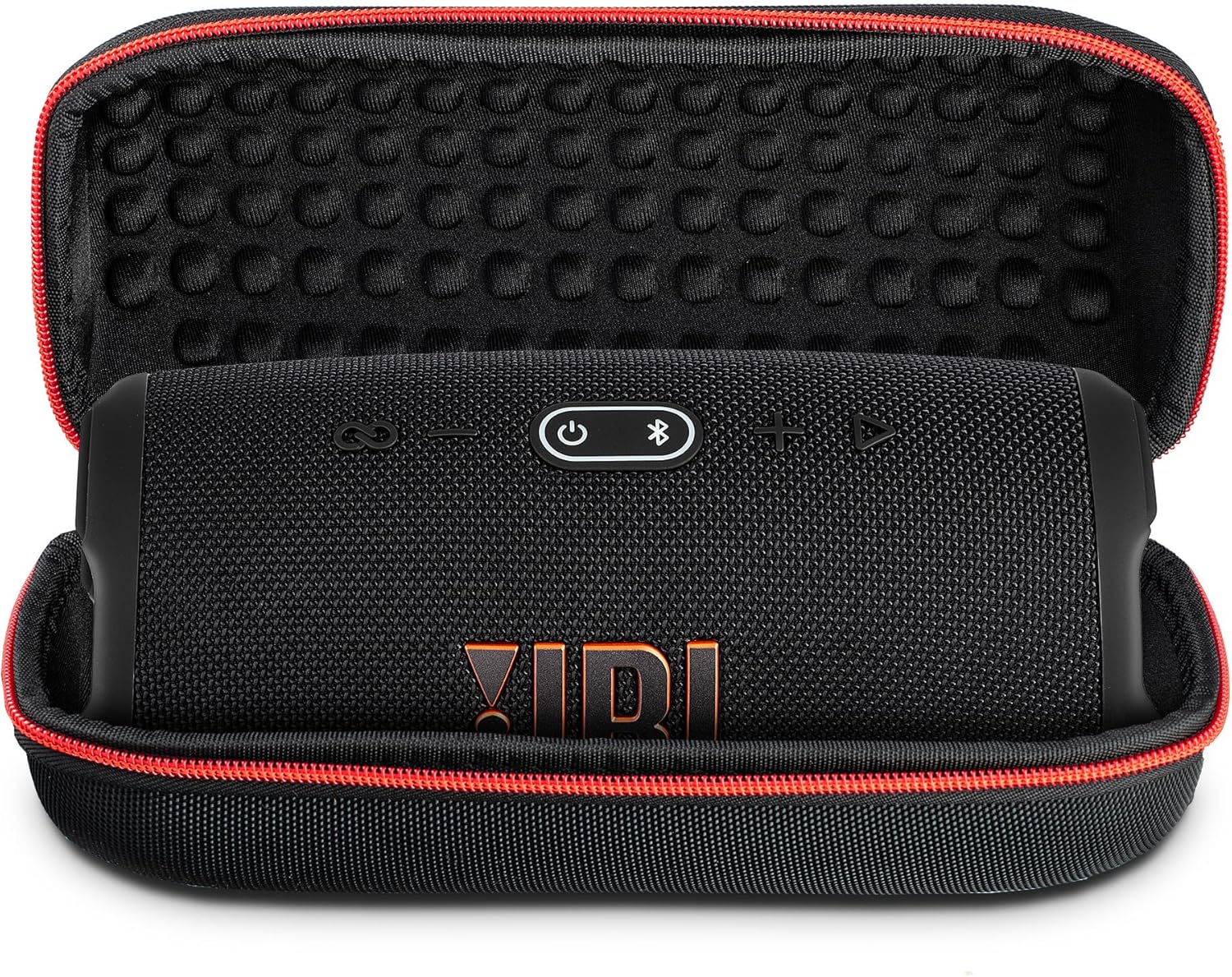
Image: Top view of the JBL Charge 5 speaker, highlighting the control panel with buttons for power, Bluetooth pairing, volume, and PartyBoost.
- Power Button: Turns the speaker on or off.
- Bluetooth Button: Initiates Bluetooth pairing mode.
- Volume Buttons (+/-): Adjusts the playback volume.
- Play/Pause Button: Controls audio playback.
- PartyBoost Button: Connects to other JBL PartyBoost compatible speakers.
- USB-C Charging Port: For charging the speaker.
- USB-A Output Port: For charging external devices (power bank function).

Image: A detailed view of the JBL Charge 5's charging port area, showing the USB-C input and USB-A output ports, protected by a rubber flap.
Setup
1. Charging the Speaker
Before first use, fully charge your JBL Charge 5. Use the provided USB Type-C cable to connect the speaker to a power adapter (not included). The battery indicator lights will show the charging status. A full charge provides up to 20 hours of playtime.
- Connect the USB-C cable to the speaker's USB-C port.
- Connect the other end of the cable to a USB power source.
- The LED indicator will show charging progress.
2. Powering On/Off
Press the Power Button located on the top panel to turn the speaker on or off. An audible tone will indicate the power status.
3. Bluetooth Pairing
To connect your JBL Charge 5 to a Bluetooth-enabled device:
- Turn on the JBL Charge 5.
- Press the Bluetooth Button on the speaker. The Bluetooth indicator will flash, indicating pairing mode.
- On your device (smartphone, tablet, etc.), enable Bluetooth and search for available devices.
- Select "JBL Charge 5" from the list. Once connected, the Bluetooth indicator will glow solid.
The speaker can pair with up to two mobile devices simultaneously.
4. PartyBoost Feature
Connect multiple JBL PartyBoost compatible speakers for a stereo sound experience or to amplify the sound across a larger area.
- Ensure both speakers are powered on and in Bluetooth pairing mode (if not already connected to a device).
- Connect one speaker to your device via Bluetooth.
- Press the PartyBoost Button on both speakers. They will automatically connect to each other.
Operating Instructions
1. Playing Audio
Once connected via Bluetooth, audio from your device will play through the JBL Charge 5. Use the Play/Pause Button on the speaker or your device to control playback.
2. Volume Control
Adjust the volume using the Volume Up (+) and Volume Down (-) buttons on the speaker, or directly from your connected device.
3. Using as a Power Bank
The JBL Charge 5 can charge external devices using its built-in power bank function.
- Open the protective flap on the back of the speaker.
- Connect your device's charging cable to the USB-A output port on the JBL Charge 5.
- Charging will begin automatically.
Maintenance
Proper care ensures the longevity and performance of your JBL Charge 5 speaker.
1. Cleaning
- Wipe the speaker with a soft, damp cloth.
- Do not use abrasive cleaners or solvents.
- Ensure the charging port flap is securely closed before cleaning or exposing to water.
2. Waterproof and Dustproof Care (IP67)
The JBL Charge 5 is IP67 rated, meaning it is waterproof up to 1 meter for 30 minutes and dustproof. To maintain its integrity:
- Always ensure the protective flap covering the charging ports is completely sealed before exposing the speaker to water or dust.
- Do not expose the speaker to salt water or other chemicals. If exposed, rinse with fresh water and air dry thoroughly.
- Avoid charging the speaker if the ports are wet.

Image: The JBL Charge 5 speaker standing upright in a splash of water, demonstrating its IP67 waterproof capability.
3. Battery Care
- For optimal battery life, avoid fully discharging the speaker frequently.
- Store the speaker in a cool, dry place when not in use for extended periods.
- Charge the speaker at least once every three months to prevent battery degradation.
Troubleshooting
If you encounter issues with your JBL Charge 5, refer to the following common problems and solutions:
| Problem | Possible Cause | Solution |
|---|---|---|
| Speaker does not turn on. | Low battery. | Charge the speaker using the USB-C cable. |
| Cannot pair via Bluetooth. | Speaker not in pairing mode; device Bluetooth off; interference. | Press the Bluetooth button to enter pairing mode. Ensure device Bluetooth is on. Move closer to the speaker. |
| No sound or low volume. | Volume too low on speaker or device; speaker muted. | Increase volume on both speaker and device. Ensure speaker is not muted. |
| PartyBoost not connecting. | Speakers not compatible; not in PartyBoost mode. | Ensure both speakers are JBL PartyBoost compatible. Press the PartyBoost button on both speakers. |
| External device not charging. | Speaker battery low; cable issue; device not compatible. | Ensure speaker has sufficient charge. Try a different USB cable. Verify device compatibility. |
Specifications
Detailed technical specifications for the JBL Charge 5 Wireless Bluetooth Speaker:
- Model Name: JBLCHARGE5BLKAM
- Brand: JBL
- Color: Black w/ Case
- Connectivity Technology: Bluetooth
- Speaker Maximum Output Power: 40 Watts RMS
- Frequency Response: 65 Hz - 20 kHz (Note: Original data stated 65 KHz, which is typically a typo for 65 Hz for speaker low-end response.)
- Audio Output Mode: Stereo
- Battery Type: Rechargeable Lithium-Polymer
- Battery Life: Up to 20 hours (varies with volume level and content)
- Charging Port: USB Type-C
- Power Bank Output: USB Type-A
- Waterproof & Dustproof Rating: IP67
- Product Dimensions: 3 x 8 x 3.8 inches (approximate)
- Item Weight: 4 pounds (approximate)
- UPC: 094148727783
Note: Specifications are subject to change without notice.
Warranty Information
JBL products are manufactured to the highest standards and undergo rigorous quality control. For detailed warranty terms and conditions specific to your region and product, please refer to the warranty card included with your purchase or visit the official JBL website. Keep your proof of purchase for warranty claims.
While this product may be eligible for extended protection plans offered by third parties, the manufacturer's warranty covers defects in materials and workmanship under normal use.
Customer Support
For further assistance, technical support, or service inquiries, please contact JBL customer support through their official website or the contact information provided in your product packaging.
You can visit the official JBL Store for more information and support resources: JBL Official Store


