
LIGE EF13-K-CA
LIGE Smart Watch User Manual
Model: EF13-K-CA
Product Overview
The LIGE Smart Watch (Model EF13-K-CA) is a versatile and robust device designed for daily use and active lifestyles. It features a large HD display, extended battery life, and a range of functionalities including communication, fitness tracking, and utility tools.
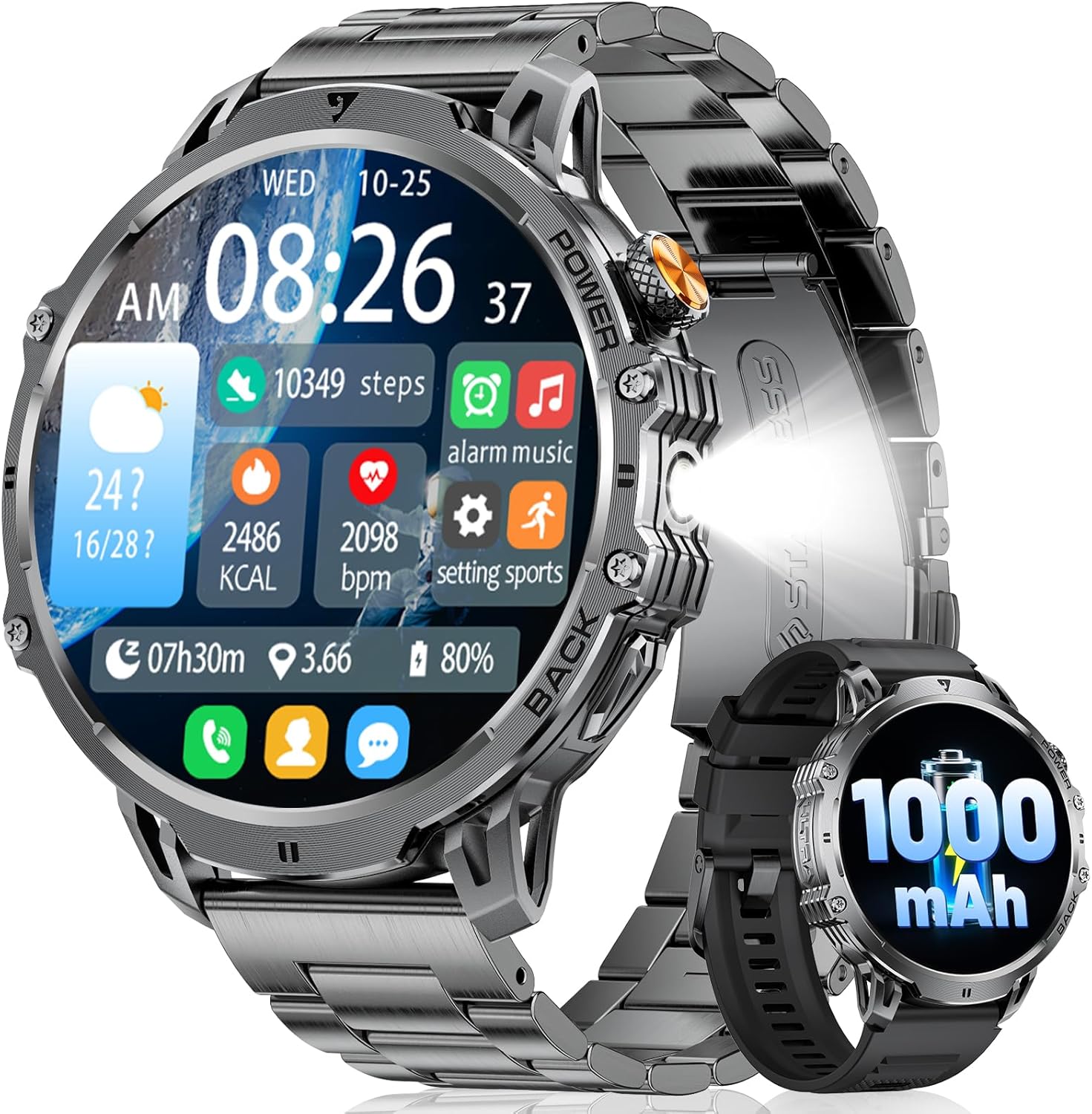
Image: The LIGE Smart Watch, showcasing its large display and robust design, alongside an inset image highlighting its 1000mAh battery capacity.
Key Features
- 1.85" HD Display: Features a 360*360 pixel touchscreen for clear visuals, even in direct sunlight.
- 1000mAh Large Battery Capacity: Offers extended usage, typically 20-30 days depending on usage, with a full charge in 2.5 hours.
- Integrated LED Flashlight: A powerful utility for various situations, from outdoor adventures to power outages.
- Bluetooth Calls & Notifications: Allows answering/making calls and receiving message alerts directly from the watch when paired with a smartphone (Android 5.0+ / iOS 11.0+).
- 120+ Sport Modes: Tracks various physical activities, providing data to help monitor and improve workouts.
- Multiple Functions: Includes weather forecast, voice assistant, alarm clock, timer, music control, camera control, sedentary reminders, and more.
Setup Guide
1. Initial Charging
Before first use, fully charge your smartwatch. Connect the magnetic charging cable to the charging points on the back of the watch and plug the USB end into a compatible power adapter (not included). A full charge typically takes approximately 2.5 hours.

Image: Illustration of the LIGE Smart Watch being charged, emphasizing its 1000mAh battery capacity and long battery life.
2. App Installation and Pairing
To unlock the full potential of your LIGE Smart Watch, download and install the FitCloudPro app on your smartphone.
- Download the App: Search for "FitCloudPro" on the Google Play Store (for Android) or Apple App Store (for iOS) and install it.
- Enable Bluetooth: On your smartphone, navigate to your settings and ensure Bluetooth is turned on.
- Add Device: Open the FitCloudPro app. Tap "Add New Device" or similar option. The app will search for available devices.
- Pair the Watch: Select "EF13" from the list of found devices. Confirm the pairing request on both your phone and the smartwatch.
- Grant Permissions: Follow the on-screen prompts in the app to grant necessary permissions for notifications, call access, and other features. This ensures full functionality.

Image: A visual guide illustrating the five steps to connect the LIGE Smart Watch to a smartphone using the FitCloudPro application.
3. Strap Adjustment
The watch comes with two interchangeable straps (steel and silicone) and a strap adjuster tool. Use the provided tool to adjust the metal strap for a comfortable fit by removing or adding links as needed.
Operating Instructions
Display and Navigation
The 1.85-inch full touchscreen allows for intuitive navigation. Swipe left, right, up, or down to access different menus, notifications, and quick settings. The physical buttons on the side provide additional control, typically for power on/off, screen wake, and quick access to specific functions.

Image: The LIGE Smart Watch highlighting its 1.85-inch Ultra HD Display, showing a vibrant watch face.
Bluetooth Calls and Notifications
Once paired with your smartphone, you can manage calls and receive notifications directly on your watch.
- Answering/Making Calls: Tap the phone icon on the watch to access call history, contacts, or dial a number. When a call comes in, you can answer or reject it from the watch.
- Message Alerts: Notifications from apps like Facebook, WhatsApp, and Twitter will appear on your watch screen. Ensure appropriate permissions are granted in the FitCloudPro app.

Image: A comprehensive view of the LIGE Smart Watch's communication features, including Bluetooth calling, voice assistant interaction, and message notification display.
Using the LED Flashlight
The smartwatch is equipped with a powerful LED flashlight. Access this feature through the watch's menu or a designated quick access button. It is useful for illuminating your path in low-light conditions or for finding items in the dark.

Image: The LIGE Smart Watch demonstrating its powerful LED flashlight feature in different practical situations, such as outdoor adventures and during power outages.
Sports Modes and Health Tracking
The watch supports over 120 sports modes and provides comprehensive health monitoring.
- Activating Sport Modes: Select your desired activity from the "Sports" menu. The watch will track metrics such as steps, distance, calories burned, and heart rate during your workout.
- Heart Rate Monitoring: The watch continuously monitors your heart rate, providing real-time data and historical trends in the app.
- Sleep Monitoring: Wear the watch to bed to track your sleep patterns, including deep sleep, light sleep, and awake times, helping you understand and improve your sleep quality.

Image: The LIGE Smart Watch displaying its capability to track over 100 sports modes, showing metrics like steps, distance, and calories during activities such as skiing, running, and cycling.

Image: The LIGE Smart Watch demonstrating its 24-hour heart rate tracking feature, displaying real-time heart rate and historical data.

Image: The LIGE Smart Watch illustrating its scientific sleep monitoring capabilities, showing total sleep duration, deep sleep, light sleep, and awake times.
Other Functions
The LIGE Smart Watch offers a variety of additional features:
- AI Voice Assistant: Interact with your watch using voice commands for tasks like setting alarms or checking weather.
- Watch Faces: Customize your watch face from over 200 options available in the app, or upload your own images.
- Music Control: Control music playback on your connected smartphone.
- Camera Control: Use your watch as a remote shutter for your phone's camera.
- Weather Forecast: Get real-time weather updates.
- Alarm Clock & Timer: Set alarms and use the timer function directly from your wrist.
- Sedentary & Drinking Water Reminders: Receive alerts to encourage activity and hydration.

Image: The LIGE Smart Watch showcasing a selection of its over 200 customizable watch faces, allowing users to personalize their device.
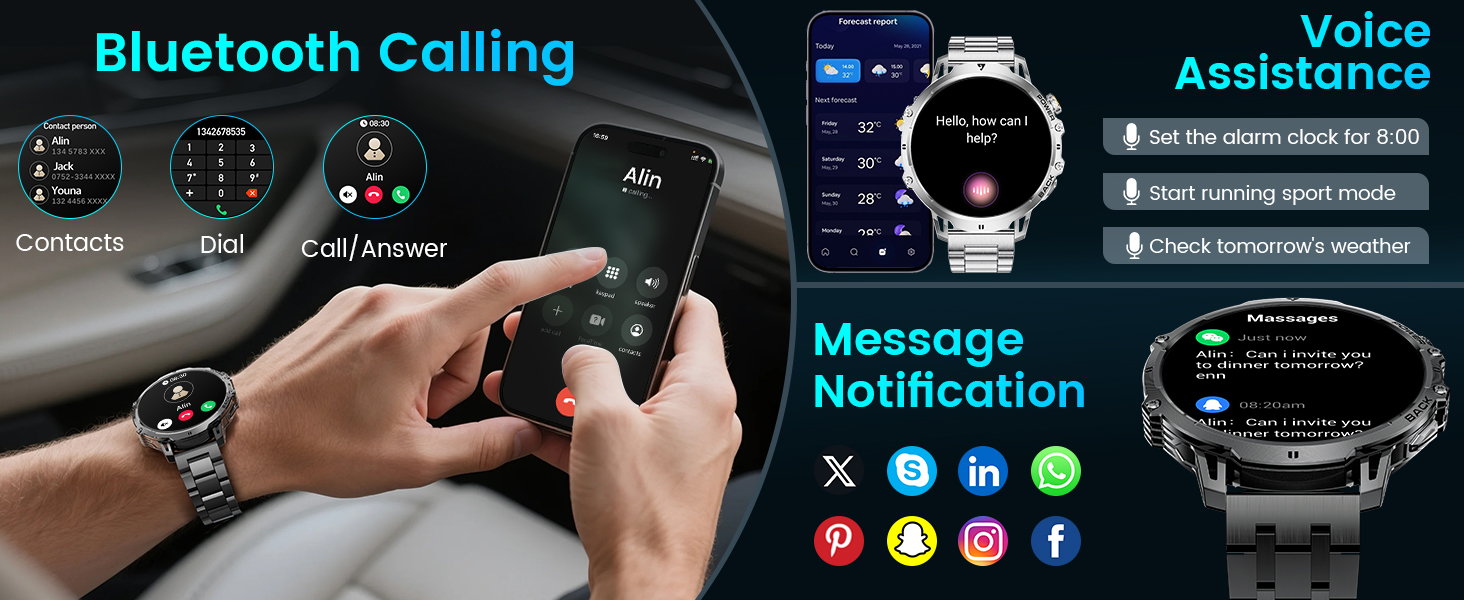
Image: The LIGE Smart Watch demonstrating its comprehensive smart assistant features, including music control, stopwatch, alarm clock, weather display, calculator, and camera control.
Maintenance
Cleaning Your Smart Watch
Regularly clean your watch and strap to prevent skin irritation and maintain its appearance. Use a soft, lint-free cloth. For stubborn dirt, slightly dampen the cloth with water. Avoid using harsh chemicals or abrasive materials.
Water Resistance
The LIGE Smart Watch is IP68 waterproof, meaning it is resistant to dust and can withstand immersion in water up to 1.5 meters for up to 30 minutes. It is suitable for daily use, hand washing, and light rain. However, it is not recommended for hot showers, saunas, or diving, as steam and high water pressure can compromise the seals.
Battery Care
To maximize battery lifespan, avoid fully discharging the battery frequently. Charge the watch when the battery level is low, and avoid leaving it uncharged for extended periods.
Troubleshooting
| Issue | Possible Solution |
|---|---|
| Watch not turning on | Ensure the watch is fully charged. Connect to the charger and wait a few minutes before attempting to power on. |
| Cannot pair with phone |
|
| Notifications not received |
|
| Inaccurate health data | Ensure the watch is worn snugly on your wrist, about one finger's width above the wrist bone. Clean the sensor on the back of the watch. |
| Short battery life | Reduce screen brightness, limit frequent screen wake-ups, and disable unnecessary background features. Frequent use of calls or GPS (if applicable) can drain battery faster. |
For further assistance, please refer to the comprehensive user manual included with your product or contact customer support.
Specifications
| Feature | Detail |
|---|---|
| Brand | LIGE |
| Model Number | EF13-K-CA |
| Display Size | 1.85 Inches |
| Display Resolution | 360*360 Pixels |
| Battery Capacity | 1000 Milliamp Hours (mAh) |
| Battery Type | Lithium Polymer |
| Operating System | AsteroidOS |
| Memory Storage Capacity | 128 MB |
| Connectivity | Bluetooth |
| Water Resistance | IP68 |
| Compatible Devices | Smartphone (Android 5.0+, iOS 11.0+) |
| Special Features | Activity Tracker, Phone Call, Touchscreen, LED Flashlight |
| Included Components | Smartwatch, Charging cable, Strap adjuster, Steel strap, Silicone strap, User manual |
| Item Dimensions (approx.) | 56mm (diameter), 22mm (strap width) |

Image: Detailed product information showing the dimensions of the LIGE Smart Watch and a visual representation of all included components in the packaging.
Warranty and Support
For any inquiries or support needs regarding your LIGE Smart Watch, please contact the manufacturer or seller. They are committed to responding to your queries within 24 hours. Please retain your proof of purchase for any warranty claims.
Related documentsEF13-K-CA


Ask a question about this manual
Ask about setup, troubleshooting, compatibility, parts, safety, or missing instructions. Manuals+ will review the question and use this page’s manual context to help answer it.