
LIGE EF13-K
LIGE Smart Watch User Manual
Model: EF13-K
1. Introduction
Welcome to the user manual for your new LIGE Smart Watch. This guide provides essential information to help you set up, operate, and maintain your device. Designed for men, this smartwatch features a vibrant 1.85-inch HD display, a long-lasting 1000mAh battery, and comprehensive health monitoring capabilities including heart rate and sleep tracking. With over 120 sport modes and IP68 water resistance, it is built to support an active lifestyle. Please read this manual thoroughly before using your smartwatch to ensure optimal performance and longevity.
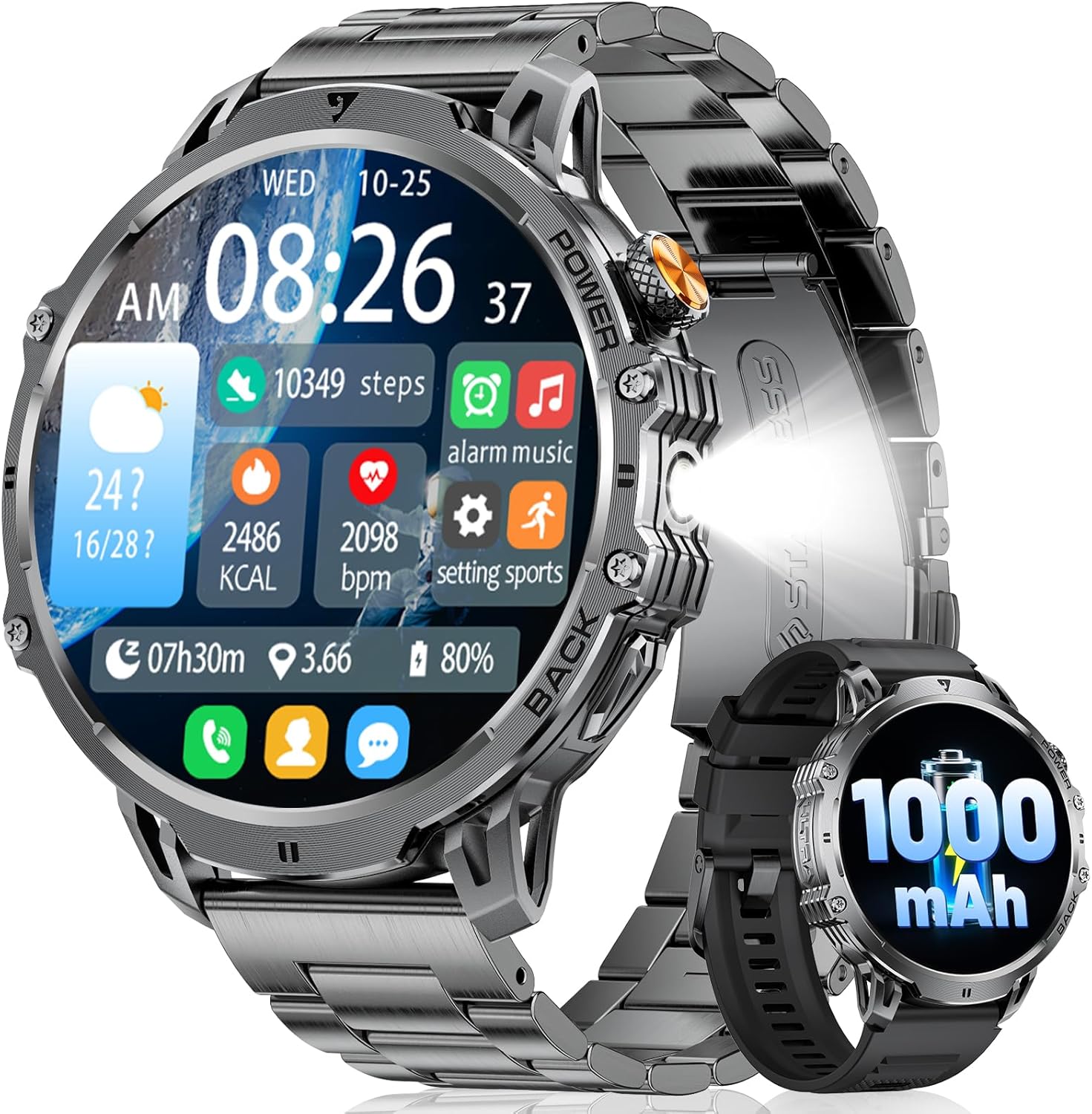
Figure 1: LIGE Smart Watch (A-Black stainless steel variant)
2. Package Contents
Please check the box for the following items:
- LIGE Smart Watch (Model EF13-K)
- Magnetic Charging Cable
- User Manual
- (May include additional accessories depending on package variant)
3. Product Overview
Familiarize yourself with the components of your LIGE Smart Watch:
- Display: 1.85-inch HD full touch screen for clear visuals and easy navigation.
- Side Buttons: Typically used for power on/off, screen wake-up, and menu navigation.
- Sensors: Located on the back, these monitor heart rate, sleep, and other health metrics.
- Charging Ports: Magnetic contacts on the back for charging.
- Speaker/Microphone: For Bluetooth calls and AI voice assistant.

Figure 2: 1.85-inch Ultra HD Display

Figure 3: Product Dimensions and Watch Face Options
4. Setup
4.1 Initial Charging
Before first use, fully charge your smartwatch. Connect the magnetic charging cable to the charging contacts on the back of the watch and plug the USB end into a power adapter (5V/1A recommended) or a computer USB port. The watch display will indicate charging status. A full charge typically takes 2-3 hours.
4.2 App Installation and Pairing
To unlock all features, download the companion application on your smartphone. Search for the app name (refer to the watch screen or quick start guide for the exact name) in the App Store (iOS) or Google Play Store (Android).
- Ensure your phone's Bluetooth is enabled.
- Open the installed app on your phone.
- Follow the in-app instructions to add your device. The app will search for available smartwatches.
- Select "EF13-K" or the corresponding device name from the list.
- Confirm the pairing request on both your phone and the smartwatch.
- Once paired, the watch will synchronize time and data with your phone.
5. Operating Instructions
5.1 Basic Navigation
- Touchscreen: Swipe left/right to access different functions, swipe up/down for quick settings or notifications. Tap to select.
- Side Buttons:
- Press and hold the top button to power on/off.
- Press the top button to wake the screen or return to the watch face.
- Other buttons may be customizable or have specific functions (e.g., quick access to sport modes).
5.2 Bluetooth Calls and Notifications
With Bluetooth 5.3 technology, your smartwatch allows for stable call management and notification reception.
- Making/Answering Calls: Once paired, you can answer incoming calls directly from your watch or dial numbers from your synced contacts/call history.
- Message Alerts: Receive notifications from various apps (e.g., Facebook, WhatsApp, Twitter) directly on your wrist. Ensure app notifications are enabled in your phone's settings and the companion app.

Figure 4: Smart Assistant Features (Calls, Messages, AI Voice)
5.3 AI Voice Assistant
Activate the AI voice assistant on your watch to perform tasks like checking the weather or setting alarms using voice commands. This feature requires a stable Bluetooth connection to your smartphone.
5.4 Powerful LED Flashlight
Your smartwatch includes a built-in LED flashlight for convenience in low-light conditions. Access this feature through the watch's menu or quick settings.

Figure 5: LED Flashlight in Use
6. Health Monitoring
The LIGE Smart Watch provides 24/7 health monitoring features to help you track your well-being.
- Heart Rate Monitoring: Continuously tracks your heart rate throughout the day. View real-time data on the watch or detailed trends in the app.
- Sleep Tracking: Monitors your sleep patterns, including deep sleep, light sleep, and awake time, to provide insights into your sleep quality.
- Other Metrics: May include step count, calorie burn, and distance traveled.

Figure 6: Heart Rate and Sleep Monitoring
7. Sport Modes
The smartwatch supports over 120 sport modes, allowing you to track various activities with precision. Select your desired sport mode before starting an activity to record relevant data such as steps, distance, calories burned, and heart rate during exercise.
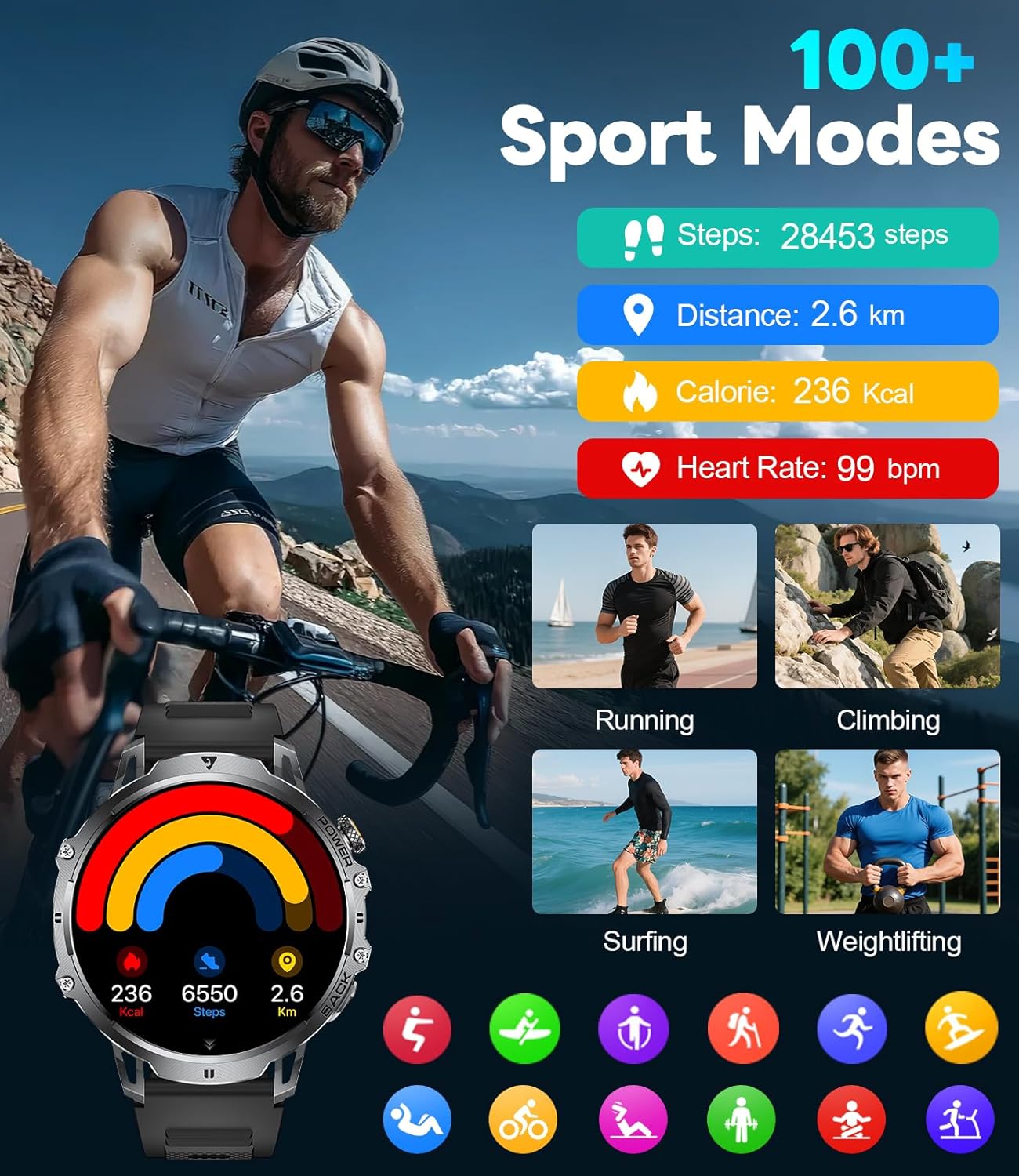
Figure 7: 100+ Sport Modes Tracking
8. Battery Management
Your LIGE Smart Watch is equipped with a 1000mAh battery, providing extended usage time. To maximize battery life:
- Reduce screen brightness.
- Disable unnecessary notifications.
- Limit continuous heart rate monitoring if not required.
- Charge the watch regularly, preferably before the battery is completely depleted.

Figure 8: 1000mAh Battery Life Overview
9. Maintenance
- Cleaning: Wipe the watch and strap regularly with a soft, dry cloth. For stubborn dirt, use a slightly damp cloth and dry thoroughly.
- Water Resistance (IP68): The watch is IP68 rated, meaning it is resistant to dust and can withstand immersion in water up to 1.5 meters for 30 minutes. It is suitable for daily use, hand washing, and light rain. Avoid hot water, steam, or prolonged immersion. Do not press buttons underwater.
- Storage: Store the watch in a cool, dry place when not in use.
10. Troubleshooting
| Issue | Possible Solution |
|---|---|
| Watch not turning on | Ensure the watch is fully charged. Press and hold the power button for at least 10 seconds. |
| Unable to pair with phone |
|
| Inaccurate health data | Ensure the watch is worn snugly on your wrist, not too tight or too loose. Clean the sensor area. Note that smartwatches are not medical devices. |
| Notifications not received | Check app notification settings on your phone and within the companion app. Ensure the watch is connected via Bluetooth. |
11. Specifications
| Feature | Detail |
|---|---|
| Model Number | EF13-K |
| Display Size | 1.85 inches HD |
| Battery Capacity | 1000 mAh (Lithium Polymer) |
| Connectivity | Bluetooth 5.3 |
| Water Resistance | IP68 |
| Operating System | Wear OS (compatible with Android 5.0+ and iOS 11.0+) |
| Memory Storage Capacity | 128 MB |
| Dimensions | 15.24 x 10.16 x 2.29 cm; 230 grams (Shipping dimensions) |
| Special Features | LED Light, Activity Tracker, Breath Monitor, Distance Tracker, Heart Rate Monitor, Calorie Counter, Multisport Tracker, Music Player, Sleep Monitor, Phone Call, Touchscreen, Voice Control, Alarm Clock, Weather Forecast |
12. Warranty and Support
Your LIGE Smart Watch comes with a standard manufacturer's warranty. For detailed warranty information, please refer to the warranty card included in your package or contact LIGE customer support. If you encounter any issues not covered in this manual, please reach out to our support team for assistance.
For further support, visit the official LIGE website or contact your retailer.
Related documentsEF13-K


Ask a question about this manual
Ask about setup, troubleshooting, compatibility, parts, safety, or missing instructions. Manuals+ will review the question and use this page’s manual context to help answer it.