
1. Introduction
The LAGENIO A11 is a modern smartphone designed for daily use, combining advanced features with a user-friendly experience. It operates on Android 15 and is powered by an Octa-Core Unisoc T7250 processor, ensuring smooth performance for various tasks. Key features include a vibrant 6.7-inch HD+ display with a 120Hz refresh rate, a long-lasting 5150mAh battery, and a versatile camera system.

Figure 1.1: LAGENIO A11 Smartphone highlighting its design and performance.
2. Setup
2.1 Package Contents
Before you begin, ensure all items are present in the package:
- LAGENIO A11 Smartphone
- USB Cable
- Protective Case
- User Manual
- Information Card

Figure 2.1: Contents of the LAGENIO A11 retail package.
2.2 SIM Card and TF Card Installation
The LAGENIO A11 supports Dual SIM 4G and expandable storage up to 1TB via a TF card. To install your SIM and TF cards:
- Locate the SIM tray on the side of the device.
- Insert the SIM ejection tool (if provided) into the small hole next to the tray and press gently until the tray pops out.
- Place your Nano-SIM cards and/or TF card into the designated slots on the tray. Ensure they are correctly oriented.
- Carefully push the tray back into the device until it clicks into place.

Figure 2.2: Proper insertion of SIM and TF cards into the tray.
2.3 Initial Power On
Press and hold the Power button on the side of the device until the LAGENIO logo appears. Follow the on-screen instructions to complete the initial setup, including language selection, Wi-Fi connection, and Google account setup.
3. Operating Instructions
3.1 Android 15 Features
The LAGENIO A11 runs on the latest Android 15, offering enhanced privacy controls, improved multitasking capabilities, and a more intuitive user interface. Enjoy instant app launches and efficient process management.

Figure 3.1: Android 15 operating system interface.
3.2 Display Usage
Experience fluid visuals on the 6.7-inch HD+ Incell display with a 120Hz refresh rate. This high refresh rate ensures smooth scrolling and an immersive viewing experience for videos and games.
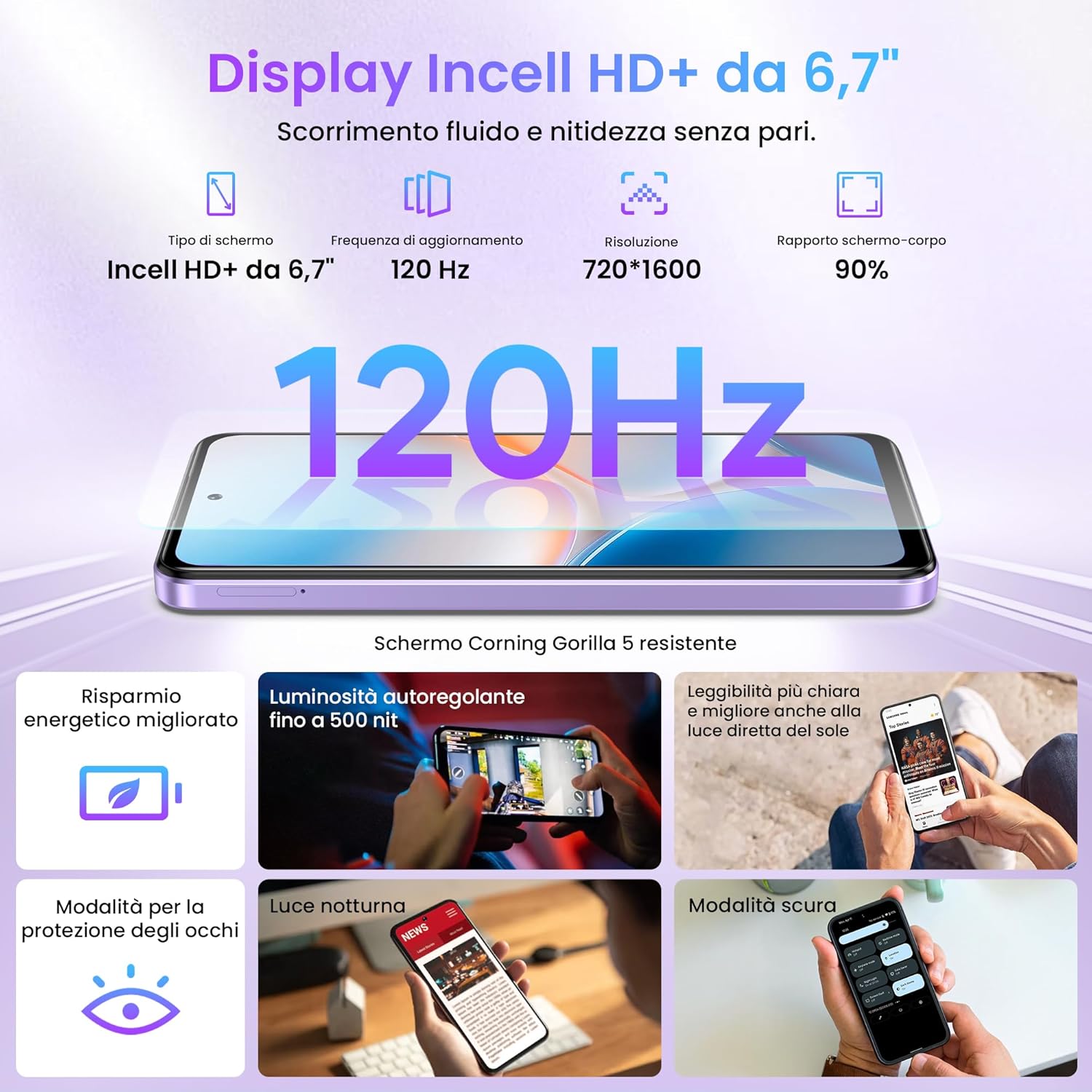
Figure 3.2: The 6.7-inch HD+ 120Hz Incell display.
3.3 Biometric Security
Unlock your device securely and quickly using either the side-mounted fingerprint sensor or facial recognition. To set up:
- Navigate to Settings > Security & location.
- Select Fingerprint or Face Unlock and follow the on-screen instructions to register your biometric data.

Figure 3.3: Fingerprint and Face ID security features.
4. Camera Features
Capture life's moments with the LAGENIO A11's camera system. The rear camera features a 13MP sensor with AI enhancements and Portrait mode, allowing for vivid and detailed photos. The 8MP front camera is ideal for clear selfies.

Figure 4.1: Overview of the LAGENIO A11 camera system.
4.1 Widevine L1 Support
The LAGENIO A11 supports Widevine L1, enabling you to stream high-definition content from popular platforms with excellent image quality and detail.
5. Battery and Charging
The device is equipped with a robust 5150mAh battery, providing extended usage times. It supports OTG (On-The-Go) functionality, allowing you to connect external devices or even charge other small gadgets.

Figure 5.1: LAGENIO A11 battery and charging capabilities.
6. Connectivity and Navigation
6.1 Dual SIM 4G
The LAGENIO A11 supports Dual SIM 4G, allowing you to use two different network providers simultaneously. This feature is convenient for managing personal and work contacts or for international travel.
6.2 Global Navigation Systems
Benefit from reliable and precise positioning with support for multiple satellite navigation systems: GPS, GLONASS, GALILEO, and BEIDOU.
6.3 Other Connectivity
The device also includes Bluetooth 5.0 for seamless wireless accessory connections and a 3.5mm headphone jack for traditional audio devices.

Figure 6.1: Various connectivity options of the LAGENIO A11.
7. Specifications
| Feature | Specification |
|---|---|
| Brand | LAGENIO |
| Model Name | A11 |
| Operating System | Android 15 |
| RAM Size | 12 GB (4GB physical + 8GB virtual) |
| Storage Capacity | 128 GB |
| Max Supported Flash Memory Size | 1 TB |
| Screen Size | 6.7 Inches |
| Screen Type | LCD |
| Max Screen Resolution | 720x1600 |
| Refresh Rate | 120 Hz |
| Rear Camera Resolution | 13 MP |
| Front Camera Resolution | 8 MP |
| Battery Capacity | 5150 mAh |
| Cellular Technology | 4G |
| Number of SIM Card Slots | Dual SIM |
| Biometric Identification | Fingerprint Recognition, Facial Recognition |
| Headphone Jack | 3.5 mm |
| USB Port | USB-C |
| Water Resistance Level | Not water resistant |
| Average Battery Life (in use) | 33 Hours |
| Country of Origin | China |
Table 7.1: Technical specifications of the LAGENIO A11 Smartphone.
For more detailed product information, including energy efficiency ratings, please refer to the official EU EPREL database: https://eprel.ec.europa.eu/qr/2415291
8. Maintenance
To ensure the longevity and optimal performance of your LAGENIO A11, follow these maintenance guidelines:
- Cleaning: Use a soft, lint-free cloth to clean the screen and body. Avoid abrasive materials or harsh chemicals.
- Software Updates: Regularly check for and install system updates to benefit from the latest security patches and feature enhancements. Go to Settings > System > System update.
- Battery Care: Avoid extreme temperatures. Do not let the battery drain completely frequently, and avoid overcharging for extended periods.
- Storage Management: Periodically clear unnecessary files and apps to free up storage space and maintain device speed.
9. Troubleshooting
If you encounter issues with your LAGENIO A11, try these common troubleshooting steps:
- Device Unresponsive: If the device is frozen, press and hold the Power button for about 10-15 seconds to force a restart.
- Battery Draining Quickly: Check background app usage in Settings > Battery. Reduce screen brightness and disable unnecessary features like Wi-Fi, Bluetooth, or GPS when not in use.
- Network Connectivity Issues: Ensure your SIM card is correctly inserted. Try toggling Airplane Mode on and off. If the issue persists, contact your network provider.
- App Crashing: Clear the app's cache and data (Settings > Apps > [App Name] > Storage > Clear cache/Clear data) or reinstall the app.
- Slow Performance: Close unused apps, clear cache, and ensure sufficient storage space. A factory reset (Settings > System > Reset options > Erase all data (factory reset)) can resolve persistent performance issues, but back up your data first.
10. Warranty and Support
LAGENIO is committed to providing excellent customer service for your A11 Smartphone:
- 30-Day Return Policy: Enjoy a 30-day no-reason return period.
- 2-Year Warranty: Your device comes with a 2-year free warranty covering manufacturing defects.
- Technical Support: Long-term technical support is available.
- Customer Service: Contact our 24-hour online customer service for any concerns or problems during use. We aim to respond within 24 hours.
For support, please refer to the contact information provided in your product packaging or visit the official LAGENIO website.


