
1. Introduction
Thank you for purchasing the DOUBLE E Volvo 1:16 Scale RC Excavator. This professional-grade remote control engineering vehicle is designed for realistic operation and durability, offering a comprehensive construction play experience. This manual provides essential information for the safe and effective use, maintenance, and troubleshooting of your RC excavator. Please read it thoroughly before operation.
Recommended Age: This item is intended for hobbyists, collectors, and adults aged 14 and above. It may contain small parts and is not suitable for persons under 14 years of age.
2. Safety Information
- CHOKING HAZARD: Small parts. Not for children under 3 years.
- Always operate the excavator in a safe environment, away from people, pets, and obstacles.
- Do not operate near water or in wet conditions to prevent electrical damage.
- Ensure all batteries are correctly installed and charged before use.
- Supervise younger users to ensure safe operation.
- Turn off the excavator and remote control when not in use.
3. Package Contents
Verify that all items listed below are included in your package:
- DOUBLE E Volvo 1:16 Scale RC Excavator
- 2.4GHz Transmitter (Remote Control)
- 7.4V 1200mAh Rechargeable Battery (for Excavator)
- USB Charging Cable
- Metal Shovel Attachment
- Drill Attachment
- Grabber Attachment
- Product Manual
- Basketball (small accessory for grabber)

Figure 1: Contents of the DOUBLE E Volvo RC Excavator package, showing the excavator, remote control, battery, USB charging cable, and various attachments.
4. Setup
4.1. Charging the Excavator Battery
- Connect the 7.4V 1200mAh rechargeable battery to the USB charging cable.
- Plug the USB charging cable into a compatible USB power source (e.g., computer, USB wall adapter).
- The indicator light on the USB cable will show charging status (refer to cable instructions for specific light behavior).
- Allow approximately 2-3 hours for a full charge. Do not overcharge.
4.2. Installing Excavator Battery
- Locate the battery compartment on the underside of the excavator.
- Open the battery compartment cover.
- Connect the fully charged 7.4V battery to the excavator's power connector, ensuring correct polarity.
- Carefully place the battery inside the compartment and close the cover securely.
4.3. Installing Remote Control Batteries
The transmitter requires 3 AA batteries (not included).
- Locate the battery compartment on the back of the remote control.
- Open the battery compartment cover.
- Insert 3 AA batteries, observing the correct polarity (+/-).
- Close the battery compartment cover securely.
4.4. Pairing the Remote Control and Excavator
- Turn on the excavator using the power switch (usually located near the battery compartment).
- Turn on the remote control using its power switch.
- The remote control and excavator should automatically pair. An indicator light on the remote control will typically stop flashing and remain solid once paired.
- If pairing fails, turn both devices off and repeat the steps.
5. Operating Instructions
The 2.4GHz remote control allows for precise and multi-functional operation of the excavator.
5.1. Basic Movements
- Forward/Backward: Use the left joystick (or designated control) to move the excavator forward or backward.
- Turn Left/Right: Use the left joystick (or designated control) to steer the excavator left or right.
- 360° Cab Rotation: Use the dedicated buttons or joystick on the remote to rotate the excavator's cab infinitely in either direction.
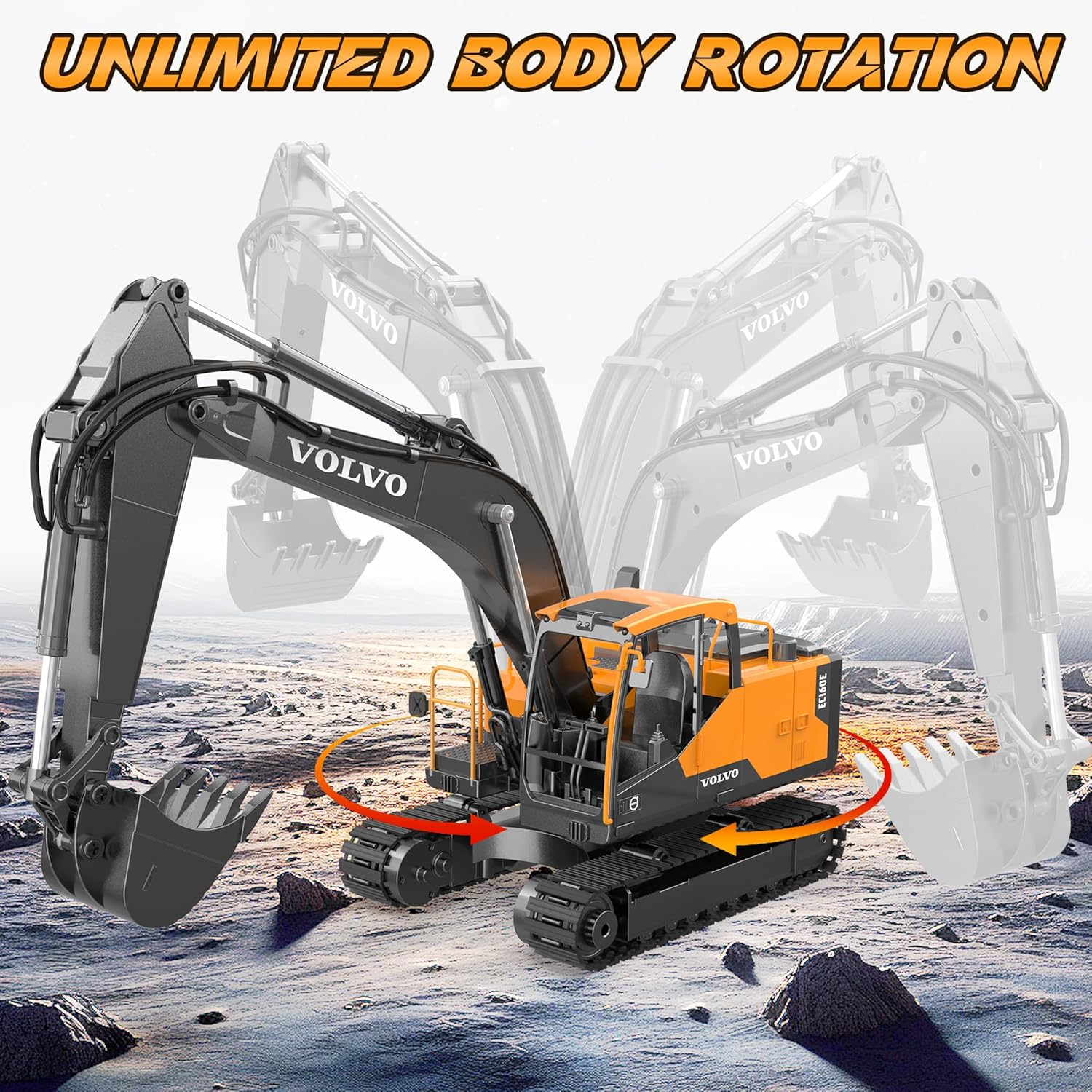
Figure 2: The excavator's cab can rotate 360 degrees, allowing for versatile operation without repositioning the tracks.
5.2. Arm and Bucket Control
- Lift/Lower Large Arm: Use the designated buttons/joystick to control the main arm's vertical movement.
- Lift/Lower Small Arm: Use separate controls for the secondary arm's movement.
- Scoop/Dump Bucket: Control the bucket's angle for digging and releasing material. The metal bucket can bear up to 3.3 lbs.

Figure 3: The excavator features a strong digging arm with independent power motors, enabling realistic digging and climbing capabilities.
5.3. Sound and Light Effects
The excavator is equipped with simulated sound and light effects for an enhanced realistic experience. Refer to your remote control diagram for buttons to activate/deactivate these features.
6. 3-in-1 Attachments
Your DOUBLE E Volvo RC Excavator comes with three interchangeable attachments: a metal shovel, a drill, and a grabber. These can be easily swapped to suit different tasks.
6.1. Changing Attachments
- Ensure the excavator is powered off.
- Locate the two bolts securing the current attachment to the arm.
- Remove these two bolts using the provided tool.
- Carefully detach the current attachment.
- Align the new attachment (shovel, drill, or grabber) with the arm's connection points.
- Insert the bolts and secure them tightly.
- If the attachment has an electrical connection (e.g., grabber), connect the small wire to the corresponding port on the arm.

Figure 4: The 3-in-1 functionality allows for quick and easy replacement of the metal shovel, drill, and grabber attachments.
7. Maintenance
- Cleaning: After use, especially in dirt or sand, gently wipe down the excavator with a damp cloth to remove debris. Avoid using harsh chemicals or excessive water.
- Storage: Store the excavator and remote control in a cool, dry place away from direct sunlight and extreme temperatures. Remove batteries from the remote control if storing for extended periods.
- Battery Care: Always fully charge the excavator battery before storage and periodically recharge it every few months to maintain battery health.
8. Troubleshooting
| Problem | Possible Cause | Solution |
|---|---|---|
| Excavator not responding to remote. | Low batteries in excavator or remote; not paired. | Charge/replace batteries; re-pair remote and excavator. |
| Weak digging force. | Low excavator battery; heavy material. | Fully charge excavator battery; reduce load or use lighter material. |
| Intermittent control. | Interference; remote too far. | Move to an area with less interference; operate closer to the excavator. |
| Attachments not working. | Incorrect installation; loose connection. | Ensure bolts are tight and electrical connections (if any) are secure. |
9. Specifications
- Product Dimensions: 27.17 x 6.69 x 20.87 inches
- Item Weight: 8.66 pounds
- Manufacturer: DOUBLE E
- Manufacturer Recommended Age: 14 years and up
- Excavator Battery: 7.4V 1200mAh rechargeable battery
- Remote Control Batteries: 3 AA batteries (not included)
- Scale: 1:16
- Control Frequency: 2.4GHz
- Shovel Bearing Capacity: Up to 3.3 lbs
10. Official Product Videos
Volvo RC Excavators E010 VS E598
This video from Double E Official compares the digging capabilities and features of the Volvo RC Excavator models E010 and E598, demonstrating their performance in various terrains.
RC Excavator Volvo User Manual | Double E E598
An official user manual video from Double E, showcasing the features and basic operations of the RC Excavator Volvo E598 model.
11. Warranty & Support
For warranty information, technical support, or any inquiries regarding your DOUBLE E Volvo 1:16 Scale RC Excavator, please contact DOUBLE E customer service through the retailer's platform or the official DOUBLE E website. Keep your purchase receipt as proof of purchase for warranty claims.


