
1. Introduction
This manual provides comprehensive instructions for the installation, operation, and maintenance of your NGTeco Keypad Door Lock with Handle. This smart lock offers multiple unlocking options and advanced security features for enhanced home access control.
Key Features:
- 5-in-1 Smart Lock: Supports fingerprint, APP, password, NFC, and mechanical key unlocking.
- Fast Fingerprint Recognition: 0.3-second unlocking with 99.99% recognition rate.
- Remote Control via APP: Lock/unlock, share virtual keys, generate temporary passwords, check access logs.
- Advanced Security: Automatic locking, intrusion alarm, privacy mode, dual unlocking.
- Emergency Power: USB Type-C interface and mechanical keys for emergencies.
- Easy Installation: DIY installation in 10-20 minutes with a screwdriver.
- Weather Resistant: Designed for various conditions (IP65, -4°F to 58°F).
- Long Battery Life: Up to 1 year with 4 AA batteries.
- Humanized Functions: Doorbell button for APP notifications, passage mode, lockout mode.

Figure 1: NGTeco Keypad Door Lock with Handle and included accessories.
2. Package Contents
Please verify that all components are present before beginning installation.
- Smart Lock (Front and Rear Units)
- Mechanical Keys (2)
- IC Cards (2)
- Installation Hardware (Screws, Spindle, etc.)
- User Manual (This Document)
3. Installation Guide
The NGTeco Smart Lock is designed for easy DIY installation, typically completed within 10-20 minutes using only a screwdriver. No additional drilling or hard wiring is required for standard installations.
3.1 Door Compatibility
- Compatible with standard American wooden front doors, garages, and office doors.
- Door handle is reversible for both left-handed and right-handed door configurations.
- Refer to the diagram below for door thickness requirements.

Figure 2: Door thickness and bore hole measurements for installation.
3.2 Installation Steps
- Remove your existing door knob or deadbolt.
- Install the latch into the door edge. Ensure the latch bolt is facing the correct direction for your door swing.
- Install the exterior assembly, feeding the cable through the door.
- Install the interior mounting plate.
- Connect the cable from the exterior assembly to the interior assembly.
- Secure the interior assembly to the mounting plate.
- Insert 4 AA batteries into the battery compartment.
- Test the lock's functionality.
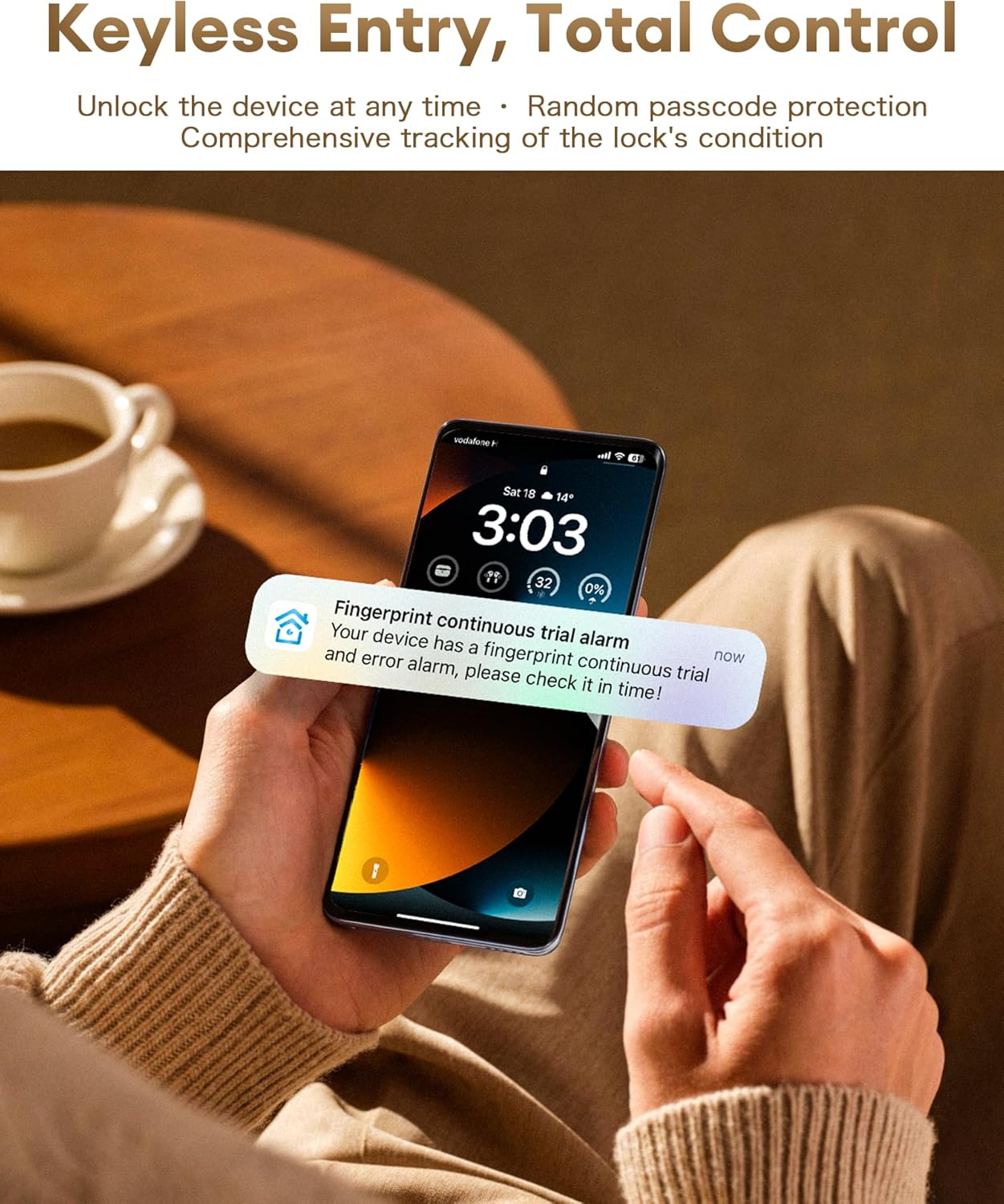
Figure 3: Quick and easy DIY installation process.
4. Operating Instructions
Your NGTeco Smart Lock offers multiple convenient ways to unlock your door.
4.1 Unlocking Methods
- Fingerprint: Place your registered fingerprint on the sensor for quick access (0.3-second recognition).
- Password: Enter your 6-digit password on the keypad. Anti-peeping input allows adding random numbers before or after your password (total length ≤ 32 digits).
- NFC: Tap your registered NFC card to the lock.
- Mechanical Key: Use the provided physical keys for traditional unlocking.
- NGTeco Home APP: Remotely lock/unlock via the mobile application.

Figure 4: Multi-mode unlocking options.
4.2 NGTeco Home APP Control
The NGTeco Home APP provides comprehensive control and monitoring capabilities for your smart lock.
- Remote Lock/Unlock: Control your door from anywhere.
- Virtual Key Sharing: Grant temporary or permanent access to others.
- Temporary/Periodic Passwords: Generate time-limited access codes.
- Access Logs: View real-time unlocking records and access history.
- User Management: Assign administrator and user roles with distinct permissions.
- Multi-Lock Management: Synchronously manage multiple NGTeco locks.

Figure 5: NGTeco Home App for comprehensive control.
4.3 Special Modes
- Passage Mode: Keeps the door unlocked for continuous access, suitable for public areas or gatherings.
- Lockout Mode: Only administrators can unlock from the outside, enhancing security for specific situations.

Figure 6: Passage Mode for convenient access.
5. Security Features
The NGTeco Smart Lock incorporates several features to ensure the security of your property.
- Automatic Door Locking: Ensures the door is secured after closing.
- Intrusion Alarm: Alerts you to unauthorized attempts to open the door.
- Privacy Mode: Enhances security by restricting external access.
- Dual Unlocking Mode: Requires two verification methods (e.g., fingerprint + password) for enhanced security.
- Failed Verification Lockout: After 5 consecutive failed verifications, the corresponding method will be locked for 5 minutes.
- Doorbell Button (# key): Linked to APP push notifications, alerting you to visitor arrivals.

Figure 7: Real-time notifications for security events.
6. Power and Maintenance
Proper power management and maintenance ensure optimal performance of your smart lock.
6.1 Battery Installation and Life
- The lock requires 4 AA batteries (not included).
- Expected battery life is up to 1 year, depending on usage.
- The lock provides real-time low-battery reminders via the APP.

Figure 8: Low battery alert system.
6.2 Emergency Power Supply
In case of complete battery depletion, the lock can be powered externally or opened with a mechanical key.
- USB Type-C Interface: Connect a portable power bank to the USB-C port on the lock for temporary power.
- Mechanical Key: Use the provided mechanical keys as a backup unlocking method.

Figure 9: Emergency power and mechanical key options.
7. Troubleshooting
| Problem | Possible Cause | Solution |
|---|---|---|
| Lock not responding | Low or dead batteries. | Replace AA batteries or use USB Type-C for emergency power. |
| Fingerprint not recognized | Fingerprint sensor dirty; unregistered fingerprint; improper placement. | Clean sensor; re-register fingerprint; ensure full finger contact. After 5 failed attempts, the sensor will lock for 5 minutes. |
| Keypad not responding | Incorrect password; keypad locked due to multiple failed attempts. | Verify password; wait 5 minutes if locked out. |
| Cannot connect to APP | Bluetooth/Wi-Fi off; lock out of range; APP not updated. | Ensure Bluetooth/Wi-Fi is on; move closer to lock; update APP. |
8. Specifications
| Brand | NGTeco |
| Model Name | SL01-A730N |
| Lock Type | Deadbolt |
| Material | Zinc |
| Color | Silver |
| Item Dimensions (L x W x H) | 6.5 x 3.5 x 9 inches |
| Item Weight | 2.5 Pounds |
| Connectivity Protocol | Bluetooth, Wi-Fi (with optional bridge) |
| Power Source | 4 AA Batteries (not included) |
| Special Features | Alarm, Anti-Drill, Fingerprint, Passcode Unlock, Weather Resistant |
9. Warranty and Support
NGTeco is committed to providing excellent customer service. Our professional after-sales team is available to assist you with any inquiries or issues.
- Professional Assistance: Our team can help identify the root cause of problems.
- Real-time Online Support: Available via phone, email, or chat.
- Rapid Response: Designed to save user time.
- Product Recommendations: Guidance on products or functions based on your needs.
For support, please visit the official NGTeco website or contact our customer service team directly.

Figure 10: NGTeco Professional After-Sales Support.
10. Official Product Videos
Watch these official videos for additional guidance and demonstrations.
Currently, there are no official seller videos available for this product. Please refer to the written instructions or contact support for further assistance.


